Code breaks, fix it faster
Application monitoring software considered "not bad" by millions of developers.

- GitHub
- Disney
- Atlassian
- Linear
- Vercel
- Cloudflare
- Slack
- Metronome
- Autodesk
- Microsoft
- Instacart
- Lyft
- Bolt
- Monday
- Cursor
- Anthropic
- Factory AI
- Sentry
- Baseten
- Runlayer
- Convex
- Supabase
Developer first. Always.


Monitor in five lines
Drop in the SDK. No agents to install. No performance surprises.
Automatically root-cause any issue
Catch critical issues before you merge and fix them when they hit prod with Seer, our debugging agent and code reviewer.
Break production less
Predict and prevent the errors that matter most before they even make it to production with AI code review.
Stay in the flow
From GitHub, Slack, Jira, and Linear to coding agents with Sentry's MCP server, Sentry brings full context to every fix from dev to prod.
Everything’s connected
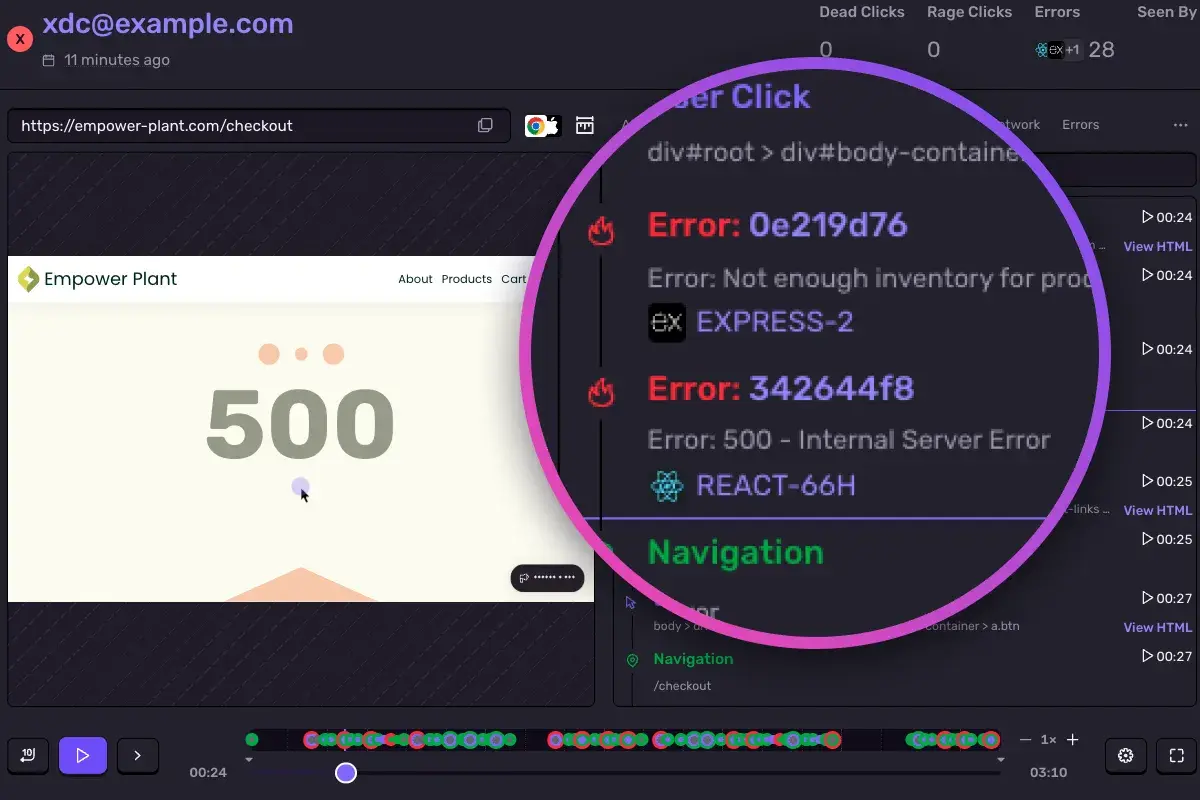
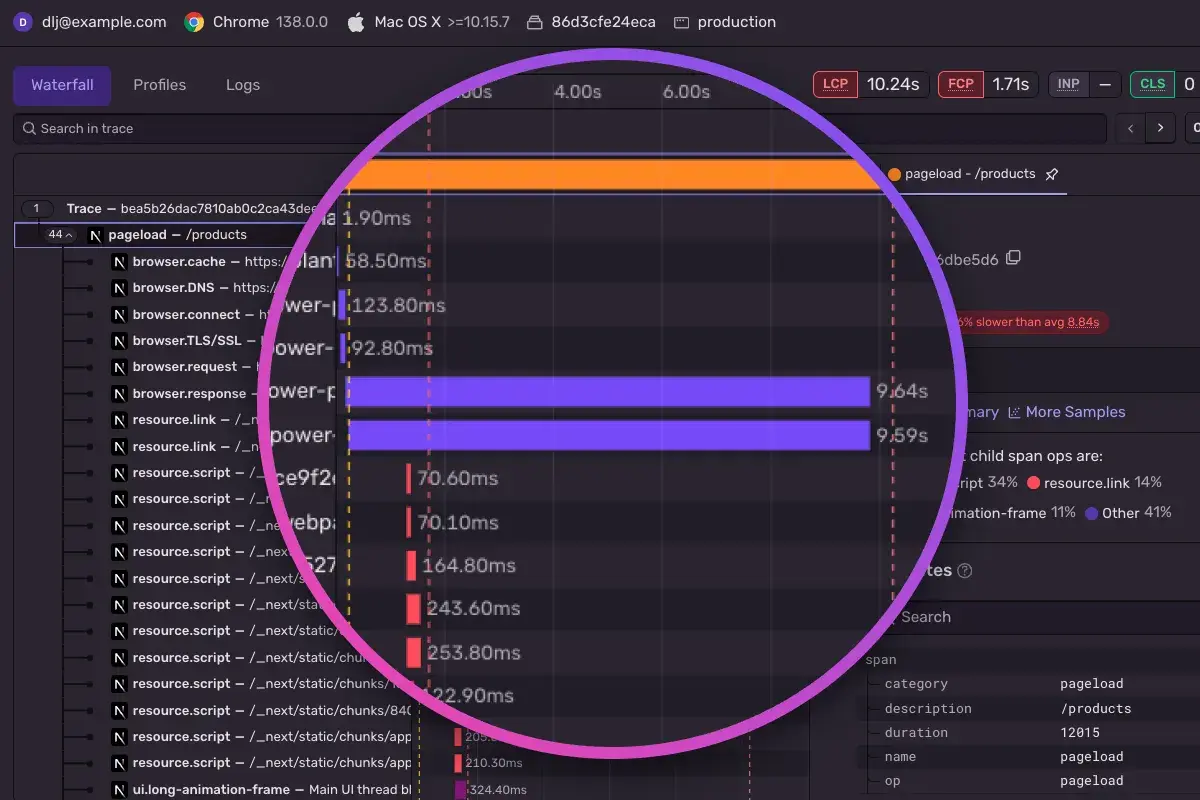
Yeah, other tools exist. But errors, logs, replays, spans, profiles, and metrics — all connected by the same trace? That’s kind of our thing.
👁 Sentry trace waterfall view for an HTTP POST to /api/v1/buy-plants, showing AI-related spans including invoke_agent, chat, and execute_tool, with one invocation taking 4.04s—80% faster than average.
👁 Sentry issue view showing an unhandled exception in src/main.py at line 279: “Error validating enough inventory for product.” Includes code context, release details, and related file changes in the empower.flask package.

Go from Issue → Context → Fix.
Debugging needs context— with or without AI
Seer, our AI debugger, uses Sentry context – logs, commits, traces, stack trace - so you can stop guessing and it can fix issues for you.

👁 Code diff view showing new configurations added to prevent database timeout errors, including connection pool sizing, timeouts for idle connections and queries, and keepalive settings in client.ts.

👁 GitHub code review by the Seer highlighting a potential bug: inconsistent error handling for missing OpenAI API keys in ProjectDetectionService, which throws an error in the constructor and may crash the app on startup.

Loved by developers worldwide


Nova DasSarma
Systems Lead, Anthropic

Andrew Hay
Director at Disney Streaming Services, Disney+

Igor Dobrovitski
Infrastructure Software Engineer, Instacart

Get started in minutes
Five lines of code. That's it. No complex setup, no performance hits, no waiting around.
See -- it's really just one command.
npx @sentry/wizard@latest -i nextjsGet started with just one line of code:
npx @sentry/wizard@latest -i angularJust run this command to sign up for and install Sentry.
brew install getsentry/tools/sentry-wizard && sentry-wizard -i androidSignup and install Sentry with just one line of code:
brew install getsentry/tools/sentry-wizard && sentry-wizard -i iosSign-up and install Sentry with just one line of code:
npx @sentry/wizard@latest -i flutterInstall Sentry with one line of code:
npx @sentry/wizard@latest -i reactNativeAdd the Sentry dependency to your .NET MAUI application:
dotnet add package Sentry.Maui -v 5.11.1Grab the Sentry Python SDK:
pip install --upgrade sentry-sdkConfigure your DSN:
import sentry_sdk

sentry_sdk.init(
 "https://<key>@sentry.io/<project>",

 # Set traces_sample_rate to 1.0 to capture 100%
 # of transactions for Tracing.
 # We recommend adjusting this value in production.
 enable_tracing=True,
 traces_sample_rate=1.0,
)
Grab the Sentry Node SDK:
npm install @sentry/nodeConfigure your SDK:
const Sentry = require('@sentry/node');
Sentry.init({ dsn: 'https://<key>@sentry.io/<project>' });
Grab the Sentry React SDK:
npm install @sentry/reactWe recommend putting the Sentry initialization code into its own file and including that file as the first import in your application entry point as shown in the example below:
import { useEffect } from "react";
import * as Sentry from "@sentry/react";

Sentry.init({
 dsn: "https://examplePublicKey@o0.ingest.sentry.io/0",
 integrations: [
 ],
 // Set `tracePropagationTargets` to control for which URLs trace propagation should be enabled
 tracePropagationTargets: [/^\//, /^https:\/\/yourserver\.io\/api/],
});
Include the Sentry initialization file as the first import statement:
// Sentry initialization should be imported first!
import "./instrument";
import App from "./App";
import { createRoot } from "react-dom/client";

const container = document.getElementById(“app”);
const root = createRoot(container);
root.render(<App />);
Install the NuGet package to add the Sentry dependency:
dotnet add package SentryInitialize the SDK as early as possible, like in the Main method in Program.cs/Program.fs:
using (SentrySdk.Init(o => {
 // Tells which project in Sentry to send events to:
 o.Dsn = "https://<key>@sentry.io/<project>";
 // When configuring for the first time, to see what the SDK is doing:
 o.Debug = true;
 // Set TracesSampleRate to 1.0 to capture 100% of transactions for Tracing.
 // We recommend adjusting this value in production.
 o.TracesSampleRate = 1.0; }))
{
 // App code goes here - Disposing will flush events out
}
Grab the Sentry Go SDK:
go get "github.com/getsentry/sentry-go"Configuration should happen as early as possible in your application's lifecycle:
package main

import (
	"log"
	"time"

	"github.com/getsentry/sentry-go"
)

func main() {
	err := sentry.Init(sentry.ClientOptions{
		Dsn: "https://<key>@sentry.io/<project>",
 EnableTracing: true,
		// Specify a fixed sample rate:
		// We recommend adjusting this value in production
		TracesSampleRate: 1.0,
		// Or provide a custom sample rate:
		TracesSampler: sentry.TracesSampler(func(ctx sentry.SamplingContext) float64 {
			// As an example, this does not send some
			// transactions to Sentry based on their name.
			if ctx.Span.Name == "GET /health" {
				return 0.0
			}

			return 1.0
		}),
	})
	if err != nil {
		log.Fatalf("sentry.Init: %s", err)
	}
	// Flush buffered events before the program terminates.
	// Set the timeout to the maximum duration the program can afford to wait.
	defer sentry.Flush(2 * time.Second)
}
To integrate Sentry into your Xcode project, specify it in your Podfile, then run pod install:
platform :ios, '9.0'
use_frameworks! # This is important

target 'YourApp' do
 pod 'Sentry', :git => 'https://github.com/getsentry/sentry-cocoa.git', :tag => '<VERSION>'
end
Initialize the SDK as soon as possible in your application lifecycle, such as in your AppDelegate application:didFinishLaunchingWithOptions method:
import Sentry // Make sure you import Sentry

func application(_ application: UIApplication,
 didFinishLaunchingWithOptions launchOptions: [UIApplication.LaunchOptionsKey: Any]?) -> Bool {

 SentrySDK.start { options in
 options.dsn = "https://<key>@sentry.io/<project>"
 options.debug = true // Enabled debug when first installing is always helpful
 // Example uniform sample rate: capture 100% of transactions for Tracing
 options.tracesSampleRate = 1.0
 }

 return true
}
Add the sentry-ruby gem to your Gemfile:
gem "sentry-ruby"Configure your DSN:
Sentry.init do |config|
 config.dsn = 'https://<key>@sentry.io/<project>'

 # Set a uniform sample rate between 0.0 and 1.0
 # We recommend adjusting the value in production:
 config.traces_sample_rate = 1.0

 # or control sampling dynamically
 config.traces_sampler = lambda do |sampling_context|
 # sampling_context[:transaction_context] contains the information about the transaction
 # sampling_context[:parent_sampled] contains the transaction's parent's sample decision
 true # return value can be a boolean or a float between 0.0 and 1.0
 end
end
Install the sentry/sentry package with Composer:
composer require sentry/sentryTo capture all errors, even the one during the startup of your application, you should initialize the Sentry PHP SDK as soon as possible.
\Sentry\init(['dsn' => 'https://<key>@sentry.io/<project>',
 // Specify a fixed sample rate:
 'traces_sample_rate' => 0.2,
 // Or provide a custom sampler:
 'traces_sampler' => function (SentryTracingSamplingContext $context): float {
 // return a number between 0 and 1
 }, ]);
Install the sentry/sentry-laravel package with Composer:
composer require sentry/sentry-laravelAdd Sentry reporting to bootstrap/app.php:
<?php

use Illuminate\Foundation\Application;
use Illuminate\Foundation\Configuration\Exceptions;
use Illuminate\Foundation\Configuration\Middleware;
use Sentry\Laravel\Integration;

return Application::configure(basePath: dirname(__DIR__))
 ->withRouting(
 web: __DIR__.'/../routes/web.php',
 commands: __DIR__.'/../routes/console.php',
 health: '/up',
 )
 ->withMiddleware(function (Middleware $middleware) {
 //
 })
 ->withExceptions(function (Exceptions $exceptions) {
 Integration::handles($exceptions);
 })->create();
Enable Sentry Tracing in config/sentry.php:
// Specify a fixed sample rate:
'traces_sample_rate' => 0.2,
// Or provide a custom sampler:
'traces_sampler' => function (SentryTracingSamplingContext $context): float {
 // return a number between 0 and 1
},
Run this Artisan command to configure the Sentry DSN:
php artisan sentry:publish --dsn=<paste-your-DSN-here>Add the Sentry dependency:
dotnet add package Sentry.AspNetCoreConfigure Sentry in appsettings.json.
"Sentry": {
 "Dsn": "https://examplePublicKey@o0.ingest.sentry.io/0",
 "Debug": true,
},
Then add the SDK by simply calling UseSentry:
public static IHostBuilder CreateHostBuilder(string[] args) =>
 Host.CreateDefaultBuilder(args)
 .ConfigureWebHostDefaults(webBuilder =>
 {
 // Add the following line:
 webBuilder.UseSentry();
 });
Grab the Sentry Java SDK:
<dependency>
 <groupId>io.sentry</groupId>
 <artifactId>sentry-spring-boot-starter</artifactId>
 <version><VERSION></version>
</dependency>
Configure your DSN in application.properties:
sentry.dsn=https://<key>@sentry.io/<project>
# Set traces_sample_rate to 1.0 to capture 100%
# of transactions for performance monitoring.
# We recommend adjusting this value in production.
sentry.traces-sample-rate=1.0
Grab the Sentry Vue SDK:
npm install @sentry/vueConfigure your DSN:
import { createApp } from "vue";
import * as Sentry from "@sentry/vue";

const app = createApp({
 // ...
});

Sentry.init({
 app,
 dsn: "https://<key>@sentry.io/<project>"",
 // This enables automatic instrumentation (highly recommended),
 // but is not necessary for purely manual usage
 // If you only want to use custom instrumentation:
 // * Remove the BrowserTracing integration
 // * add Sentry.addTracingExtensions() above your Sentry.init() call
 integrations: [Sentry.browserTracingIntegration()],

 // We recommend adjusting this value in production, or using tracesSampler
 // for finer control
 tracesSampleRate: 1.0,
 // Set tracePropagationTargets to control for which URLs distributed tracing should be enabled
 tracePropagationTargets: ['localhost', /^https://yourserver.io/api/],
});

app.mount("#app");
To use the SDK, initialize Sentry in your Solid entry point index.jsx before you render your Solid app:
// index.jsx / index.tsx

import * as Sentry from "@sentry/solid";
import { useBeforeLeave, useLocation } from "@solidjs/router";
import { render } from "solid-js/web";
import App from "./app";

// Initialize the Sentry SDK here
Sentry.init({
 dsn: "__DSN__",
 integrations: [Sentry.browserTracingIntegration()],

 // Performance Monitoring
 tracesSampleRate: 1.0, // Capture 100% of the transactions
 // Set 'tracePropagationTargets' to control for which URLs trace propagation should be enabled
 tracePropagationTargets: ["localhost", /^https:\/\/yourserver\.io\/api/],
});

const app = document.getElementById("app");

if (!app) throw new Error("No #app element found in the DOM.");

render(() => <App />, app)
To use the SDK, initialize Sentry in your Svelte entry point main.js before you bootstrap your Svelte app:
// main.js / main.ts

import App from "./App.svelte";

import * as Sentry from "@sentry/svelte";
import { BrowserTracing } from "@sentry/tracing";

// Initialize the Sentry SDK here
Sentry.init({
 dsn: "__DSN__",
 release: "my-project-name@2.3.12",
 integrations: [new BrowserTracing()],

 // This enables automatic instrumentation (highly recommended),
 // but is not necessary for purely manual usage
 // If you only want to use custom instrumentation:
 // * Remove the BrowserTracing integration
 // * add Sentry.addTracingExtensions() above your Sentry.init() call
 integrations: [Sentry.browserTracingIntegration()],

 // We recommend adjusting this value in production, or using tracesSampler
 // for finer control
 tracesSampleRate: 1.0,

 // Set tracePropagationTargets to control for which URLs distributed tracing should be enabled
 tracePropagationTargets: ['localhost', /^https://yourserver.io/api/],
});

// Then bootstrap your Svelte app
const app = new App({
 target: document.getElementById("app"),
});

export default app;
Just run this command to install and register Sentry's Astro integration.
npx astro add @sentry/astroAnd add your DSN and project config to your astro.config.mjs file:
import { defineConfig } from "astro/config";
import sentry from "@sentry/astro";

export default defineConfig({
 integrations: [
 sentry({
 dsn: "__DSN__",
 sourceMapsUploadOptions: {
 project: "your-project-slug",
 authToken: process.env.SENTRY_AUTH_TOKEN,
 },
 tracesSampleRate: 1.0,
 }),
 ],
});
Grab the Sentry JavaScript SDK:
<script src="https://browser.sentry-cdn.com/<VERSION>/bundle.min.js"></script>Configure your DSN:
Sentry.init({ dsn: 'https://<key>@sentry.io/<project>',
 // This enables automatic instrumentation (highly recommended),
 // but is not necessary for purely manual usage
 // If you only want to use custom instrumentation:
 // * Remove the BrowserTracing integration
 // * add Sentry.addTracingExtensions() above your Sentry.init() call
 integrations: [Sentry.browserTracingIntegration()],

 // We recommend adjusting this value in production, or using tracesSampler
 // for finer control
 tracesSampleRate: 1.0,

 // Set tracePropagationTargets to control for which URLs distributed tracing should be enabled
 tracePropagationTargets: ['localhost', /^https://yourserver.io/api/],
});
👁 Right Installation Instructions Image