|
VOOZH | about |
|
VOOZH | about |
This library has only SMB version 1 features, which are not supported by the current Windows.
See: TalAloni's SMBLibrary implements SMB Client and Server, or my Simple Client Wrapper EzSmb.
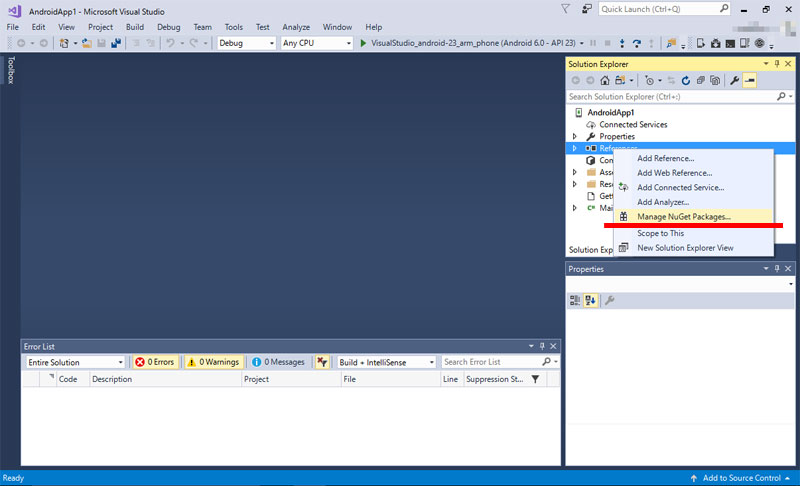
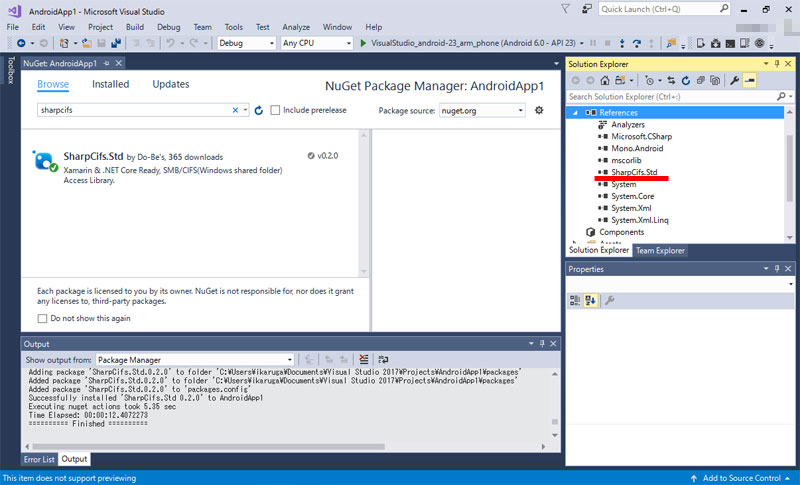
In Solution Explorer, right-click "Reference" and select "Manage NuGet Packages".
👁 Image
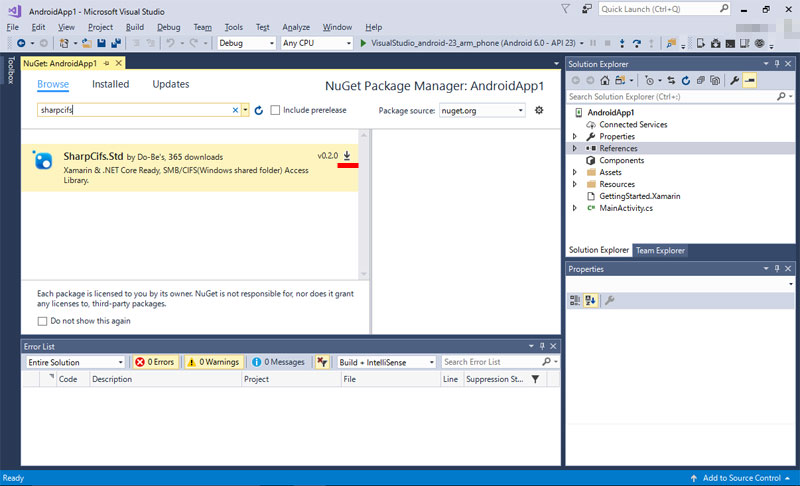
In the NuGet Package Manager window, select "Browse".
👁 Image
In the search text box enter "sharpcifs", display the "SparpCifs.Std" package.
Click on the download mark to start adding packages.
👁 Image
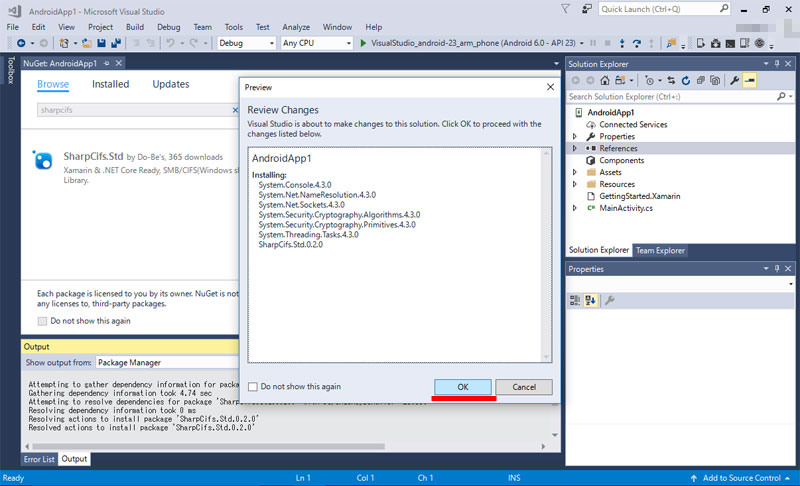
A change confirmation window may be displayed.
👁 Image
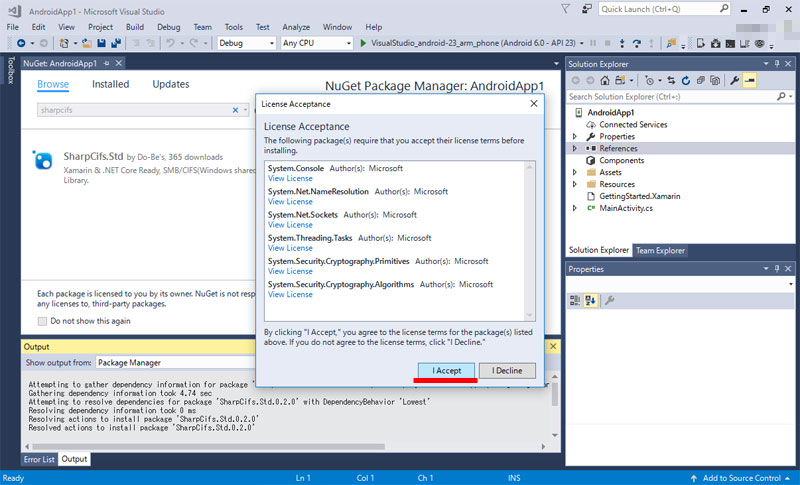
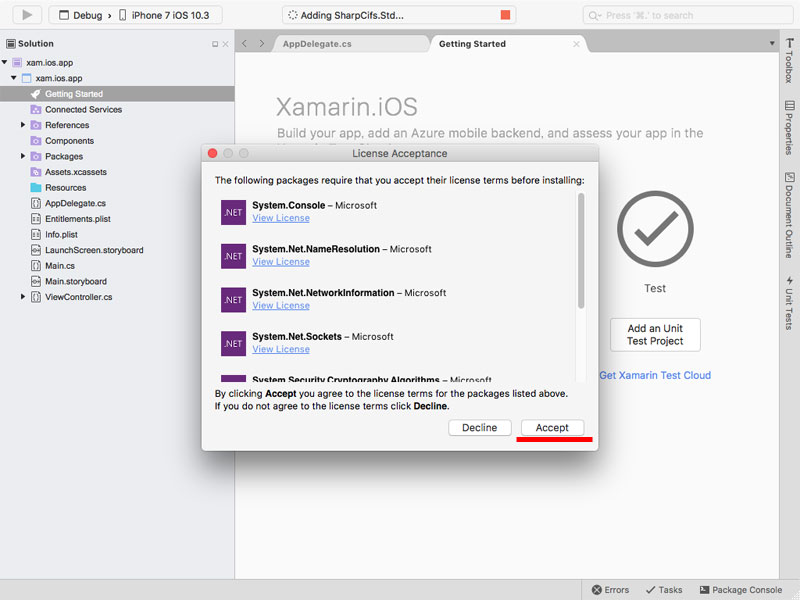
Unless already installed, you will see a license confirmation of the Microsoft official package on which SharpCifs.Std depends.
👁 Image
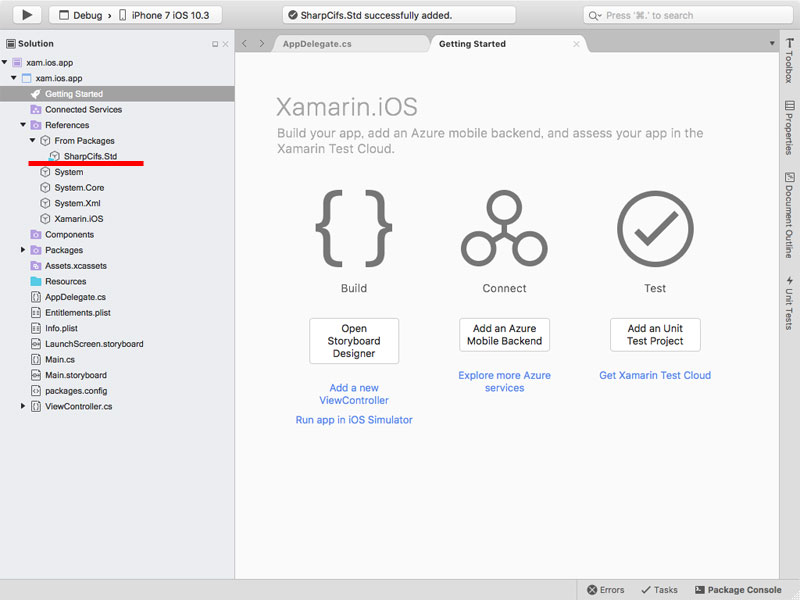
Success, if "SharpCifs.Std" is listed in reference on Solution Explorer.
👁 Image
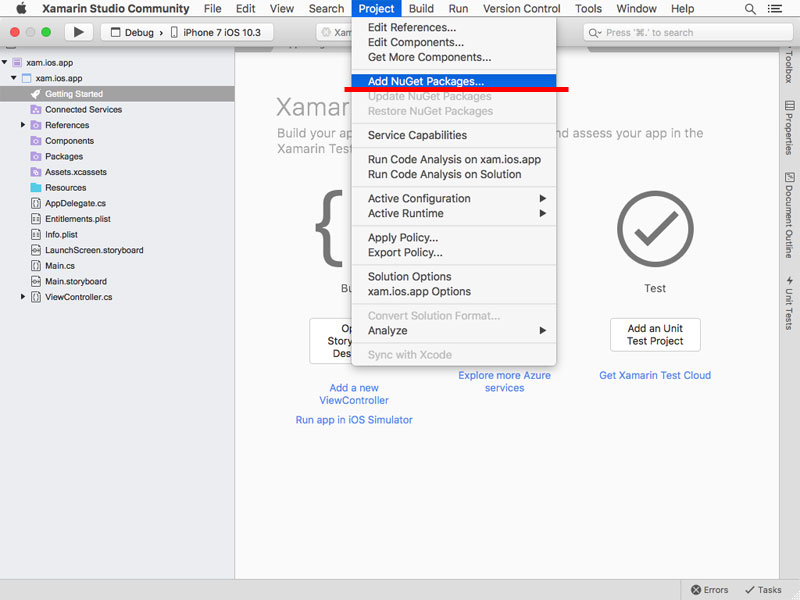
From the header menu "Project", select "Add NuGet Packages".
👁 Image
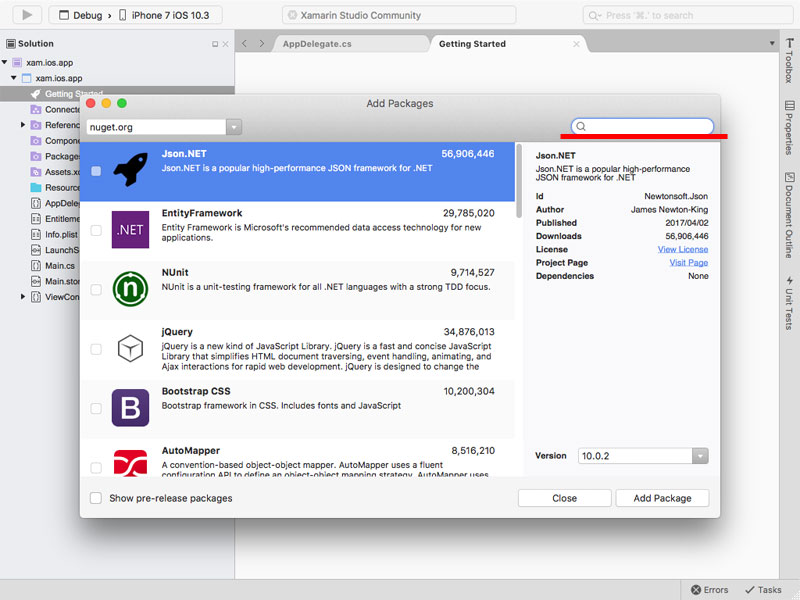
The NuGet package search window will be displayed.
In the search text box, enter "sharpcifs".
👁 Image
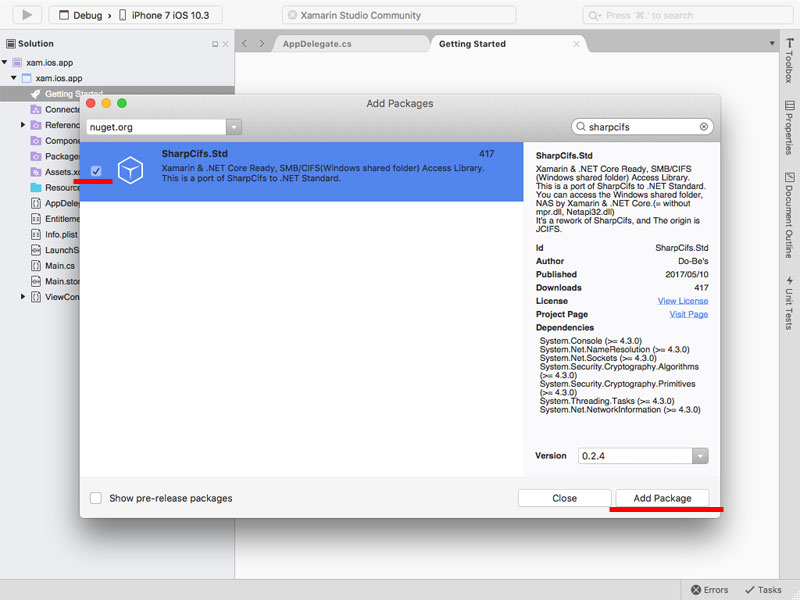
The "SharpCifs.Std" package is listed.
Check it and click "Add Package" button.
👁 Image
Unless already installed, you will see a license confirmation of the Microsoft official package on which SharpCifs.Std depends.
👁 Image
Success, if "SharpCifs.Std" is listed in reference on Solution Explorer.
👁 Image
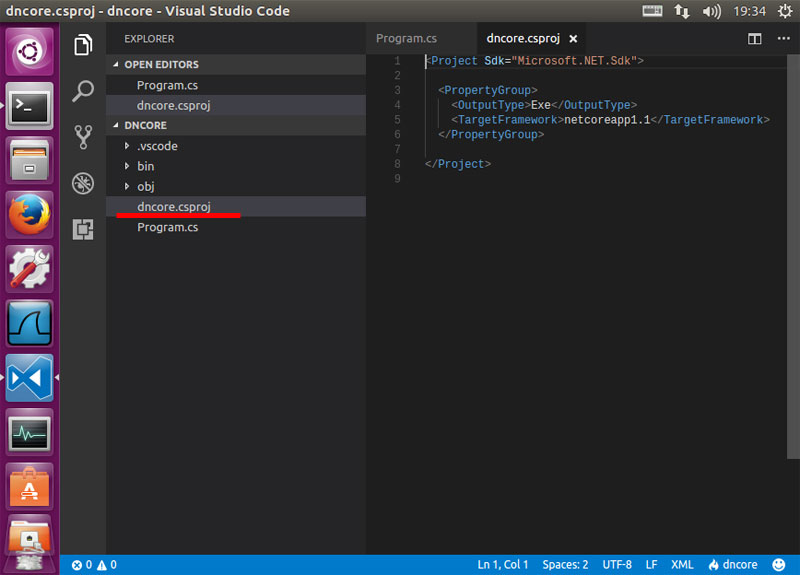
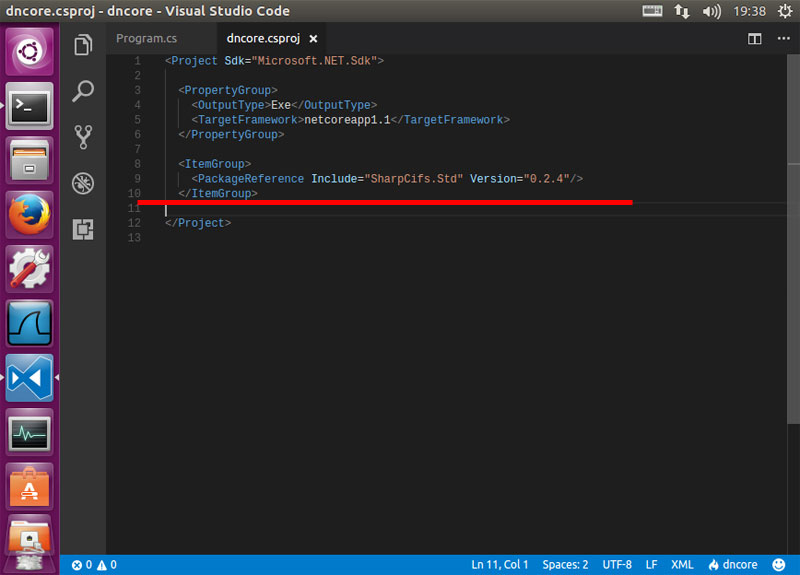
Open the *.csproj file of your project.(For .Net Core 1.1 or higher)
👁 Image
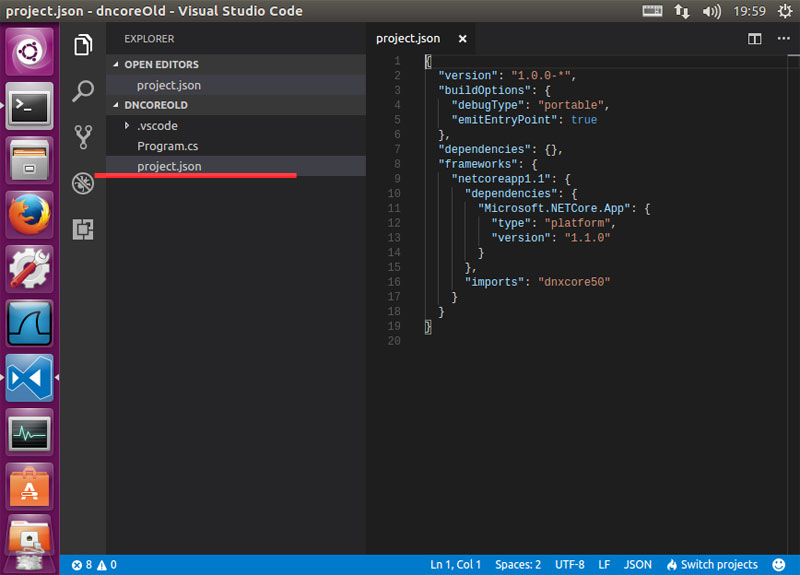
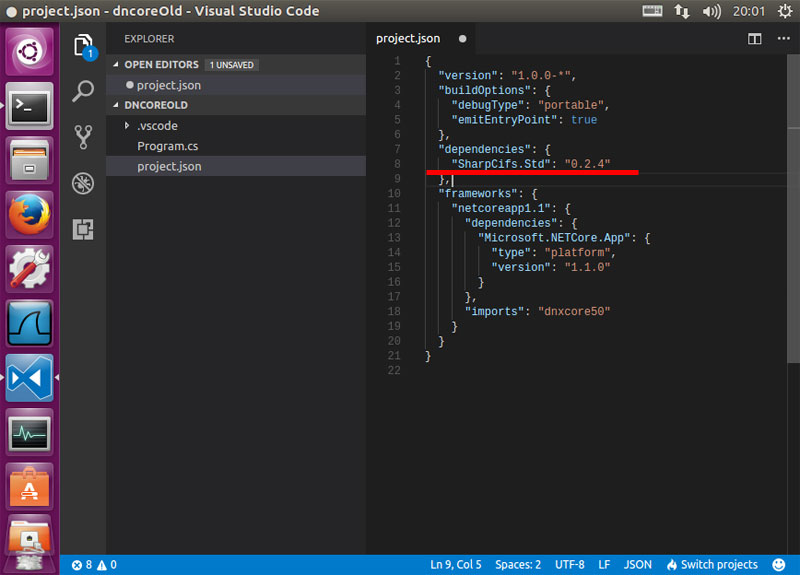
For .Net Core 1.0 series, open "project.json".
👁 Image
Since you need to specify the version, check the latest version on nuget.org.
👁 Image
Add the name and version of the "SharpCifs.Std" package in XML format to your *.csproj file.
(For .Net Core 1.1 or higher)
👁 Image
For .Net Core 1.0 series, Add infomation to "project.json".
👁 Image
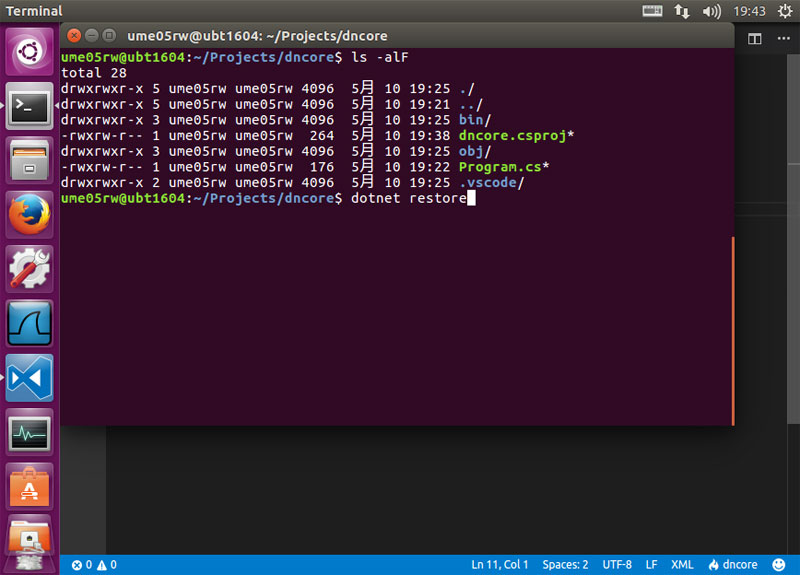
Execute the "dotnet restore" command on your project folder, at the terminal.
👁 Image
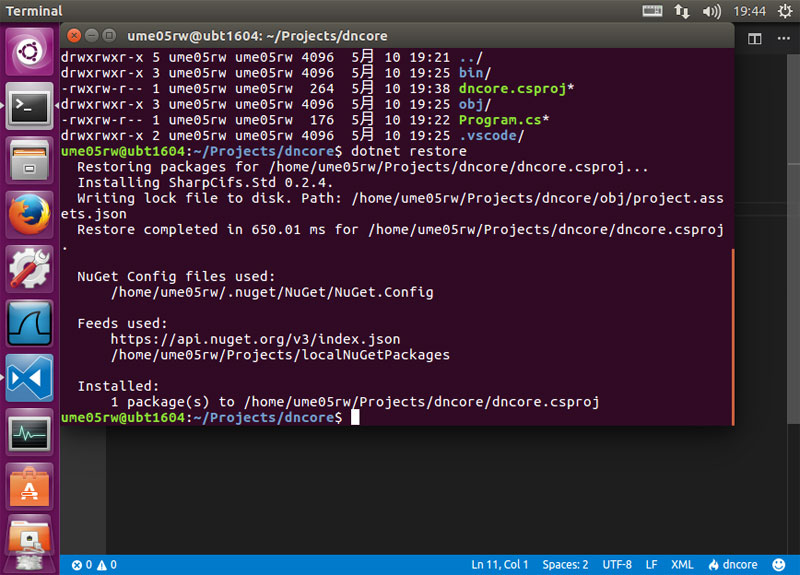
The result of the command is displayed.
If it says "Restore completed" it is successful.
👁 Image
//using System;
//using SharpCifs.Smb;

//Get SmbFile-Object of a folder.
var folder = new SmbFile("smb://UserName:Password@ServerIP/ShareName/FolderName/");

//UnixTime
var epocDate = new DateTime(1970, 1, 1, 0, 0, 0, DateTimeKind.Utc);

//List items
foreach (SmbFile item in folder.ListFiles())
{
 var lastModDate = epocDate.AddMilliseconds(item.LastModified())
 .ToLocalTime();
 var name = item.GetName();
 var type = item.IsDirectory() ? "dir" : "file";
 var date = lastModDate.ToString("yyyy-MM-dd HH:mm:ss");
 var msg = $"{name} ({type}) - LastMod: {date}";
 Console.WriteLine(msg);
}
//using System;
//using SharpCifs.Smb;

//Set Local UDP-Broadcast Port.
//When using the host name when connecting,
//Change default local port(137) to a value larger than 1024.
//In many cases, use of the well-known port is restricted.
//
// ** If possible, using IP addresses instead of host names
// ** to get better performance.
//
SharpCifs.Config.SetProperty("jcifs.smb.client.lport", "8137");

//string to Auth-Object.
var auth1 = new NtlmPasswordAuthentication("UserName:Password");
var smb1 = new SmbFile("smb://192.168.0.1/ShareName/FolderName/", auth1);
Console.WriteLine($"exists? {smb1.Exists()}");

//3 string to Auth-Object.
var auth2 = new NtlmPasswordAuthentication(null, "UserName", "Password");
var smb2 = new SmbFile("smb://HostName/ShareName/FolderName/", auth2);
Console.WriteLine($"exists? {smb2.Exists()}");

//Insert auth info into URL.
var smb3 = new SmbFile("smb://UserName:Password@HostName/ShareName/FolderName/");
Console.WriteLine($"exists? {smb3.Exists()}");

//You can store authentication information in SharpCifs.Std.
SharpCifs.Config.SetProperty("jcifs.smb.client.username", "UserName");
SharpCifs.Config.SetProperty("jcifs.smb.client.password", "Password");

var smb4 = new SmbFile("smb://HostName/ShareName/FolderName/");
Console.WriteLine($"exists? {smb4.Exists()}");
//using System;
//using System.IO;
//using System.Text;
//using SharpCifs.Smb;

//Get target's SmbFile.
var file = new SmbFile("smb://UserName:Password@ServerIP/ShareName/Folder/FileName.txt");

//Get readable stream.
var readStream = file.GetInputStream();

//Create reading buffer.
var memStream = new MemoryStream();

//Get bytes.
((Stream)readStream).CopyTo(memStream);

//Dispose readable stream.
readStream.Dispose();

Console.WriteLine(Encoding.UTF8.GetString(memStream.ToArray()));
//using System.Text;
//using SharpCifs.Smb;

//Get the SmbFile specifying the file name to be created.
var file = new SmbFile("smb://UserName:Password@ServerIP/ShareName/Folder/NewFileName.txt");

//Create file.
file.CreateNewFile();

//Get writable stream.
var writeStream = file.GetOutputStream();

//Write bytes.
writeStream.Write(Encoding.UTF8.GetBytes("Hello!"));

//Dispose writable stream.
writeStream.Dispose();
//using System;
//using SharpCifs.Smb;

//Set Local UDP-Broadcast Port.
//When using the host name when connecting,
//Change default local port(137) to a value larger than 1024.
//In many cases, use of the well-known port is restricted.
//
// ** If possible, using IP addresses instead of host names
// ** to get better performance.
//
SharpCifs.Config.SetProperty("jcifs.smb.client.lport", "8137");

//Get local workgroups.
var lan = new SmbFile("smb://", "");
var workgroups = lan.ListFiles();

foreach (var workgroup in workgroups)
{
 Console.WriteLine($"Workgroup Name = {workgroup.GetName()}");
 try
 {
 //Get servers in workgroup.
 var servers = workgroup.ListFiles();
 foreach (var server in servers)
 {
 Console.WriteLine($"{workgroup.GetName()} - Server Name = {server.GetName()}");
 try
 {
 //Get shared folders in server.
 var shares = server.ListFiles();
 foreach (var share in shares)
 {
 Console.WriteLine($"{workgroup.GetName()}{server.GetName()} - Share Name = {share.GetName()}");
 }
 }
 catch (Exception)
 {
 Console.WriteLine($"{workgroup.GetName()}{server.GetName()} - Access Denied");
 }
 }
 }
 catch (Exception)
 {
 Console.WriteLine($"{workgroup.GetName()} - Access Denied");
 }
}
//using System;
//using System.Net;
//using SharpCifs.Netbios;

//Set Local UDP-Broadcast Port.
//When using the host name when connecting,
//Change default local port(137) to a value larger than 1024.
//In many cases, use of the well-known port is restricted.
//
// ** If possible, using IP addresses instead of host names
// ** to get better performance.
//
SharpCifs.Config.SetProperty("jcifs.smb.client.lport", "8137");

var naddr = NbtAddress.GetByName("HostName");
IPAddress addr = naddr.GetInetAddress();
Console.WriteLine($"IP = {addr}");
//Set Local IP Address.
//If a connection error occurs(ex: Failed to connect: [NET BIOS NAME]),
//Try to set the Local IP Address.
//When the host name of the device is invalid as the DNS name,
//it may be impossible to determine the local address.
SharpCifs.Config.SetProperty("jcifs.smb.client.laddr", "192.168.0.2");

//Set Local UDP-Broadcast Port.
//When using the host name when connecting,
//Change default local port(137) to a value larger than 1024.
//In many cases, use of the well-known port is restricted.
//
// ** If possible, using IP addresses instead of host names
// ** to get better performance.
//
SharpCifs.Config.SetProperty("jcifs.smb.client.lport", "8137");

//You can store authentication information in SharpCifs.Std.
SharpCifs.Config.SetProperty("jcifs.smb.client.username", "UserName");
SharpCifs.Config.SetProperty("jcifs.smb.client.password", "Password");

//If you are not using DFS(Distributed File System),
//Disabling DFS improves the speed of NetBios name resolution.
SharpCifs.Config.SetProperty("jcifs.smb.client.dfs.disabled", "true");

//and more configuration parameters are in the official JCIFS site.
//https://jcifs.samba.org/src/docs/api/overview-summary.html
//----------------------------------------
// Required: Version 0.2.9 or later.
//----------------------------------------
//
//Force apply the setting values.
//On the default operation, the setting values at the time of first SMB-processing is applied, and It CAN NOT BE CHANGED.
//This method forcibly applies the setting values changed after running SMB processing.
//
//And, This method disposes cached connections that are currently invalid.
//For example, connections that did not work within 30 minutes after connecting are disposed.
SmbFile.Initialize();

//Reset invalid connections.
//Use this method to disposed the invalid connections without manipulating the setting values.
SmbTransport.ClearCachedConnections();

//Reset all(includes active) connections.
//Use this method to dispose all connections, including currently connected.
//Be careful, It will dispose connections even during data transfer.
SmbTransport.ClearCachedConnections(true);