
The Preloaded add-on renders the initial set of posts on the server-side before sending Ajax requests to the server.
When you preload a query with Ajax Load More, you allow the initial result set to be cached, which can reduce stress on your server, improve loading times, and lower the page’s overall CLS.
Add-on Pricing Billed annually until cancelled.
All purchase options are billed annually in USD with a renewal discount of 25%. View Terms
Improve Performance
Reduce the amount of WordPress ajax-admin requests by preloading the initial data set on the server side.
Faster Processing
Preloaded posts are rendered on the server-side which means the content can be served via cache.
Server-Side Caching
Cache preloaded data on the server-side allowing for faster load times of Ajax Load More content.
How It Works
The Preloaded add-on loads the initial set of results using a WP_Query dispatched on the server-side before the browser renders the page.
After this initial server-side query, the remaining posts will be loaded via Ajax requests on the client side(browser) and controlled by Ajax Load More.
Splitting the query into server-side and client-side requests enables Ajax Load More to load data faster and ease the strain on your server by significantly reducing the amount of Ajax requests.

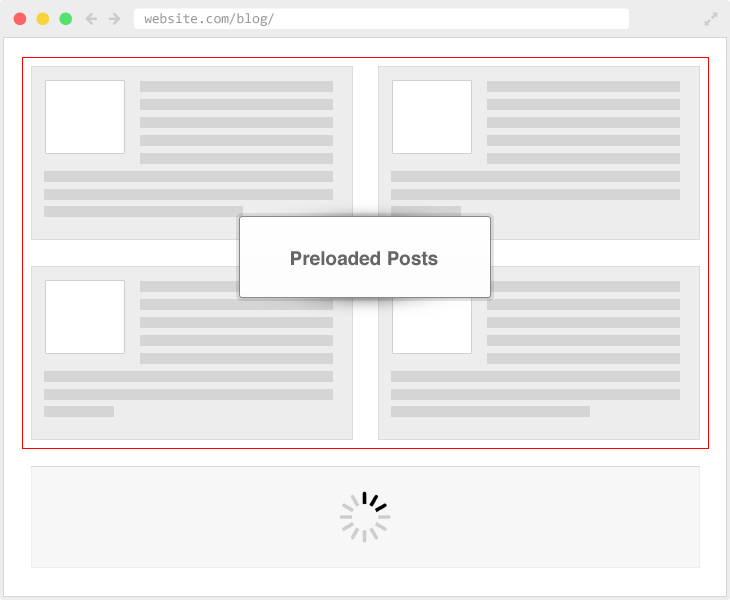
Example
The following example loads the initial two posts with Preloaded on the server-side and then loads the subsequent posts via Ajax request on the client side.
-
Ajax Load More Post Example
Cras justo odio, dapibus ac facilisis in, egestas eget quam. Cum sociis natoque penatibus et magnis dis parturient montes, nascetur ridiculus mus. Nullam quis risus eget urna mollis ornare...
-
Donec ullam corper nulla metus auctor frinel
Sociis natoque penatibus et magnis dis parturient montes, nascetur ridiculus mus. Maecenas faucibus mollis interdum. Vestibulum id ligula porta felis euismod semper. Integer posuere erat a ante venenatis dapibus...


Shortcode Parameters
Use the following shortcode parameters to initiate the preloading of posts with Ajax Load More.
| preloaded | Should Ajax Load More preload posts? (true/false) Default = ‘false’ |
|---|---|
| preloaded_amount | The amount of posts to preload. Default = ‘5’ |
Example Shortcode
The following example will preload four initial posts and then load six additional posts with every Ajax Load More query.
[ajax_load_more preloaded="true" preloaded_amount="2" posts_per_page="4" pause="true" button_label="Older Posts"]
Installation
Upon purchase of this add-on you will receive a confirmation/purchase receipt email. Your receipt will contain a direct link for downloading your copy of Ajax Load More: Preloaded and a license key.
After downloading the add-on, upload the unzipped files to your /wp-content/plugins/ directory or visit your plugins dashboard and upload the downloaded .zip under Add New.
License Activation
To activate your add-on and receive updates directly in your WordPress plugins dashboard users are required to enter the license key that was included with their purchase receipt.
To activate a license key:
- Visit the Licenses section within the Ajax Load More plugin.
- Enter the product key and click Activate License.
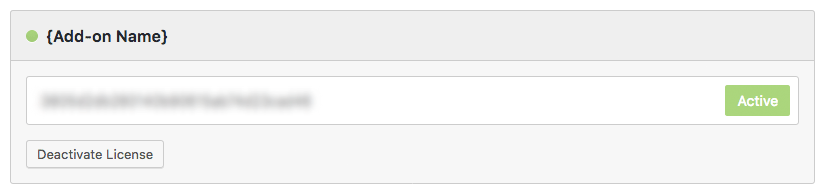
- If the status indicator turns green your add-on has been successfully activated (example below).

If you did not receive a confirmation email containing your license key, please check your spam/junk folder. If you still cannot locate the email, contact me at darren [at] connekthq.com or use the Product Support form.