MiniMax M2.7 is available for free via the MiniMax API Platform with trial credits. You can also access it through OpenRouter, Hugging Face Spaces, and the MiniMax Agent web interface.
MiniMax M2.7 is the first AI model that participates in its own self-evolution. It scores 56.22% on SWE-Pro (matching Claude Opus 4.6), debugs production systems in under 3 minutes, and handles 30-50% of ML research workflows on its own.
This guide shows you how to use MiniMax M2.7 for free through multiple platforms, understand the free tier limits, and get practical examples for your first projects.
Quick Answer: 4 Ways to Use MiniMax M2-7 for Free
| Method | Free Quota | Best For | Setup Time |
|---|---|---|---|
| MiniMax API Platform | Free trial credits | API integration, testing | 5 minutes |
| MiniMax Agent (Web) | Free with account | Chat, quick tasks | 2 minutes |
| OpenRouter | Pay-per-use, no subscription | Multi-model access | 5 minutes |
| Hugging Face Spaces | Community demos | Experimentation | Instant |
Method 1: MiniMax API Platform (Best for Developers)
The MiniMax API Platform is the official way to access M2.7 programmatically. New users get free trial credits to test the API.
Step 1: Create Your Account
- Go to platform.minimax.io
- Click “Sign Up” or “Console Login”
- Register with email or OAuth (Google/GitHub)
- Verify your email address
Step 2: Get Your Free API Key
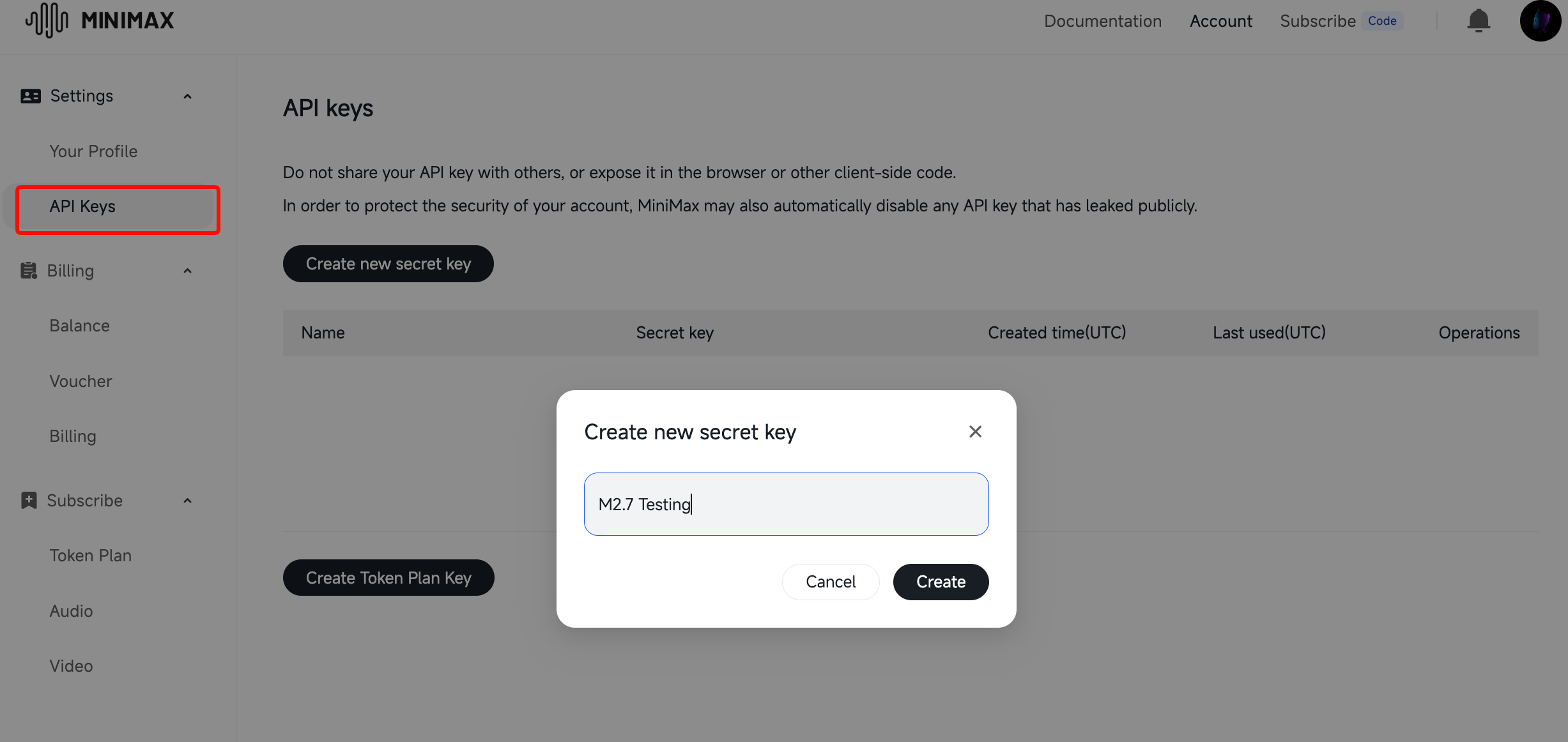
- Navigate to API Keys in the dashboard
- Click “Create New Key”
- Give it a name (e.g., “M2.7 Testing”)
- Copy the key immediately - you won’t see it again
Security tip: Store your API key in environment variables, not in code:
# .env file
MINIMAX_API_KEY="your-api-key-here"
Step 3: Check Your Free Quota
MiniMax offers free trial credits for new users. To check your quota:
- Go to Billing or Usage in the dashboard
- Look for “Free Tier” or “Trial Credits”
- Note the expiration date (trial credits expire in 30 days)
Current free tier includes:
- Free trial credits upon signup (amount varies by promotion)
- Access to M2.7 and other MiniMax models
- Standard rate limits for testing
Step 4: Make Your First API Call
Python Example:
import os
import requests
from dotenv import load_dotenv

load_dotenv()

API_KEY = os.getenv("MINIMAX_API_KEY")
ENDPOINT = "https://api.minimax.io/v1/chat/completions"

headers = {
 "Authorization": f"Bearer {API_KEY}",
 "Content-Type": "application/json"
}

payload = {
 "model": "minimax-m2.7",
 "messages": [
 {"role": "user", "content": "Build a REST API with user authentication in FastAPI"}
 ],
 "temperature": 0.7,
 "max_tokens": 4096
}

response = requests.post(ENDPOINT, headers=headers, json=payload)
print(response.json())
Node.js Example:
import axios from 'axios';

const API_KEY = process.env.MINIMAX_API_KEY;
const ENDPOINT = 'https://api.minimax.io/v1/chat/completions';

const response = await axios.post(ENDPOINT, {
 model: 'minimax-m2.7',
 messages: [
 { role: 'user', content: 'Build a REST API with user authentication in Express' }
 ],
 temperature: 0.7,
 max_tokens: 4096
}, {
 headers: {
 'Authorization': `Bearer ${API_KEY}`,
 'Content-Type': 'application/json'
 }
});

console.log(response.data);
Step 5: Test with Apidog
Apidog makes API testing visual:
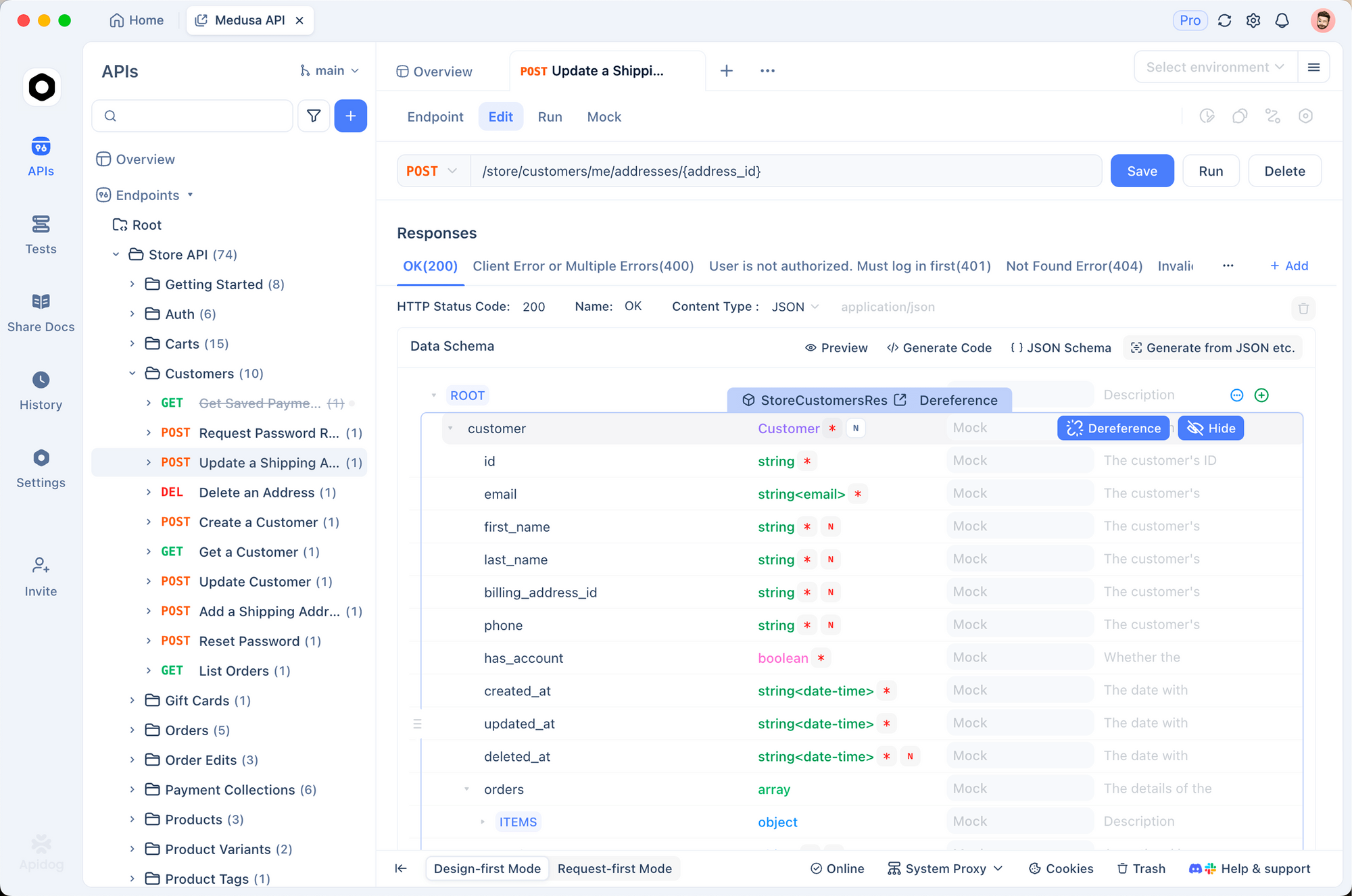
- Create a new project
- Import MiniMax API from OpenAPI spec
- Add your API key to environment variables
- Test endpoints with visual interface
Benefits:
- Visual request/response inspector
- Save and share test cases
- Auto-generate documentation
- Monitor API performance
Method 2: MiniMax Agent (Web Interface)
For non-programmatic access, use the MiniMax Agent web interface. It works like ChatGPT or Claude.ai.
Step 1: Sign Up
- Go to agent.minimax.io
- Create an account with email
- Verify and log in
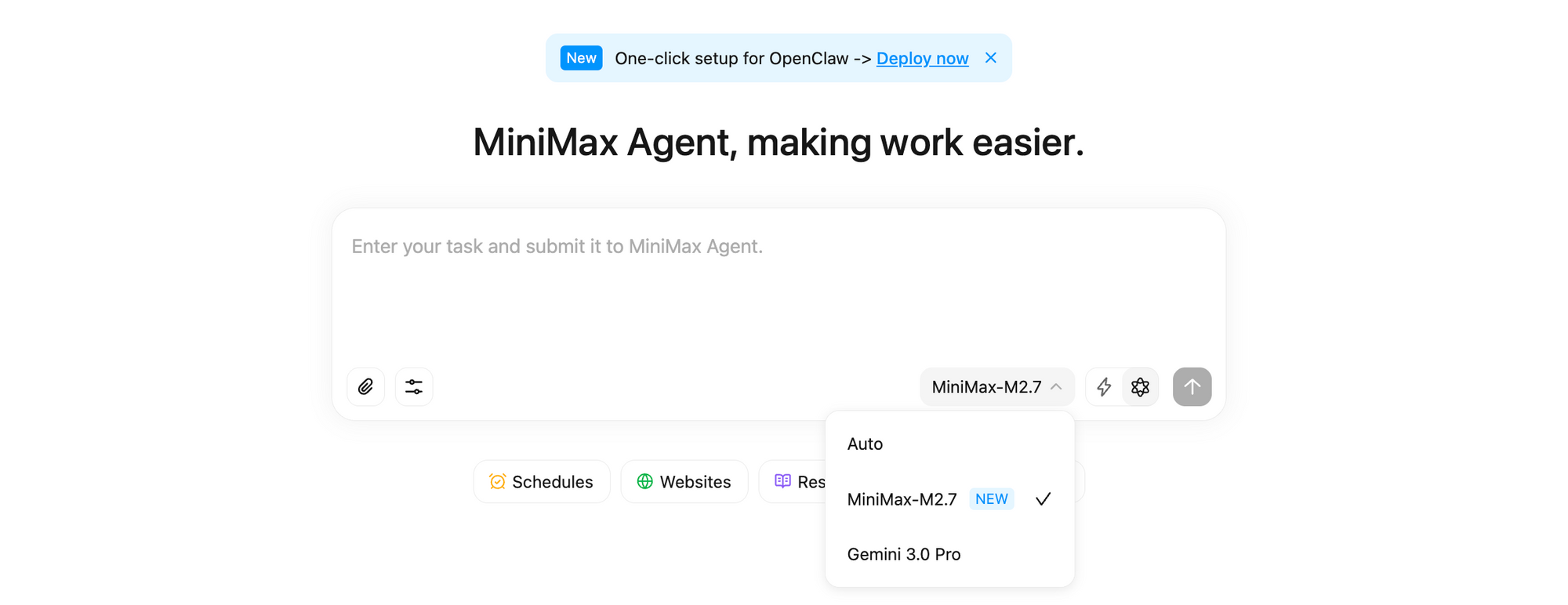
Step 2: Start Chatting
The web interface gives you:
- Direct chat with M2.7
- File upload support
- Code generation and explanation
- No API setup required
Best for:
- Quick questions
- Code review
- Document analysis
- Learning the model’s capabilities
Method 3: OpenRouter (Multi-Model Access)
OpenRouter brings multiple AI models under one API. MiniMax M2-7 sits alongside Claude, GPT, and others.
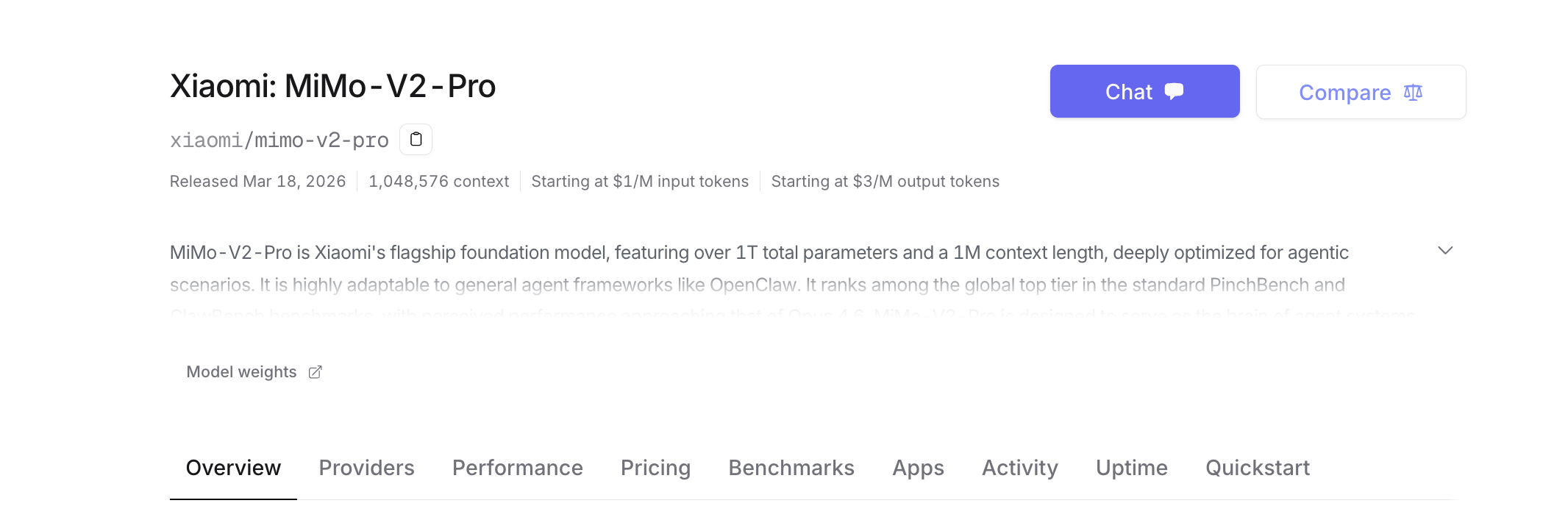
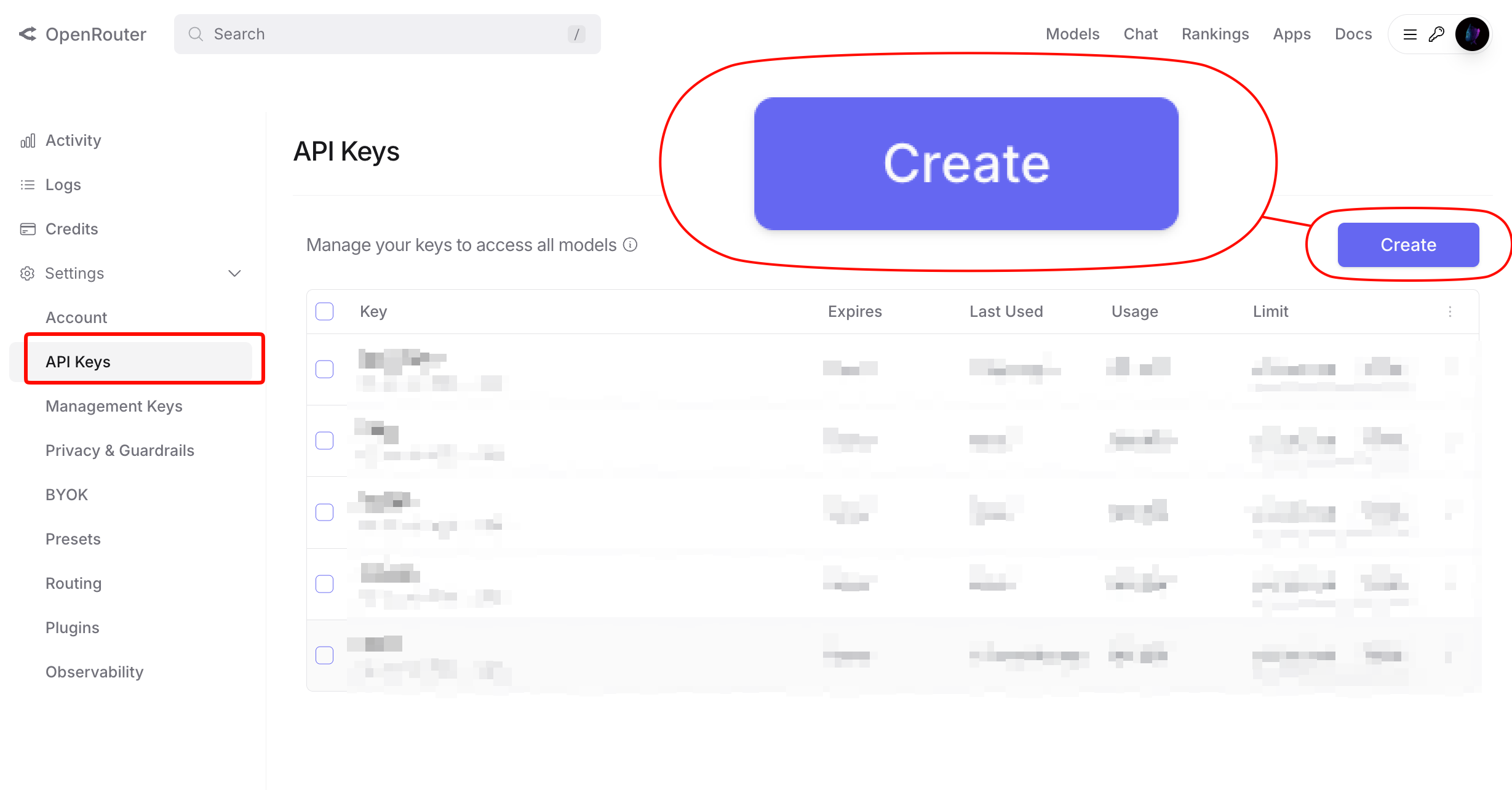
Step 1: Create OpenRouter Account
- Go to openrouter.ai
- Sign up with Google/GitHub/email
- Get your API key
Step 2: Access MiniMax M2-7
OpenRouter uses a unified API format:
import requests

response = requests.post(
 "https://openrouter.ai/api/v1/chat/completions",
 headers={
 "Authorization": f"Bearer {YOUR_OPENROUTER_KEY}",
 },
 json={
 "model": "minimax/minimax-m2-7",
 "messages": [
 {"role": "user", "content": "Hello!"}
 ]
 }
)
Benefits:
- One API key for multiple models
- Compare M2.7 with Claude, GPT side-by-side
- No need to manage multiple accounts
Method 4: Hugging Face Spaces (Community Demos)
Developers host MiniMax demos on Hugging Face Spaces. These are free to try but may have usage limits.
How to Find Demos
- Go to huggingface.co/spaces
- Search “MiniMax M2.7” or “MiniMax Agent”
- Try community-hosted demos
Note: These are unofficial and may go offline. Use for experimentation only.
Understanding MiniMax Pricing and Free Limits
Free Tier Details
MiniMax’s free tier includes:
| Resource | Free Tier Limit |
|---|---|
| Trial Credits | Varies by promotion |
| Rate Limit | Standard (requests/minute) |
| Model Access | M2.7 and other models |
| Support | Community/Documentation |
Coding Plan Subscription
For heavier usage, MiniMax offers the Coding Plan subscription:
- Price: Check platform.minimax.io/subscribe/coding-plan
- Includes: Higher quotas, priority access, dedicated support
- Best for: Teams and production usage
When to Upgrade
Consider upgrading when:
- You exceed free trial credits
- You need higher rate limits
- You want production SLAs
- You need dedicated support
Practical Examples: What to Build with Free M2.7
Here are three projects you can build:
1. Autonomous Code Review Bot
Set up M2.7 to review GitHub pull requests:
from github import Github
from minimax import MiniMaxAgent

# Initialize
gh = Github(os.getenv("GITHUB_TOKEN"))
agent = MiniMaxAgent(model="minimax-m2.7")

# Review PR
def review_pr(repo_name, pr_number):
 repo = gh.get_repo(repo_name)
 pr = repo.get_pull(pr_number)
 diff = pr.get_files()

 review = agent.analyze_code_review(diff)
 pr.create_issue_comment(review.summary)

 for comment in review.line_comments:
 pr.create_review_comment(
 body=comment.body,
 path=comment.path,
 line=comment.line
 )
2. Production Log Analyzer
Connect M2.7 to your logging system for automated incident detection:
import boto3
from minimax import MiniMaxAgent

logs = boto3.client('logs')
agent = MiniMaxAgent(model="minimax-m2.7")

def analyze_logs(log_group, pattern="ERROR"):
 response = logs.filter_log_events(
 logGroupName=log_group,
 filterPattern=pattern
 )

 analysis = agent.analyze({
 "task": "Find root cause of errors",
 "logs": response['events']
 })

 return analysis
3. Full-Stack Project Generator
Let M2.7 build complete projects from specifications:
from minimax import MiniMaxAgent

build_agent = MiniMaxAgent(
 model="minimax-m2.7",
 skills=["fullstack_dev", "devops"],
 tools=["github_api", "vercel_api"]
)

project = build_agent.build({
 "type": "SaaS dashboard",
 "features": ["user auth", "analytics", "billing"],
 "stack": "Next.js + Supabase"
})
MiniMax M2.7 Free vs. Paid: What’s the Difference?
| Feature | Free Tier | Paid (Coding Plan) |
|---|---|---|
| Model Access | M2.7 + basic models | All models + early access |
| Rate Limits | Standard | Higher/priority |
| Support | Documentation | Dedicated support |
| SLA | None | Production SLA |
| Customization | Limited | Fine-tuning options |
Troubleshooting
“Invalid API Key” Error
Cause: Wrong key or expired credentials
Fix:
- Regenerate API key in dashboard
- Check environment variable is set
- Ensure key has no extra spaces
Rate Limit Exceeded
Cause: Too many requests per minute
Fix:
- Add retry logic with backoff
- Reduce request frequency
- Upgrade to Coding Plan
import time
import random
from requests.exceptions import HTTPError

def call_with_retry(payload, max_retries=3):
 for i in range(max_retries):
 try:
 response = requests.post(ENDPOINT, headers=headers, json=payload)
 response.raise_for_status()
 return response.json()
 except HTTPError as e:
 if response.status_code == 429:
 wait_time = (2 ** i) + random.random()
 time.sleep(wait_time)
 else:
 raise
Model Not Found
Cause: Wrong model name or region restrictions
Fix:
- Use exact model name:
minimax-m2.7 - Check model availability in your region
- Contact MiniMax support if issue persists
Is MiniMax M2.7 Worth Using for Free?
Yes, if:
- You want to test self-evolving AI capabilities
- You’re building autonomous agent workflows
- You need competitive performance at lower cost
- You’re comfortable with API integration
Look elsewhere if:
- You need plug-and-play IDE integration (try Cursor)
- You want enterprise SLAs on free tier
- You lack resources for open-source tooling
Next Steps
- Sign up: platform.minimax.io
- Get API key: Create key in dashboard
- Test with Apidog: Download Apidog for visual API testing
- Build your first project: Start with code review or log analysis
- Explore Coding Plan: Check subscription options
Want to test AI APIs faster? Download Apidog - the all-in-one API client for testing, debugging, and documenting AI endpoints.