|
VOOZH | about |
|
VOOZH | about |
Build tools are an integral part of developers’ workflow, JavaScript build tools were proliferated by the rise of single page application(SPAs) and modern JavaScript (ES6).
👁 A comparison of Vue.js build toolsThe term “build tool” is used to describe the resulting process of automating simple recurring tasks with packages, tools, libraries, and preset templates.
Build tools include a wide variety of different tools such as:
These tools help developers build efficiently and make development processes much smoother.
In this article, I will be doing a comparison of scaffolding build tools available in the Vue.js ecosystem for efficiently building projects, what they offer, how they might improve your development workflow, and how to get started with using them.
The Replay is a weekly newsletter for dev and engineering leaders.
Delivered once a week, it's your curated guide to the most important conversations around frontend dev, emerging AI tools, and the state of modern software.
This tutorial assumes the reader has the following:
Scaffolding tools are an abstraction built atop several build tools and, most notably, development servers/module bundlers, they remove the hassles of configuring and using build tools.
Scaffolding tools help you bootstrap new projects on the fly. You won’t have to worry about configurations to get started with using the bootstrapped projects.
Scaffolding tools also include configuration options for projects, the ability to save configuration presets for future projects and mechanisms to upgrade dependencies of projects built with them.
The tools available to scaffold applications and libraries in the Vue community that we will compare are:
Vite, originally intended as a development server for just Vue single file components(SFC), is a no-bundle JavaScript development server that leverages native ES module imports.
According to its official documentation:
Vite is an opinionated web dev build tool that serves your code via native ES module imports during development and bundles it with Rollup for production.
create-vite-app is a boilerplate to bootstrap new Vite projects, with create-vite-app you do not have to install the Vue package as it comes bundled with Vue as the default starter and you can then install other app dependencies. create-vite-app also supports other frameworks such as React and Preact. One can also configure what template to use with the --template flag.
It is important to note that Vite is still very much experimental and is undergoing work to make it suitable for production. It is best to not use it on critical projects until it becomes stable.
Vite also is not backward compatible yet, so it does not support any other Vue.js version besides Vue 2.
Included with Vite is an incredibly fast hot module replacement(HMR), your file changes are reflected in the browser almost immediately, it also has out-of-the-box support for TypeScript, .tsx and .jsx files using esbuild for transpilation, CSS preprocessors, PostCSS, and CSS modules.
vite.config.js or vite.config.ts file in the base/root directory of your project or the current working directoryYou can read up more about Vite here.
Vue CLI is the official Vue.js scaffolding tool for projects, built on top of webpack, it is a tool that saves developers the hassles of configuring and setting up the build processes for their projects. It gives an organized code structure and helps you pick and choose what tools you want in your app while it takes care of the configuration and lets you focus on writing the code that powers your project.
It also has out-of-the-box support for Babel, TypeScript, ESLint, PostCSS, and CSS preprocessors, progressive web apps (PWAs), unit testing, and end-to-end testing. It also has an extensible plugin-based architecture that allows developers to build, share, and use plugins to solve specific problems.
You can also add routing with Vue Router and state management with Vuex during the scaffolding process of your project and you get hot module replacement(HMR) out of the box. Some other notable features are:
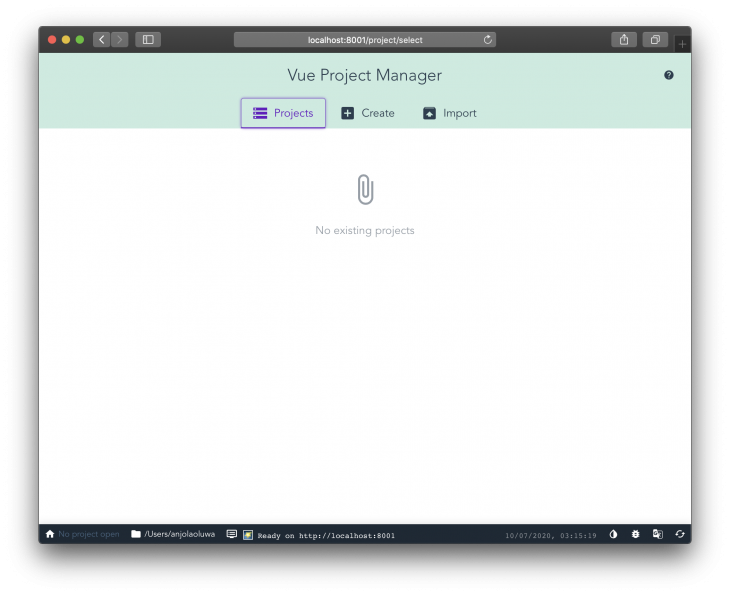
vue.config.js or vue.config.ts config file that modifies the default webpack configurations👁 Teal header saying Vue Project Manager
Poi is a zero-config bundler that is built on top of webpack, it aims to make developing and bundling apps with webpack as easy as possible by using pre-configured presets. Poi is framework agnostic and can work with any JavaScript framework. Poi prioritizes performance and speeds up the loading of your application by minifying and mangling your code.
Poi is more suitable for building web applications.
Create Poi App is a scaffolding tool for creating new Poi projects interactively.
Poi offers a great development experience while also providing an option for extending your app with a configuration file.
It also has several notable features such as:
Bili is described in its official documentation as a delightful library bundler.
Bili is the Rollup alternative to Poi, it is a zero-config bundler built on Rollup, it makes development setup a breeze, it is more suitable for building libraries rather than web apps.
Bili helps library authors bundle libraries into JavaScript multiple formats, such as CommonJS, UMD, and ES modules.
Note: There is no CLI interactive shell for Bili.
The tool offers both a command-line and Node.js API, so developers can choose which works best for their use case, it is future proof because it is transpiled by Babel using babel-preset-env and babel-preset-typescript, so you’re free to use modern JavaScript features, some of its features, as stated in its documentation include:
CSS, Sass, Stylus,Less, and CSS modulesTo get started with using the Vue CLI tool. Install the CLI tool with one of the following commands:
npm install -g @vue/cli
# OR
yarn global add @vue/cli
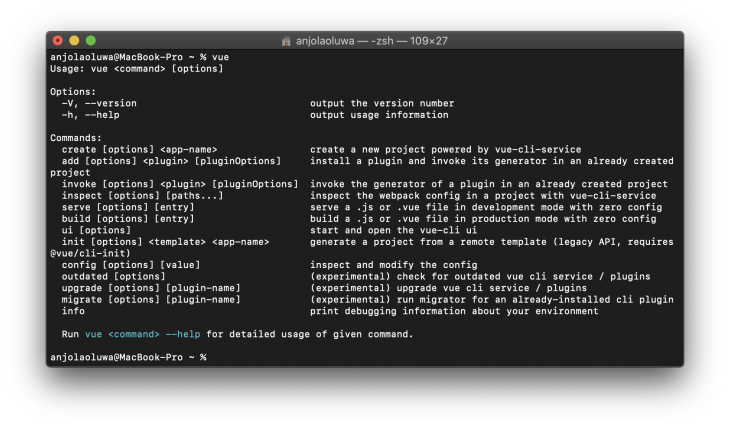
Installing the CLI package globally gives us access to the vue command in our terminal, the vue create command helps us create a new project:
👁 vue create in terminal
Next, create a new project with the vue create command:
vue create testing-vue-cli
I’m using the name “testing-vue-cli” as the project name for this tutorial, it can be replaced with whatever name you see fit.
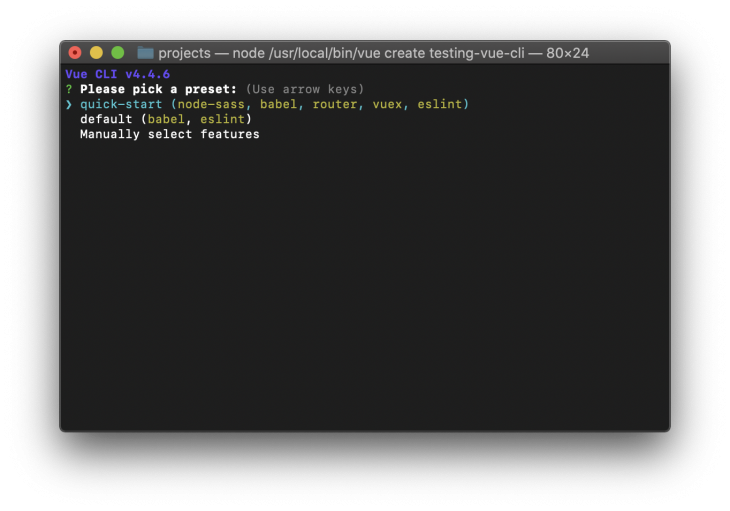
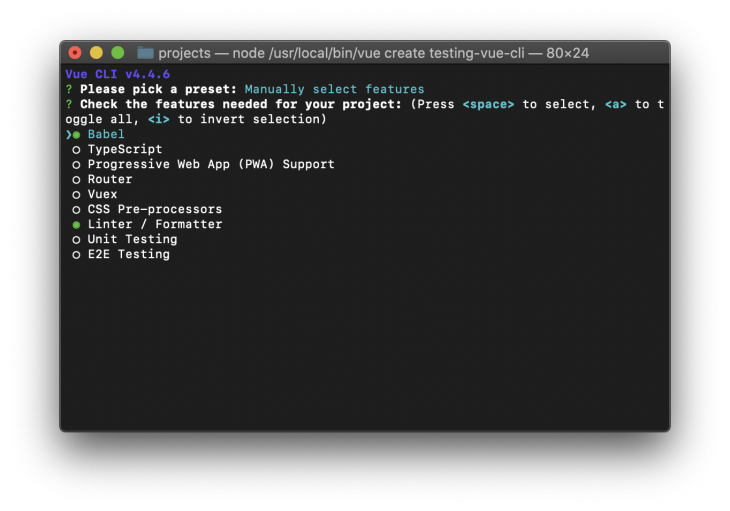
Running this command gives you an interactive scaffolding experience, where you can choose the packages your app will need, you can also decide to save the configuration as a preset for your future projects:
👁 Menu for manually selecting features in terminal
Next, change the directory to your project folder:
cd testing-vue-cli
Serve your app by running one of these commands:
yarn serve
or
npm run serve
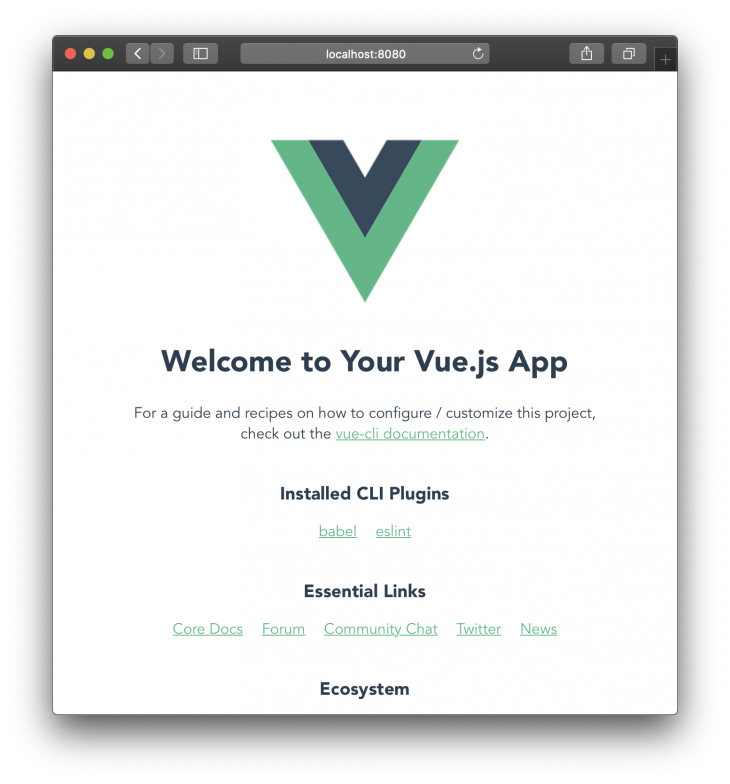
Your app should be running on http://localhost:8080 by default after running the command:
👁 Page with Welcome to Your Vue.js App and Vue logo
Run this command to create a new Vite app with the boilerplate:
#Using NPX
npx create-vite-app testing-vite

OR

#Using Yarn
yarn create vite-app testing-vite
Now, change to the created project directory using the command:
cd testing-vite
Then proceed to install the necessary packages required for our project to work:
#Using NPM
npm install

OR
#Using Yarn
yarn
You can then spin up your development server in the browser by running the command:
#Using NPM
npm run dev

OR
#Using Yarn
yarn dev
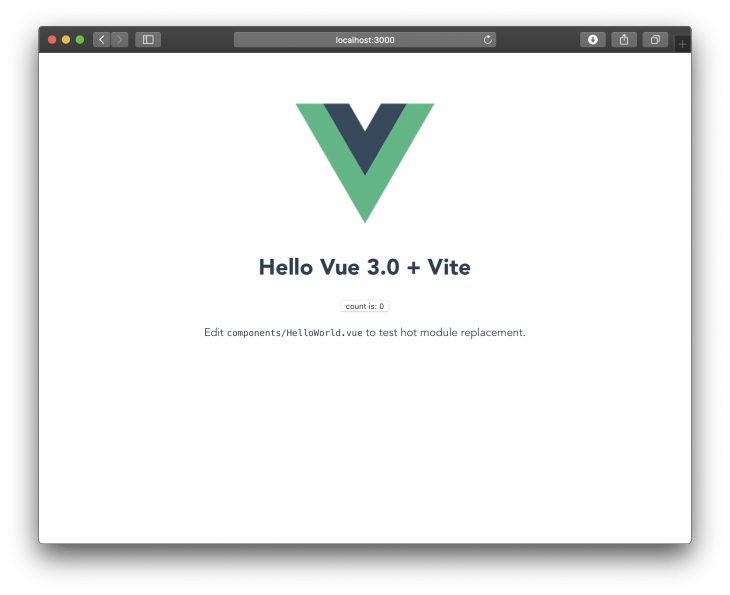
You should get something similar to this running on http://localhost:3000 after running the dev command:
👁 running vite on local host page with Hello Vue 3.0 + vite
To get started with using Poi to bootstrap your project, first install the Create Poi App CLI tool:
yarn global add create-poi-app
# OR
npm i -g create-poi-app
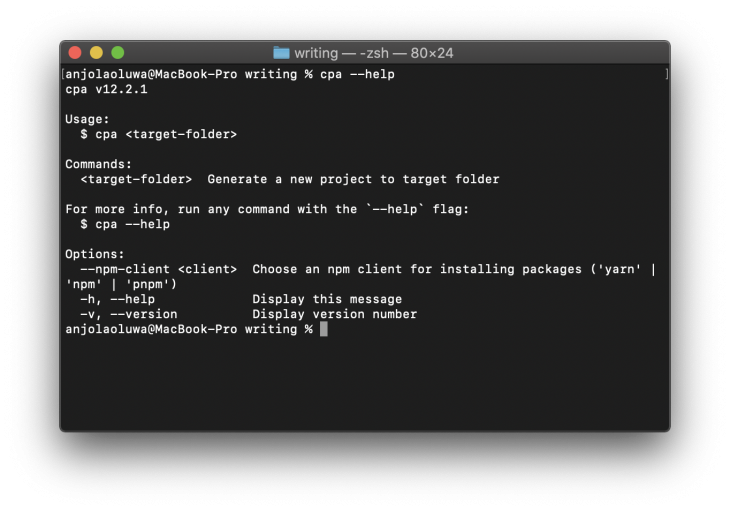
This command makes create-poi-app available to use globally. You can now access the cpa command to create new projects:
👁 terminal window with commands, usage, and options description
Create a new project with the command:
cpa testing-poi
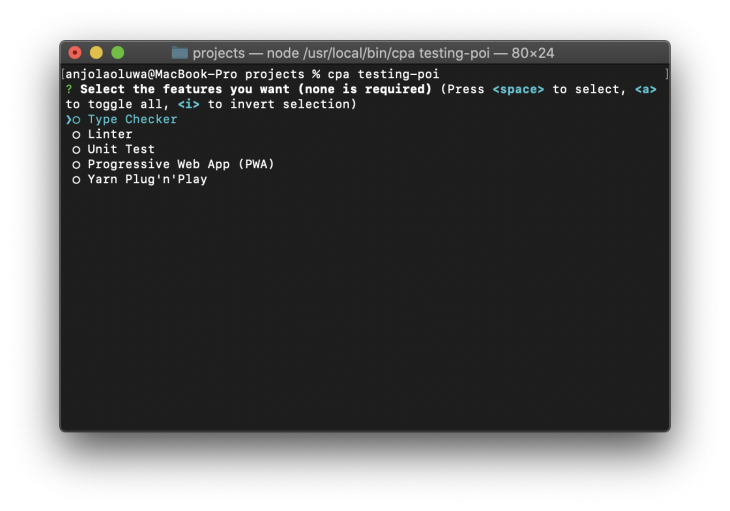
Running this command will give you a shell where you can decide which tools to include in your project:
👁 list of tools to include in cpa project including Type Checker, Linter, Unit Test, progressive Web App, Yarn Plug n' play
Next, change to your project directory using:
cd testing-poi
Proceed to install Vue, also install the Vue template compiler, as a development dependency, the Vue template compiler compiles down templates to render functions:
yarn add vue && yarn add vue-template-compiler --dev
Open the index.js file located in the src finder and include the following:
import Vue from 'vue'
import App from './App.vue'
new Vue( {
 el: "#app",
 render: h => h( App )
} );
Next, create an App.vue file in the src folder, include the following inside the file:
<template>
 <div id="app">
 helloooo
 </div>
</template>
You can now run your development server in the browser by running the command:
yarn dev
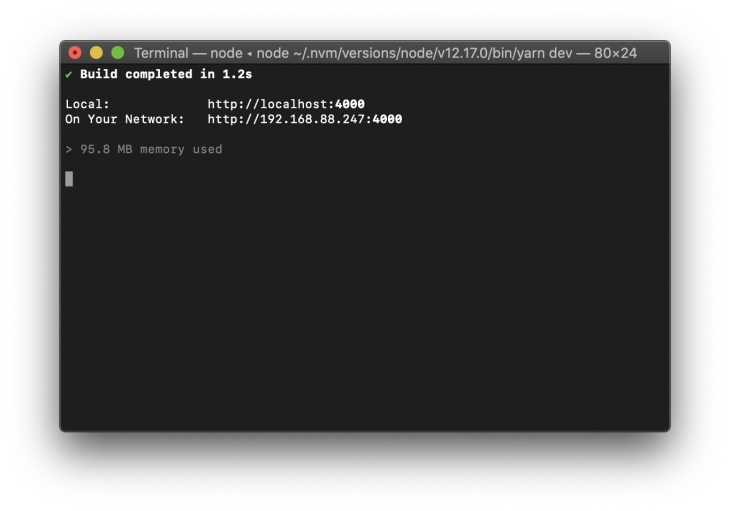
👁 Terminal with build completed message
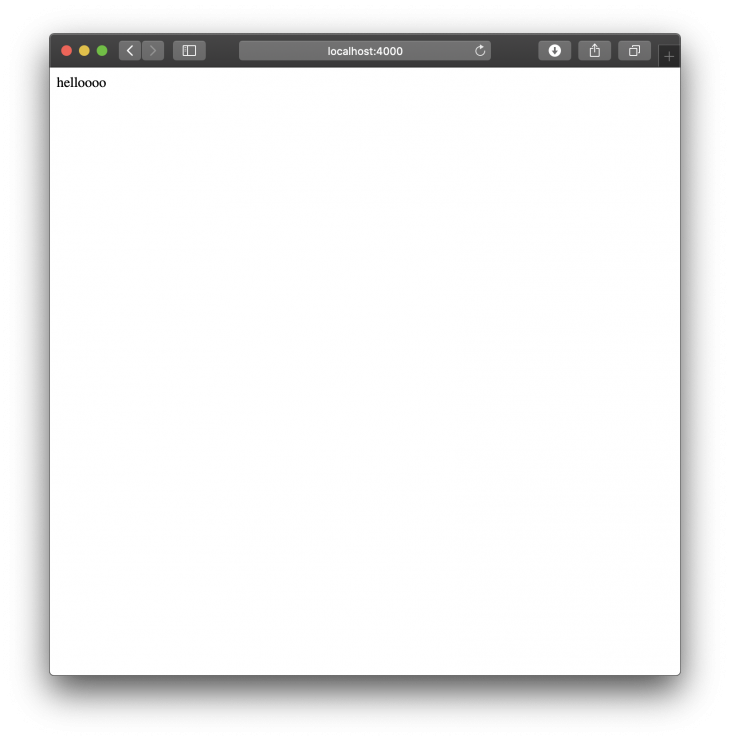
You should get something similar to this running on http://localhost:4000 after running the dev command:
👁 the words hello on blank page running on localhost
To use Bili to bootstrap your Vue projects, first create a new directory for the project:
mkdir testing-bili
Change your working directory to the created folder:
cd testing-bili
Then initialize a new package.json file in the directory with:
npm init -y
or using Yarn
yarn init -y
Next, install Bili as a development dependency:
yarn add bili --dev
Next, install Vue and Vue template compiler:
yarn add vue && yarn add vue-template-compiler --dev
Add an entry file for your project by replacing the value of the main key in your package.json with the following:
"main": "./dist/index.js",
Next, install Rollup plugin for Vue, which makes it possible to bundle single file components with Bili:
yarn add [email protected]
Then configure your npm scripts to use Bili to run your project, add the following to your package.json file:
"scripts": {
 "build": "bili App.vue --plugin.vue"
},
Next, create an App.vue file and include the following:
<template>
 <h1>hello</h1>
</template>
<script>
export default {
 name: 'App'
}
</script>
<!-- let's add some style too :) -->
<style scoped>
h1 {
 color: red
}
</style>
Next, create a bili.config.js file and include the following inside the file:
const vue = require('rollup-plugin-vue');
module.exports = {
 input: 'App.vue',
 format: ['umd-min'],
 plugins: {
 vue: true
 },
 outDir: 'dist'
}
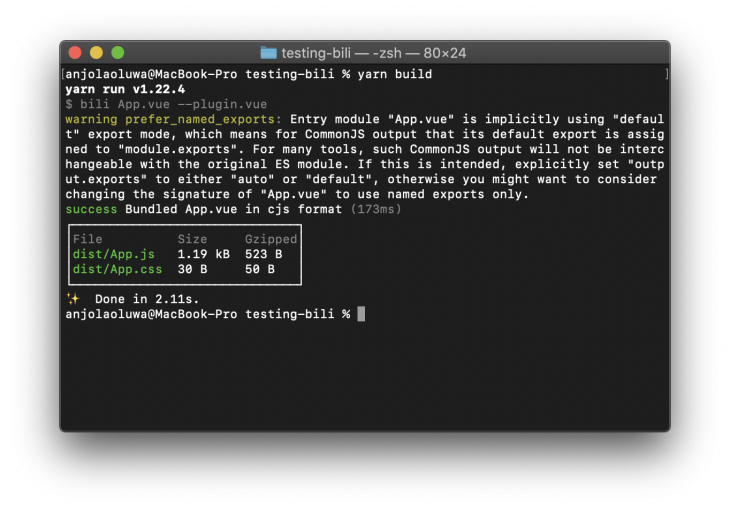
Then, you can build the project with the command:
yarn build
The compiled file should be located in the dist folder in your project.
👁 dist folder showing successful build
One of the advantages of Vue CLI is the wide availability of plugins for almost any purpose, this makes it easy to extend your project’s capabilities with third-party plugins or by building your own plugin.
Although all four libraries were built to achieve almost similar results, the documentation for Vue CLI and Poi are of almost the same standards while Vite currently does not have a complete documentation. Vite is still under active development and one would need to read documented parts of the library’s codebase to perform some advanced actions. Bili’s documentation, on the other hand, is bare-bones and a new user might get confused (as I did when reading through it) and run into errors while trying to use it in a Vue project.
Vue CLI is the recommended tool of choice by the Vue.js team making it the default choice for many developers.
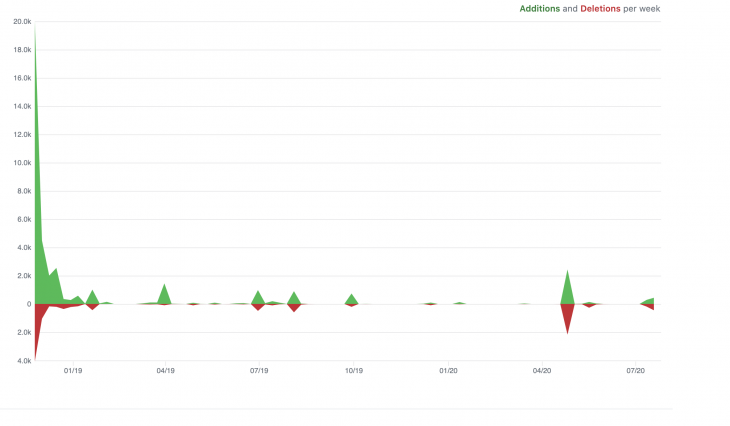
Despite being a relatively new library, Vite has amassed 9.1k stars and it is being used by 755 repositories, it also has 54 contributors and a weekly download of 5,863 on NPM:
👁 graph showing 18.0k additions and 10.0k deletions per week for vite
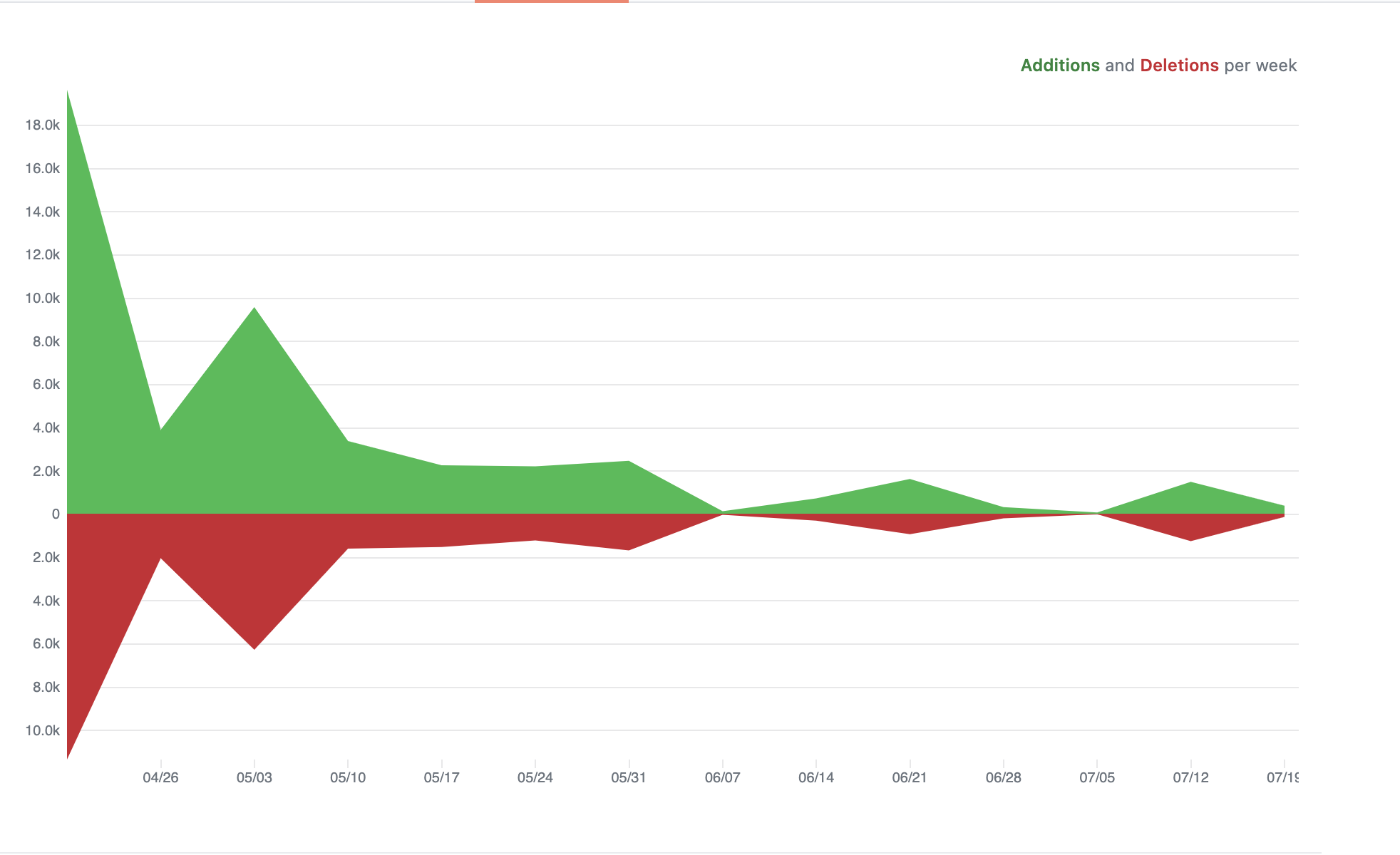
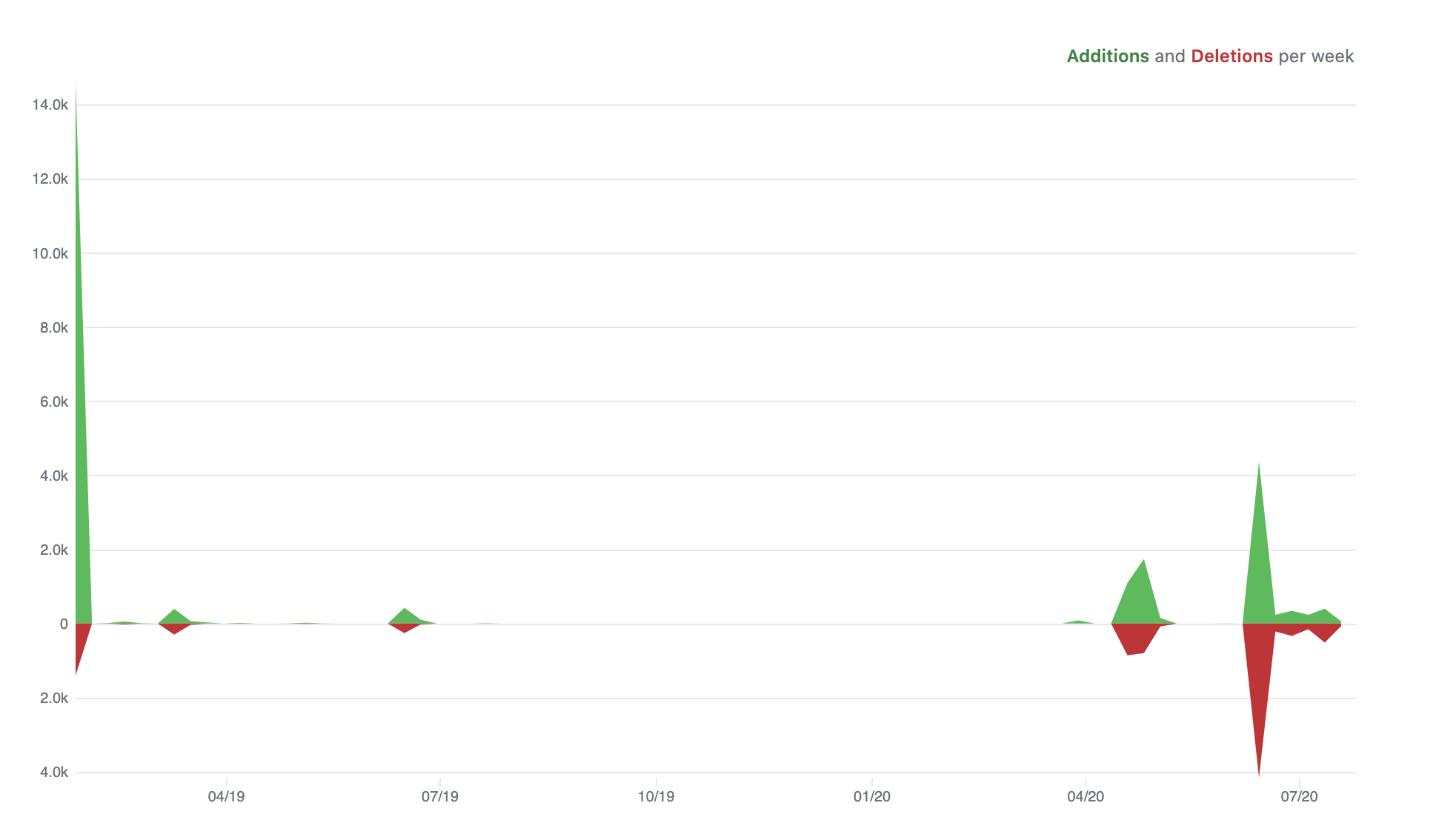
Poi has 5k stars on GitHub, has 57 contributors on GitHub and has a weekly download of 1,760 on NPM:
👁 poi graph showing almost 20k additions when first created and 4.0k deletions when first created
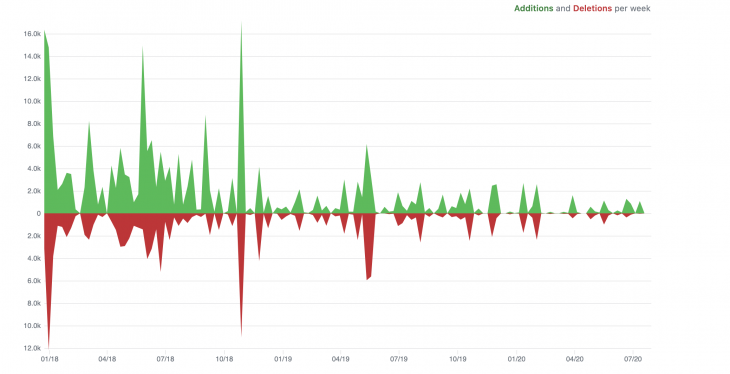
Vue CLI has the highest stats with 24,236 weekly downloads on NPM, it is also been used by over 400k repositories, it has 370 contributors and has garnered 25.9k stars on GitHub:
👁 vue cli github showing 25.9k stars
👁 graph showing vue cli additions and deletions week over week
Bili has managed 878 stars on GitHub, it is being used by 1529 repositories and has 20 contributors to the repository:👁 bili github with 878 stars
In this article, we’ve taken a look at some of the features that stand out among four awesome build tools for bootstrapping Vue projects, Vue CLI is the default choice by many developers because it makes bootstrapping and managing projects a breeze and it is also easy to extend its capabilities with plugins. Vue CLI also has more features than any other tool available to scaffold projects.
The four scaffolding tools we have looked at today are similar with only a few fundamental differences which are largely customization options and seamlessness using them.
Although Vite is still experimental, we can see how it mirrors the seamlessness of Vue CLI (both were built by the same person).
Which one do you prefer and why? Let me know what your thoughts are in the comments section or if there are any other comparisons you want me to write on.
Debugging Vue.js applications can be difficult, especially when users experience issues that are difficult to reproduce. If you’re interested in monitoring and tracking Vue mutations and actions for all of your users in production, try LogRocket.
👁 LogRocket Dashboard Free Trial BannerLogRocket lets you replay user sessions, eliminating guesswork by showing exactly what users experienced. It captures console logs, errors, network requests, and pixel-perfect DOM recordings — compatible with all frameworks.
With Galileo AI, you can instantly identify and explain user struggles with automated monitoring of your entire product experience.
Modernize how you debug your Vue apps — start monitoring for free.
TSRX adds first-class control flow, conditional hooks, and scoped styles to React via a TypeScript compiler extension — no new framework required.
Learn how to build a full React Native auth system using Better Auth and Expo — with email/password login, Google OAuth, session persistence, and protected routes.
Compare the top AI development tools and models of June 2026. View updated rankings, feature breakdowns, and find the best fit for you.
Learn how Bloom filters reduce database lookups for username availability checks while preserving correctness at scale.
Would you be interested in joining LogRocket's developer community?
Join LogRocket’s Content Advisory Board. You’ll help inform the type of content we create and get access to exclusive meetups, social accreditation, and swag.
Sign up now