|
VOOZH | about |
|
VOOZH | about |
GraphQL is a popular and widely used query language that bills itself as an alternative to the REST approach. One of the reasons why GraphQL is so well-regarded in the developer community is its thriving ecosystem. There are so many tools that make learning and using GraphQL easier. One of these tools is GraphQL Playground, a GraphQL integrated developer environment (IDE) that helps improve development workflows.
👁 Complete Guide to GraphQL PlaygroundIn this guide, I’ll introduce you to GraphQL Playground and walk you through some basic concepts to help you make the most of your GraphQL development experience.
Let’s dive in!
The Replay is a weekly newsletter for dev and engineering leaders.
Delivered once a week, it's your curated guide to the most important conversations around frontend dev, emerging AI tools, and the state of modern software.
GraphQL Playground is a GraphQL IDE created and maintained by Prisma. It’s built on top of GraphiQL with additional features such as automatic schema reloading, support for GraphQL subscriptions, the ability to configure HTTP headers, and more.
GraphQL Playground ships with basic features such as syntax highlighting, intelligent type ahead of fields, real-time error highlighting and reporting for queries and variables, documentation explorer, search, markdown support, and so much more.
GraphQL Playground extremely flexible. It can be used as a desktop app on your computer, a module on your front- or backend project, or online with the web version. We’ll dive into each use case below.
The GraphQL Playground desktop app needs to be installed on your computer. If you’re using Windows, you can download it directly. If you’re using Mac or Linux, you can install it by running the following command on the terminal.
brew cask install graphql-playground
GraphQL Playground can also be used as an npm module on your project. Installing the package will enable you to interact with your GraphQL API during development. Later, we’ll demonstrate how to add it as a component on a React app or as middleware on a Node project.
Add GraphQL Playground to your project by executing the following command.
yarn add graphql-playground
Or, if you’re using npm:
npm install graphql-playground
There are differences between the desktop app and the web version. The online version of GraphQL Playground does not enable double-clicking on the files with the .graphql extension. The web version is accessible online, and there’s also a way to share your local GraphQL Playground as an online version.
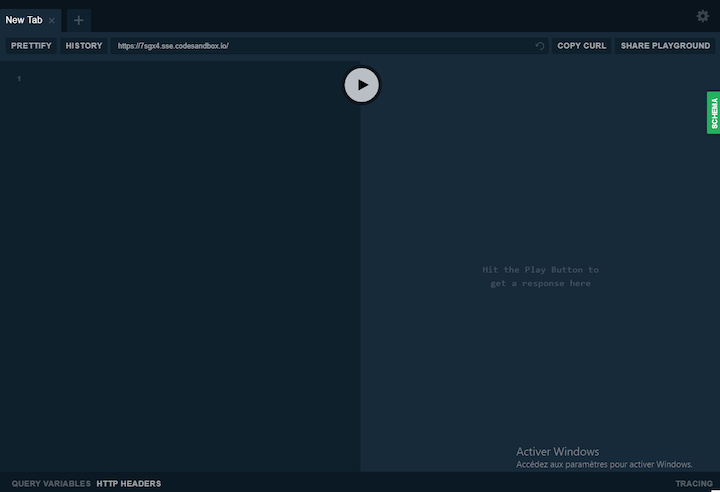
For this tutorial, we’ll use this GraphQL server to interact with the GitHub API. Here is the endpoint: https://7sgx4.sse.codesandbox.io/
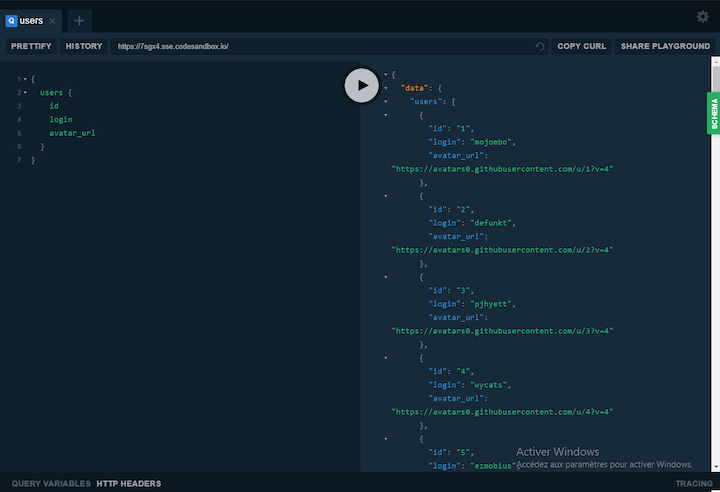
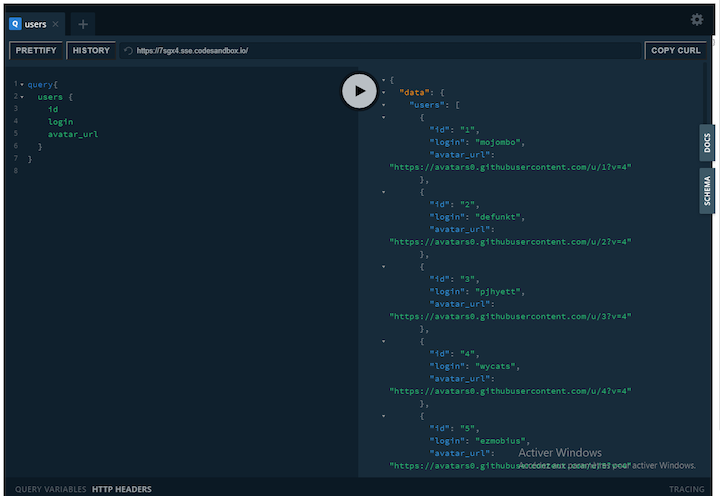
You can send a GraphQL query or mutation using GraphQL Playground. The latter has an autocompletion feature and helps you ride through your schema.
As you can see, GraphQL Playground helps in sending requests to the GraphQL server and facilitates the retrieval of data as well.
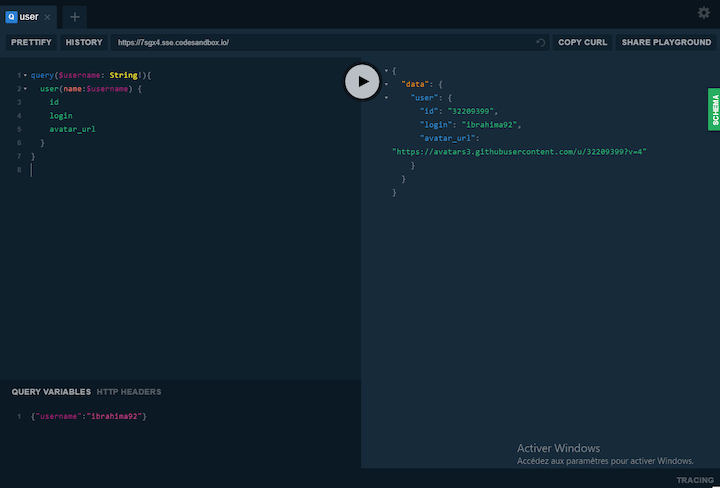
GraphQL Playground can be used like GraphiQL to send queries with variables.
👁 GraphQL Playground Query With Variables
Here, we use the “QUERY VARIABLES” tab to add the variable username, pass it as a parameter to the GraphQL query, and use it to fetch data.
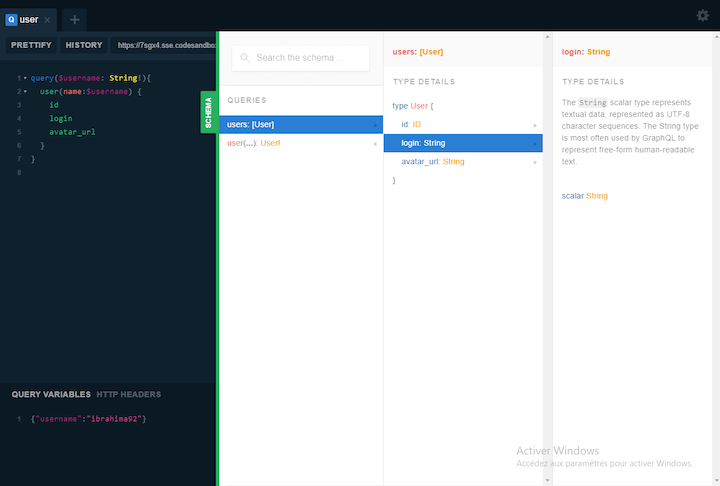
The API documentation tab is one of the most exciting features of GraphQl Playground. It enables you to preview GraphQL queries, GraphQL type details, and a single field of a given schema.
👁 GraphQL Playground Docs and Schema Tabs
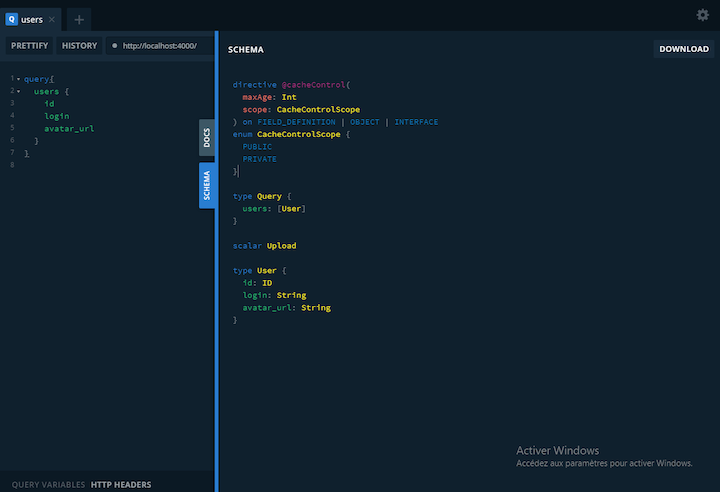
The example above was made with the web version. However, GraphQL Playground installed as a module offers a schema tab that enables you to preview the whole GraphQL schema and download it as a file.
👁 GraphQL Playground Preview Schema
This comes in especially handy when you have several nested GraphQL schemas.
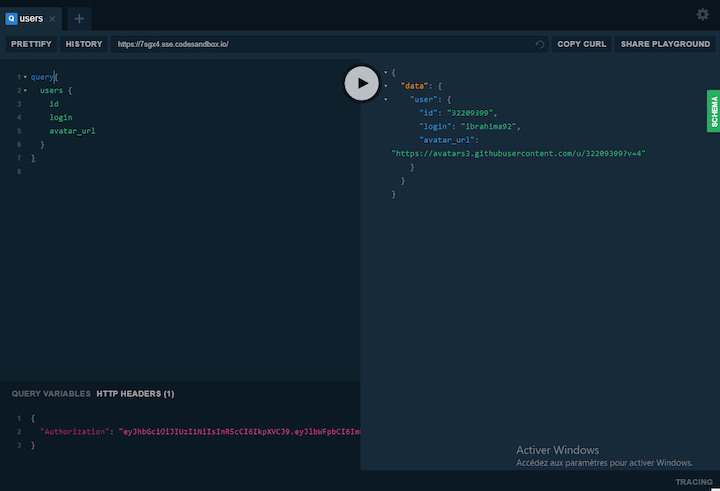
Unlike GraphiQL, GraphQL Playground allows you to send requests with HTTP headers, such as a token needed to authenticate a user or some other kind of authorization.
👁 GraphQL Playground Send HTTP Headers
Make sure to first switch the tab to “HTTP HEADERS,” and then add your headers as a JSON object. By the way, you can add more than one field.
You can use GraphQL Playground as a React component to interact with your GraphQL API.
First, create a fresh React app by executing the following command on the terminal.
npx create-react-app react-gql-playground
Next, install the graphql-playground-react library, which allows you to use the tool as a component. You’ll also need react-redux, which is the glue between the GraphQL Playground library and the React app.
But first, be sure to browse into the folder that holds the React app.
cd react-gql-playground
Once you’re in the right folder, run the following command to install the packages.
yarn add graphql-playground-react react-redux
Or, if you’re using npm:
npm install graphql-playground-react react-redux
Open the folder on an IDE or text editor and add the following code to the index.js file.
import React from 'react'
import ReactDOM from 'react-dom'
import { Provider } from 'react-redux'
import { Playground, store } from 'graphql-playground-react'

import App from './App'

const rootElement = document.getElementById('root')
ReactDOM.render(
<React.StrictMode>
<Provider store={store}>
<Playground endpoint='https://7sgx4.sse.codesandbox.io/' />
<App />
</Provider>
</React.StrictMode>,
rootElement
)
Here we start by importing the Provider component from react-redux, which enables us to connect the store of GraphQL Playground to Redux — or, to be precise, the React app.
With that in place, we can now display the Playground component and pass as props the endpoint of the API we want to play with.
Run the following on the terminal.
yarn start
Or, if using npm:
npm start
You should see your playground up and running in the browser.
👁 GraphQL Playground Running in Browser
If you get an error after running the start command, just install this dependency of graphql-playground-react.
yarn add lru-cache
Or:
npm install lru-cache
It’s great to have GraphQL Playground as a component to preview your API, but it’s even more useful to have it on the backend when developing a GraphQL server or API.
GraphQL Playground can be embedded on many Node.js frameworks. For this tutorial, we’ll focus on Express, but the process is the same for other frameworks.
To embed the tool on Express, we need to install the graphql-playground-middleware-express package and use it as middleware for the API.
First, init a new Node project.
yarn init
Or:
npm init
Next, run the following command on the terminal to install the package.
yarn graphql-playground-middleware-express
Or:
npm graphql-playground-middleware-express
Once the library is installed, create an entry file for your server. We’ll name it index.js (you can name it whatever you want).
Update index.js with the code below.
const express = require('express')
const graphqlHTTP = require('express-graphql')
const { buildSchema } = require('graphql')
const expressPlayground = require('graphql-playground-middleware-express')
 .default

const schema = buildSchema(`
 type Query {
 hello(name: String!): String!
 }
`)

const resolvers = {
 hello: (args) => `Hello ${args.name}`,
}

const app = express()

app.use(
 '/graphql',
 graphqlHTTP((req) => ({
 schema,
 rootValue: resolvers,
 }))
)

const port = 8080

app.get('/', expressPlayground({ endpoint: '/graphql' }))

app.listen({ port }, () => {
 console.log(`🚀 Server ready at http://localhost:${port}/graphql`)
})
Here we have a very simple GraphQL API that returns a string. However, the most important thing is expressPlayground, which is the playground that needs to be used as middleware. Once the page loads, it will show the GraphQL Playground to the user.
GraphQL Playground is a great tool that helps your app interact with GraphQL API and offers a better workflow. While it’s a different beast compared to GraphiQL, it’s definitely a tool to use on your next GraphQL API project.
While GraphQL has some features for debugging requests and responses, making sure GraphQL reliably serves resources to your production app is where things get tougher. If you’re interested in ensuring network requests to the backend or third party services are successful, try LogRocket.
👁 LogRocket Dashboard Free Trial BannerLogRocket lets you replay user sessions, eliminating guesswork around why bugs happen by showing exactly what users experienced. It captures console logs, errors, network requests, and pixel-perfect DOM recordings — compatible with all frameworks.
LogRocket's Galileo AI watches sessions for you, instantly aggregating and reporting on problematic GraphQL requests to quickly understand the root cause. In addition, you can track Apollo client state and inspect GraphQL queries' key-value pairs.
TSRX adds first-class control flow, conditional hooks, and scoped styles to React via a TypeScript compiler extension — no new framework required.
Learn how to build a full React Native auth system using Better Auth and Expo — with email/password login, Google OAuth, session persistence, and protected routes.
Compare the top AI development tools and models of June 2026. View updated rankings, feature breakdowns, and find the best fit for you.
Learn how Bloom filters reduce database lookups for username availability checks while preserving correctness at scale.
Would you be interested in joining LogRocket's developer community?
Join LogRocket’s Content Advisory Board. You’ll help inform the type of content we create and get access to exclusive meetups, social accreditation, and swag.
Sign up now