|
VOOZH | about |
|
VOOZH | about |
With web workers, we are able to execute a script in a background thread and leave the main thread free for UI work. By default, Web Workers accept the file URL as an argument, but in our case, that is not acceptable because we are using TypeScript as the main language and we don’t want to mix it with JavaScript. The second problem is that scripts need to have a fixed URL, and because we use Webpack for bundling and concatenating files, having an unbundled file is not the best pattern.
👁 ImageThe Worker class is a base for ServiceWorker and SharedWorker. SharedWorker is similar to Worker except it can be accessed from several different contexts including popup windows, iframes, etc. ServiceWorker is a different beast, and not a topic of this showcase.
Code executed by a worker runs in a different context than the code that runs on the main thread. When we run code in a worker we can’t manipulate DOM elements, use window objects, etc. The context in which workers run are called DedicatedWorkerGlobalScope , and is quite limited in terms of what you can access and generally do.
Common use cases for workers include the use of pure functions that do heavy processing. Because we don’t want them to destroy performances of our web application, we should move them to a worker thread.
Worker threads can communicate with main threads through messages with postMessage method. Communication can be bidirectional, meaning that worker threads and main threads can send messages to each other.
👁 main thread and worker thread
Both the main thread and worker thread can listen on and send messages to each other.
Let’s create a InlineWorker class which will accept a function as an argument, and run that function in another thread, like this:
import { Observable, Subject } from 'rxjs';

export class InlineWorker {

 private readonly worker: Worker;
 private onMessage = new Subject<MessageEvent>();
 private onError = new Subject<ErrorEvent>();

 constructor(func) {

 const WORKER_ENABLED = !!(Worker);

 if (WORKER_ENABLED) {
 const functionBody = func.toString().replace(/^[^{]*{\s*/, '').replace(/\s*}[^}]*$/, '');

 this.worker = new Worker(URL.createObjectURL(
 new Blob([ functionBody ], { type: 'text/javascript' })
 ));

 this.worker.onmessage = (data) => {
 this.onMessage.next(data);
 };

 this.worker.onerror = (data) => {
 this.onError.next(data);
 };

 } else {
 throw new Error('WebWorker is not enabled');
 }
 }

 postMessage(data) {
 this.worker.postMessage(data);
 }

 onmessage(): Observable<MessageEvent> {
 return this.onMessage.asObservable();
 }

 onerror(): Observable<ErrorEvent> {
 return this.onError.asObservable();
 }

 terminate() {
 if (this.worker) {
 this.worker.terminate();
 }
 }
}
The most important part of the code shown above is a class that converts a function to a string and creates ObjectURL which will be passed to a worker class through a constructor.
const functionBody = func.toString().replace(/^[^{]*{\s*/, '').replace(/\s*}[^}]*$/, '');
this.worker = new Worker(URL.createObjectURL(
 new Blob([ functionBody ], { type: 'text/javascript' })
));
The Replay is a weekly newsletter for dev and engineering leaders.
Delivered once a week, it's your curated guide to the most important conversations around frontend dev, emerging AI tools, and the state of modern software.
Let’s imagine that we have a function in Angular ( like the class shown in the code block above), that we want to process in a background.
We are going to build an application that calculates how many prime numbers we have in range.
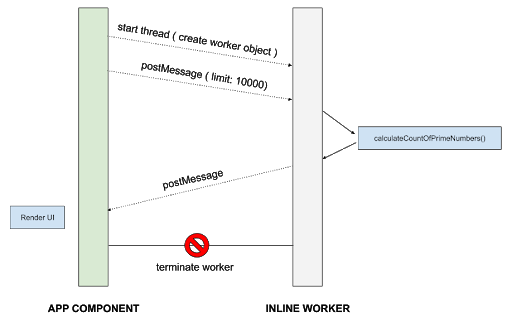
The main thread will send limit parameters to the worker thread, once the thread complete its job it will yield results to a main thread and terminate the worker.
It is important to note that we can’t use any methods, variables or functions defined outside of a callback function that has been passed to an InlineWorker.
If we need to pass arguments ( postMessage functions accept anything as parameters ), we have to do that with postMessage method.
import { Component, OnInit } from '@angular/core';
import { InlineWorker } from './inlineworker.class';

@Component({
 selector: 'app-root',
 templateUrl: './app.component.html',
 styleUrls: ['./app.component.css']
})
export class AppComponent implements OnInit {

 result = 0;

 ngOnInit() {

 const worker = new InlineWorker(() => {
 // START OF WORKER THREAD CODE
 console.log('Start worker thread, wait for postMessage: ');

 const calculateCountOfPrimeNumbers = (limit) => {

 const isPrime = num => {
 for (let i = 2; i < num; i++) {
 if (num % i === 0) { return false; }
 }
 return num > 1;
 };

 let countPrimeNumbers = 0;

 while (limit >= 0) {
 if (isPrime(limit)) { countPrimeNumbers += 1; }
 limit--;
 }

 // this is from DedicatedWorkerGlobalScope ( because of that we have postMessage and onmessage methods )
 // and it can't see methods of this class
 // @ts-ignore
 this.postMessage({
 primeNumbers: countPrimeNumbers
 });
 };

 // @ts-ignore
 this.onmessage = (evt) => {
 console.log('Calculation started: ' + new Date());
 calculateCountOfPrimeNumbers(evt.data.limit);
 };
 // END OF WORKER THREAD CODE
 });

 worker.postMessage({ limit: 300000 });

 worker.onmessage().subscribe((data) => {
 console.log('Calculation done: ', new Date() + ' ' + data.data);
 this.result = data.data.primeNumbers;
 worker.terminate();
 });

 worker.onerror().subscribe((data) => {
 console.log(data);
 });
 }
}
As we can see, we are passing an anonymous function as a parameter to an InlineWorker. The context of the passed function is isolated, meaning that we can’t access anything outside of it. If we try that it will be undefined.
The flow of our application looks something like this:
We have to put @ts-ignore comment in front of postMessage and onmessage methods, as TypeScript can’t read definitions from the current context. In this case, TypeScript is not that helpful.
The listener onmessage inside the callback function will listen for any messages passed to this worker, and in our case, it will call calculateCountOfPrimeNumbers with passed parameters to it.
Functions will do calculations and with postMessage method it will yield results to a listener on the main thread.
With:
worker.postMessage({ limit: 10000 });
We will trigger execution of a worker thread. As we wrote this example in Angular, we will use RXJS observables to pass and listen to data changes.
On the next line, we are subscribing to messages from a worker.
worker.onmessage().subscribe((data) => {
 console.log(data.data);
 worker.terminate();
});
Simply, we are outputting a result to a console and then we terminate the worker, so it can’t be used anymore. We can send multiple messages to a worker thread and receive multiple results, we are not locked for single execution as in the example above.
It is important that we subscribe to an onerror observable because it is the only way to see errors that happen in a worker thread.
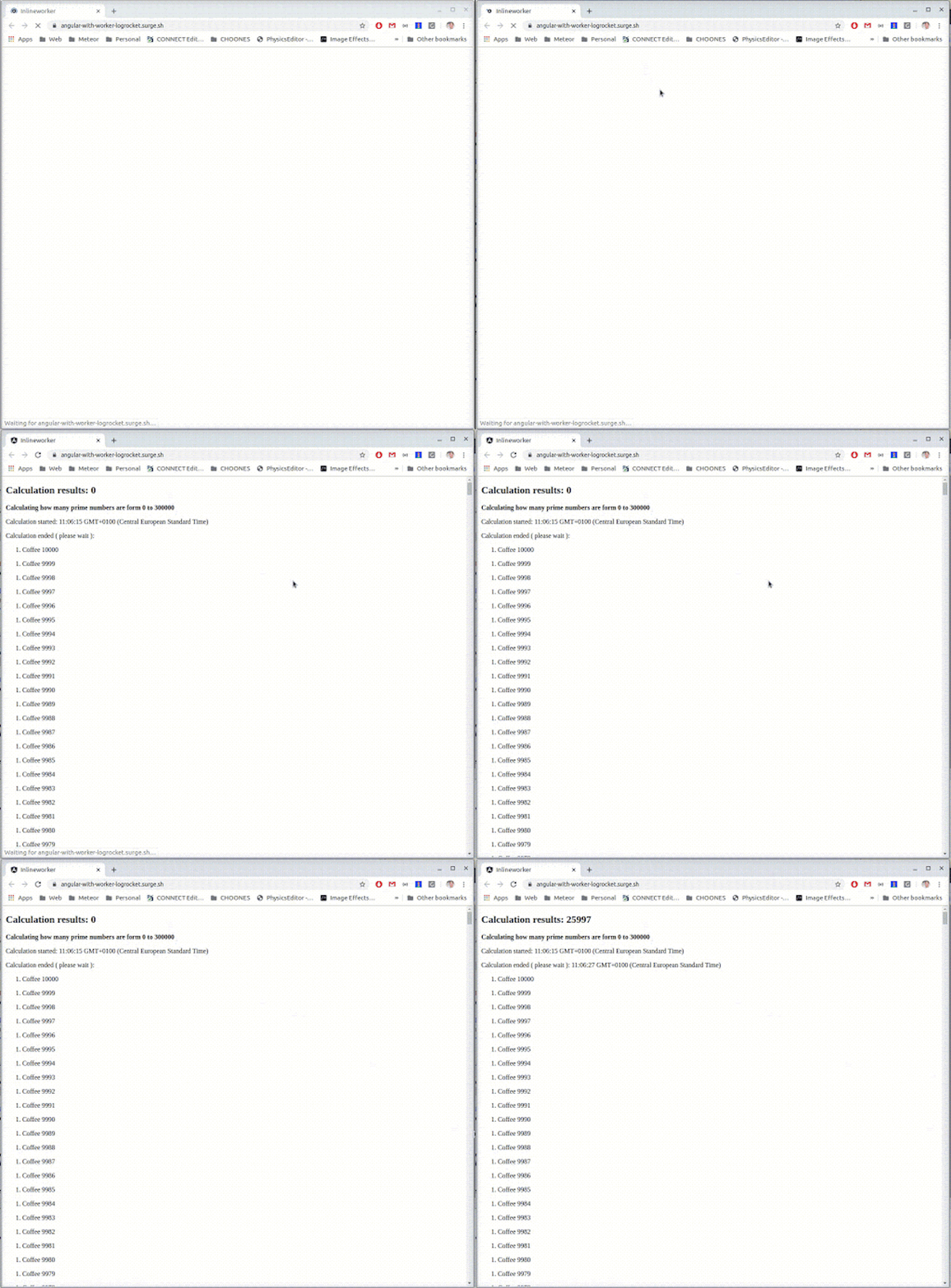
Here is the demo with worker implementation: https://angular-with-worker-logrocket.surge.sh/ ( without blocking UI )
👁 demo with worker implementation
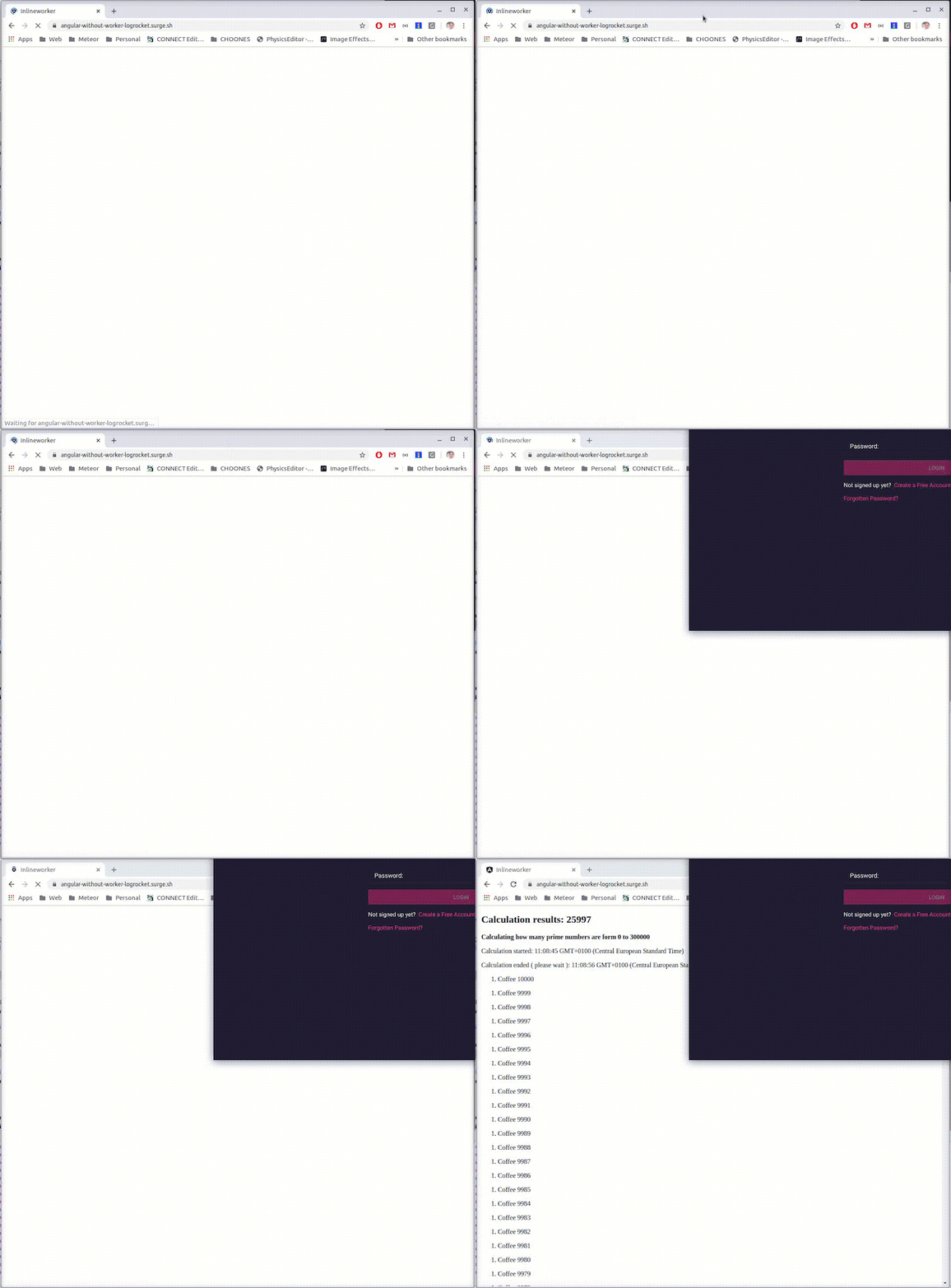
And here is the demo without the worker: https://angular-without-worker-logrocket.surge.sh/ ( UI is blocked while computation is running )
In this post, we have learned how we can shift heavy processing from the main thread to a background thread, without blocking the main thread and providing a great user experience in our application.
Web workers are part of the Web APIs, which means they are available in the browser only, and it is important to note that they are well supported in all major browsers.
Debugging Angular applications can be difficult, especially when users experience issues that are difficult to reproduce. If you’re interested in monitoring and tracking Angular state and actions for all of your users in production, try LogRocket.
👁 LogRocket Dashboard Free Trial BannerLogRocket lets you replay user sessions, eliminating guesswork by showing exactly what users experienced. It captures console logs, errors, network requests, and pixel-perfect DOM recordings—compatible with all frameworks.
With Galileo AI, you can instantly identify and explain user struggles with automated monitoring of your entire product experience.
The LogRocket NgRx plugin logs Angular state and actions to the LogRocket console, giving you context around what led to an error, and what state the application was in when an issue occurred.
Modernize how you debug your Angular apps — start monitoring for free.
TSRX adds first-class control flow, conditional hooks, and scoped styles to React via a TypeScript compiler extension — no new framework required.
Learn how to build a full React Native auth system using Better Auth and Expo — with email/password login, Google OAuth, session persistence, and protected routes.
Compare the top AI development tools and models of June 2026. View updated rankings, feature breakdowns, and find the best fit for you.
Learn how Bloom filters reduce database lookups for username availability checks while preserving correctness at scale.
Hey there, want to help make our blog better?
Join LogRocket’s Content Advisory Board. You’ll help inform the type of content we create and get access to exclusive meetups, social accreditation, and swag.
Sign up now