|
VOOZH | about |
|
VOOZH | about |
Media queries are some of the best features cascading style sheets have to offer. They let us alter the styles applied to our documents based on the device viewing them, and the context they’re viewed in. And every so often, we get new ones.
👁 ImageThe Media Query Level 5 spec is being drafted as we speak, and it includes some really nice ones. Some of them are still being figured out, but several of them are available in some browsers.
This article will take you through some of the most interesting new media queries in this new specification, and show you how to use them.
The Replay is a weekly newsletter for dev and engineering leaders.
Delivered once a week, it's your curated guide to the most important conversations around frontend dev, emerging AI tools, and the state of modern software.
This feature isn’t available in any browsers at the time of writing, but it definitely sounds like a future favorite. With the light-level media query, you can tune your styles based on whether your user is viewing your web app outside in daylight, or perhaps checking in before going to bed. This is great news for anyone who has ever tried to read their phone in the park, or check out a website at night!
There are three available values – dim, normal (the default), and washed. Here’s an example where we change some CSS custom properties:
@media (light-level: dim) {
 :root {
 --text-color: white;
 --background-color: black;
 }
}
Read more at MDN.
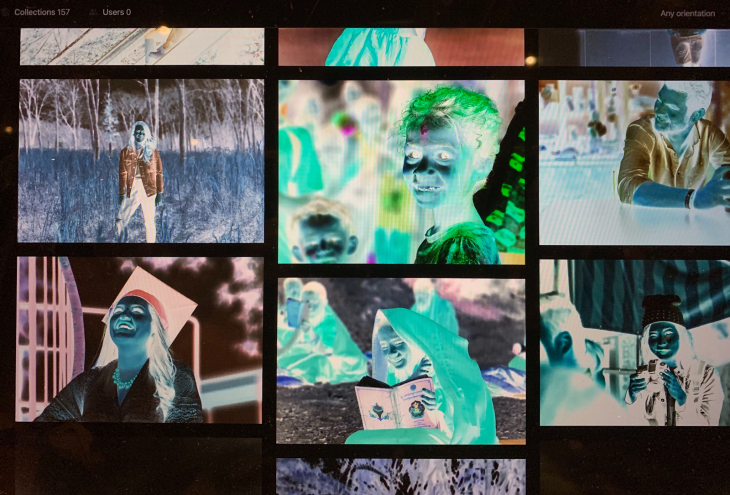
Before the time of dark mode, a lot of people turned on the “invert colors” to get that “dark mode” feel. It looked pretty neat, but it also screwed with images, text shadows, and the way fonts were rendered (white on black has more perceived contrast than black on white for some reason).
The inverted-colors media query lets you adapt around those quirks! Although currently supported in Safari (and Safari on iOS), I sure hope this lands as well.
This is a boolean option, with two values none and inverted. But you can just skip the value altogether and write something like this:
@media (inverted-colors) {
 img { filter: invert(1); }
 * { box-shadow: none !important; text-shadow: none !important; }
}
Neat, huh? Sounds like something that could be added to your base CSS sheet at some point right now!
The fifth level of CSS media queries also has a huge focus on personalization. It introduces no fewer than five distinct media queries that lets you tweak your website to whatever the user prefers!
You might actually have heard about the prefers-color-scheme media query already. This one lets you react to whether the user has turned on so-called “dark mode” on their device. In other words – adding “dark mode” to your app is now a few lines of code!
This feature is already widely supported in browsers, and has three possible values – light, dark, and no-preference. Here’s an example where we change the background color of the site based on preference:
@media (prefers-color-scheme: dark) {
 body { background: #1e1e1e; color: white; }
}
One of the things I love with these new media queries, is their focus on accessibility features. The prefers-contrast media query lets you cater to users who prefer high contrast content compared to your original design.
There’s two values here – no-preference and high. There’s some discussion in the draft document about splitting high into increased and extremely-high, but nothing is certain yet. That’s probably the reason why there’s no support for this one yet. But when they decide, you’ll know what to write!
@media (prefers-contrast) {
 :root {
 --text-color: black;
 }
}
Some users aren’t fans of animations and transitions. To some unlucky few, these kinds of movements can make them physically sick! That’s why most devices now support a way to tune down the transitions you find in most modern UIs.
With the prefers-reduced-motion media query, you can respect that wish as well. Use it to reduce those “bouncy” animations, fading images and “fun” transitions a bit. Note that you don’t necessarily have to remove all movement, but reduce it.
Browser support for this one is pretty good already, and is a “boolean” value too – no-preference or reduce. Here’s an example:
@media (prefers-reduced-motion) {
 * { transition-duration: 0.05s; }
}
Some operating systems offer an option to reduce the amount of translucent layering effects used by the system. Although not supported by any browsers yet, the prefers-reduced-transparency media query is aiming to help you cater to those users.
This is another boolean value – no-preference and reduce, so when it does get shipped in some browsers, you can write code like this:
@media (prefers-reduced-transparency) {
 .floating-box { opacity: 1; }
}
Now this one is pretty exciting. If you’re running low on cellular data, or if you’re traveling internationally, it sucks to hit an image-heavy site. Well, not anymore, thanks to the fabulous prefers-reduced-data media query!
There’s no support for this yet, but it’s one of the most practical applications of media queries I’ve seen. With this, you could skip that huge header image or high-res profile images when they’re not needed. I sure hope it gets implemented soon.
The value is boolean as well, so no-preference and reduce are the values. Here’s an example:
@media (prefers-reduced-data) {
 .hero-image { background-image: none; background-color: salmon; }
}
Read more about it in the spec (there’s no MDN page for it yet!).
The last media query introduced in the level 5 spec is definitely the most powerful one – scriptable, customizable media queries.
The main purpose seems to be avoiding repetition by creating a custom media query that maps to longer media queries.
They’re specified with the new @custom-media keyword, and it can look like this:
@custom-media --medium-devices (min-width: 50rem);
@custom-media --large-landscape (min-width: 70rem) and (orientation: landscape);

@media (--medium-devices) {
 .container { max-width: 40rem; }
}
The CSS Working Group is also planning on a way to make these values scriptable, which is going to really bring super powers to media queries. Think how you can write styles when you can have @media (–logged-in) or @media(–no-connection) media queries?
There are no browsers out there implementing this yet, but you can use a PostCSS plugin to use at least the @custom-media part of the spec.
Media queries have been one of the most useful features CSS ships with, but this fifth level of the specification sure seems to bring incredible strides. Please note that many of these media queries are not implemented yet, and are still considered an editor’s draft. That means you’ll probably end up changing your implementation once or twice in the coming years, or perhaps scrapping it altogether.
On the plus side, media queries gracefully degrade into nothing, which means you can try adding them today, without breaking things for users not running the latest developer preview of your browser of choice.
As web frontends get increasingly complex, resource-greedy features demand more and more from the browser. If you’re interested in monitoring and tracking client-side CPU usage, memory usage, and more for all of your users in production, try LogRocket.
👁 LogRocket Dashboard Free Trial BannerLogRocket lets you replay user sessions, eliminating guesswork around why bugs happen by showing exactly what users experienced. It captures console logs, errors, network requests, and pixel-perfect DOM recordings — compatible with all frameworks.
LogRocket's Galileo AI watches sessions for you, instantly identifying and explaining user struggles with automated monitoring of your entire product experience.
Modernize how you debug web and mobile apps — start monitoring for free.
Build dynamic LLM routing in Next.js with OpenRouter, TanStack AI, task classification, model fallbacks, and cost-aware routing.
TSRX adds first-class control flow, conditional hooks, and scoped styles to React via a TypeScript compiler extension — no new framework required.
Learn how to build a full React Native auth system using Better Auth and Expo — with email/password login, Google OAuth, session persistence, and protected routes.
Compare the top AI development tools and models of June 2026. View updated rankings, feature breakdowns, and find the best fit for you.
Would you be interested in joining LogRocket's developer community?
Join LogRocket’s Content Advisory Board. You’ll help inform the type of content we create and get access to exclusive meetups, social accreditation, and swag.
Sign up now