|
VOOZH | about |
|
VOOZH | about |
Visual Studio Code is one of the most widely used code editors in the developer community. One of the reasons for VS Code’s popularity is its many extensions that speed up the development process.
👁 Top-Ten-Code-Extensions-of-2021In this guide, we’ll explore the 10 VS Code extensions every web developer should know in 2021. These tools are designed to improve the developer experience and make your job easier in various ways.
We’ll cover the following VS Code extensions:
The Replay is a weekly newsletter for dev and engineering leaders.
Delivered once a week, it's your curated guide to the most important conversations around frontend dev, emerging AI tools, and the state of modern software.
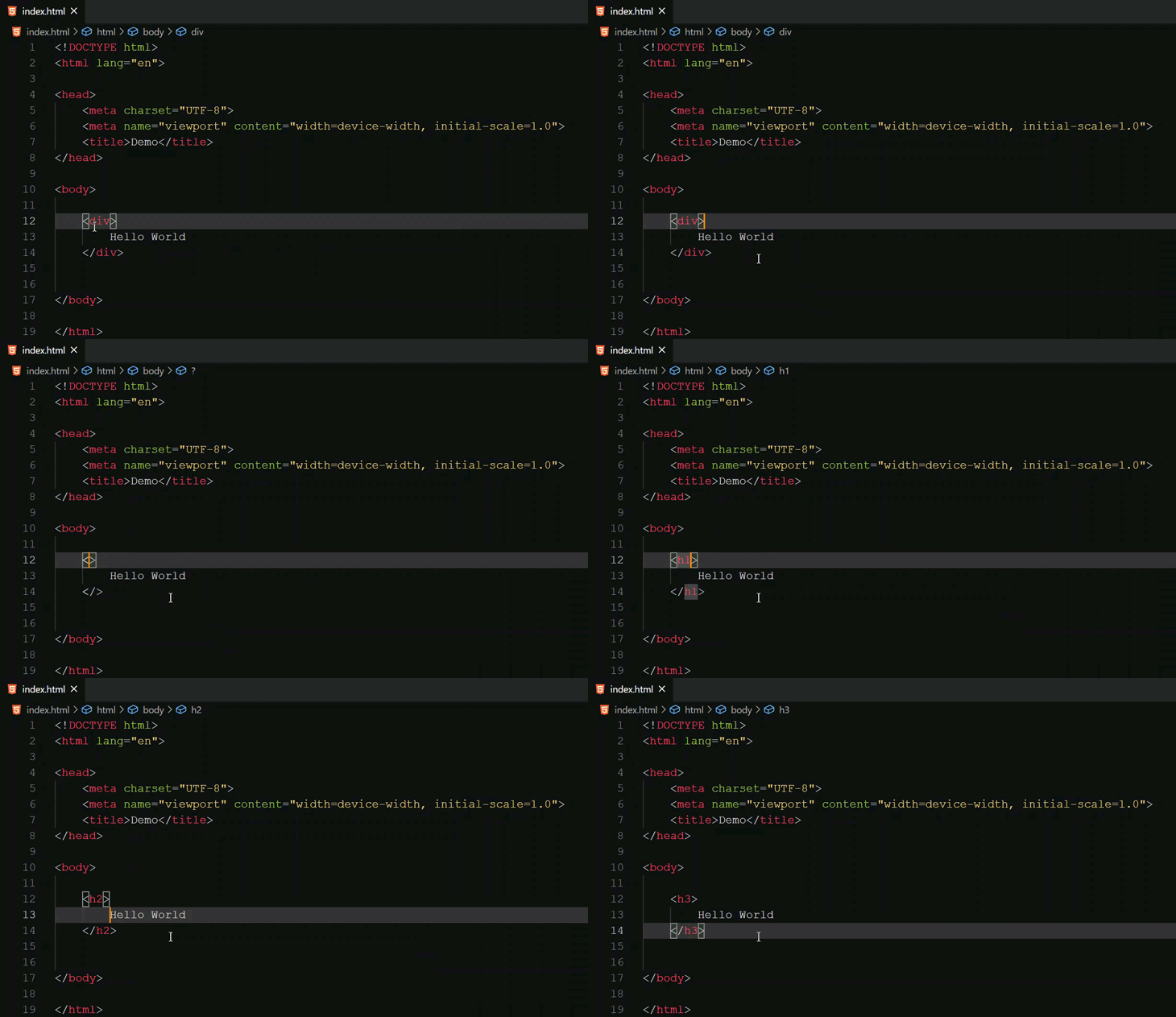
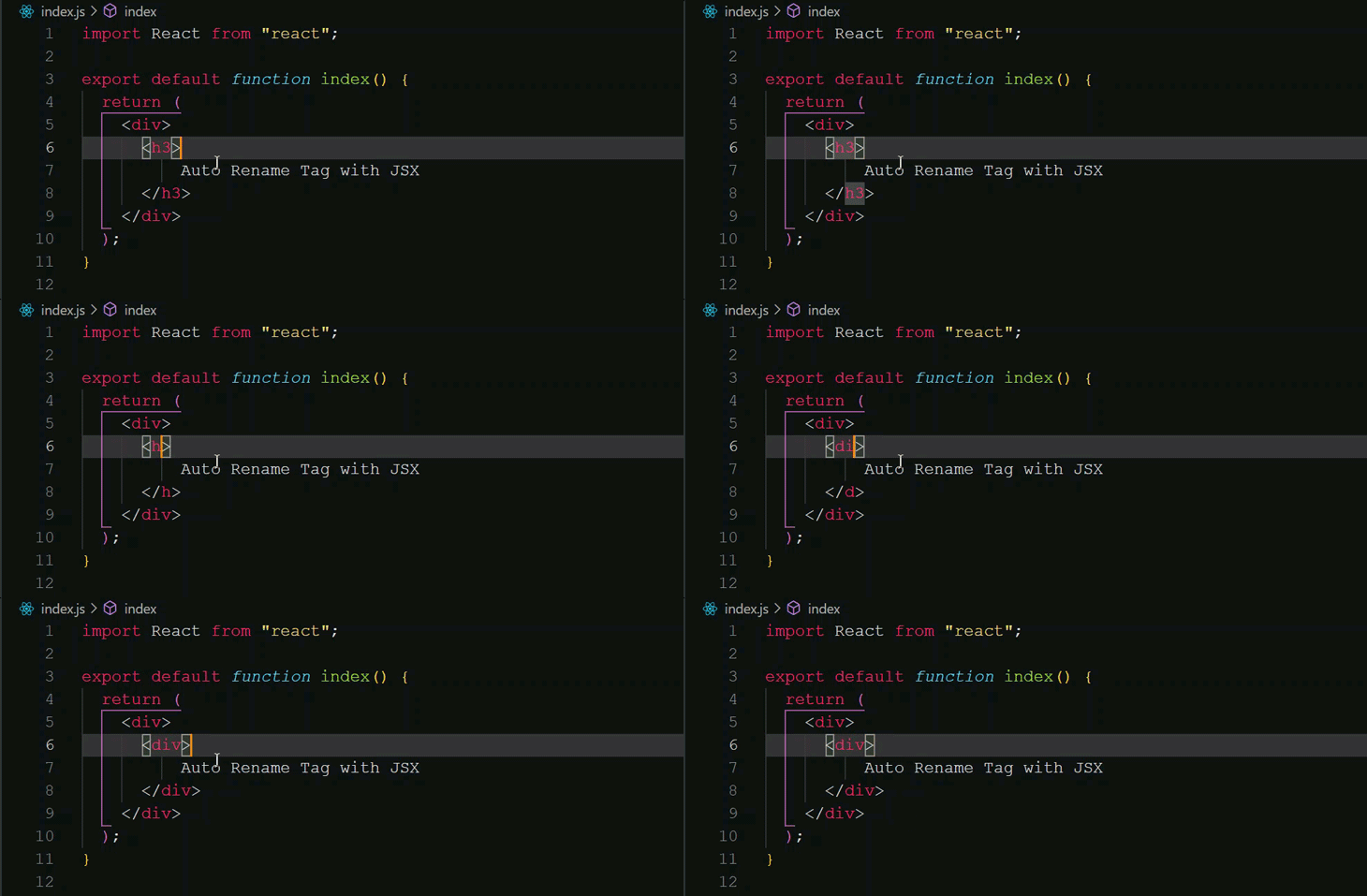
Auto Rename Tag is a super useful VS Code extension for web developers. As the names suggest, Auto Rename Tag renames the second tag as the first one is updated and vice versa:
You will find this extension helpful not only with HTML, but also with React because of JSX.
In the above example there is only text inside the tags, but in a real application, there can be nested tags and elements, making manual updates difficult and tedious.

Bracket Pair Colorizer is an extension that matches corresponding brackets with the same color. Having nested components, functions, objects, etc., in a file, can become confusing with multiple parentheses, brackets, etc.
👁 Bracket-Pair-Colorizer-Example
For example, consider the following code snippet:
👁 Bracket-Pair-Colorizer-Code-Snippet
At first glance, it’s quite hard to differentiate between different code blocks in the code, but the Bracket Pair Colorizer extension colors the corresponding parenthesis and brackets for easy navigation and accessibility.
👁 Bracket-Pair-Colorizer-Extension-Example
Snippets are the best way to save time and increase your productivity. This is not a single extension but a collection of extensions with various snippets for different programming languages.
Below are some popular code snippets extensions:
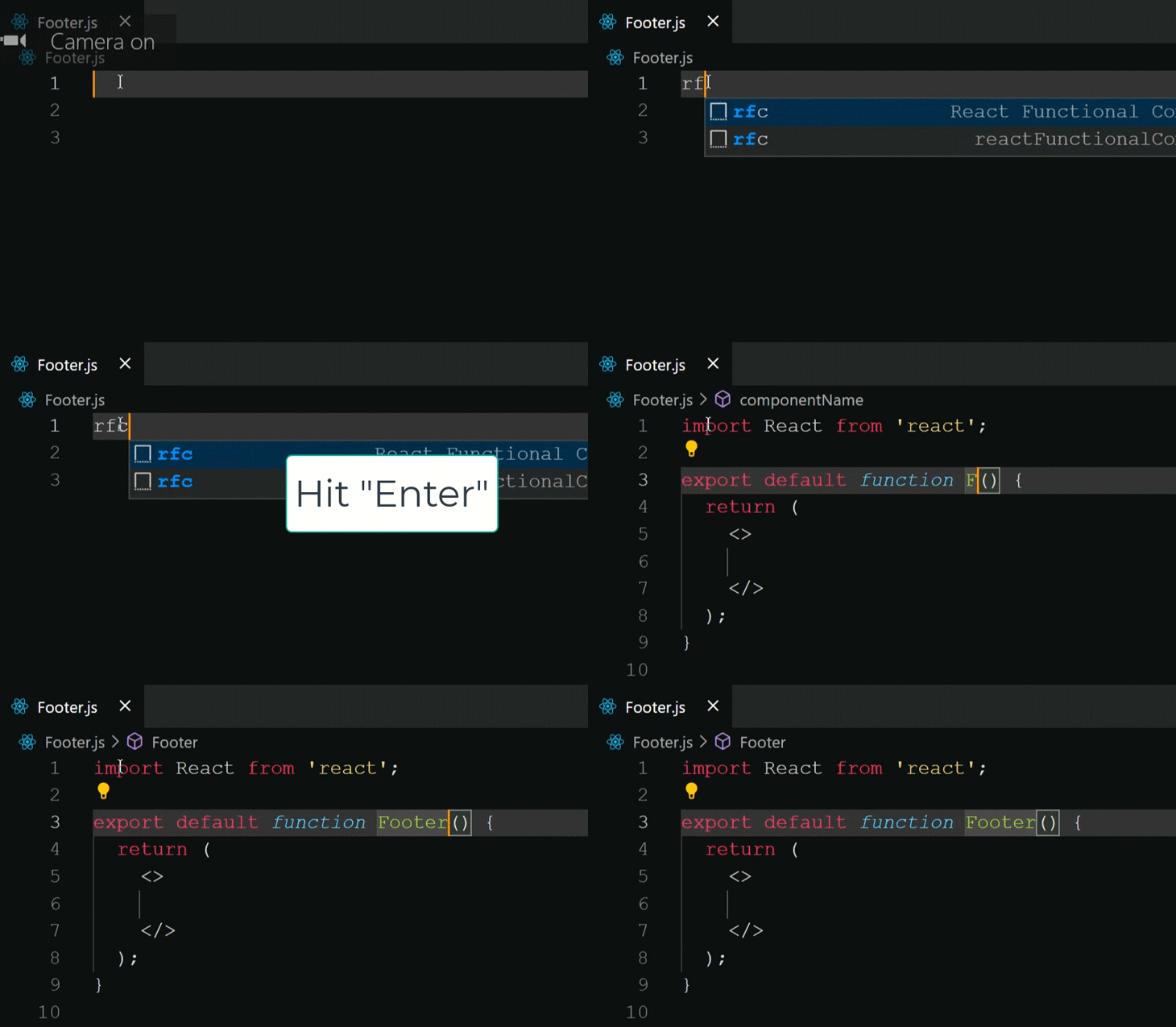
For example, it can be quite tedious to repeat the syntax for functional components in React every time you create a new component. Using the ES7 React/Redux/GraphQL/React-Native snippets extension, you can use the shorthand rfc for functional components and hit enter.
👁 React-Redux-GraphQL-Extension
Better Comments is designed to help you write more human-friendly comments in your code.
Clear, digestible comments are beneficial not only for someone going through your code but also for you. It’s quite common for developers to get lost in their own code when visiting it after some time. Having descriptive comments can save a lot of time for you and your team.
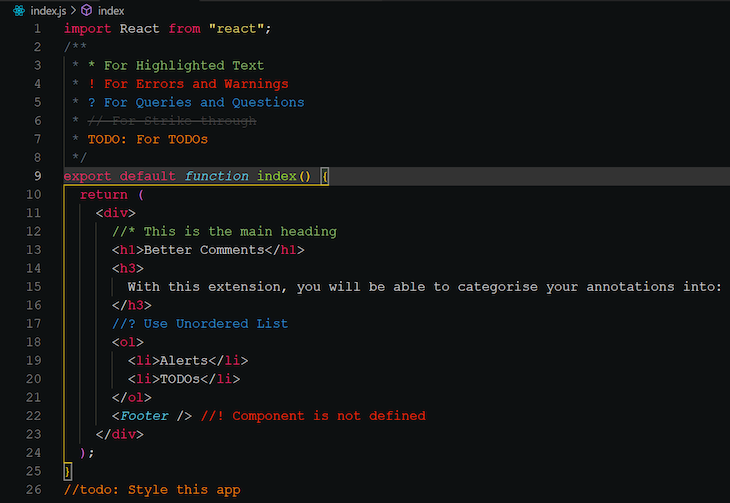
With the Better Comments VS Code extension, you can categorize your annotations into alerts, queries, to-dos, highlights, etc.
You can use either of the following characters after double forward slash (//):
* for highlighted text! for errors and warnings? for queries and questions// for strikethroughTODO for to-dos👁 Better-Comments-VS-Code-Extension-Example
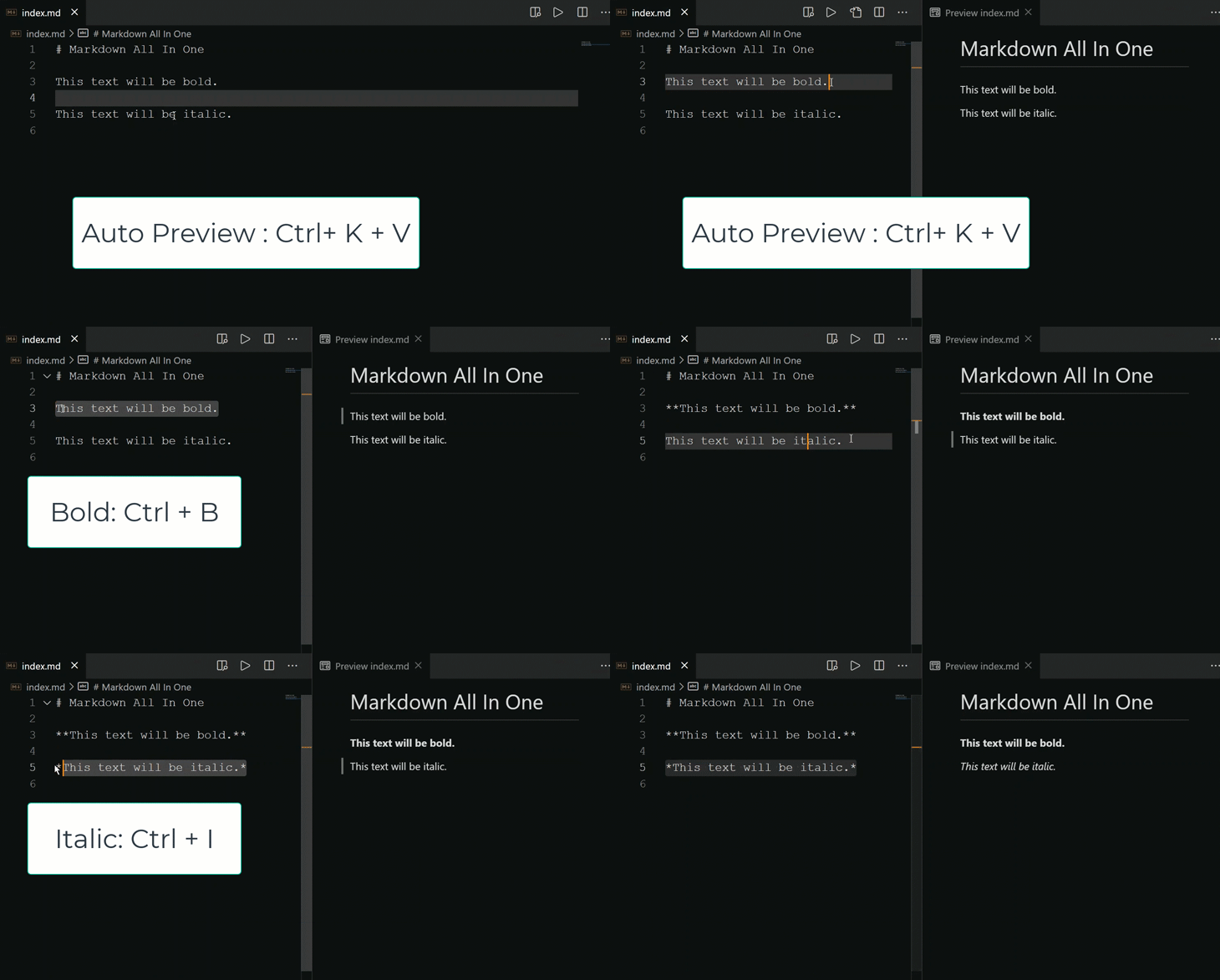
Markdown All in One is a single extension that takes care of all your markdown needs, such as auto-preview, shortcuts, autocomplete, etc.
Since its release in 2004, Markdown has become one of the most popular and preferred markup languages. Technical writers worldwide widely use Markdown for articles, blogs, documentation, etc., because of its lightweight simplicity and cross-platform usage. Its popularity has given rise to other variants of Markdown, such as GitHub Flavored Markdown, MDX, etc.
For example, to bold some text in Markdown, you can select that text and use the shortcut Ctrl + B to increase your productivity.
👁 Markdown-All-In-One-Extension
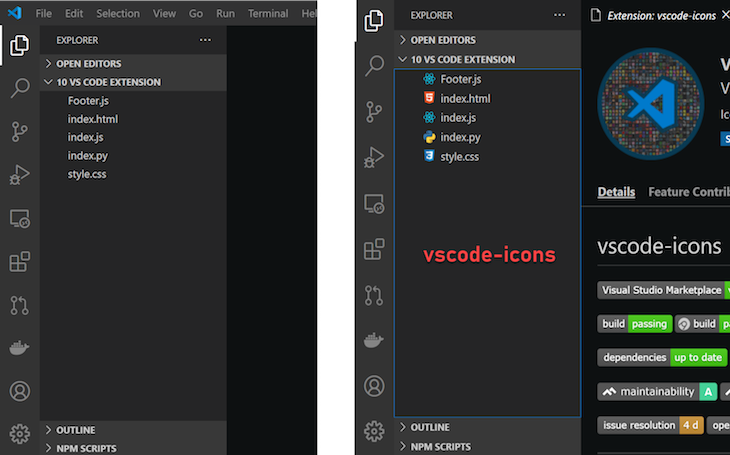
Having descriptive icons can help you differentiate between files and folders. Icons also make development more fun.
Here is a comparison between two VS Code tabs. One has icons, the other does not.
There are many icons extension that you can choose from. Popular icon collections include:
Prettier is an opinionated code formatter. With more than 38.5k stars on GitHub, it’s one of the most popular code formatters available. Having consistent formatting and styling across your code can save a lot of time, especially when collaborating with other developers.
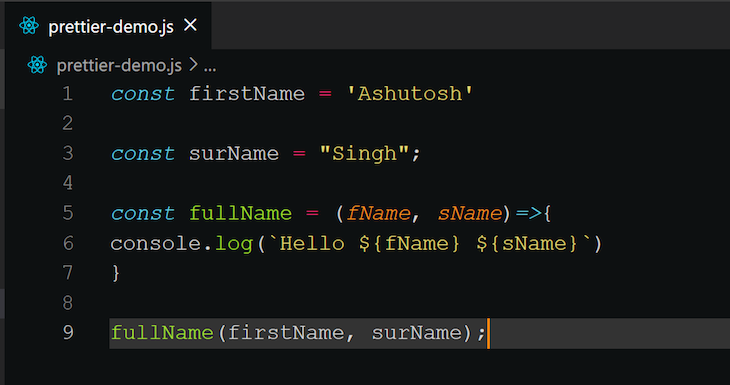
Consider the following code block:
You may notice a handful of formatting issues with this code, including:

;)Here’s how Prettier would format and fix the above code:
This extension supports Prettier plugins when you’re using a locally resolved version of Prettier.
You can configure this extension further to suit your formatting needs and even trigger it with autosave.
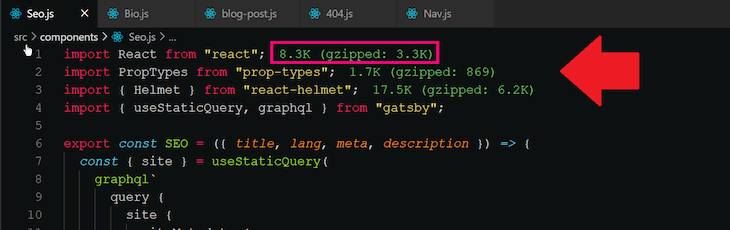
Import Cost is an extension that shows you an estimated size of the import package in your code. When working on a project, it’s important not to compromise the user experience by importing heft packages. One way to avoid this is to keep track of the size of additional dependencies in your code.
👁 Import-Cost-Extension-Example
When the import is too large, Import Cost warns you by displaying the size in red. You can configure what size should be considered small, medium, or large.

Profile Switcher enables you to switch between and set up multiple profiles in your VS Code with various configurations and settings.
This extension is especially useful for content creators such as technical bloggers, YouTubers, etc. Instead of changing your settings/configurations every time you need to show your VS Code screen, you can set up a profile required settings.
Here’s how to switch between two profiles: Default and Content Creation.
👁 Profile-Switcher-Content-Creation-Default-Example
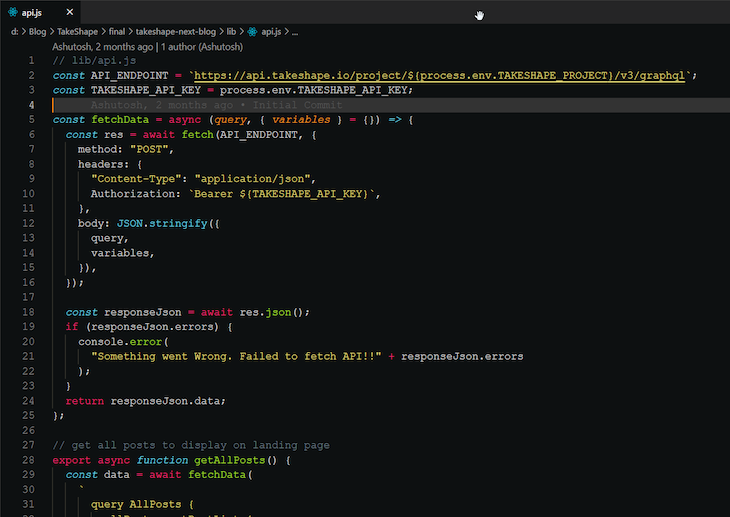
GitLens is an open-source extension for Visual Studio Code created, developed, and maintained by Eric Amodio. It combines the capabilities of Git with VS Code.
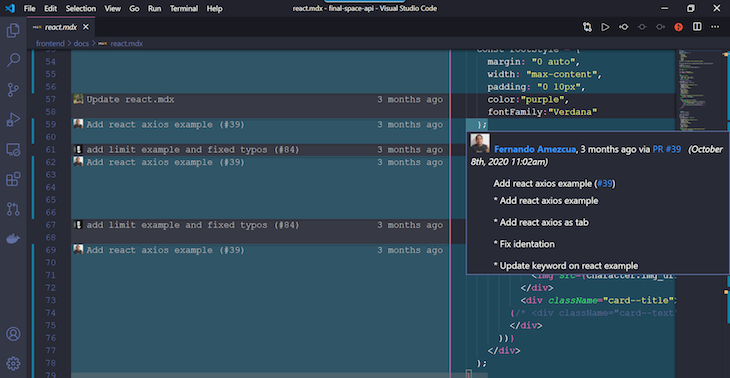
One of the best features of this extension is the ability to visualize code authorship via Git blame annotations and code lens.
Below is a screenshot from the React example docs of the Final Space API.
👁 React-Example-Final-Space-Api
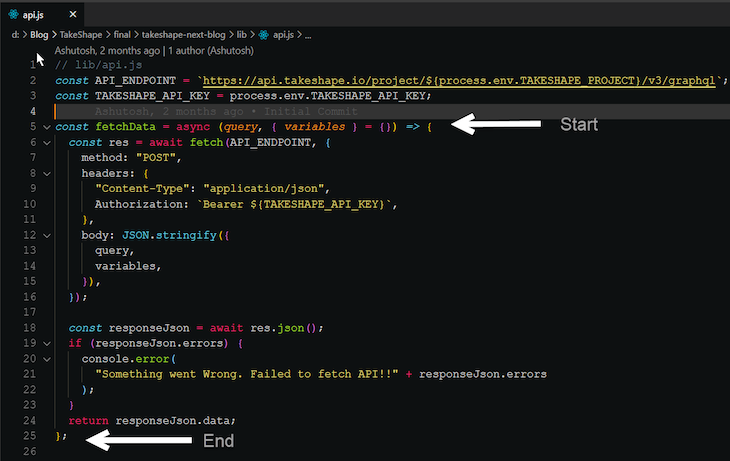
Here’s an expanded version of the code authorship:
👁 Code-Authorship-Expanded-Version
This is just one of the many features of GitLens extension. Other notable features include:
In this guide, we reviewed 10 VS Code extensions that can help make you a better programmer and boost your productivity.
There are many more VS Code extensions that you can explore for all kinds of use cases. Here are a few other extensions worth checking out:
Install LogRocket via npm or script tag. LogRocket.init() must be called client-side, not
server-side
$ npm i --save logrocket

// Code:

import LogRocket from 'logrocket';
LogRocket.init('app/id');
// Add to your HTML:

<script src="https://cdn.lr-ingest.com/LogRocket.min.js"></script>
<script>window.LogRocket && window.LogRocket.init('app/id');</script>
TSRX adds first-class control flow, conditional hooks, and scoped styles to React via a TypeScript compiler extension — no new framework required.
Learn how to build a full React Native auth system using Better Auth and Expo — with email/password login, Google OAuth, session persistence, and protected routes.
Compare the top AI development tools and models of June 2026. View updated rankings, feature breakdowns, and find the best fit for you.
Learn how Bloom filters reduce database lookups for username availability checks while preserving correctness at scale.
Would you be interested in joining LogRocket's developer community?
Join LogRocket’s Content Advisory Board. You’ll help inform the type of content we create and get access to exclusive meetups, social accreditation, and swag.
Sign up now