|
VOOZH | about |
|
VOOZH | about |
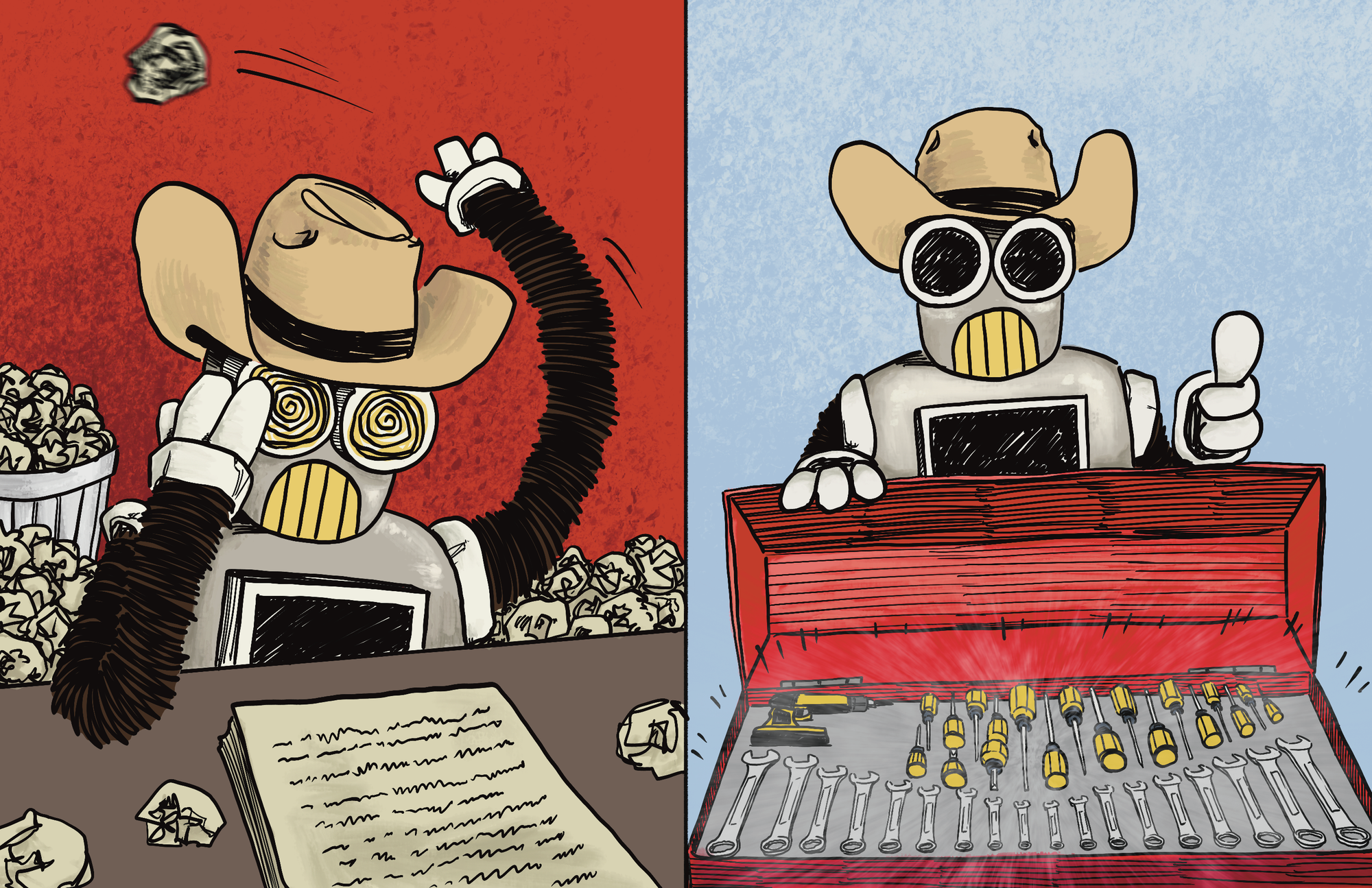
We just ripped out the Claude Code SDK and skills architecture powering Wrangler AI, our in-app assistant, and replaced it with a simple prompt and explicit tools. Here's why we made the switch.
Claude Code SDK powers Claude Code, the coding assistant that revolutionized how software engineers work. Wrangler AI isn't a coding agent. It's an assistant that helps users create prompts, evaluations, datasets, workflows, snippets, and so on, directly on our dashboard. Different surfaces, different physics.
The Claude Code SDK is great at what it's designed for: autonomous code agents, multi-step internal automation, large self-directed tasks. We wanted to see if we could lift that magic into a chat-style dashboard helper. We could — but at a price.
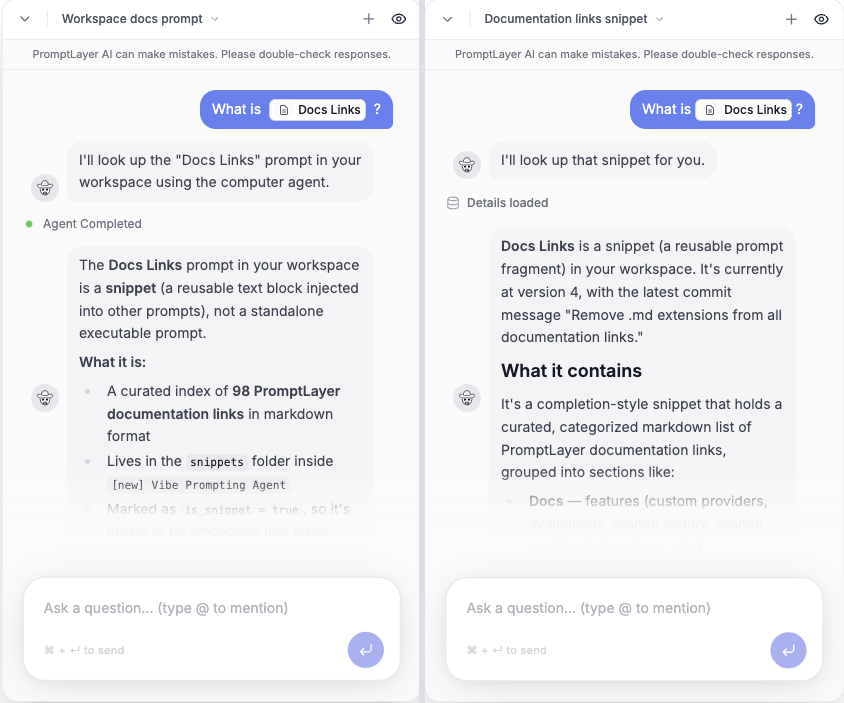
The cleanest way to see what changed is to ask the same user question in both versions and look at the traces side by side.
Question 1: "What is Docs Links?"
User asked the same question in both versions: a one-line lookup of a snippet by name.
| "Docs Links / what's that?" | v131 — skills | v132+ — tools |
|---|---|---|
| Wrangler-turn wall-clock | 3 min 4 sec | 24 sec |
| LLM calls | 20 | 3 |
| Tool executions | 19 | 2 |
| Throwaway scripts written + executed | 6 | 0 |
| Mid-turn errors recovered from | 4 | 0 |
Same question, same answer expected. One architecture took ~8× longer and made ~7× more tool/model calls.
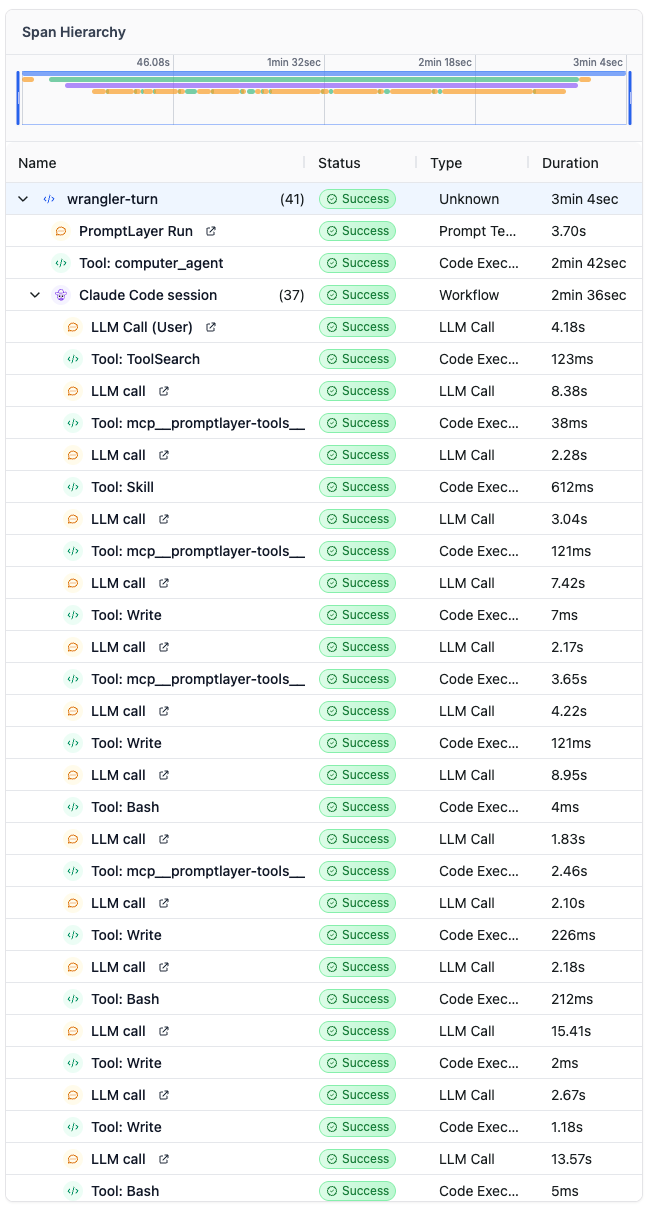
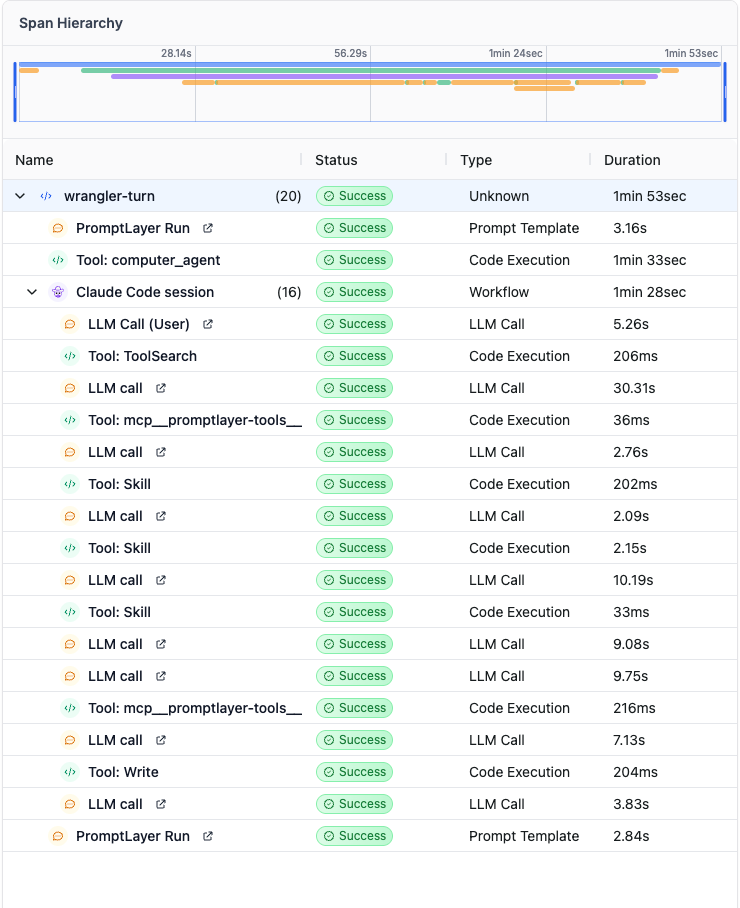
A wrangler-turn span wraps the entire user-visible turn. Inside it, the SDK opened a Claude Code session that ran:
It performed a long tool chain: ToolSearch to discover MCP tools, loaded a ~30KB search skill doc into context, then wrote and ran six different throwaway Python scripts (to make all of the api calls) to /tmp, recovering from a TypeError, a 405 on a folder endpoint, and two file-too-large errors trying to read its own 86KB persisted output back into context — before finally returning.
End-to-end wall-clock on that one wrangler-turn: 3 minutes 4 seconds to answer "what's that?". The model spent most of it deciding which tools existed, reading its own skill docs, writing throwaway Python to /tmp, and recovering from its own errors.
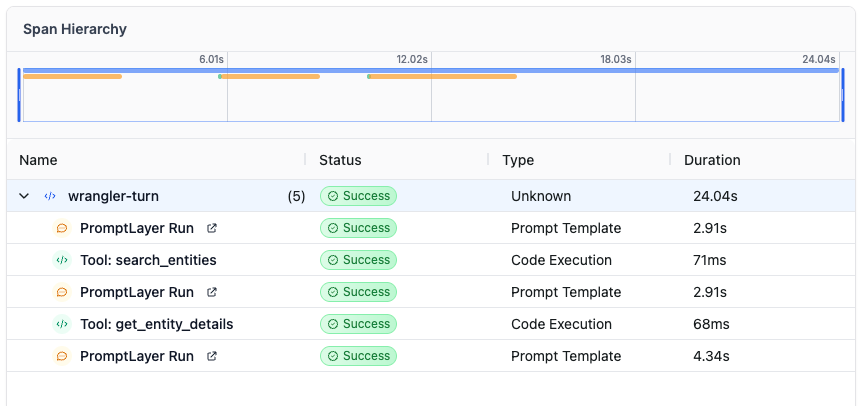
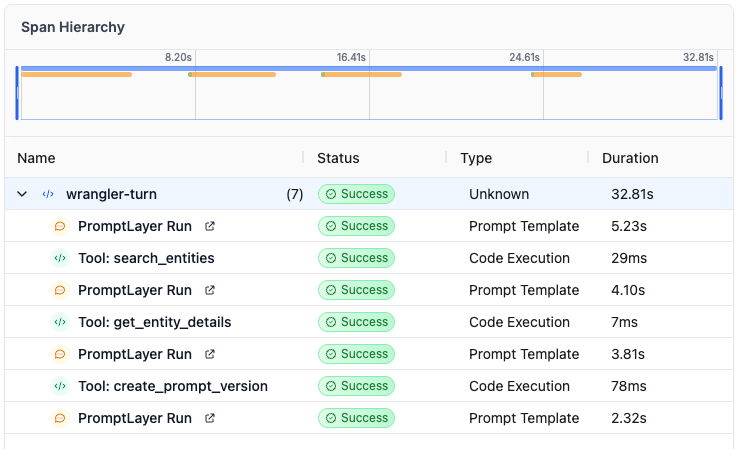
It only needed a simple flow: call search_entities to find the Docs Links snippet, call get_entity_details with the resolved snippet ID, and then return a short answer to the user.
End-to-end wall-clock: 24 seconds.
The traces show that v131 was making ~10× more LLM calls and taking ~8× longer per turn. Multiply that pattern across thousands of production requests and the aggregate cost and latency numbers stop being surprising — they're actually conservative.
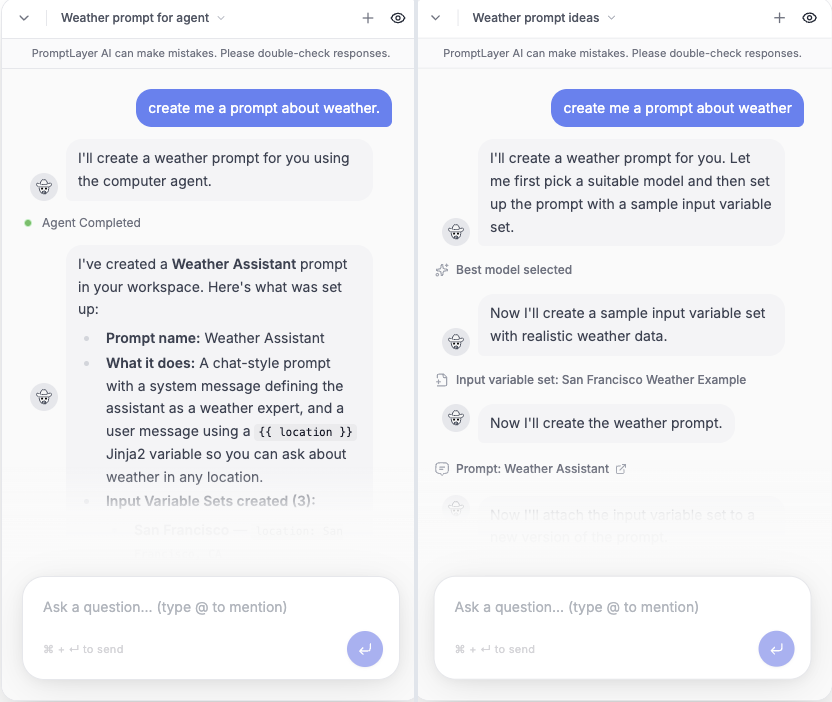
Question 2: "Create me a prompt about weather"
This is the kind of "make me a thing" request the dashboard helper gets all day.
| "Create me a prompt about weather" | v131 — skills | v132+ — tools |
|---|---|---|
| Wrangler-turn wall-clock | 1 min 53 sec | 38.5 sec |
| Nested Claude Code sessions | 1 | 0 |
| LLM calls | 10 | 4 |
| Tool executions | 6 | 4 |
3× faster, end-to-end, on the same request. And the entire path is auditable from the trace — no skills loaded into context, no throwaway Python written to /tmp, no agent loop the user can't see.
The weather prompt request showed the same pattern on a creation task.
The skills version again ran through a nested Claude Code session. It took 1 minute 53 seconds, made 10 LLM calls, and executed 6 tools before the prompt was created.
The tools version used the direct product path: select the model config, create the input variable set, create the prompt, and create the prompt version.
End-to-end wall-clock: 38.5 seconds. It made 4 LLM calls and executed 4 named tools.
So this was not just a lookup problem. Across both a simple retrieval request and a common "make me a thing" request, the tools architecture gave us the same outcome with fewer side trips, fewer hidden loops, and much faster turns.
No skill doc injected into context, no ToolSearch to discover MCP tools, no throwaway Python written to /tmp, no Bash running scripts that need recovery, no nested Claude Code session running its own loop on claude-sonnet-4-6. The model has its tools, knows their JSON schemas, and uses them — and every call shows up in the trace by name. Extremely simple.
That maps directly to what users care about on a dashboard:
Skill loads, six throwaway Python scripts, four recovered errors, and a 30KB skill doc sitting in context. v132+ traces are 4–6 named spans. When something goes wrong, you can see exactly where.Write, no scripts authored and executed mid-turn, no recovery from TypeError and 400s the user never asked for. The blast radius of any turn is bounded by the tools the prompt exposes — reviewed, versioned, and named.The takeaway is not that agent harnesses are bad. They are powerful, and we still use them when the job calls for autonomy: coding work, internal migrations, large datasets, and long-running tasks where broad tool access and script-on-demand behavior are useful.
What we learned is that the Claude Code SDK harness was not the right harness for this product surface. For Wrangler AI, the job is not to run unsupervised work in the background. It is to help someone inside the dashboard, one turn at a time. That still requires a harness — system prompt, tools, schemas, state, execution logic, and constraints but a smaller, product-owned one. For that kind of work, speed, predictability, cost, and debuggability matter more than open-ended autonomy, so a prompt with explicit tools gives us the tighter loop we need.
© Copyright 2026 Magniv, Inc. All rights reserved.