
Enterprise-ready, before enterprise asks
Build multi-tenant B2B products faster. Give your customers the organization workflows they expect — invitations, RBAC, and SSO — through simple, drop-in components.
Pixel-perfect UIs, embedded in minutes
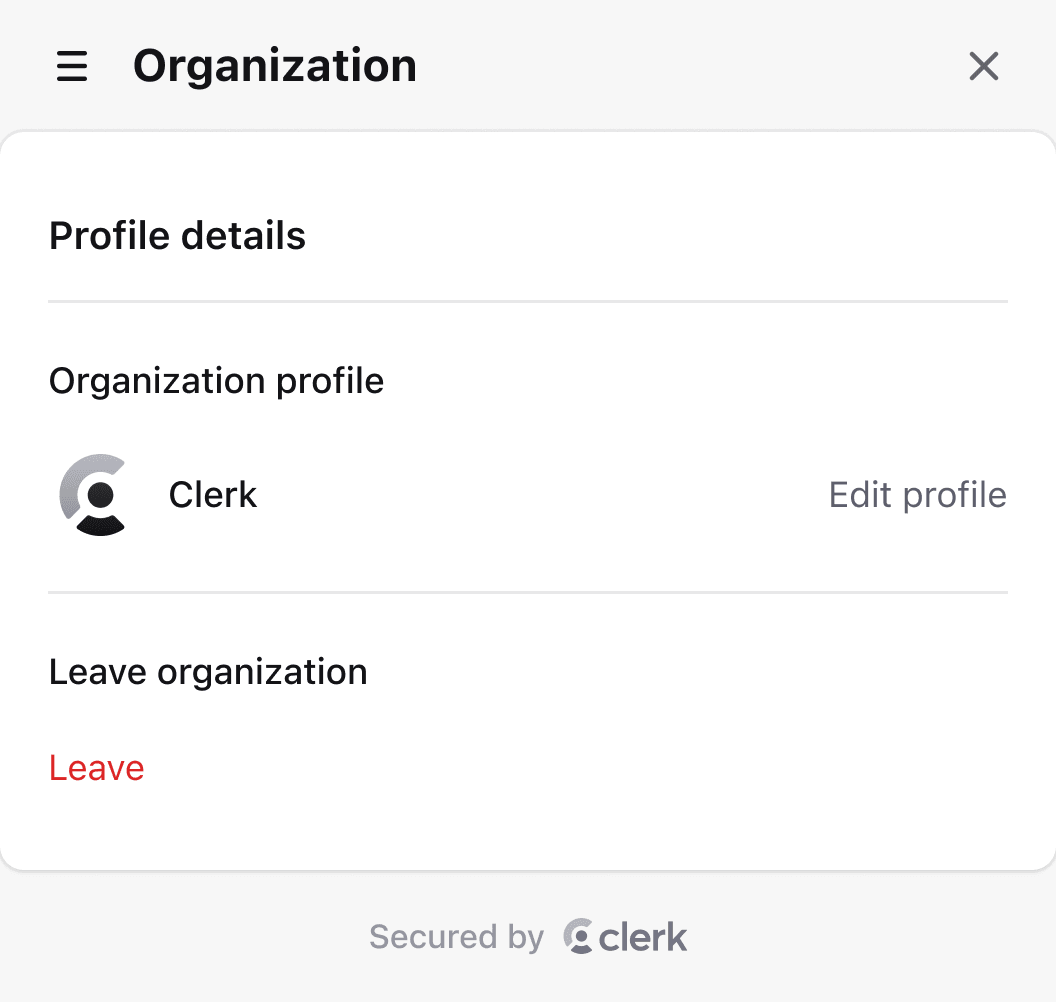
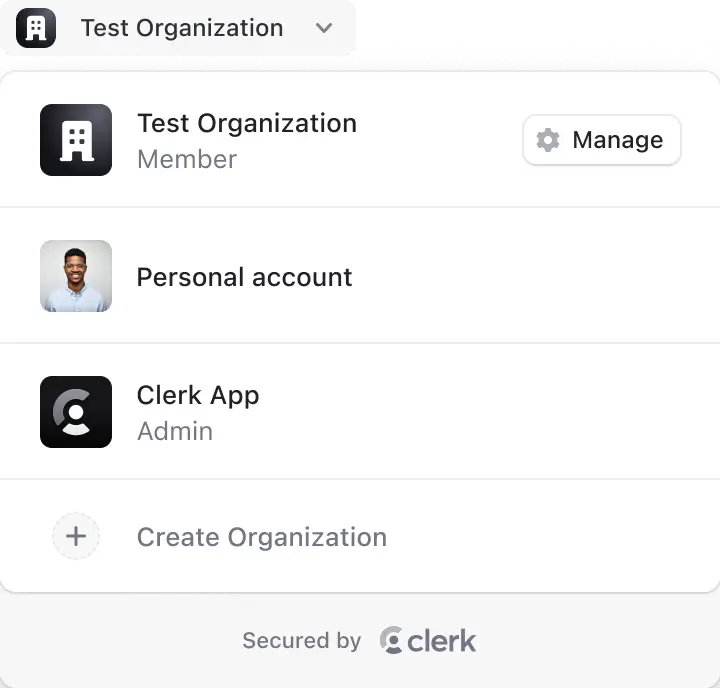
Allow your users to create new organizations, switch between accounts, manage settings and billing, and view memberships and invitations.
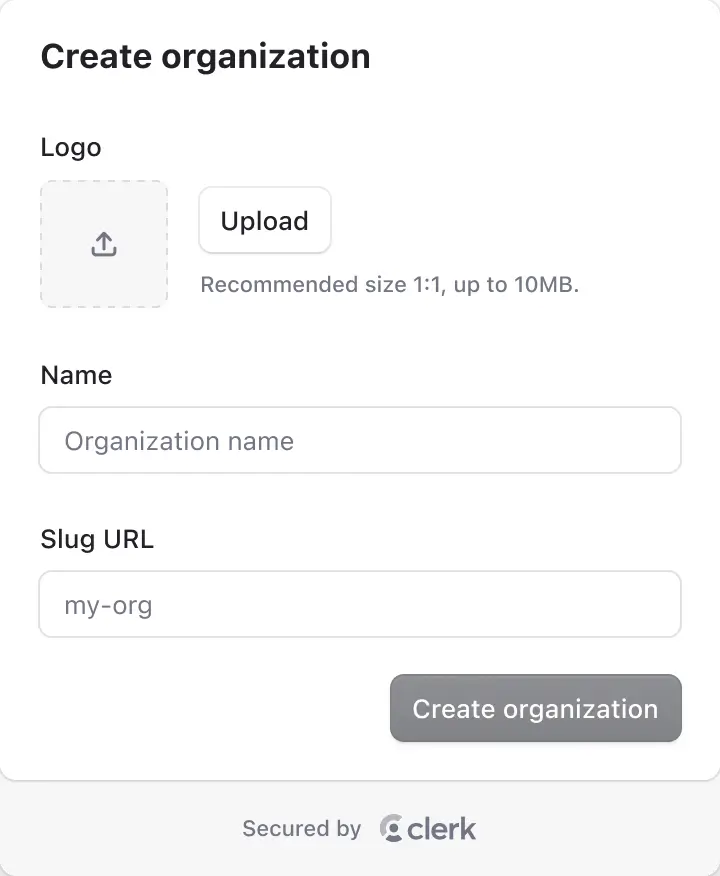
The <CreateOrganization/> component renders the flow for creating a new organization, with fields for its name, slug, and logo.
Create Organization
Upload
Recommended size 1:1, up to 10MB.
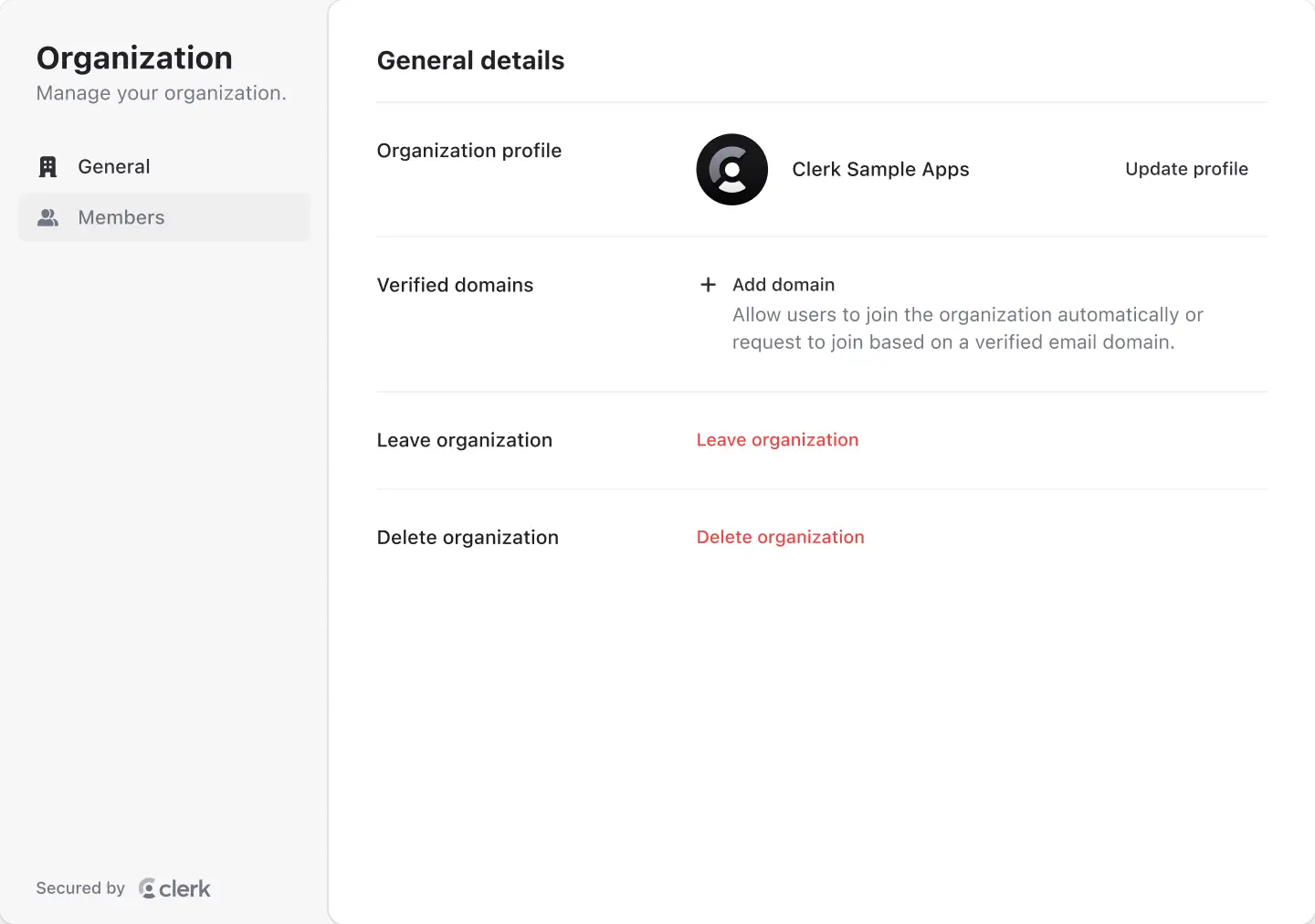
Organization
Manage your organization
General
Members
Billing
API keys
General details
Organization profile

Verified domains
Add domain
Allow users to join the organization automatically or request to join based on a verified email domain.
Leave organization
Leave organization
Delete organization
Delete organization
Silver
For personal use
/ month
Handmade Rubber Fish
Handmade Plastic Cheese
Incredible Concrete Chair
Tasty Steel Soap
Fantastic Wooden Chips

Join the waitlist
Enter your email address and we'll let you know when your spot is ready.
Thanks for joining the waitlist
We'll be in touch when your spot is ready
Create your account
Welcome! Please fill in the details to get started.
Continue with Google
Continue with GitHub
or
Sign in to your account
Welcome back! Please sign in to continue
Continue with Google
Continue with GitHub
or
Account
Manage your account info.
Profile
Security
Billing
API keys
Profile details
Profile
Email Addresses
cameron@personal.com
Add email address
Phone number
+1 (555) 123-4567
Add phone number
Connected accounts
·
example@gmail.com
Connect account
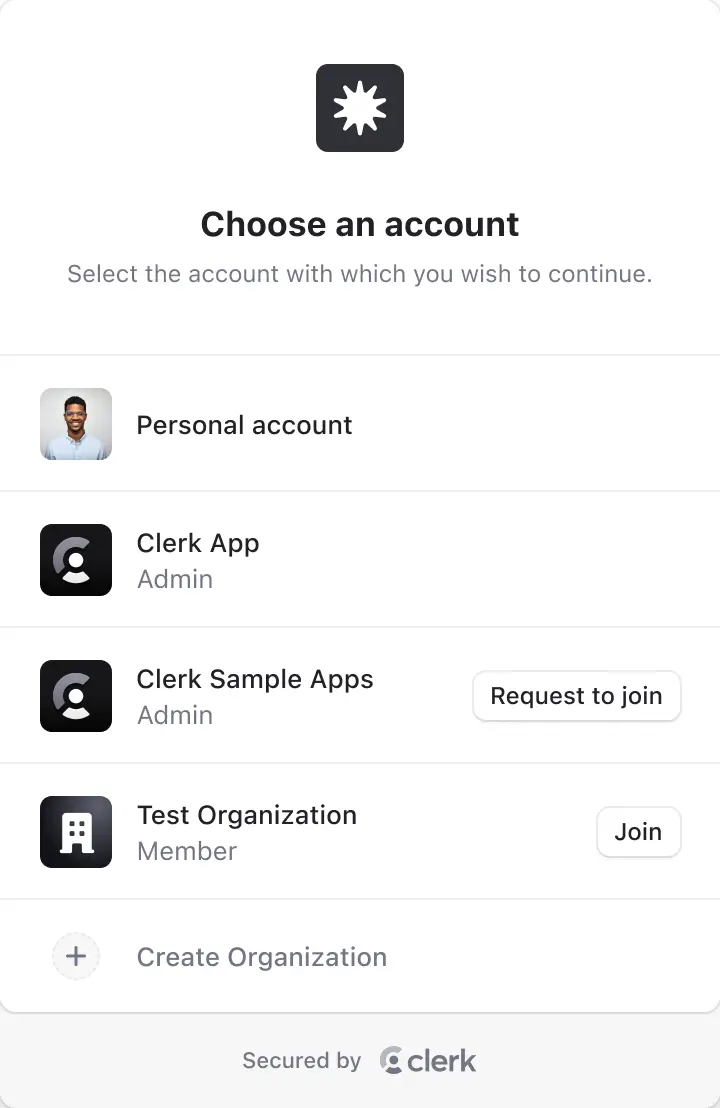
Choose an account
Select the account with which you wish to continue.
Quickly onboard entire organizations
Enable users to set up organizations, invite members, and assign roles in one flow.
Organization creation made easy
Clerk detects the user's email domain and prefills their organization name and logo.
Invitations without friction
Users can invite team members manually or auto-recognize them by email.
RBAC out-of-the-box
Users can be assigned to any role with permissions defined for the organization.
One user. Multiple teams.
Users can join multiple organizations and switch between them instantly and securely.
Create your account
or
Land fast, expand faster
Launch with invitations and custom permissions. Expand to SSO and advanced roles - no rebuild required.
Ship Organizations quickly
Easily implement drop-in components that will help you grow from day one.


Make onboarding frictionless
Let users join a team through a built-in, one-click invite flow.
Expand with automatic invites
Invite or suggest users based on verified email domains automatically.




Define permission logic with RBAC
Control who can access specific resources and perform certain actions with permissions, roles, and role sets.
Support SSO providers
Deliver secure, easy access to every organization with enterprise-grade SSO using protocols like SAML and OIDC.
Close enterprise deals earlier
Ship organization flows today. Add SSO, provisioning, and auditability when customers ask. No auth rebuild required.
Support SAML, OIDC, and EASIE
Configure SAML, OIDC, and EASIE connections from the Dashboard. All three map to the SSO paths your customers' IT teams already manage with their identity provider.
Let customers set up their own SSO
Embed <OrganizationProfile /> and let your customers' admins configure their own connection from the security tab. No support ticket, no per-connection work from you.
Keep access in sync automatically
Add Directory Sync (SCIM) so user lifecycle changes flow in from their IdP, instead of support tickets and manual cleanup.
Give security teams the paper trail they need
Audit logs cover sign-ins, sign-ups, and organization changes for debugging, compliance, and observability.
Support SAML, OIDC, and EASIE
Configure SAML, OIDC, and EASIE connections from the Dashboard. All three map to the SSO paths your customers' IT teams already manage with their identity provider.
Let customers set up their own SSO
Embed <OrganizationProfile /> and let your customers' admins configure their own connection from the security tab. No support ticket, no per-connection work from you.
Keep access in sync automatically
Add Directory Sync (SCIM) so user lifecycle changes flow in from their IdP, instead of support tickets and manual cleanup.
Give security teams the paper trail they need
Audit logs cover sign-ins, sign-ups, and organization changes for debugging, compliance, and observability.
Billing built for B2B SaaS
With Clerk Billing, charge organizations as teams adopt your product and turn usage into predictable revenue — no custom logic required.
Organization
Manage your organization
General
Members
Billing
API keys
Billing
Subscription
Payment methods
Turn insights into revenue
Understand where expansion is happening. Track member adoption, understand activity patterns, and catch churn early to grow ARR.

Get Started
User infrastructure that helps you grow
Skip the boilerplate and stay in control. Fields, redirects, UI, and UX as flexible as you want.
import'@/styles/globals.css'
import {
 ClerkProvider,
 SignInButton,
 SignUpButton,
 Show,
 UserButton
} from'@clerk/nextjs'
importtype { AppProps } from'next/app'

functionMyApp({ Component, pageProps }:AppProps) {
return (
 <ClerkProvider
 {...pageProps}
appearance={{
 cssLayerName:'clerk',
 }}
 >
 <headerclassName="flex justify-end items-center p-4 gap-4 h-16">
 <Showwhen="signed-out">
 <SignInButton />
 <SignUpButton>
 <buttonclassName="bg-[#6c47ff] text-white rounded-full font-medium text-sm sm:text-base h-10 sm:h-12 px-4 sm:px-5 cursor-pointer">
 Sign Up
 </button>
 </SignUpButton>
 </Show>
 <Showwhen="signed-in">
 <UserButton />
 </Show>
 </header>
 <Component {...pageProps} />
 </ClerkProvider>
 )
}

exportdefault MyAppimport'./App.css'
import {
Show,
SignInButton,
SignUpButton,
UserButton
} from'@clerk/react'
functionApp() {
return (
<>
<header>
{/* Show the sign-in and sign-up buttons when the user is signed out */}
<Showwhen="signed-out">
<SignInButton />
<SignUpButton />
</Show>
{/* Show the user button when the user is signed in */}
<Showwhen="signed-in">
<UserButton />
</Show>
</header>
</>
)
}
exportdefault Appimport {
ClerkProvider,
Show,
UserButton,
SignInButton,
SignUpButton,
} from'@clerk/react-router'
// Pull in the 'loaderData' from the 'rootAuthLoader()' function
exportdefaultfunctionApp({ loaderData }:Route.ComponentProps) {
return (
// Pass the 'loaderData' to the '<ClerkProvider>' component
<ClerkProviderloaderData={loaderData}>
<headerclassName="flex items-center justify-center py-8 px-4">
{/* Show the sign-in and sign-up buttons when the user is signed out */}
<Showwhen="signed-out">
<SignInButton />
<SignUpButton />
</Show>
{/* Show the user button when the user is signed in */}
<Showwhen="signed-in">
<UserButton />
</Show>
</header>
<Outlet />
</ClerkProvider>
)
}---
import {
Show,
UserButton,
SignInButton,
SignUpButton,
} from'@clerk/astro/components'
---
<!doctypehtml>
<htmllang="en">
<head>
<metacharset="UTF-8" />
<metaname="viewport"content="width=device-width" />
<linkrel="icon"type="image/svg+xml"href="/favicon.svg" />
<metaname="generator"content={Astro.generator} />
<title>Astro Basics</title>
</head>
<body>
<header>
{/* Show the sign-in and sign-up buttons when the user is signed out */}
<Showwhen="signed-out">
<SignInButtonmode="modal" />
<SignUpButtonmode="modal" />
</Show>
{/* Show the user button when the user is signed in */}
<Showwhen="signed-in">
<UserButton />
</Show>
</header>
<slot />
</body>
</html>
<style>
html,
body {
margin:0;
width:100%;
height:100%;
}
</style><scriptsetuplang="ts">
// Components are automatically imported
</script>
<template>
<header>
<!-- Show the sign-in and sign-up buttons when the user is signed out -->
<Showwhen="signed-out">
<SignInButton />
<SignUpButton />
</Show>
<!-- Show the user button when the user is signed in -->
<Showwhen="signed-in">
<UserButton />
</Show>
</header>
<main>
<NuxtPage />
</main>
</template>Drop-in UI Components
Integrate fully-built organization components.
Build your own UI
Take full control of your authentication UI using custom flows.
Framework-native middleware
Next.js / Remix middleware that injects org context into every request.
Scalable authentication
for B2B SaaS
The easy solution to multi-tenancy with a full suite of B2B SaaS features. Pay only for active organizations.
Included
Available features:
Enhanced add-on
Features you’ll have
Trusted by startups and the world's largest companies

We were able to ship MFA, SSO, and SAML for our customers in a fraction of the time. Now, we have improved security and must-haves for enterprise prospects.

Dan Farrelly
CTO, Inngest

Building out MFA, SAML, and phone number authentication with Clerk was super easy. I had a working MVP in just a few hours. Plus, Clerk × Cursor works really smoothly, which was a nice bonus.

Sarman Aulakh
CTO, Chasi

Clerk took the pain out of auth for us. Multi-tenant workflows and SSO were surprisingly easy to implement, customization was flexible enough to match our product, and onboarding just worked. It removed complexity we would have otherwise had to build ourselves.

Kevan Dodhia
Co-Founder & CTO, Alter
We were able to ship MFA, SSO, and SAML for our customers in a fraction of the time. Now, we have improved security and must-haves for enterprise prospects.
Dan Farrelly
CTO, Inngest
Building out MFA, SAML, and phone number authentication with Clerk was super easy. I had a working MVP in just a few hours. Plus, Clerk × Cursor works really smoothly, which was a nice bonus.
Sarman Aulakh
CTO, Chasi
Clerk took the pain out of auth for us. Multi-tenant workflows and SSO were surprisingly easy to implement, customization was flexible enough to match our product, and onboarding just worked. It removed complexity we would have otherwise had to build ourselves.
Kevan Dodhia
Co-Founder & CTO, Alter
We were able to ship MFA, SSO, and SAML for our customers in a fraction of the time. Now, we have improved security and must-haves for enterprise prospects.
Dan Farrelly
CTO, Inngest
Building out MFA, SAML, and phone number authentication with Clerk was super easy. I had a working MVP in just a few hours. Plus, Clerk × Cursor works really smoothly, which was a nice bonus.
Sarman Aulakh
CTO, Chasi
Clerk took the pain out of auth for us. Multi-tenant workflows and SSO were surprisingly easy to implement, customization was flexible enough to match our product, and onboarding just worked. It removed complexity we would have otherwise had to build ourselves.
Kevan Dodhia
Co-Founder & CTO, Alter
