AI Face Reading & Personal Color Analysis with GPT-image-2#
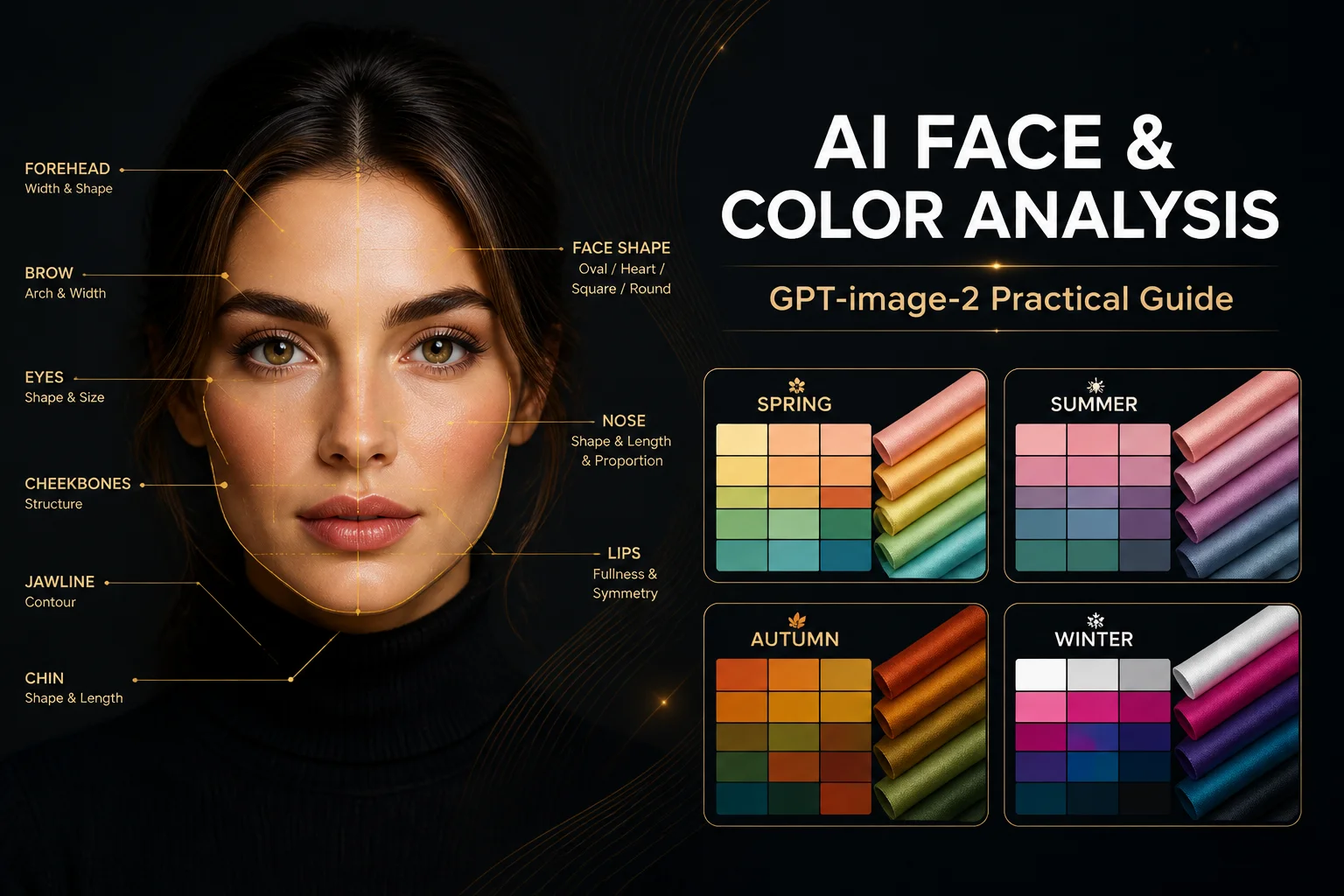
Two more viral AI image use cases that are blowing up on social media: AI Face Reading and Personal Color Season Analysis. Both leverage GPT-image-2's ability to generate detailed infographics with clear text annotations.
This is Part 2 of our GPT-image-2 series. We'll build both tools with complete code.
Result Preview#
AI Face Reading#
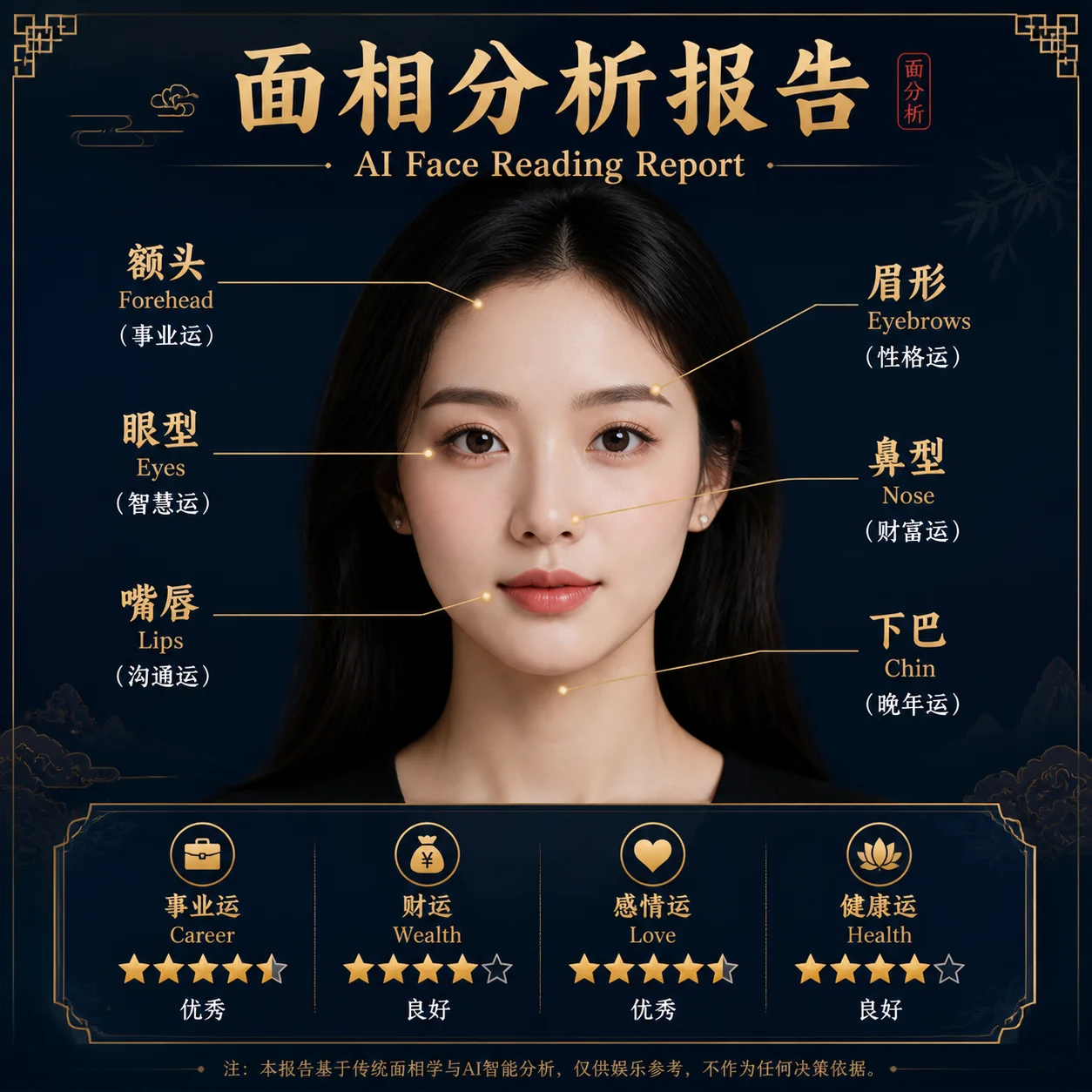
The model analyzes facial features — forehead shape, eyebrow arch, eye spacing, nose bridge, lip shape — and generates personality interpretations for each.
Personal Color Analysis#
👁 Personal Color Season Analysis
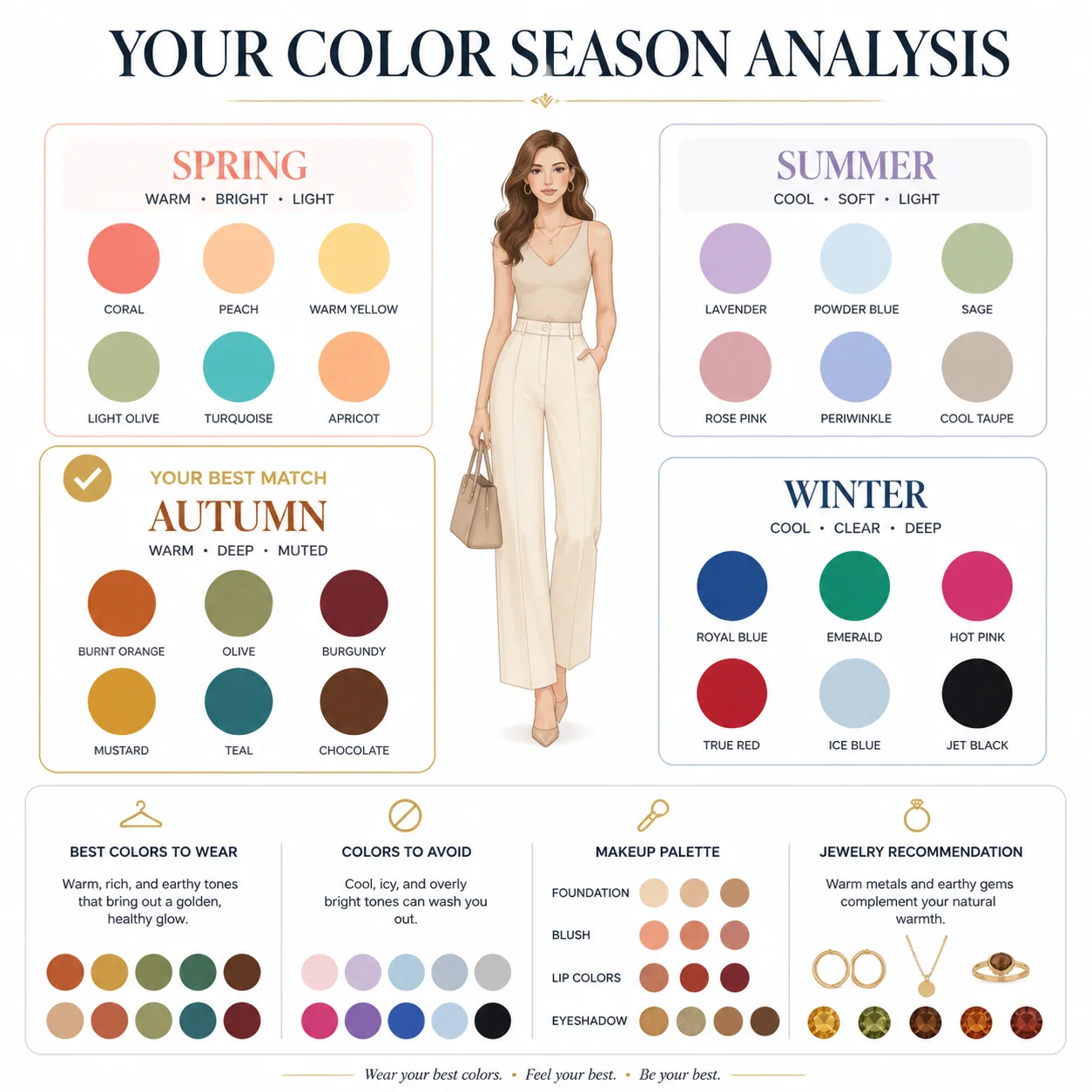
Determines which color season (Spring, Summer, Autumn, Winter) suits you best, with recommended color palettes for clothing, makeup, and accessories.
Face Reading — Full Code#
Python#
from openai import OpenAI

client = OpenAI(
 api_key="your-crazyrouter-api-key",
 base_url="https://crazyrouter.com/v1"
)

face_reading_prompt = """
Create a professional AI face reading analysis infographic.
Style: elegant, modern, dark background with golden accent lines.

Analyze and annotate these facial features:
- Forehead shape → Career & wisdom interpretation
- Eyebrow arch → Personality & temperament
- Eye shape & spacing → Emotional intelligence
- Nose bridge & tip → Wealth & determination
- Lip shape → Communication & relationships
- Jawline → Willpower & resilience

Layout:
- Center: a stylized face outline with golden annotation lines
- Sides: interpretation cards for each feature
- Bottom: overall personality summary with strengths

Professional consultation report style. Clean typography.
"""

response = client.images.generate(
 model="gpt-image-2",
 prompt=face_reading_prompt,
 size="1024x1024",
 n=1
)

print(f"Face reading: {response.data[0].url}")
curl#
curl -X POST https://crazyrouter.com/v1/images/generations \
 -H "Content-Type: application/json" \
 -H "Authorization: Bearer your-crazyrouter-api-key" \
 -d '{
 "model": "gpt-image-2",
 "prompt": "Professional AI face reading infographic. Dark background, golden accents. Annotate forehead, eyebrows, eyes, nose, lips, jawline with personality interpretations. Center face outline with annotation lines. Side interpretation cards. Bottom personality summary. Clean modern design.",
 "size": "1024x1024",
 "n": 1
 }'
Personal Color Analysis — Full Code#
Python#
color_analysis_prompt = """
Create a personal color season analysis infographic.
Style: clean, elegant, white background with soft color accents.

Show the four color seasons:
- Spring Warm: coral, peach, warm gold, cream
- Summer Cool: lavender, soft blue, rose pink, silver
- Autumn Warm: burnt orange, olive, mustard, chocolate
- Winter Cool: pure white, black, royal blue, true red

Layout:
- Top: title "Personal Color Season Analysis"
- Center: four quadrants, each showing a season with:
 - Season name and characteristics
 - 6-8 color swatches
 - Best clothing/makeup colors
 - Colors to avoid
- Bottom: "Your Season: Autumn Warm" with personalized recommendations

Professional style guide aesthetic. Fashion magazine quality.
"""

response = client.images.generate(
 model="gpt-image-2",
 prompt=color_analysis_prompt,
 size="1024x1024",
 n=1
)

print(f"Color analysis: {response.data[0].url}")
Node.js#
import OpenAI from "openai";

const client = new OpenAI({
 apiKey: "your-crazyrouter-api-key",
 baseURL: "https://crazyrouter.com/v1",
});

// Face Reading
const faceResult = await client.images.generate({
 model: "gpt-image-2",
 prompt: `Professional AI face reading infographic. Dark background, golden accents.
Annotate: forehead, eyebrows, eyes, nose, lips, jawline.
Each with personality interpretation. Clean modern consultation report style.`,
 size: "1024x1024",
 n: 1,
});

// Color Analysis
const colorResult = await client.images.generate({
 model: "gpt-image-2",
 prompt: `Personal color season analysis infographic. Four seasons: Spring, Summer, Autumn, Winter.
Each with color swatches and clothing recommendations.
Fashion magazine quality, clean elegant design.`,
 size: "1024x1024",
 n: 1,
});

console.log("Face:", faceResult.data[0].url);
console.log("Color:", colorResult.data[0].url);
Monetization Ideas#
Both tools have strong viral potential and monetization paths:
| Approach | How It Works |
|---|---|
| Social media filter | Users upload selfies, share results → organic growth |
| Paid reports | Free basic reading, detailed premium report for $1-3 |
| LINE / Telegram bot | Automated bot charges per reading |
| Influencer tool | Beauty influencers use color analysis for content |
Cost#
Each generation costs ~1 per paid reading, that's a 90%+ margin.
🚀 Crazyrouter — One API key, 600+ models. GPT-image-2, GPT-5.5, Claude Opus 4.7, DeepSeek V4, and more.