|
VOOZH | about |
|
VOOZH | about |
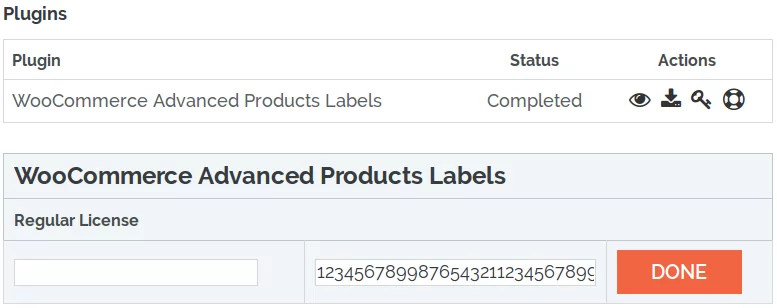
BeRocket Plugin Key are used for an auto-update of plugins from BeRocket site.
To enter the Plugin Key, open the Admin Bar of your site and click on BeRocket→ Account Key.
How do I activate the Plugin Key?
To find WooCommerce Advanced Product Labels settings follow Admin Bar→ WooCommerce→ Products Labels.
ADDITIONAL HOOKS – selecting additional hooks can break the shop/product pages. Use these only if the default Hooks do not work.
The following settings are only available with the Timer add-on on.
You can find the Advanced Label Settings in the following section.
%sale_p% – Discount percentage
%sale_val% – Discount amount
%sale_end% – Time left for discount
%sale%ANYTEXT%sale% – Display ANYTEXT only if a product with discount
%nsale%ANYTEXT%nsale% – Display ANYTEXT only if a product without discount
This section is intended for advanced users and developers only. Please do not use it if you do not know how it works.
Label’s HTML:
<div>
 <span>
 <i></i>
 <i></i>
 <i></i>
 <i></i>
 <b>TEXT OF LABEL</b>
 </span>
</div>‹div›block custom class‹div›block custom CSS‹span›block custom class‹span›block custom CSS‹b›block custom class‹b›block custom CSS‹i›block custom class‹i›block custom CSS‹i›block custom class‹i›block custom CSS‹i›block custom class‹i›block custom CSS‹i›block custom class‹i›block custom CSSCustom CSS Settings
Open the Admin Bar of your site and follow WooCommerce→ Products Labels→ Custom CSS.
Add this CSS to the field “User custom CSS style”:
ul.products li.product a.product-images
 {
 display: inline-block;
}Custom CSS Settings
Open the Admin Bar of your site and follow WooCommerce→ Products Labels→ Custom CSS.
Add this CSS to the field “User custom CSS style”:
ul.products li.product h2.woocommerce-loop-product__title
{
 clear: both;
}Custom CSS Settings
Open the Admin Bar of your site and follow WooCommerce→ Products Labels→ Custom CSS.
Add this CSS to the field “User custom CSS style”:
ul.products li.product h2.woocommerce-loop-product__title
{
 clear: both;
}Custom CSS Settings
Open the Admin Bar of your site and follow WooCommerce→ Products Labels→ Custom CSS.
Add this CSS to the field “User custom CSS style”:
ul.products li.product h2.woocommerce-loop-product__title
{
 clear: both;
}Custom CSS Settings
Open the Admin Bar of your site and follow WooCommerce→ Products Labels→ Custom CSS.
Add this CSS to the field “User custom CSS style”:
ul.products li.product h2.woocommerce-loop-product__title
{
 clear: both;
}Custom CSS Settings
Open the Admin Bar of your site and follow WooCommerce→ Products Labels→ Custom CSS.
Add this CSS to the field “User custom CSS style”:
ul.products li.product header.entry-header h3
{
 clear: both;
}The hook is called before labels are displayed.
Parameters:
The hook is called after labels are displayed.
Parameters:
The output of product labels. The global variable $product must be set.
Parameters:
Prevent the output of labels on the product.
Parameters:
Filtering arguments to get labels through WP_Query.
Parameters:
Filtering the text used in texts of labels.
Parameters:
Filtering the styles of the labels of <span> block custom class.
Parameters:
Filtering the label settings before output.
Parameters:
Filtering the <div> styles of a label block.
Parameters:
Filtering the line of <div> classes of a label block.
Parameters:
Filtering additional label styles.
Parameters:
Filtering each text on a label before the output (there can be multiple texts for one label, e.g. in the output of attributes).
Parameters:
Filtering HTML label code.
Parameters:
Filtering the list of the Content type for which text is added before and after.
Parameters:
Hooks to display labels on the shop page.
Parameters:
Hooks to output labels before images on the product page.
Parameters:
Hooks to output labels under the image on the product page.
Parameters:
Filtering the array with all labels that use Better Position.
Parameters:
Filtering the label settings while saving.
Parameters: