
This topic explains how to use the flag evaluation feature to serve different feature flag variations to contexts and users. This feature is available for all of the LaunchDarkly SDKs.
About flag evaluation
The flag evaluation feature requires a feature flag key and the context that encounters the flag in your application. It returns the value of the feature flag variation for that context, based on the flag targeting rules you have created, including any prerequisite flags.
Every flag has at least two variations: one for when targeting is off, and one for when it’s on. To learn more, read Creating flag variations.
This is an example of a flag with three variations:
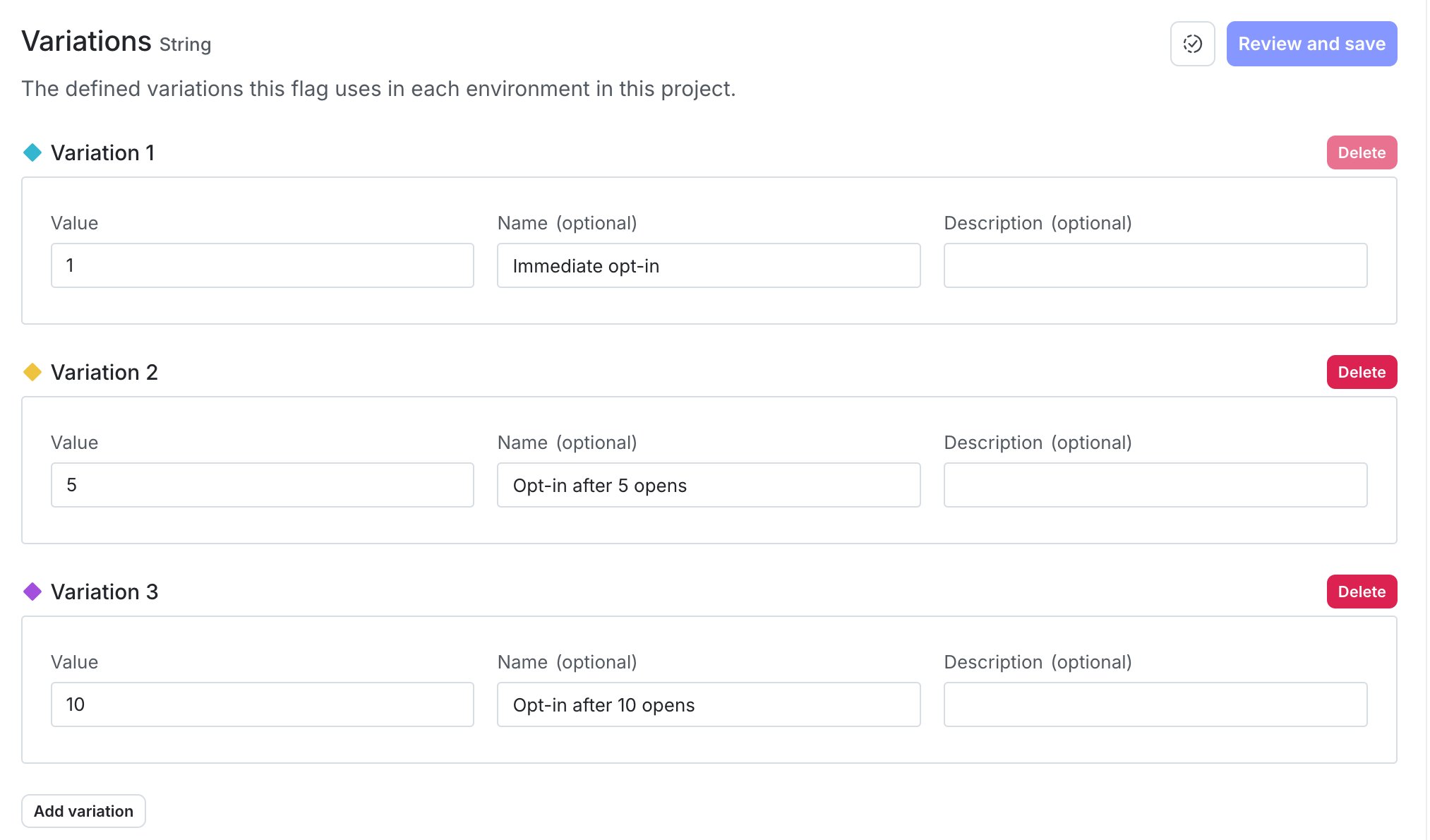
Flags also have fallback values. The fallback value is defined in your code, is one of the flag’s variations, and is only returned if an error occurs. For example, the SDK serves the fallback value if LaunchDarkly is unreachable, the feature flag key doesn’t exist, or the context or user doesn’t have a key specified. It also serves the fallback value if it cannot authenticate, or if your LaunchDarkly account has been deleted.
Contexts without a context kind are interpreted as users
If you are working with an older version of the SDK, you may provide a user object in the evaluation call. If you are using an SDK that supports contexts, and don’t supply the context kind, then that object is automatically interpreted as a context with a kind of “user.” To learn more, read Context kinds.
The flag evaluation feature adds a context to the Contexts list, if a context with the same key does not already exist. However, each SDK evaluates flags based only on the object you provide in the evaluation call. In other words, the SDK does not automatically use the attributes shown on the Contexts list, and attributes are not synchronized across SDK instances. You must provide all relevant attributes for each evaluation for your targeting rules to apply correctly. To learn more, read Context configuration.
You do not need to create contexts or users manually, but if you want to, you can with the identify feature. To learn more, read Identifying and changing contexts.
The flag evaluation feature only returns information about the flag variation for the context. To access other information about a flag, visit the Flags list in the LaunchDarkly user interface. Alternatively, use the getFeatureFlag endpoint in LaunchDarkly’s REST API.
Details about each SDK’s configuration are available in the SDK-specific sections below:
Client-side SDKs
This feature is available for all of our client-side SDKs:
- .NET (client-side)
- Android
- C++ (client-side)
- Electron
- Flutter
- iOS
- JavaScript
- Node.js (client-side)
- React Native
- React Server Component support
- React Web: The React Web SDK relies on the JavaScript SDK for this functionality.
- Roku
.NET (client-side)
Android
C++ (client-side)
Electron
Flutter
iOS
JavaScript
Node.js (client-side)
React Native
React Server Component support
You can use a React server client wrapper to evaluate flags in React Server Components. It supports variation calls as one of its core features. It is compatible with the Vercel edge SDK and the Node.js server-side SDK. To learn more, read React Server Component support.
React Web
The React Web SDK relies on the JavaScript SDK for this functionality.
Fallback values in the React Web SDK
The fallback variation for each flag is returned if an error occurs. For example, the SDK serves the fallback variation if LaunchDarkly is unreachable, the feature flag key doesn’t exist, or the context or user doesn’t have a key specified.
In the LaunchDarkly user interface, on the flag’s Targeting tab, a value for the “Fallback variation” information appears. However, if you are using the React Web SDK this displayed value may not match the value actually being served for the fallback variation:
- A value for the fallback variation may appear in the UI even though you have not defined a fallback variation in your code. Specifically, the React Web SDK automatically uses the results of getting all flags to determine the value of the fallback variation. In some cases, this means that the fallback value is undefined. For example, it may be undefined if the SDK has not finished initializing, or if LaunchDarkly is unreachable.
- If you use the
useLDClient()hook and evaluate flags with the underlying JavaScript SDK’svariation()method, then you can define a fallback variation. However, the value displayed in the UI may not match the value of the fallback variation that you set in thevariation()call.
Rather than relying on the “Fallback variation” display in the UI, review your application code to determine the fallback variation that the SDK will serve if LaunchDarkly is unreachable.
Roku
Server-side SDKs
This feature is available for all of our server-side SDKs:
- .NET (server-side)
- Apex
- C++ (server-side)
- Erlang
- Go
- Haskell
- Java
- Lua
- Node.js (server-side)
- PHP
- Python
- Ruby
- Rust
.NET (server-side)
Apex
C++ (server-side)
Erlang
Go
Haskell
Java
Lua
Node.js (server-side)
PHP
Python
Ruby
Rust
Edge SDKs
This feature is available for all of our edge SDKs: