
Jriddell
KDE Apps Mid-Year Update
KDE Apps Update February 2022
Falkon
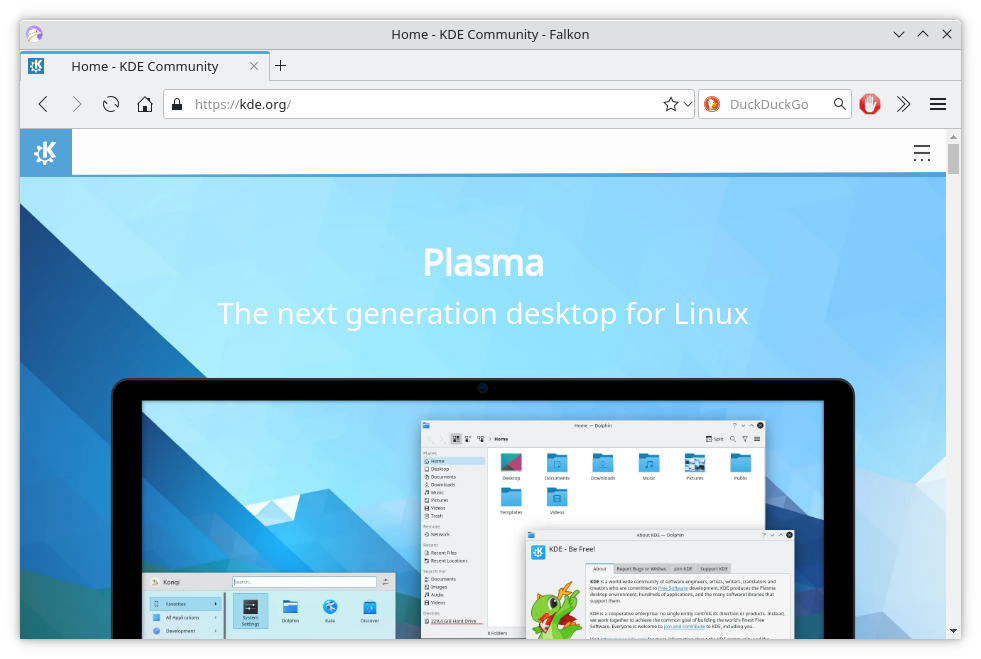
Our web browser Falkon has been quickly gathering new features, and this month saw the 3.2 release.
Read MoreKDE November App Update
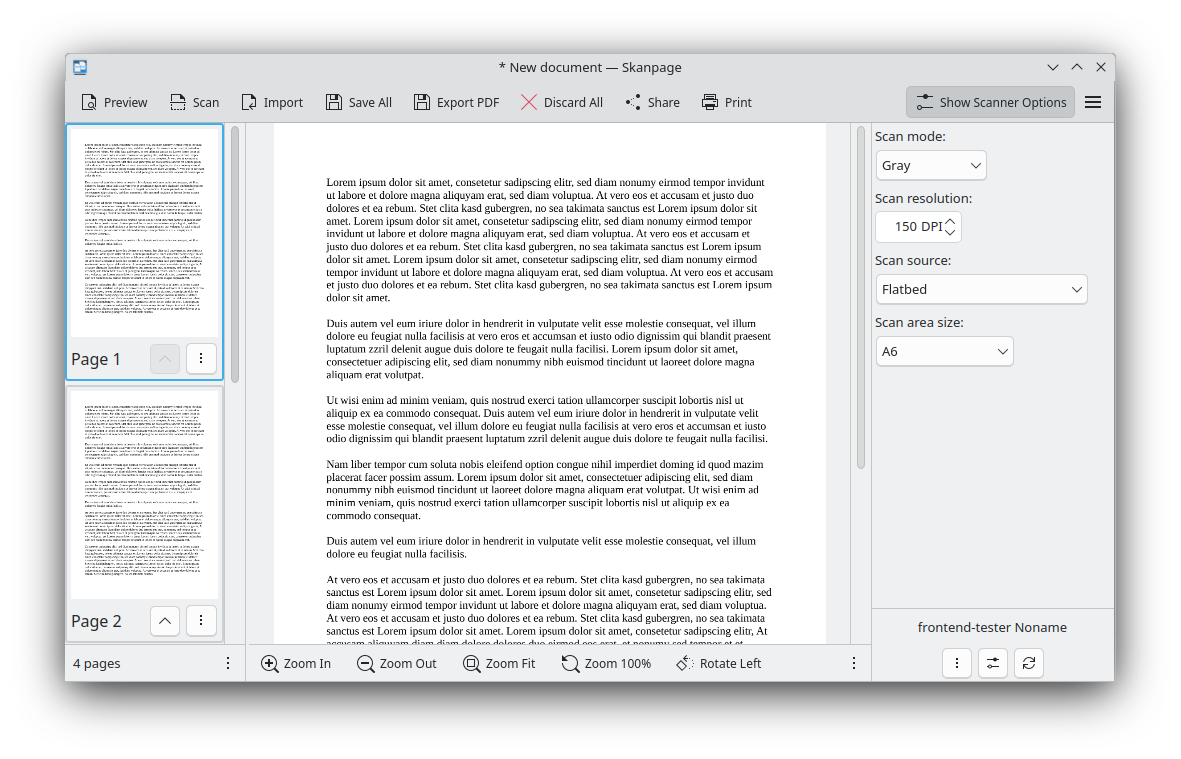
KDE's Summer App Update
Labplot on Microsoft Store
Plasma 5.19 Beta Ready for Testing
<figure class="topImage">
 <a href="https://www.kde.org/announcements/plasma-5.19/plasma-5.19-2.png" data-toggle="lightbox">
 <img src="https://www.kde.org/announcements/plasma-5.19/plasma-5.19-2.png" height="450" width="800" style="width: 100%; max-width: 800px; height: auto;" alt="Plasma 5.19 Beta" />
 </a>
 <figcaption>KDE Plasma 5.19 Beta</figcaption>
</figure>

<p>Thursday, 14 May 2020.</p>

<p>It's time to test the beta release for <a href="https://kde.org/announcements/plasma-5.18.90">Plasma 5.19</a>!</p>

<p>In this release, we have prioritized making Plasma more consistent, correcting and unifying designs of widgets and desktop elements; worked on giving you more control over your desktop by adding configuration options to the System Settings; and improved usability, making Plasma and its components easier to use and an overall more pleasurable experience.</p>

<p>Read on to discover all the new features and improvements of Plasma 5.19…</p>

<h2 id="desktop">Plasma Desktop and Widgets</h2>

<figure class="float-right text-right">
 <a href="https://www.kde.org/announcements/plasma-5.19/sensors.png" data-toggle="lightbox">
 <img src="https://www.kde.org/announcements/plasma-5.19/sensors.png" class="border-0 img-fluid" width="242" alt="Rewritten System Monitor Widgets" />
 </a>
 <figcaption>Rewritten System Monitor Widgets</figcaption>
 <br />
 <a href="https://www.kde.org/announcements/plasma-5.19/system-tray-applets.png" data-toggle="lightbox">
 <img src="https://www.kde.org/announcements/plasma-5.19/system-tray-applets.png" class="border-0 img-fluid" width="242" alt="Consistent System Tray Applets" />
 </a>
 <figcaption>Consistent System Tray Applets</figcaption>
 <br />
 <a href="https://www.kde.org/announcements/plasma-5.19/user-avatars.png" data-toggle="lightbox">
 <img src="https://www.kde.org/announcements/plasma-5.19/user-avatars.png" class="border-0 img-fluid" width="242" alt="Completely New User Avatars" />
 </a>
 <figcaption>Completely New User Avatars</figcaption>
 <br />
 <a href="https://www.kde.org/announcements/plasma-5.19/multi-device-switching-ui.png" data-toggle="lightbox">
 <img src="https://www.kde.org/announcements/plasma-5.19/multi-device-switching-ui.png" class="border-0 img-fluid" width="242" alt="More consistent appearance for switching the current audio device" />
 </a>
 <figcaption>More consistent appearance for switching the current audio device</figcaption>
</figure>

<ul>
Read More
KONTENT GmbH is a New KDE e.V. Supporter

Show Your Love for Free Software

In recent decades, Free and open source software (FOSS) has increasingly been the enabling factor for advances in areas we probably aren’t even aware of. If software is still spreading around the world, FOSS had already spread through the software world. All of that is only possible because of striving communities that push solutions forward with an amazing flow of continuous passion and love for nice technology, open knowledge, and supporting people. KDE is not any different - we have all been involved in such a lovely addiction for 23 years.
Read MoreVideos From KDE Talks at FOSDEM
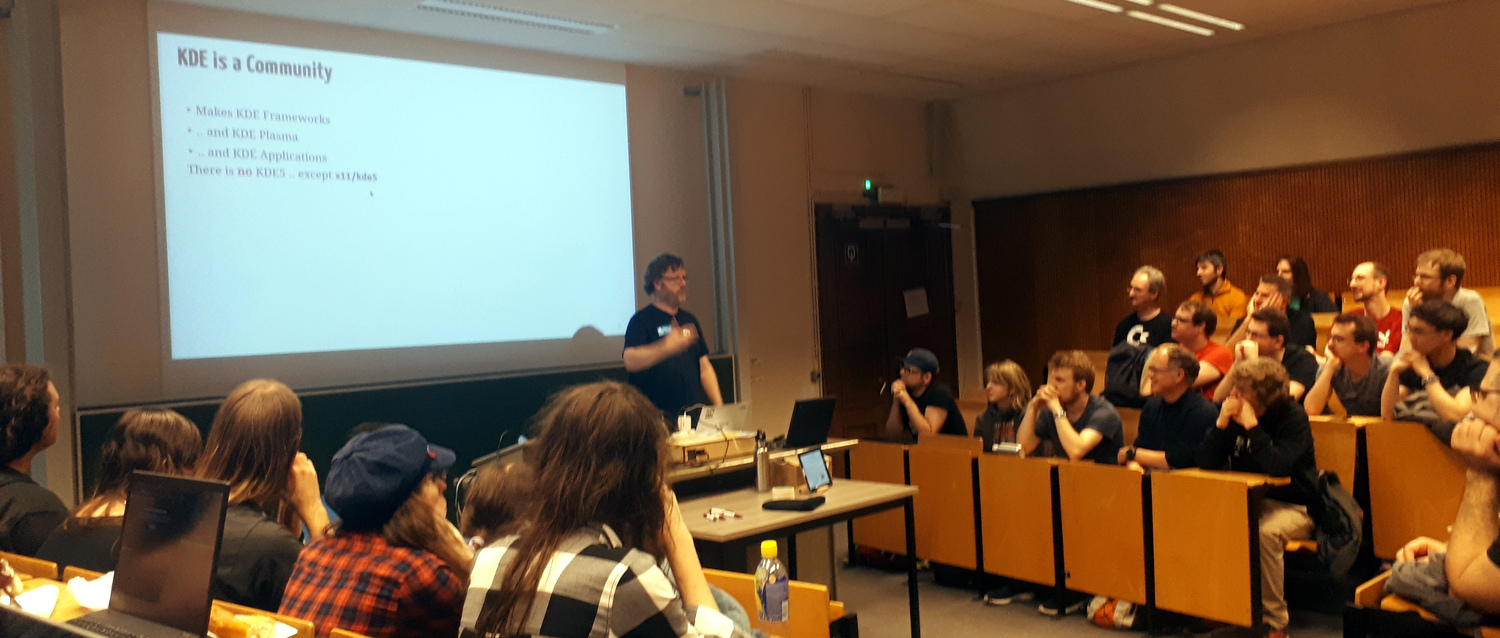
FOSDEM is one of the world's largest Free software conferences and was held last weekend in Brussels. There were hundreds of talks and videos are available for most of them. KDE had a stall there and KDE contributors delivered three talks spread between different devrooms.
Read MorePlasma 5.18 LTS Beta
<figure class="topImage"> <a href="http://www.kde.org/announcements/plasma-5.18/plasma-5.18.png" data-toggle="lightbox"> <img src="http://www.kde.org/announcements/plasma-5.18/plasma-5.18-wee.png" height="450" width="800" style="width: 100%; max-width: 600px; height: auto;" alt="Plasma 5.18 LTS Beta" /> </a> <figcaption><a href="https://kde.org/announcements/plasma-5.17.90">KDE Plasma 5.18 LTS Beta</a></figcaption> </figure><p>Thursday, 16 January 2020.</p>
<p>The <a href="https://kde.org/announcements/plasma-5.17.90">Plasma 5.18 LTS Beta</a> is out!</p>
<p>This new version of your favorite desktop environment adds neat new features that make your life easier, including clearer notifications, streamlined settings for your system and the desktop layout, much improved GTK integration, and more. Plasma 5.18 is easier and more fun, while at the same time allowing you to do more tasks faster.</p>
<p>Apart from all the cool new stuff, Plasma 5.18 also comes with LTS status. LTS stands for "Long Term Support" and this means 5.18 will be updated and maintained by KDE contributors for the next couple of years (regular versions are maintained for 4 months). So, if you are thinking of updating or migrating your school, company or organization to Plasma, this version is your best bet. You get the most recent stable version of Plasma for the long term.</p>
<p>Read on to discover everything that is new in Plasma 5.18 LTS…</p>
<h2 id="desktop">Plasma</h2>
<figure class="float-right text-right"> <a href="http://www.kde.org/announcements/plasma-5.18/emoji.png" data-toggle="lightbox"> <img src="http://www.kde.org/announcements/plasma-5.18/emoji-wee.png" class="border-0 img-fluid" width="350" height="266" alt="Emoji Selector" /> </a> <figcaption>Emoji Selector</figcaption> <br /> <br /> <a href="http://www.kde.org/announcements/plasma-5.18/customize-layout.png" data-toggle="lightbox"> <img src="http://www.kde.org/announcements/plasma-5.18/customize-layout-wee.png" class="border-0 img-fluid" width="350" height="197" alt="Customize Layout Global Settings" /> </a> <figcaption>Customize Layout Global Settings</figcaption> <br /> <!-- <a href="http://www.kde.org/announcements/plasma-5.18/do-not-disturb.png" data-toggle="lightbox"> <img src="http://www.kde.org/announcements/plasma-5.18/do-not-disturb-wee.png" class="border-0 img-fluid" width="350" height="306" alt="Do Not Disturb Shortcut" /> </a> <figcaption>Do Not Disturb Shortcut</figcaption> <br /> --> <a href="http://www.kde.org/announcements/plasma-5.18/gtk-csd-theme.png" data-toggle="lightbox"> <img src="http://www.kde.org/announcements/plasma-5.18/gtk-csd-theme.png" class="border-0 img-fluid" width="350" height="237" alt="GTK Apps with CSD and Theme support" /> </a> <figcaption>GTK Applications with CSDs and Theme Integration</figcaption> <br /> <a href="http://www.kde.org/announcements/plasma-5.18/night-color-applet.png" data-toggle="lightbox"> <img src="http://www.kde.org/announcements/plasma-5.18/night-color-applet.png" class="border-0 img-fluid" width="350" height="153" alt="Night Color System Tray Widget" /> </a> <figcaption>Night Color System Tray Widget</figcaption> </figure>
Read More
<ul></pr
KDE's January 2020 Apps Update
The year is 2020, we are living in the future, let’s see what KDE apps has brought us in the last month!
KTimeTracker ported to KDE Frameworks 5
The long-awaited modernized version of KTimeTracker is finally released. The application is a personal time tracker for busy people which is now available on Linux, FreeBSD and Windows. Over the course of 2019 it had been ported to Qt5 and KDE Frameworks after being unmaintained since around 2013.
Read MoreLibre Graphics Meeting Call for Proposals
The Libre Graphics Meeting (LGM) is the annual international convention for the discussion and development of free and open source graphics software.
This year it will happen in Rennes, France, from May 26th to 29th. We are welcoming all relevant projects to submit a proposal for a talk and/or a workshop. We already expect Krita and Kdenlive teams to be present. The Krita sprint will be held after the meeting and Kdenlive are planning to have a sprint around that time too. It would be awesome to also see some people from Plasma team working on graphics tablet support and color management, or any other topic of interest for developers and users of graphics creation application.
Read MoreTranslation Workshop in Indonesia this Weekend

The KDE Indonesia Community will once again hold a Kopdar (local term for BoF). This meeting is the second meeting after the successful meeting in 2018. The activity will be held this weekend with talks and activities about translating KDE software into Indonesian. The main event is for KDE fans in particular and Linux in general to collaborate in KDE translation.
Read MoreApps Update for November
LabPlot
The big release this month has been LabPlot 2.7. LabPlot is fast becoming one of KDE's highest profile apps. It is an application for interactive graphing and analysis of scientific data. LabPlot provides an easy way to create, manage and edit plots. It allows you to produce plots based on data from a spreadsheet or on data imported from external files. Plots can be exported to several pixmap and vector graphic formats.
Read MoreKDE is All About the Apps: October Update
KDE is all about the Apps!
We are a community of thousands of contributors who make hundreds of Apps using collaborative open source methods. Our apps run on Linux with Plasma, of course, but also fit in well with GNOME, Enlightenment, XFCE, or any other desktop you happen to be using. Many of our apps run on Windows, Android and macOS.
Read MorePlasma 5.17 Beta Out for Testing
<figure class="topImage">
 <a href="http://www.kde.org/announcements/plasma-5.17/plasma-5.17.png" data-toggle="lightbox">
 <img src="http://www.kde.org/announcements/plasma-5.17/plasma-5.17-wee.png" height="342" width="600" style="width: 100%; max-width: 600px; height: auto;" alt="Plasma 5.17 Beta" />
 </a>
 <figcaption>KDE Plasma 5.17 Beta</figcaption>
</figure>

<p>Thursday, 19 September 2019.</p>
<p>Today KDE launches the beta release of Plasma 5.17.</p>

<p>We've added a bunch of new features and improvements to KDE's lightweight yet full featured desktop environment.</p>

<p><a href='https://kde.org/plasma-desktop'>Plasma's updated web page</a> gives more background on why you should use it on your computer.</p>

<figure style="float: right; text-align: right">
<a href="http://www.kde.org/announcements/plasma-5.17/guillermo.png" data-toggle="lightbox">
<img src="http://www.kde.org/announcements/plasma-5.17/guillermo-wee.png" style="padding: 10px" width="350" height="334" alt="Guillermo Amaral" />
</a>
<figcaption style="text-align: right">Guillermo Amaral</figcaption>
</figure>

<p>System Settings has gained new features to help you manage your fancy Thunderbolt hardware, plus Night Color is now on X11 and a bunch of pages got redesigned to help you get your configuration done easier. Our notifications continue to improve with a new icon and automatic do-not-disturb mode for presentations. Our Breeze GTK theme now provides a better appearance for the Chromium/Chrome web browsers and applies your color scheme to GTK and GNOME apps. The window manager KWin has received many HiDPI and multi-screen improvements, and now supports fractional scaling on Wayland.</p>
<p>You can test the Plasma 5.17 beta for the next three weeks until the final release in mid-October. Give it a whirl with your favorite distribution!</p>

<p>The Plasma 5.17 series is dedicated to our friend Guillermo Amaral. Guillermo was an enthusiastic KDE developer who rightly self described as 'an incredibly handsome multidisciplinary self-taught engineer'. He brought cheer to anyone he met. He lost his battle with cancer last summer but will be remembered as a friend to all he met.</p>

<br clear="all" />

<h3 id="desktop">Plasma</h3>
<figure style="float: right; text-align: right">
<a href="http://www.kde.org/announcements/plasma-5.17/unsplash-pic-of-day.png" data-toggle="lightbox">
<img src="http://www.kde.org/announcements/plasma-5.17/unsplash-pic-of-day-wee.png" style="border: 0px" width="350" height="280" alt="<a href='https://unsplash.com/'>Unsplash</a> Picture of the Day" />
</a>
<figcaption style="text-align: right"><a href='https://unsplash.com/'>Unsplash</a> Pic of the Day</figcaption>
<br />
<a href="http://www.kde.org/announcements/plasma-5.17/inches-to-cm.png" data-toggle="lightbox">
<img src="http://www.kde.org/announcements/plasma-5.17/inches-to-cm-wee.png" style="border: 0px" width="350" height="159" alt="<a href='https://unsplash.com/'>Unsplash</a> Pic of the Day" />
</a>
<figcaption style="text-align: right">KRunner now converts fractional units</figcaption>
<br />
<a href="http://www.kde.org/announcements/plasma-5.17/notification-widget.png" data-toggle="lightbox">
<img src="http://www.kde.org/announcements/plasma-5.17/notification-widget-wee.png" style="border: 0px" width="250" height="230" alt="Improved Notifications widget and widget editing UX" />
</a>
<figcaption style="text-align: right">Improved Notifications widget and widget editing UX</figcaption>
</figure>

<ul>
Read More
KDE Plasma 5.16 Beta: Your Three Week Notification for a More Tidy and Composed Desktop
<figure class="topImage">
 <a href="https://www.kde.org/announcements/plasma-5.16/plasma-5.16-full-2.png" data-toggle="lightbox">
 <img src="https://www.kde.org/announcements/plasma-5.16/plasma-5.16-full-2-wee.png" height="338" width="600" style="width: 100%; max-width: 600px; height: auto;" alt="Plasma 5.16" />
 </a>
 <figcaption>KDE Plasma 5.16</figcaption>
</figure>

<p>Thursday, 16 May 2019.</p>
<p>Today KDE launches the beta release of <a href="https://kde.org/announcements/plasma-5.15.90.php">Plasma 5.16</a>.</p>

<p>In this release, many aspects of Plasma have been polished and
rewritten to provide high consistency and bring new features. There is a completely rewritten notification system supporting Do Not Disturb mode, more intelligent history with grouping, critical notifications in fullscreen apps, improved notifications for file transfer jobs, a much more usable System Settings page to configure everything, and many other things. The System and
Widget Settings have been refined and worked on by porting code to
newer Kirigami and Qt technologies and polishing the user interface.
And of course the VDG and Plasma team effort towards <a href="https://community.kde.org/Goals/Usability_%26_Productivity">Usability & Productivity
goal</a> continues, getting feedback on all the papercuts in our software that make your life less
smooth and fixing them to ensure an intuitive and consistent workflow for your
daily use.</p>

<p>For the first time, the default wallpaper of Plasma 5.16 will
be decided by a contest where everyone can participate and submit art. The
winner will receive a Slimbook One v2 computer, an eco-friendly, compact
machine, measuring only 12.4 x 12.8 x 3.7 cm. It comes with an i5 processor, 8
GB of RAM, and is capable of outputting video in glorious 4K. Naturally, your
One will come decked out with the upcoming KDE Plasma 5.16 desktop, your
spectacular wallpaper, and a bunch of other great software made by KDE. You can find
more information and submitted work on <a href="https://community.kde.org/KDE_Visual_Design_Group/Plasma_5.16_Wallpaper_Competition">the competition wiki
page</a>, and you can <a href="https://forum.kde.org/viewtopic.php?f=312&t=160487">submit your own wallpaper in the
subforum</a>.</p>

<h3 id="desktop">Desktop Management</h3>
<figure style="float: right; text-align: right">
<a href="https://www.kde.org/announcements/plasma-5.16/notifications.png" data-toggle="lightbox">
<img src="https://www.kde.org/announcements/plasma-5.16/notifications-wee.png" style="border: 0px" width="350" height="315" alt="New Notifications" />
</a>
<figcaption style="text-align: right">New Notifications</figcaption>
<br clear="all" />
<a href="https://www.kde.org/announcements/plasma-5.16/plasma-theme-fixes.png" data-toggle="lightbox">
<img src="https://www.kde.org/announcements/plasma-5.16/plasma-theme-fixes.png" style="border: 0px" width="281" height="251" alt="Theme Engine Fixes for Clock Hands!" />
</a>
<figcaption style="text-align: right">Theme Engine Fixes for Clock Hands!</figcaption>
<br clear="all" />
<a href="https://www.kde.org/announcements/plasma-5.16/panel-edit-mode-alternatives.png" data-toggle="lightbox">
<img src="https://www.kde.org/announcements/plasma-5.16/panel-edit-mode-alternatives-wee.png" style="border: 0px" width="350" height="183" alt="Panel Editing Offers Alternatives" />
</a>
<figcaption style="text-align: right">Panel Editing Offers Alternatives</figcaption>
<br clear="all" />
<a href="https://www.kde.org/announcements/plasma-5.16/sddm-theme.png" data-toggle="lightbox">
<img src="https://www.kde.org/announcements/plasma-5.16/sddm-theme-wee.png" style="border: 0px" width="350" height="490" alt="Login Screen Theme Improved" />
</a>
<figcaption style="text-align: right">Login Screen Theme Improved</figcaption>
</figure>

<ul>
<li>Completely rewritten notification system supporting Do Not Disturb mode, more intelligent history with grouping, critical notifications in fullscreen apps, improved notifications for file transfer jobs, a much more usable System Settings page to configure everything, and more!</li>
<li>Plasma themes are now correctly applied to panels when selecting a new theme.</li>
<li>More options for Plasma themes: offset of analog clock hands and toggling blur behind.</li>
<li>All widget configuration settings have been modernized and now feature an improved UI. The Color Picker widget also improved, now allowing dragging colors from the plasmoid to text editors, palette of photo editors, etc.</li>
<li>The look and feel of lock, login and logout screen have been improved with new icons, labels, hover behavior, login button layout and more.</li>
<li>When an app is recording audio, a microphone icon will now appear in the System Tray which allows for changing and muting the volume using mouse middle click and wheel. The Show Desktop icon is now also present in the panel by default.</li>
<li>The Wallpaper Slideshow settings window now displays the images in the selected folders, and allows selecting and deselecting them.</li>
<li>The Task Manager features better organized context menus and can now be configured to move a window from a different virtual desktop to the current one on middle click.</li>
<li>The default Breeze window and menu shadow color are back to being pure black, which improves visibility of many things especially when using a dark color scheme.</li>
<li>The "Show Alternatives..." button is now visible in panel edit mode, use it to quickly change widgets to similar alternatives.</li>
<li>Plasma Vaults can now be locked and unlocked directly from Dolphin.</li>
</ul>

<br clear="all" />

<h3 id="settings">Settings</h3>
<figure style="float: right; text-align: right">
<a href="https://www.kde.org/announcements/plasma-5.16/color-scheme.png" data-toggle="lightbox">
<img src="https://www.kde.org/announcements/plasma-5.16/color-scheme-wee.png" style="border: 0px" width="350" height="321" alt="Color Scheme" />
</a>
<figcaption style="text-align: right">Color Scheme</figcaption>
<br clear="all"/>
<a href="https://www.kde.org/announcements/plasma-5.16/application-style.png" data-toggle="lightbox">
<img src="https://www.kde.org/announcements/plasma-5.16/application-style-wee.png" style="border: 0px" width="350" height="194" alt="Application Style and Appearance Settings" />
</a>
<figcaption style="text-align: right">Application Style and Appearance Settings</figcaption>
</figure>

<ul>
<li>There has been a general polish in all pages; the entire Appearance section has been refined, the Look and Feel page has moved to the top level, and improved icons have been added in many pages.</li>

<li>The Color Scheme and Window Decorations pages have been redesigned with a more consistent grid view. The Color Scheme page now supports filtering by light and dark themes, drag and drop to install themes, undo deletion and double click to apply.</li>

<li>The theme preview of the Login Screen page has been overhauled.</li>

<li>The Desktop Session page now features a "Reboot to UEFI Setup" option.</li>

<li>There is now full support for configuring touchpads using the Libinput driver on X11.</li>
</ul>

<br clear="all" />

<h3 id="settings">Window Management</h3>
<figure style="float: right; text-align: right">
<a href="https://www.kde.org/announcements/plasma-5.16/window-management.png" data-toggle="lightbox">
<img src="https://www.kde.org/announcements/plasma-5.16/window-management-wee.png" style="border: 0px" width="350" height="197" alt="Window Management" />
</a>
<figcaption style="text-align: right">Window Management</figcaption>
</figure>

<ul>
<li>Initial support for using Wayland with proprietary Nvidia drivers has been added. When using Qt 5.13 with this driver, graphics are also no longer distorted after waking the computer from sleep.</li>

<li>Wayland now features drag and drop between XWayland and Wayland native windows.</li>

<li>Also on Wayland, the System Settings Libinput touchpad page now allows you to configure the click method, switching between "areas" or "clickfinger".</li>

<li>KWin's blur effect now looks more natural and correct to the human eye by not unnecessary darkening the area between blurred colors.</li>

<li>Two new default shortcuts have been added: Meta+L can now be used by default to lock the screen and Meta+D can be used to show and hide the desktop.</li>

<li>GTK windows now apply correct active and inactive colour scheme.</li>
</ul>

<br clear="all" />

<h3 id="plasma-nm">Plasma Network Manager</h3>
<figure style="float: right; text-align: right">
<a href="https://www.kde.org/announcements/plasma-5.16/plasma-nm-wireguard.png" data-toggle="lightbox">
<img src="https://www.kde.org/announcements/plasma-5.16/plasma-nm-wireguard-wee.png" style="border: 0px" width="350" height="287" alt="Plasma Network Manager with Wireguard" />
</a>
<figcaption style="text-align: right">Plasma Network Manager with Wireguard</figcaption>
</figure>

<ul>
<li>The Networks widget is now faster to refresh Wi-Fi networks and more reliable at doing so. It also has a button to display a search field to help you find a particular network from among the available choices. Right-clicking on any network will expose a "Configure…" action.</li>
<li>WireGuard is now compatible with NetworkManager 1.16.</li>
<li>One Time Password (OTP) support in Openconnect VPN plugin has been added.</li>
</ul>

<br clear="all" />

<h3 id="settings">Discover</h3>
<figure style="float: right; text-align: right">
<a href="https://www.kde.org/announcements/plasma-5.16/discover-update.png" data-toggle="lightbox">
<img src="https://www.kde.org/announcements/plasma-5.16/discover-update-wee.png" style="border: 0px" width="350" height="250" alt="Updates in Discover" />
</a>
<figcaption style="text-align: right">Updates in Discover</figcaption>
</figure>

<ul>
<li>In Discover's Update page, apps and packages now have distinct "downloading" and "installing" sections. When an item has finished installing, it disappears from the view.</li>
<li>Tasks completion indicator now looks better by using a real progress bar. Discover now also displays a busy indicator when checking for updates.</li>
<li>Improved support and reliability for AppImages and other apps that come from store.kde.org.</li>
<li>Discover now allows you to force quit when installation or update operations are proceeding.</li>
<li>The sources menu now shows the version number for each different source for that app.</li>
</ul>
Read More
Plasma 5.15 Beta
<figure class="topImage"> <a href="http://www.kde.org/announcements/plasma-5.15/plasma-5.15-apps.png" data-toggle="lightbox"> <img src="https://www.kde.org/announcements/plasma-5.15/plasma-5.15-apps-wee.png" width="600" height="338" alt="Plasma 5.15 Beta"> </a> <figcaption>KDE Plasma 5.15 Beta</figcaption> </figure><p> Today KDE launches the beta release of Plasma 5.15. </p>
<p> For the first release of 2019, the Plasma team has embraced KDE's <a href="https://community.kde.org/Goals/Usability_%26_Productivity">Usability & Productivity goal</a>. We have teamed up with the VDG (Visual Design Group) contributors to get feedback on all the papercuts in our software that make your life less smooth, and fixed them to ensure an intuitive and consistent workflow for your daily use. </p>
<p> Plasma 5.15 brings a number of changes to our configuration interfaces, including more options for complex network configurations. Many icons have been added or redesigned. Our integration with third-party technologies like GTK and Firefox has been made even more complete. Discover, our software and add-on installer, has received a metric tonne of improvements to help you stay up-to-date and find the tools you need to get your tasks done. </p>
Read More
<p> Please test this beta release and send us bug reports and feedback. The final release will be available in three weeks' time. </p></pr
Plasma and KDE neon Team Visit Deployments in Catalunya
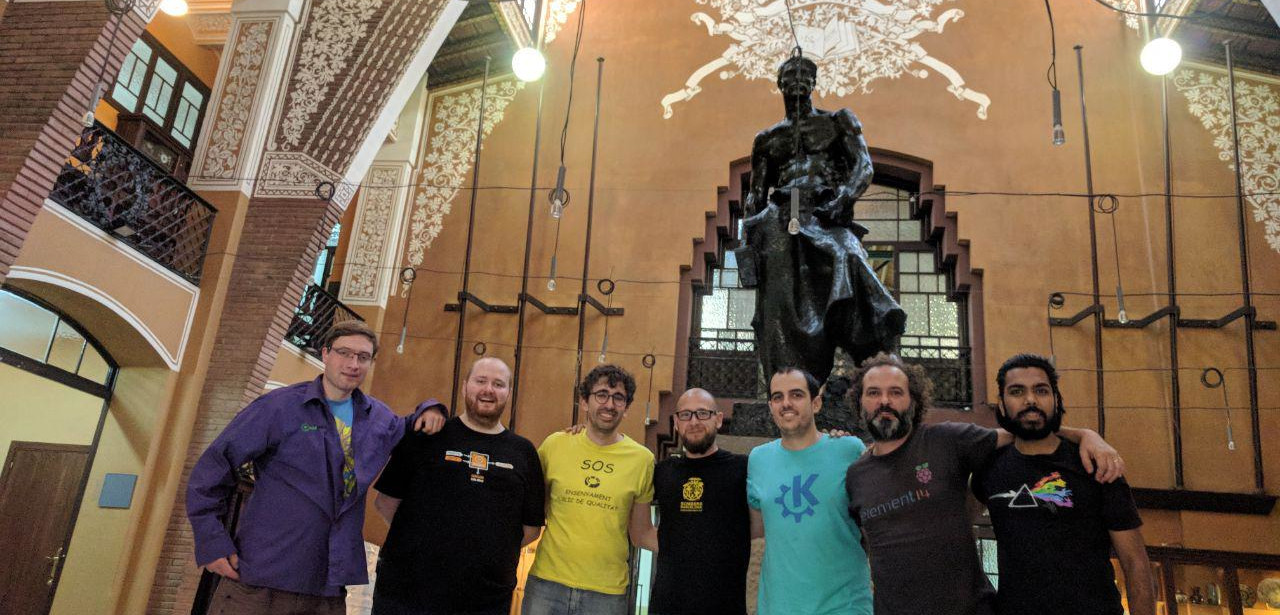

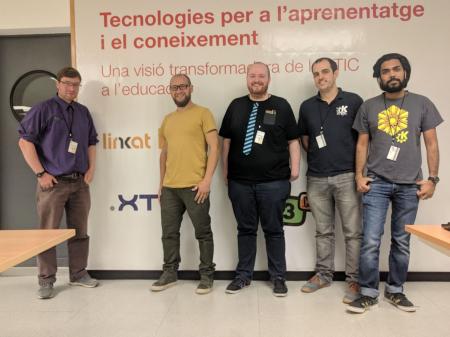
Last week developers from the KDE neon and Plasma teams visited Barcelona. We were there to meet with some KDE software projects we had heard about in the Catalan government and schools. Aleix Pol lives locally and works on Plasma and Discover. He invited Plasma release manager and KDE neon developer Jonathan Riddell, KDE neon continuous integration master Harald Sitter, and hardware enablement guru Rohan Garg to meet the teams evaluating our software and supporting our users.
Read MorePlasma 5.14 Comes with New Features and a Much Polished Environment
<figure class="topImage"> <a href="http://www.kde.org/announcements/plasma-5.14/plasma-5.14.png"> <img src="https://www.kde.org/announcements/plasma-5.14/plasma-5.14-wee.png" width="600" height="338" alt="Plasma 5.14"> </a> <figcaption>KDE Plasma 5.14</figcaption> </figure><p> Tuesday, 9 October 2018. Today KDE launches the first release of <a href="https://www.kde.org/announcements/plasma-5.14.0.php">Plasma 5.14</a>. </p>
<p> Plasma is KDE's lightweight and full featured Linux desktop. For the last three months we have been adding features and fixing bugs and now invite you to install Plasma 5.14. </p>
Read More
<p> A lot of work has gone into improving Discover, Plasma's software manager, and, among other things, we have added a Firmware Update feature and many subtle user interface improvements to give it a smoother feel. We have also rewritten many effects in our window manager KWin and improved it for slicker animations in your work day. Other improvements we have made include a new Display Configuration widget which is useful when giving presentations. </p></pr
KDE neon Rebased on Ubuntu 18.04 LTS "Bionic Beaver"

The KDE neon team is proud to announce the rebase of our packages onto Ubuntu 18.04 LTS "Bionic Beaver". We encourage all users to upgrade now. The installable ISOs and Docker images have also been updated to run on 18.04.
Read MorePlasma 5.14 Beta Updates Discover, KWin and Adds New Widgets
<figure class="topImage">
	<a href="/sites/dot.kde.org/files/plasma-5.14.png">
		<img src="/sites/dot.kde.org/files/plasma-5.14.png" width="600" alt="Plasma 5.14 Beta">
	</a>
	<figcaption>KDE Plasma 5.14 Beta</figcaption>
</figure>

<p>
	Thursday, 13 September 2018.		Today KDE launches the beta release of Plasma 5.14.	</p>

<p>
	Plasma is KDE's lightweight and full featured Linux desktop. For the last three months we have been adding features and fixing bugs and now invite you to test the beta pre-release of Plasma 5.14.	</p>

<p>
	A lot of work has gone into improving Discover, Plasma's software manager, and, among other things, we have added a Firmware Update feature and many subtle user interface improvements to give it a smoother feel. We have also rewritten many effects in our window manager KWin and improved it for slicker animations in your work day. Other improvements we have made include a new Display Configuration widget which is useful when giving presentations.	</p>

 <p>
	Please test and send us bug reports and feedback. The final release is scheduled for three weeks' time.	</p>
Read More
KDE Plasma on ARM Laptop Pinebook

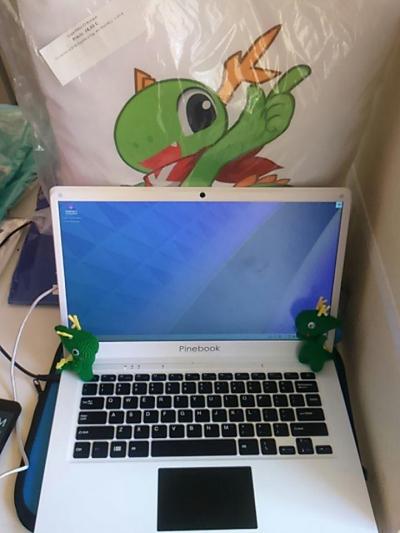
Plasma running on a Pinebook.
In the last few years, smartphone hardware has become powerful enough to drive conventional desktop software. A developing trend is to create laptops using hardware initially designed for smartphones and embedded systems. There are distinct advantages to this approach: those devices are usually very energy efficient, so they can yield a long runtime on a single battery charge; they're also rather inexpensive and lighter than conventional laptops.
Read MorePlasma 5.13 Beta
<figure class="topImage"> <a href="http://www.kde.org/announcements/plasma-5.13/plasma-5.13.png"> <img src="https://www.kde.org/announcements/plasma-5.13/plasma-5.13-wee.png" width="600" height="338" alt="Plasma 5.13 Beta"> </a> <figcaption>KDE Plasma 5.13 Beta</figcaption> </figure><p> Thursday, 17 May 2018. Today KDE unveils a beta release of Plasma 5.13.0. </p>
Read More
<p> Members of the Plasma team have been working hard to continue making Plasma a lightweight and responsive desktop which loads and runs quickly, but remains full-featured with a polished look and feel. We have spent the last four months optimising startup and minimising memory usage, yielding faster time-to-desktop, better runtime performance and less memory consumption. Basic features like panel popups were optimised to make sure they run smoothly even on the lowest-end hardware. Our design teams have not rested either, producing beautiful new integrated lock and login screen graphics. </p></pr
Plasma Sprint in Berlin
Plasma's Vision
Akademy Awards 2017
Akademy Monday Wrapup Session Video
Akademy-es 2017 Fue Muy Bien

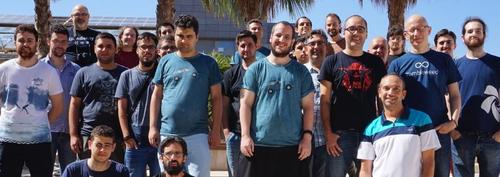
On the 20th and 21st of July, KDE España held, with the invaluable help of UNIA, HackLab Almería and the University of Almería, and with the sponsorship of Opentia, its 12th annual gathering: Akademy-es 2017.
Read MoreKDE Arrives in Almería for Akademy 2017

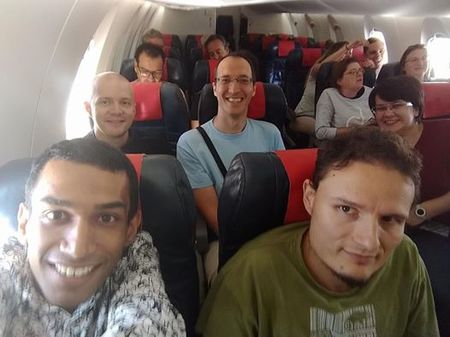

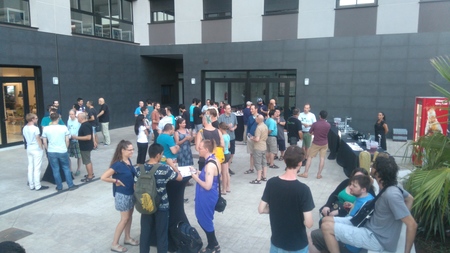
Today we meet from around the globe, KDE contributors have flown in from Taiwan, US, all over Europe and British Isles, India, Brazil, Canada.
Read MoreKDE at Asian FOSS conferences
Plasma 5.10, Simple by Default Powerful When Needed
<figure class="topImage"> <a href="https://www.kde.org/announcements/plasma-5.10/plasma-5.10.png"> <img src="https://www.kde.org/announcements/plasma-5.10/plasma-5.10-wee.png" width="600" height="338" alt="Plasma 5.10" /> </a> <figcaption>KDE Plasma 5.10</figcaption> </figure>Read More
<p> Monday, 30 May 2017. Today KDE has released Plasma 5.10 with new features across the suite to give users an experience which lives up to our tagline: simple by default, powerful when needed. </p></pr
Plasma 5.10 Beta, Slicker Desktop
<p>Also available in:<br /><br /><a href="https://www.kde.org/announcements/plasma-5.9.95.php?site_locale=en">English</a> | <a href="https://www.kde.org/announcements/plasma-5.9.95.php?site_locale=ca">Català</a> | <a href="https://www.kde.org/announcements/plasma-5.9.95.php?site_locale=nl">Nederlands</a> | <a href="https://www.kde.org/announcements/plasma-5.9.95.php?site_locale=sv">Svenska</a> | <a href="https://www.kde.org/announcements/plasma-5.9.95.php?site_locale=uk">Українська</a><br /><br /></p><!--
<figure class="videoBlock">
	<iframe width="560" height="315" src="https://www.youtube.com/embed/<%= youtubeid %>?rel=0" allowfullscreen='true'></iframe>
</figure>
Read More
How to Create a Look and Feel Theme
How to Create a Look and Feel Theme video tutorial.
Find out more on KDE community wiki.
KDE Talks at FOSDEM
KDE had 4 talks at this year's FOSDEM conference. Here's the recordings.