
- DZone
- Data Engineering
- Data
- Invoking Stored Procedure With Oracle Abstract Data Type Parameters in Mule 4
Invoking Stored Procedure With Oracle Abstract Data Type Parameters in Mule 4
See the steps that need to be followed in order to invoke a stored procedure with complex Abstract Data Type as IN, OUT, and IN OUT parameter in Mule 4.
Join the DZone community and get the full member experience.
Join For FreeThis article describes the steps that need to be followed in order to invoke a stored procedure with complex Abstract Data Type as IN, OUT, and IN OUT parameter in Mule 4.
The lack of documentation to handle ADT payloads while invoking stored procedures and technical issues while retrieving the ADT response in mule run time 4.x.x discouraged developers using mulesoft for the purpose.
By following the below steps, you can successfully use DataWeave 2.0 and Mule inbuilt connectors to handle the mentioned scenario.
For the purpose of illustrating the below, the stored procedure is used as a reference.
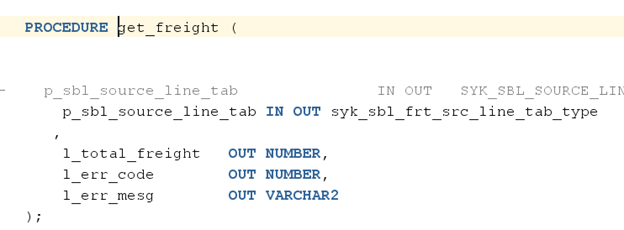
The above procedure contains an IN OUT parameter of Table type (Array) of a custom Abstract Data type which is declared as below:

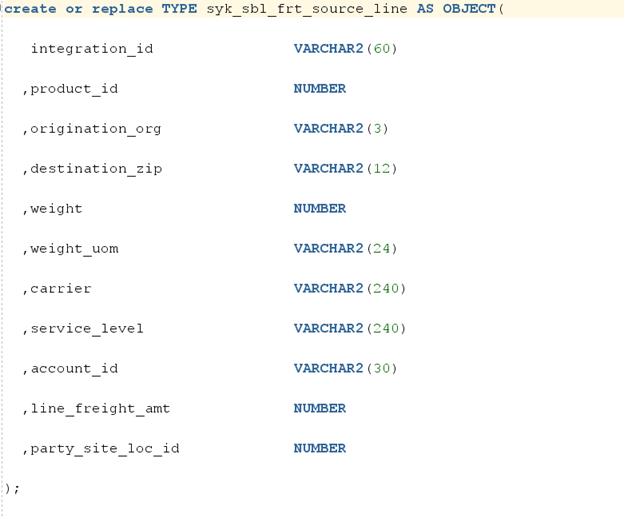
Note: If the stored procedure is declared in a different user/schema than the one being used in Anypoint Studio then public synonym must be created for the custom ADT types.
While configuring the database connections, use the latest database driver as shown below:
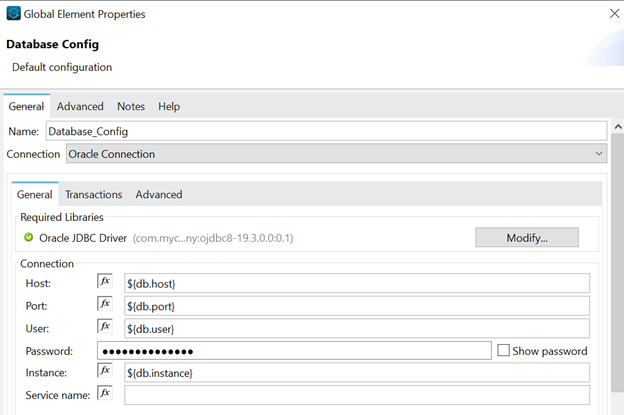
The database connector should be above 1.5.5, preferably the latest.

Populate the table type and object/record type using the DataWeave as shown below:
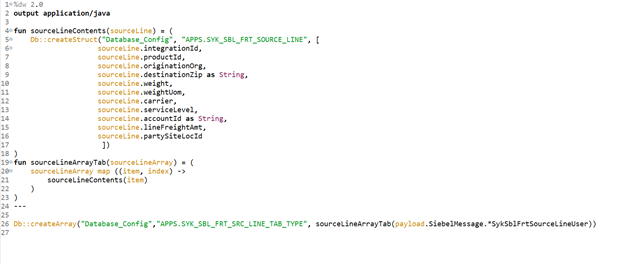
While populating the type, enter the database configuration name (Database_Config) while creating the struct and array in the DataWeave. It is important to declare the name of the oracle table and record type in capital letters along with the schema name.
Call the stored procedure using the database connector:
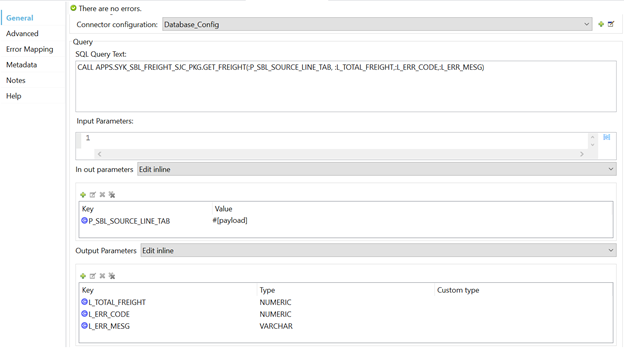
Read the stored procedure response ADT parameter using DataWeave:
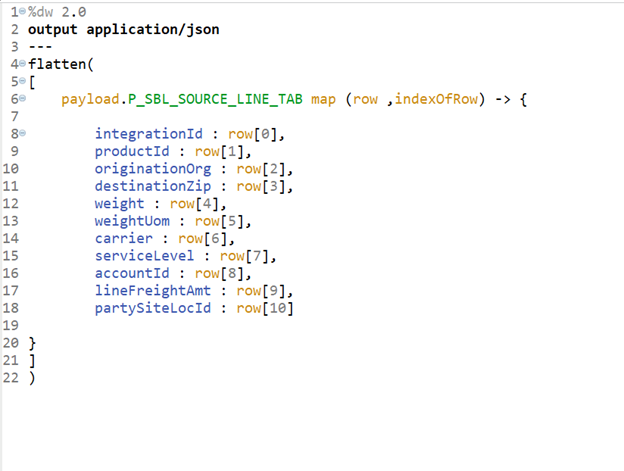
The request payload used is as below:
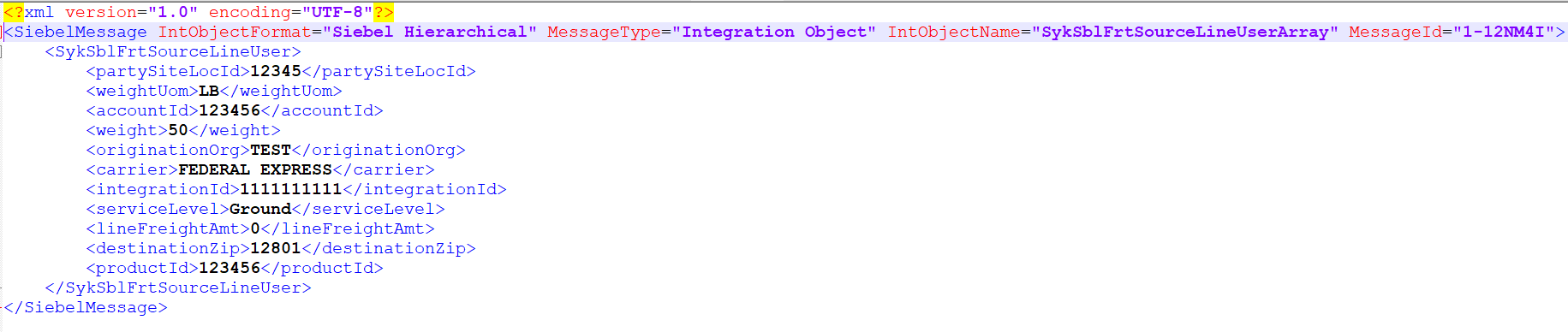
After making the above changes, you can invoke a stored procedure with complex type and read the response.
Opinions expressed by DZone contributors are their own.
Related
-
Practical Generators in Go 1.23 for Database Pagination
-
Database Keys: A Comprehensive Guide
-
Queue in Data Structures and Algorithms
-
Stack in Data Structures