
Related
- DZone
- Coding
- Frameworks
- Java Eclipse Code Refactoring Shortcuts and Tips
Java Eclipse Code Refactoring Shortcuts and Tips
Time to get more productive when writing Java code using Eclipse!
Join the DZone community and get the full member experience.
Join For FreeThis post describes some of the shortcuts and tips to refactoring a source code in Eclipse IDE with GIF images. We do refactoring most of the time when writing code. Thus, using shortcut keys or refactor menu can boost productivity.
Learn Core Java with examples in depth at Java Tutorial | Learn Java Programming with Examples
Below are some additional Eclipse-related articles you might like:
- How to Create a Simple Maven Project in Eclipse — In this article, we will show you how to create a simple Maven project in Eclipse IDE.
- How to Create a Web Project Using Maven in Eclipse — In this article, we will show you how to create a web project or application using Maven in the Eclipse IDE.
- How to Convert Java Project to Maven Project in Eclipse — In this article, we will show you how to create a Java project and convert it into the Maven project.
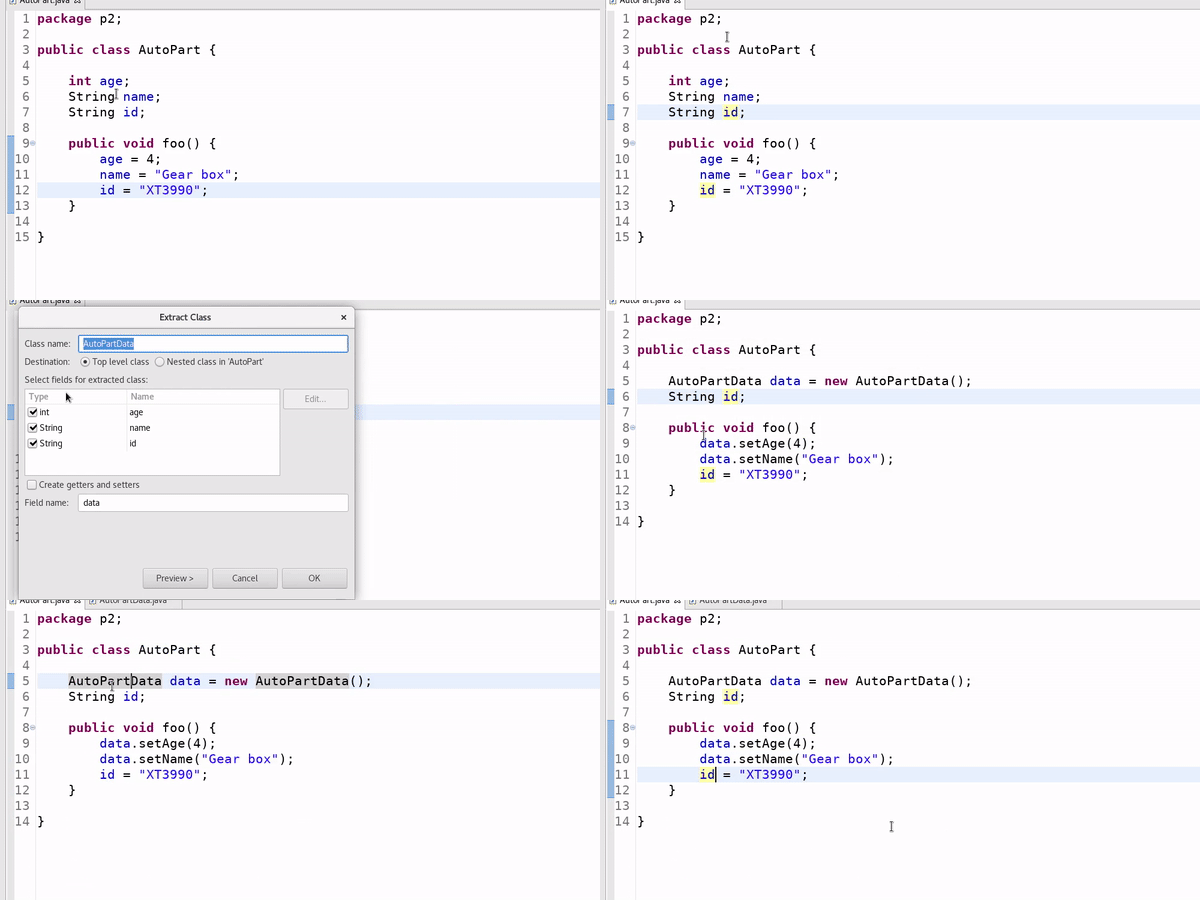
1. Eclipse Refactor — Extract Class
The 'Extract class...' refactoring (from Alt+Shift+T) extracts a group of fields into a separate class and replaces all occurrences to fit the new structure.

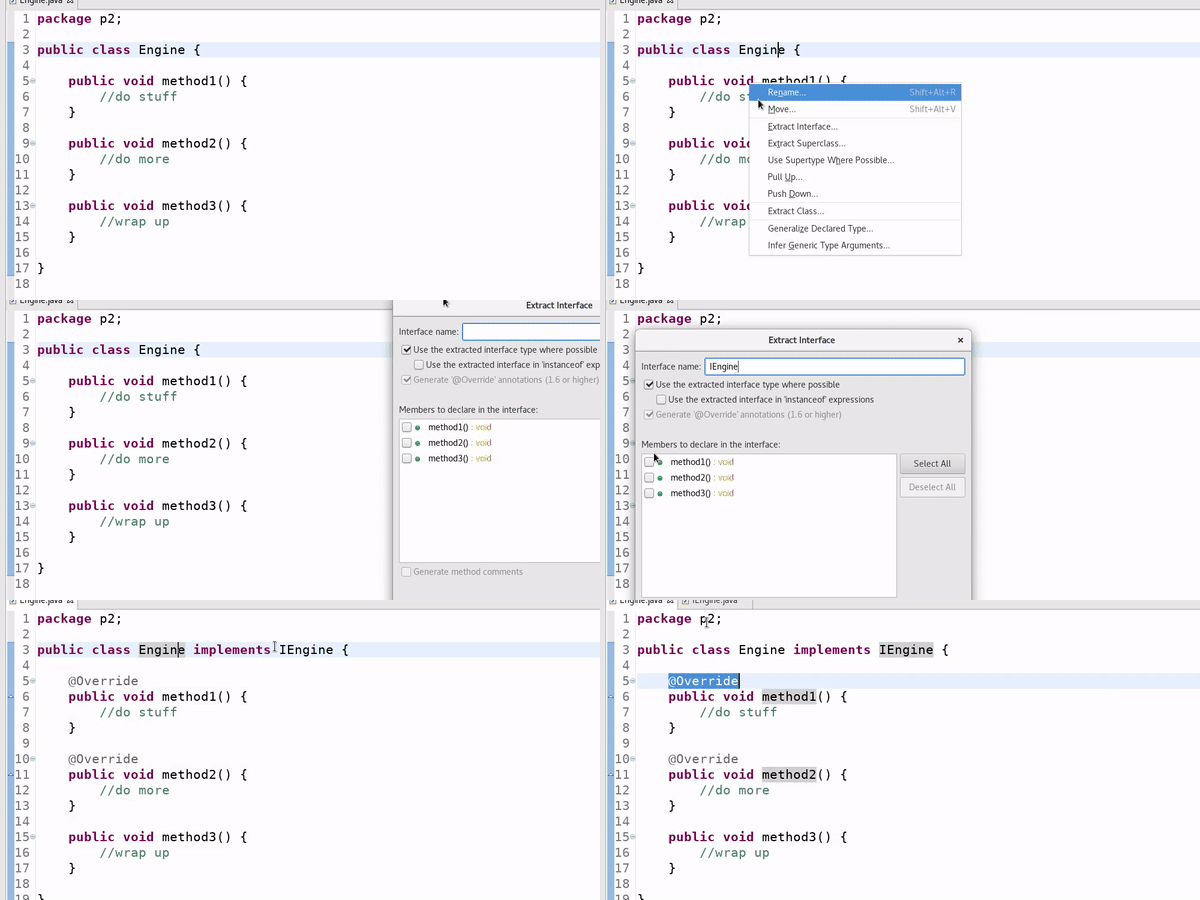
2. Eclipse Refactor — Extract Interface
Use the 'Extract interface...' refactoring technique to extract an interface out of a class (Alt-Shift-T to bring up menu).

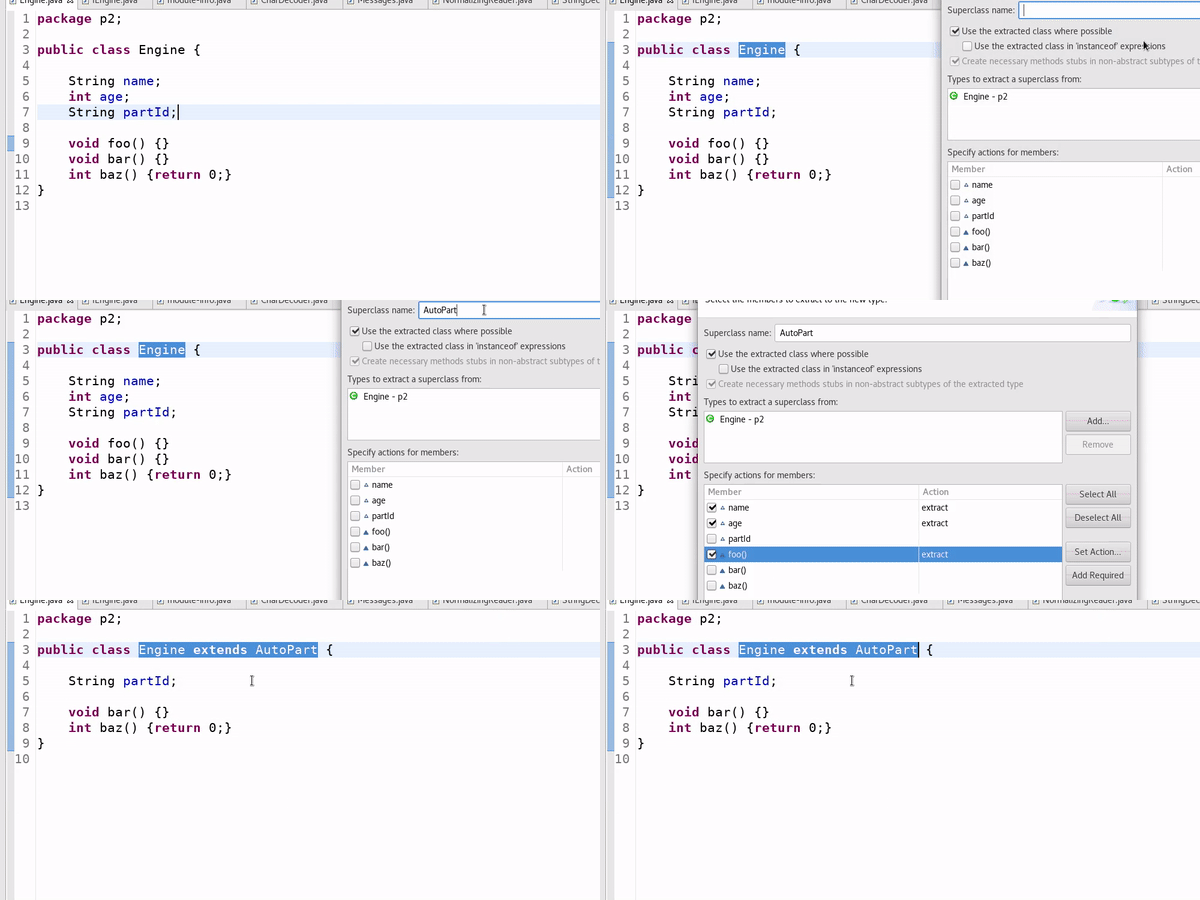
3. Eclipse Refactor — Extract Superclass
If you want to extract part of a class into a superclass, use Alt+Shift+T to bring up the menu and select, as shown below. There are a lot of customization option available in the dialog!

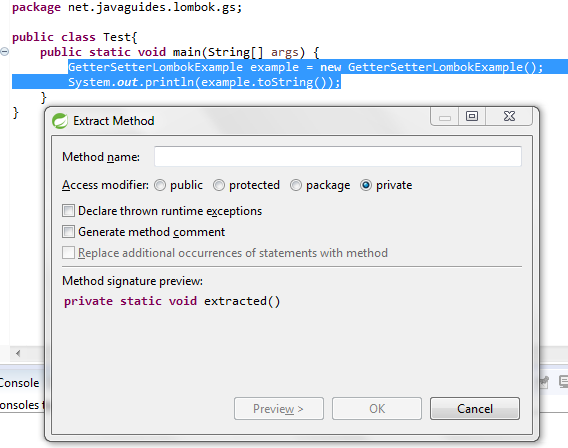
4. Eclipse Refactor — Extract Method
Use this Alt + Shift + M shortcut with the Eclipse key to extract a selection to a method. This helps you move a selected block of code to a separate method with ease. For example:

5. Eclipse Refactor — Push Down
Ever wondered what 'Push down...' in the refactoring menu ( Alt+Shift+T) does? It moves methods and fields from a parent class to #all extenders. Quite handy!

6. Eclipse Refactor — Extract Local Variable
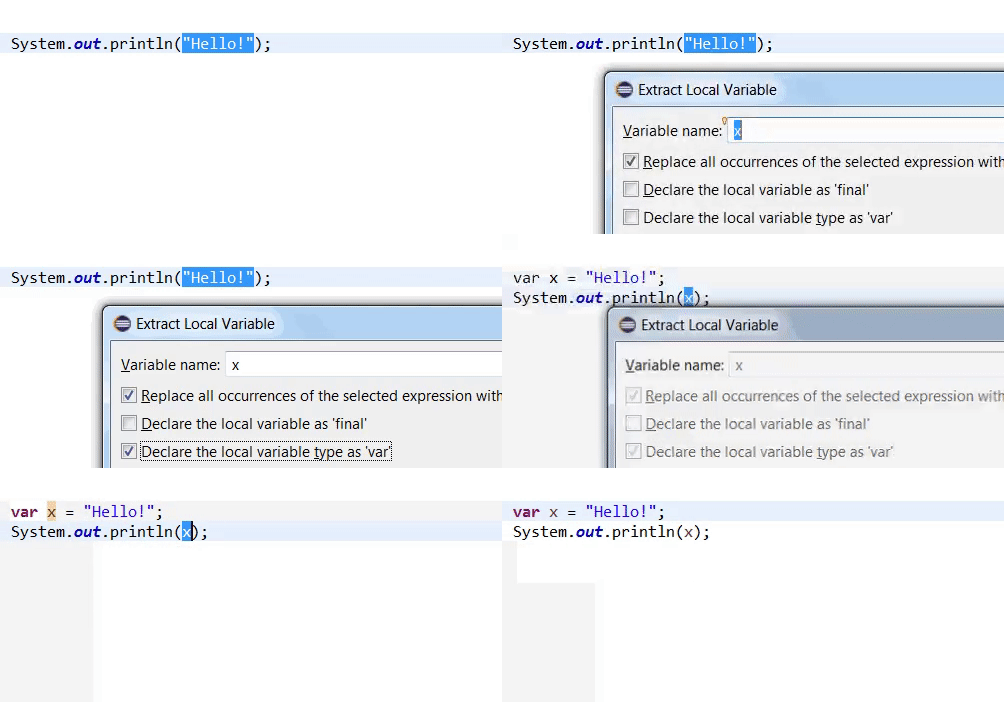
You can now declare a local variable's type as 'var' while extracting it using Alt+Shift+L (shortcut for Extract Local Variable refactoring).

7. Eclipse Refactor — Rename
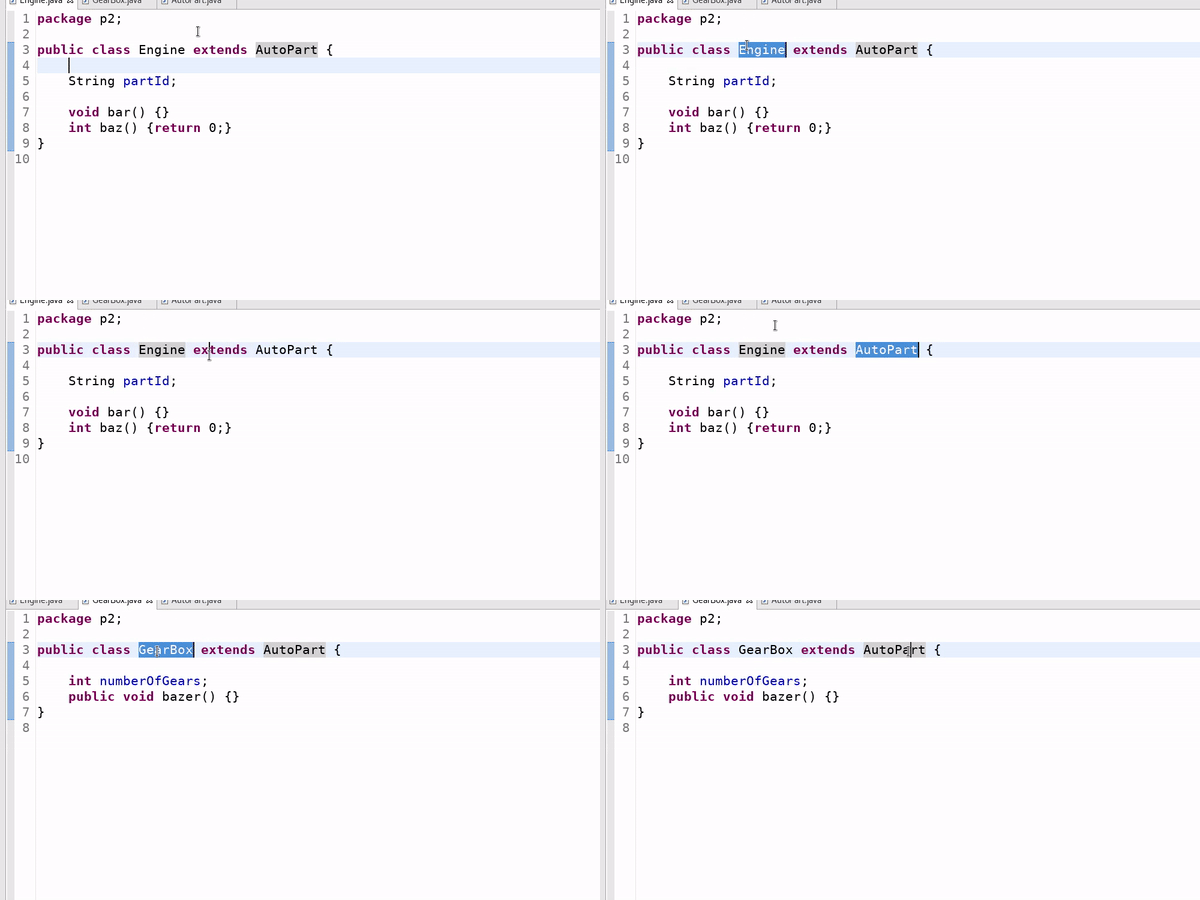
Use the Alt + Shift + R shortcut to rename a variable, method, class, or even a package name. This is the most frequently used shortcut in code refactoring. Select the whole name of the class, method, or variable you want to rename and then press this shortcut:


8. Eclipse Refactor — Change Method Signature
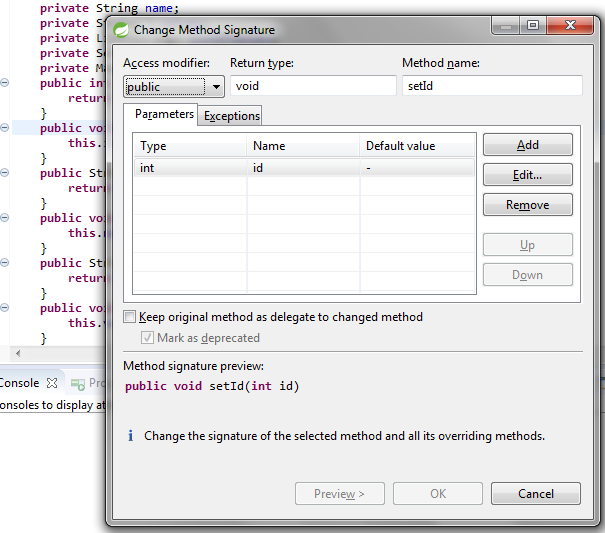
Use the Alt + Shift + C Eclipse shortcut key to change the signature of a method. Place the cursor inside a method or select the method name, and then, press this shortcut. The Change Method Signature dialog appears. You can change various elements of method signature, such as access modifier, return type, parameters, exceptions, etc:

Happy coding!
Published at DZone with permission of Ramesh Fadatare. See the original article here.
Opinions expressed by DZone contributors are their own.
Related
-
Introducing Graph Concepts in Java With Eclipse JNoSQL, Part 3: Understanding Janus
-
Introducing Graph Concepts in Java With Eclipse JNoSQL, Part 2: Understanding Neo4j
-
Introducing Graph Concepts in Java With Eclipse JNoSQL
-
Simplify NoSQL Database Integration in Java With Eclipse JNoSQL 1.1.3