
Mule 4: Creating Global Custom Functions in Dataweave 2.0
In this article, I will explain how to create a global function that can be access or reuse by other Transform Message Component within a Mule Application.
Join the DZone community and get the full member experience.
Join For FreeIn this article, I will explain how to create a global function that can be access or reuse by other Transform Message Component within a Mule Application.
First, We need to create a Dataweave File (.dwl) and save it in src/main/resources/modules/. Now,we can define our global custom functions here by using the fun directive and global variable by using var directive. Also note thatthis dwl file should not contain an output directory, body expression, or the separator (---) between header and body sections.
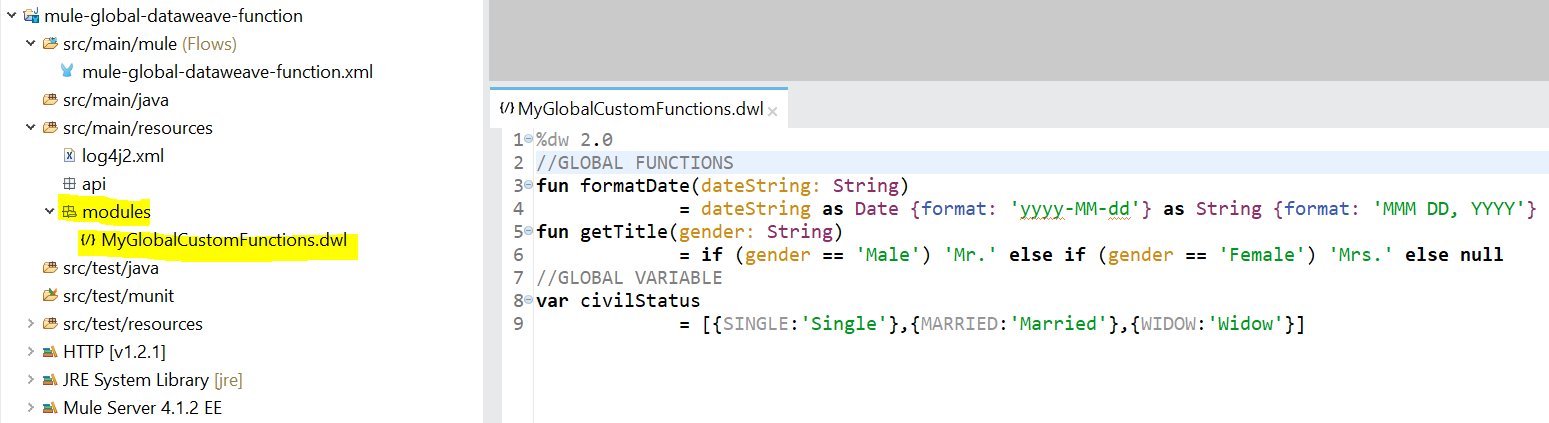
After creating a Global Dataweave Module, we can now reuse and import it into another Dataweave Script, any functions, variables, types, and namespaces defined in that custom module become available for use in the Dataweave Body.
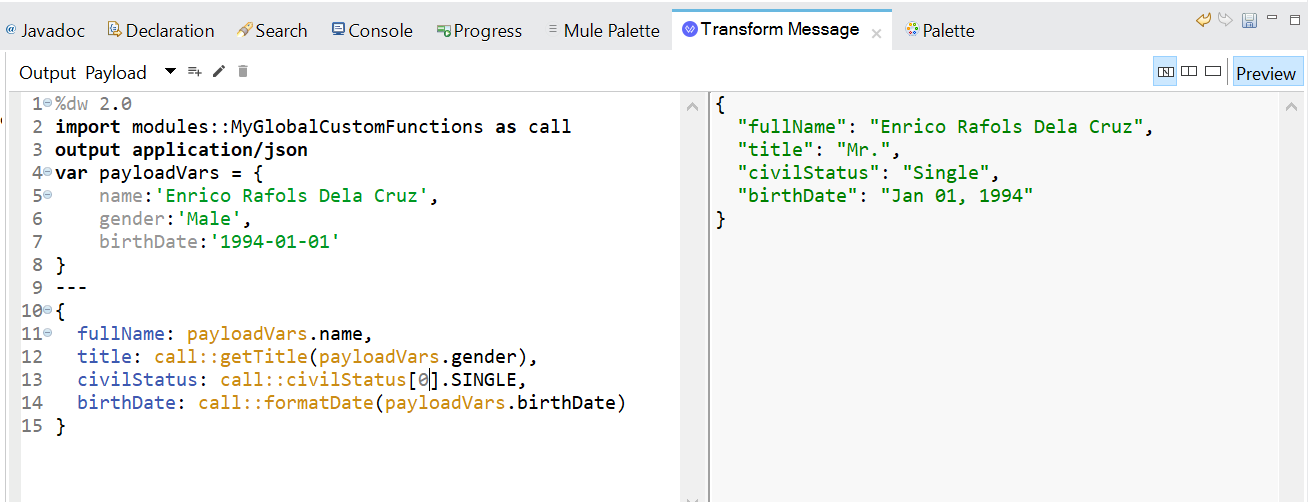
We can use the import directive to import the custom module modules::MyGlobalCustomFunctions, which is stored in src/main/resources/modules/MyGlobalCustomFunctions.dwl into another Dataweave Script. On the above code, I used alies (as) to reference the instance of the imported custom module to a call alies, in this case, I can simply invoke the global function using call::formatDate instead of MyGlobalCustomFunctions::formatDate.
That's it, For more details about this new functionality of Dataweave 2.0, Check this oout: https://docs.mulesoft.com/mule4-user-guide/v/4.1/dataweave-create-module
Opinions expressed by DZone contributors are their own.
Related
-
How To Use AzureSignTool to Sign Executables With Azure DevOps
-
Building a Flask Web Application With Docker: A Step-by-Step Guide
-
How To Build a Google Photos Clone - Part 1
-
Implementing ROS Communication Patterns