
A Beginner's Guide to Mule
In this post, we take a quick, introductory look at how to create applications using Mule and the ways to work with Anypoint Studio.
Join the DZone community and get the full member experience.
Join For FreeMule Application Building Blocks
Mule application building blocks are separated into categories in the Mule Palette:
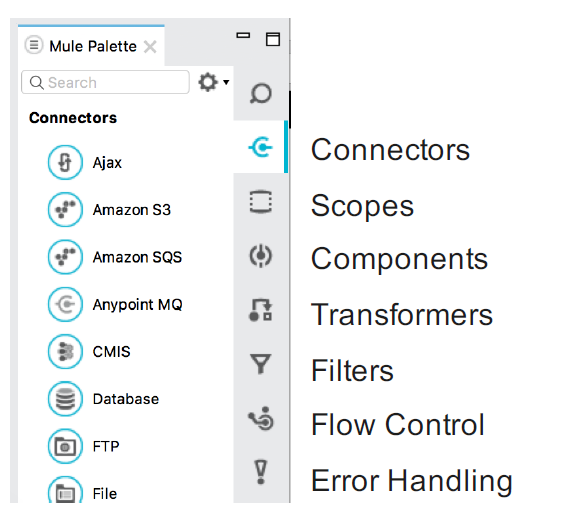
Message Sources :
The first building block of most flows is a receiver that receives new messages and places them in the queue for processing.
Message sources are usually Anypoint Connectors.
Connectors provide connectivity to external resources, such as:
Databases, protocols, or APIs.
Standard protocols like HTTP, FTP, SMTP, AMQP.
Third-party APIs like Salesforce, Twitter, or MongoDB.
Anypoint Connectors :
Anypoint Platform has over 120 pre-built connectors:
30 bundled with Anypoint Studio.
Additional ones available in the Anypoint Exchange.
Connectors are accessible directly from Anypoint Studio or at https://www.mulesoft.com/exchange
There are 2 main types:
Endpoint-based connectors
Operation-based connectors
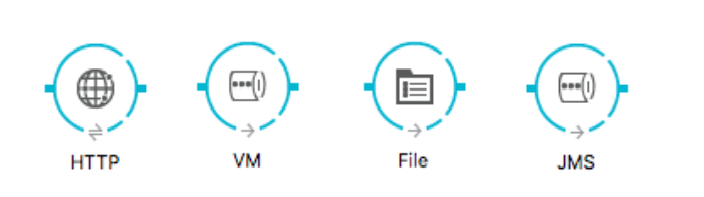
Endpoint-Based Connectors :
Are either inbound or outbound endpoints in a flow.
Inbound endpoints serve as a message source for a flow.
Outbound endpoints send information to external systems.👁 Image title
Operation-Based Connectors :
These connectors require the specification of an operation in order to perform.
This category includes most connectors not based on a standard communication protocol

Connector vs Endpoint :
A connector is a Mule-specific connection to an external resource of any kind.
An endpoint is a flow-level element that is configured to receive and/or send messages from and/or to external resources.
When you drag a connector from the Mule Palette, an endpoint is created.
Connectors and endpoints are global elements.
Creating Mule Applications With Anypoint Studio
Anypoint Studio is an Eclipse-based integration development environment that provides:
Two-way editing between graphical and XML views.
Visual debugging (EE).
A data transformation framework and language (EE).
One-click deployment of applications.
Templates for common integration patterns (EE).
Integration with Maven for continuous build processes.
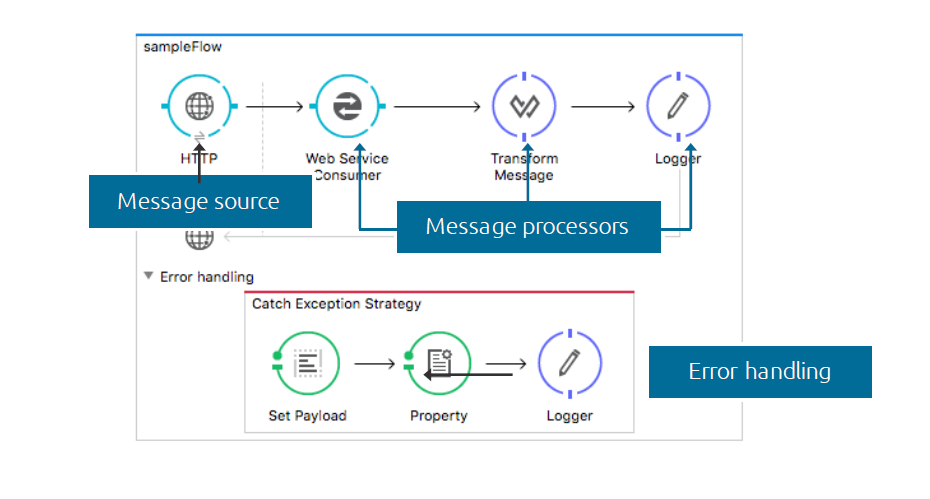
Anatomy Of Flow: Visual👁 Image title
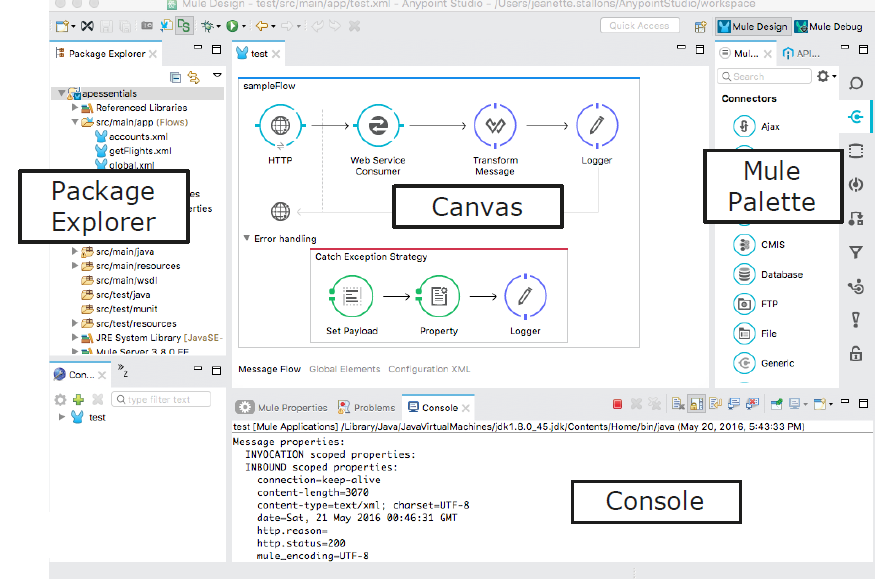
Anypoint Studio Anatomy:👁 Image title
Running an Application:
Anypoint Studio comes with an embedded Mule runtime to test applications without leaving it.
The console outputs application logs and information:
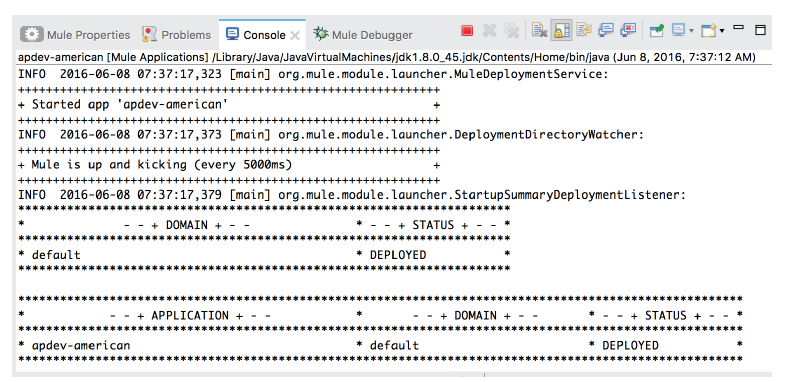
Testing Applications to Make Requests to an Endpoint:
Some options:
A browser.
A cURL command-line utility.
A browser extension like Postman (for Google Chrome).👁 Image title
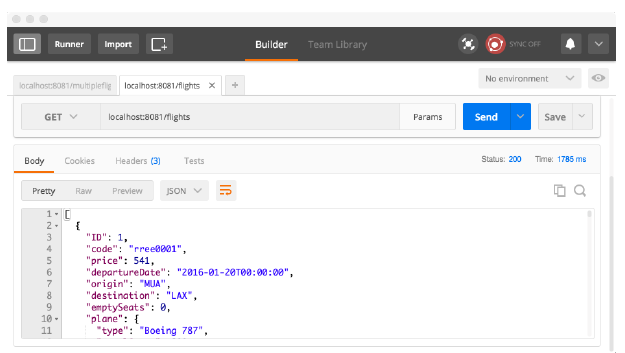
Introducing Mule Flows and Message
Mule Flows
Mule applications accept and process messages through a series of message processors plugged together in the flow.
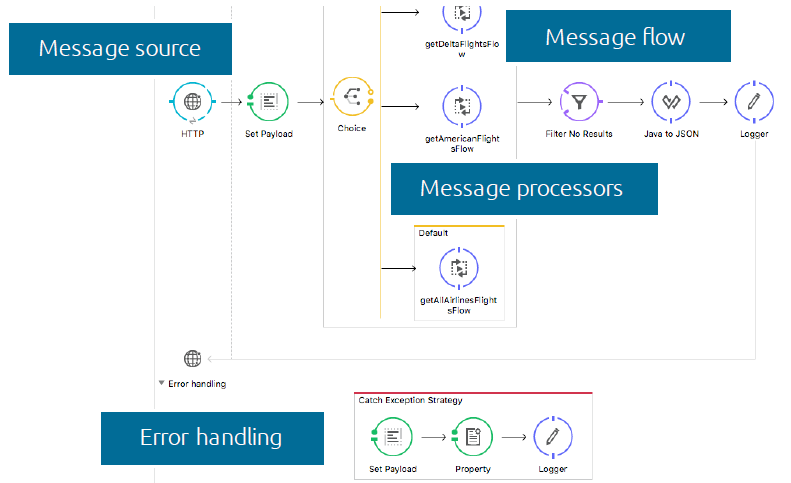
A typical flow has:
-
Message Source - Accepts a message from an external source, triggering the execution of the flow.
-
Message Processors - Transforms, filters, enrichs, and processes messages.
An application can consist of:
-
A single flow.
-
Multiple flows connected together to create more complex applications.
Anatomy of a Flow :👁 Image title
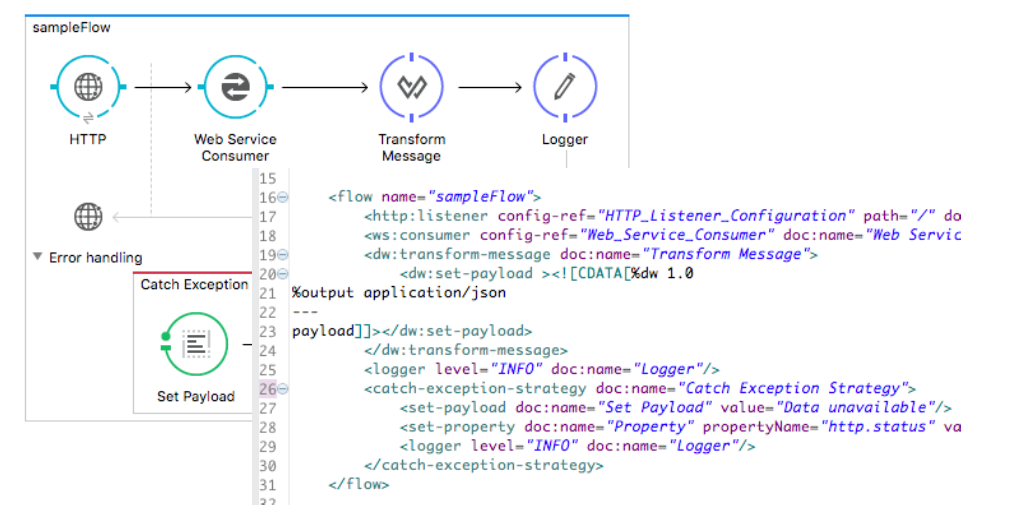
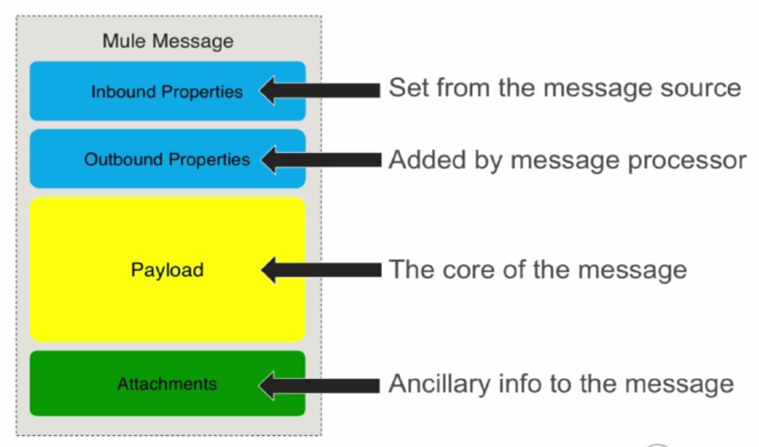
Mule Message
👁 Image title
Opinions expressed by DZone contributors are their own.
Related
-
MuleSoft Integration With RabbitMQ
-
How to Use Mulesoft VM Connector
-
What D'Hack Is DPoP?
-
Mule CloudHub Connector: Part 1