Gorgias auto assign: The 2026 guide to smart ticket routing


Last edited January 16, 2026

Table of Contents
- What is Gorgias auto assign?
- How to set up Gorgias auto assign: The native approach
- Considerations for rule-based Gorgias auto assign
- A smarter way to handle Gorgias auto assign with an AI layer
- Pricing comparison: Gorgias auto assign vs. an integrated AI solution
- From clear Gorgias auto assign rules to intelligent routing
Remember when your support inbox was manageable? Then you grew. Suddenly, what was once a neat queue is now a busy environment where keeping everything organized is key. Manually assigning every ticket can be time-consuming, and you can see the results: the potential for slower responses or agents feeling the pressure.
Automation is a great solution. It brings order back to the workflow, making sure every ticket lands in the right hands efficiently. This guide is all about the native Gorgias auto assign feature: what it is, how you set it up, and how you can get the most out of it. We’ll also look at how you can layer on a smarter AI to really get your workflow humming.
What is Gorgias auto assign?
At its core, Gorgias auto assign is a built-in feature that automatically hands out incoming tickets to your agents or teams. Think of it as a helpful digital mail sorter for your helpdesk. It operates on a few simple components that you put in place yourself.
First, you organize your agents into Teams. These are groups of people based on their expertise, like a "Returns" team or a "Technical Support" team. This helps ensure customers get the right help quickly.
Next, you build a list of Rules. These are "IF/THEN" commands you create. For example, you might set up a rule that says, "IF a ticket has the word 'refund' in it, THEN assign it to the Returns team."
Finally, the system uses Agent Eligibility to finish the job. Once a ticket is sent to the right team, Gorgias looks for an available agent in that group who has the capacity to take it on. You can even cap the number of tickets an agent can have at one time to ensure everyone stays productive without feeling overwhelmed. It’s a solid system for getting tickets out of the main inbox and into the right hands.
How to set up Gorgias auto assign: The native approach
Getting the built-in Gorgias auto assign feature up and running is a clear, three-step process. It’s a great way to start automating your workflow with precision.
Step 1: Group your agents into teams
The first thing you’ll need to do is pop into your Gorgias settings and sort your agents into teams. This is all about specialization. You might create a "Shipping & Delivery" team, a "Product Questions" team, and maybe a "Wholesale" team. This step creates organized categories for your incoming tickets.
Step 2: Build your routing rules
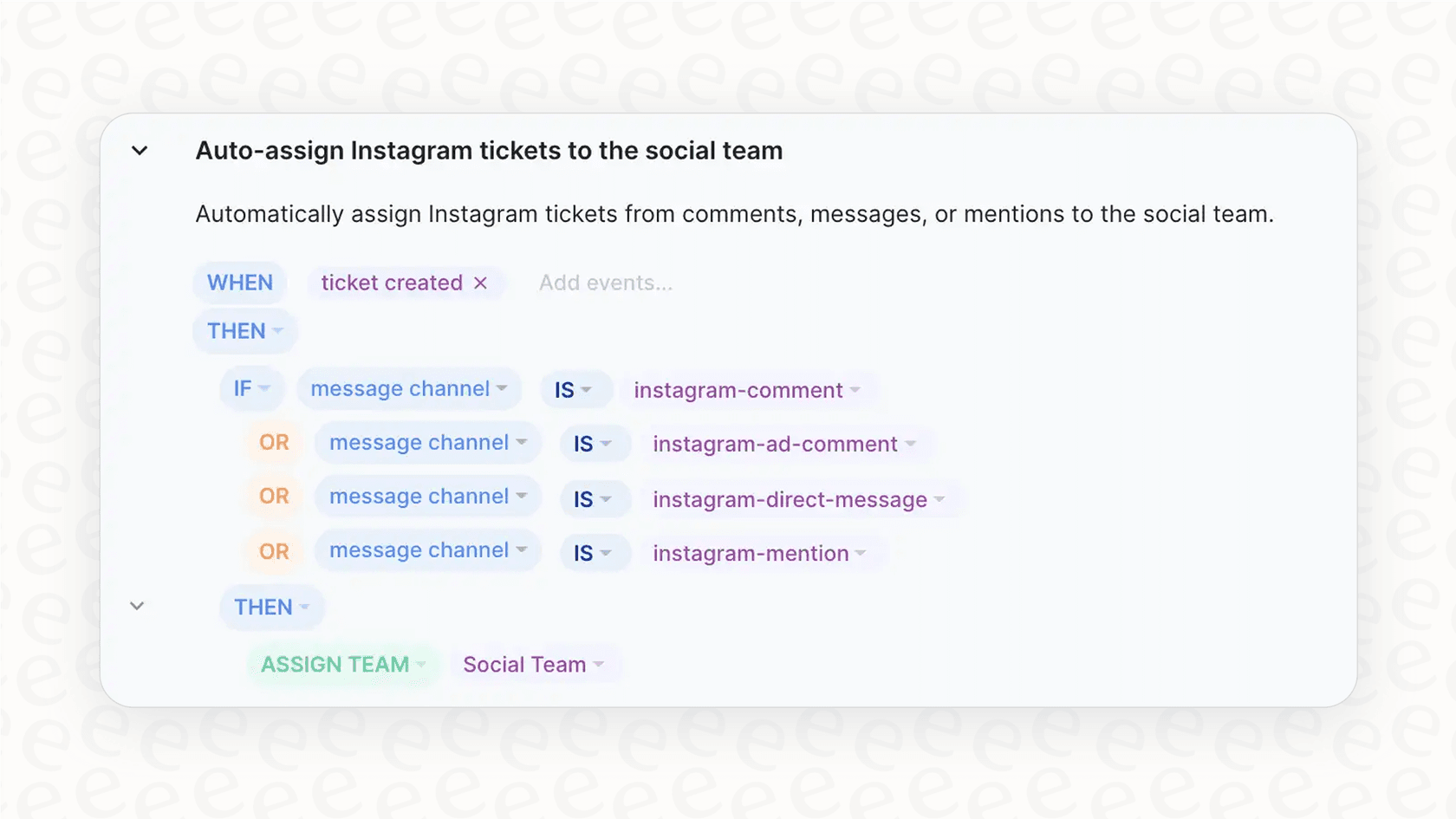
This is where you define your logic. You create custom rules that tell Gorgias where each ticket should go. You can predict the keywords, channels, or tags that will be attached to different types of tickets to ensure they reach the right expert.
For instance, you might build a rule that sends all messages from your Instagram DMs to the "Social Media" team. Or another that looks for the SKU of a specific product and sends it to the team that specializes in it. This structured approach helps keep your inbox organized as you scale.
Step 3: Configure assignment and capacity settings
Once your teams are created and your rules are built, the last step is to turn it all on. You'll enable the auto-assignment setting and tell Gorgias the maximum number of chats or emails an agent can handle at once. This is a handy feature to balance the workload across your team effectively.
By regularly reviewing and tweaking these rules as you launch new products or run sales, you can ensure your Gorgias setup remains perfectly aligned with your business needs.
Considerations for rule-based Gorgias auto assign
While the rule-based system in Gorgias is a huge leap from manual assignment, there are some factors to keep in mind as your business scales.
Gorgias auto assign: Structured logic for your workflow
Rules are based on clear logic. They follow the specific parameters you set, which is great for consistency. To handle more nuanced feelings behind a customer's words, some teams choose to complement these rules with AI. While a basic rule might scan for a keyword, adding an AI layer can help detect sentiment and priority even more deeply.
Keeping Gorgias auto assign rules updated
Your business is always evolving, and keeping your rules updated is part of that growth. A new product line or a holiday promotion is a great time to dive back into the settings to refine your logic. While this requires ongoing attention, it ensures your system stays accurate. For teams looking for a more "set and forget" approach, AI integrations can help manage this complexity.
Expanding the scope of Gorgias auto assign
A rule-based system is incredibly reliable because it does exactly what you tell it to do. It provides a stable foundation for your support. To add more proactive capabilities - like identifying new trends in customer complaints without manual digging - many teams look to add an AI layer that can learn from historical conversations.
Integrating more data with Gorgias auto assign
Native Gorgias rules are excellent at using helpdesk data to route tickets. To take it even further, you can use integrations to check an order's value in Shopify before deciding priority. While Gorgias is already working on the ability to dictate priority of tickets for future development, you can enhance your current setup today with specialized AI tools.
A smarter way to handle Gorgias auto assign with an AI layer
Instead of changing your entire workflow, you can add an intelligent AI layer that plugs right into your existing Gorgias setup. This gives you the best of both worlds: a world-class helpdesk and advanced AI capabilities.
Go from building rules to instant learning
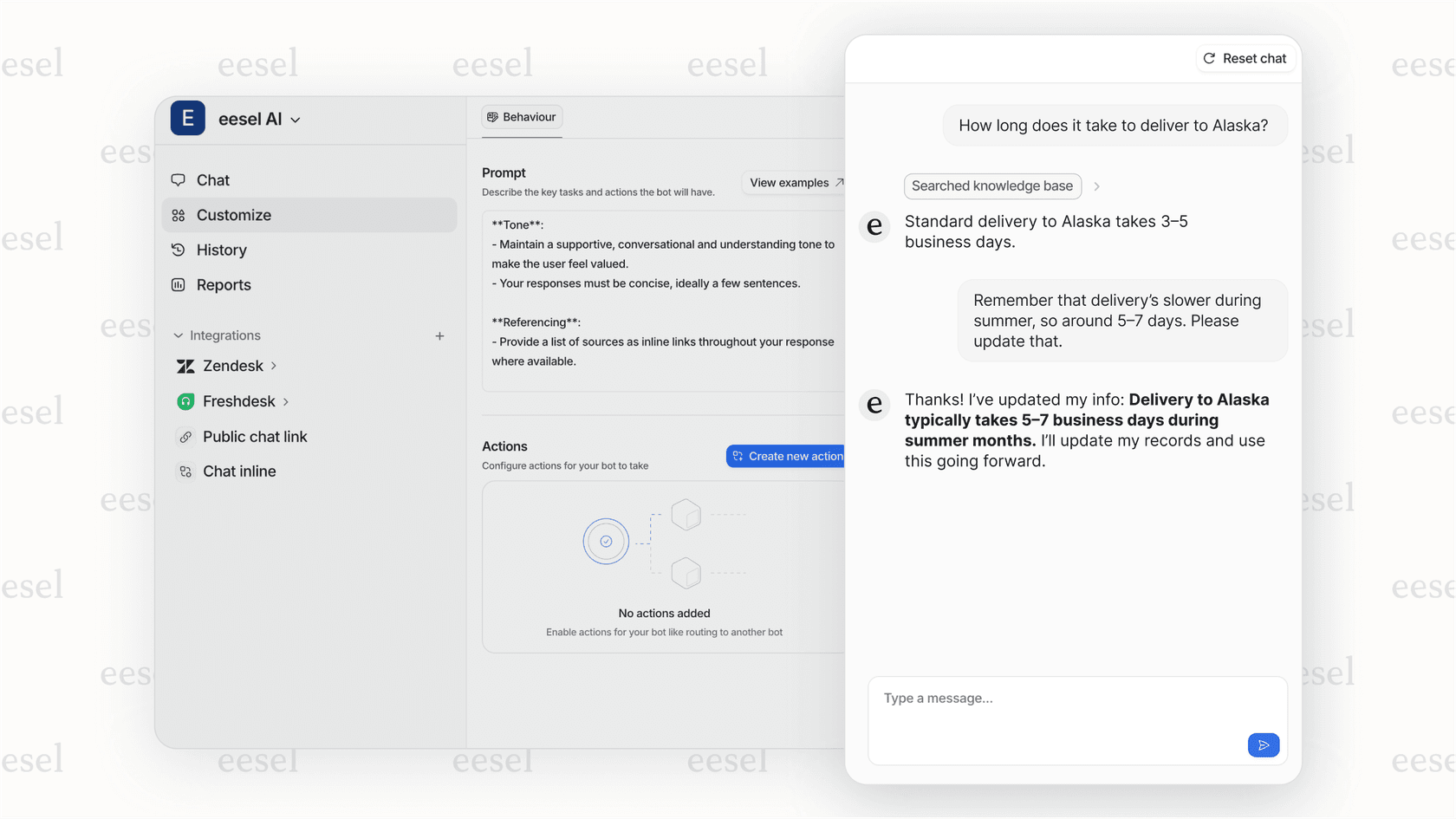
With a tool like eesel AI, you can connect your Gorgias account in a single click. The AI immediately starts reading your historical tickets, macros, and help center articles. It understands your brand voice and learns from the solutions your team has already perfected. This allows you to build on the strong foundation Gorgias has already provided.
Get truly intelligent ticket assignment
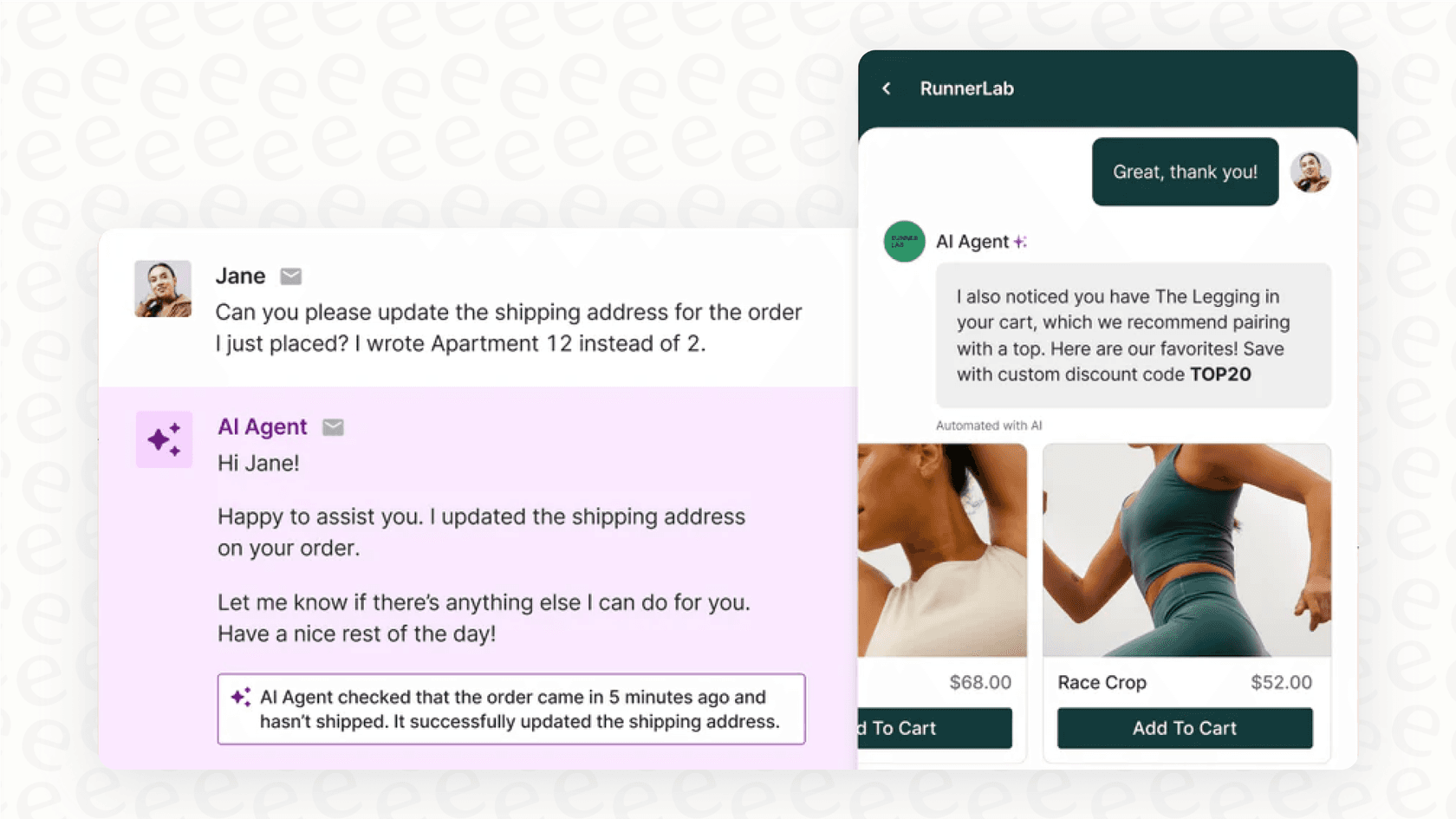
An AI layer complements Gorgias's rules by analyzing the intent and urgency of every message to route tickets with deep understanding. More importantly, eesel AI can perform custom actions on the fly. It can look up order details in Shopify or check a customer's status before routing. This ensures that high-priority issues from VIP customers are identified and handled with care, leveraging the full power of your ecosystem.
Test and deploy your AI without the risk
When adding AI to your Gorgias setup, you want to be sure of the results. eesel AI includes a simulation mode that lets you test your setup on thousands of past Gorgias tickets in a safe environment. You get a report showing exactly how the AI would have tagged or routed each ticket. This gives you total confidence in your automation rate before you ever go live.
Automate more than just Gorgias auto assign
An intelligent AI layer helps streamline your entire support operation within Gorgias. It can provide autonomous resolutions for common questions like "Where is my order?". For more complex issues, it acts as an AI Copilot for your agents, drafting replies they can send in seconds. It also helps keep your helpdesk analytics clean by automatically tagging every ticket.
Pricing comparison: Gorgias auto assign vs. an integrated AI solution
Gorgias offers powerful AI features with a pricing model that scales with your success.
The Gorgias pricing structure
Gorgias's pricing is designed to match your growth, tied to the number of billable tickets you handle. Their AI Agent features are available as a convenient add-on with a per-interaction cost. This model is great for teams who want to pay exactly for the value they receive as their volume increases.
| Plan | Monthly Price | Included Tickets | Overage Cost (per 100) | AI Agent Cost (per interaction) |
|---|---|---|---|---|
| Basic | $50/mo | 300 | $40 | $0.90 |
| Pro | $300/mo | 2,000 | $36 | $0.90 |
| Advanced | $750/mo | 5,000 | $36 | $0.90 |
| Enterprise | Custom | Custom | Custom | $0.90 |
This pricing is based on info from the Gorgias pricing page and could change.
How eesel AI pricing works: Transparent and predictable
eesel AI offers a different approach that works alongside your Gorgias subscription. The pricing is a flat monthly fee that includes a generous bucket of interactions. This provides high predictability for your budget, allowing you to automate as much as you need with a fixed cost. eesel AI also offers flexible month-to-month plans, making it easy to try as an enhancement to your helpdesk.
| Plan | Monthly Price (Billed Annually) | Monthly AI Interactions | Key Features |
|---|---|---|---|
| Team | $239 | Up to 1,000 | Train on docs, AI Copilot |
| Business | $639 | Up to 3,000 | Train on past tickets, AI Actions, Simulation |
From clear Gorgias auto assign rules to intelligent routing
The native Gorgias auto assign feature is an excellent, reliable foundation for any support team. It provides the structure needed to manage a growing inbox with ease. As your business reaches new heights, you can continue to build on this foundation.
By layering an AI platform like eesel AI on top of your helpdesk, you get the absolute best of both worlds. You keep the powerful Gorgias platform your team knows and loves, while adding a new dimension of intelligent automation for routing and assigning.
Ready to see how AI can enhance your Gorgias workflow? Start your free trial with eesel AI or book a demo to see the simulation mode in action.
Frequently asked questions


Share this article

Article by
Kenneth Pangan
Writer and marketer for over ten years, Kenneth Pangan splits his time between history, politics, and art with plenty of interruptions from his dogs demanding attention.