The 7 best Midjourney alternatives (Free & Paid) in 2026


Last edited June 24, 2026
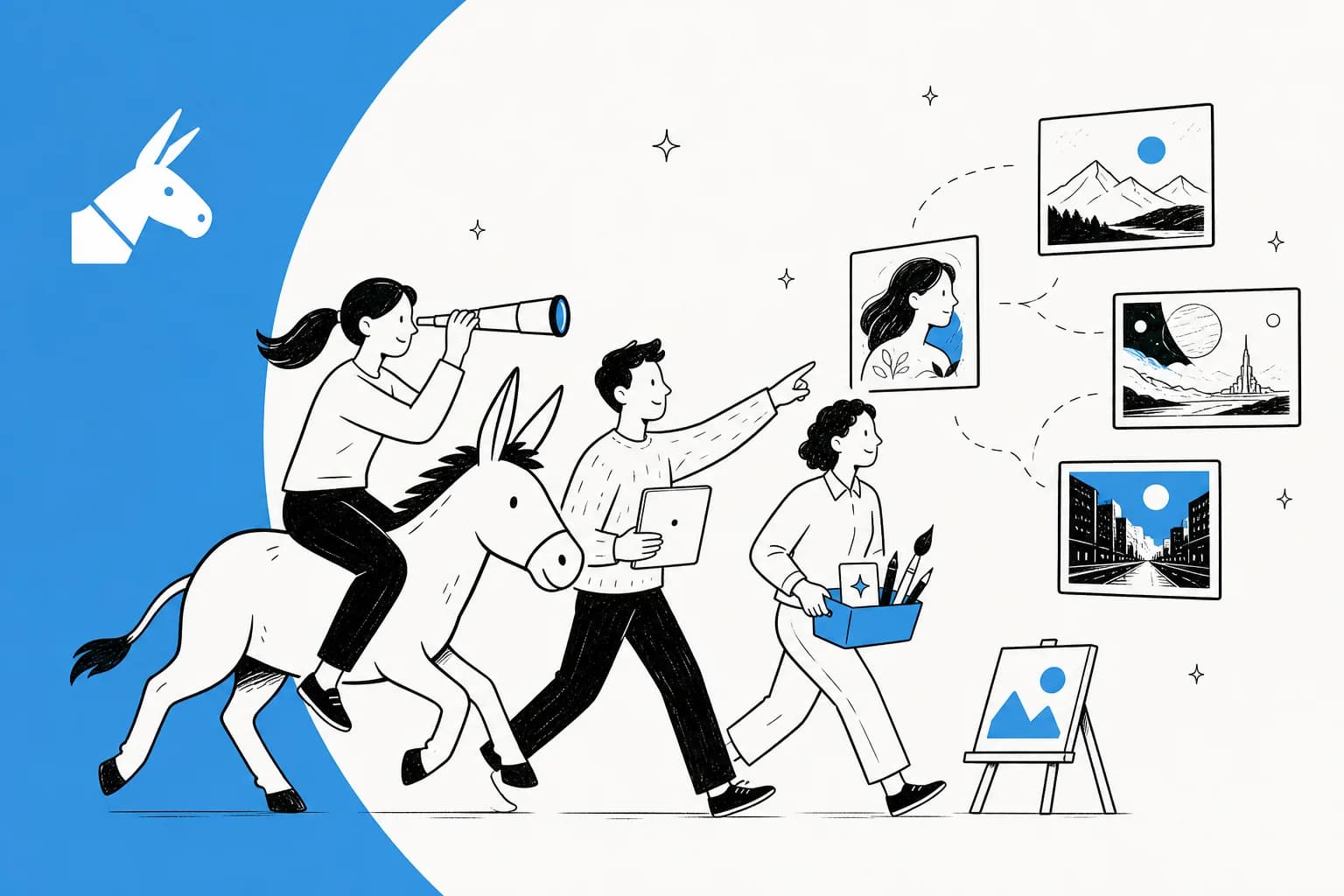
Table of Contents
- What is Midjourney and why you might need Midjourney alternatives
- How I picked the top Midjourney alternatives for this list
- A quick comparison of the best Midjourney alternatives
- The 7 best Midjourney alternatives to try in 2026
- Beyond Midjourney alternatives: Choosing the right AI for your business
- Your next step with Midjourney alternatives
Generative AI has completely taken over in the last couple of years. What felt like a niche toy for tech folks has quickly become a legitimate tool for all sorts of work. It seems like every week there’s a new app that can create, write, or code something amazing from just a handful of words.
Midjourney has been one of the biggest names in this space, and for good reason. It creates these beautiful, artistic images with a style that's hard to miss. But the AI world moves incredibly fast, and Midjourney isn't the only option anymore. The field is now packed with great AI tools, each with its own quirks and strengths.
So, I rolled up my sleeves and spent hours testing a ton of them to find the best Midjourney alternatives available today. Whether you’re looking for a free tool to mess around with, something with more professional features, or just an easier user experience, there's something on this list for you. It's fascinating to see creative teams pump out stunning visuals with these tools, and it makes you think about how other departments are using specialized AI to change their own workflows, from customer support to internal knowledge management.
What is Midjourney and why you might need Midjourney alternatives
Midjourney is an AI that turns your text prompts into images. It’s known for its dreamy, painterly, and often surreal artistic look (I dug into its strengths in my Midjourney review). For the longest time, you could only use it through a bot on Discord, which gave it a cool, insider feel but also made it a bit of a pain to learn. Even with a web app now, that Discord-first vibe still lingers.
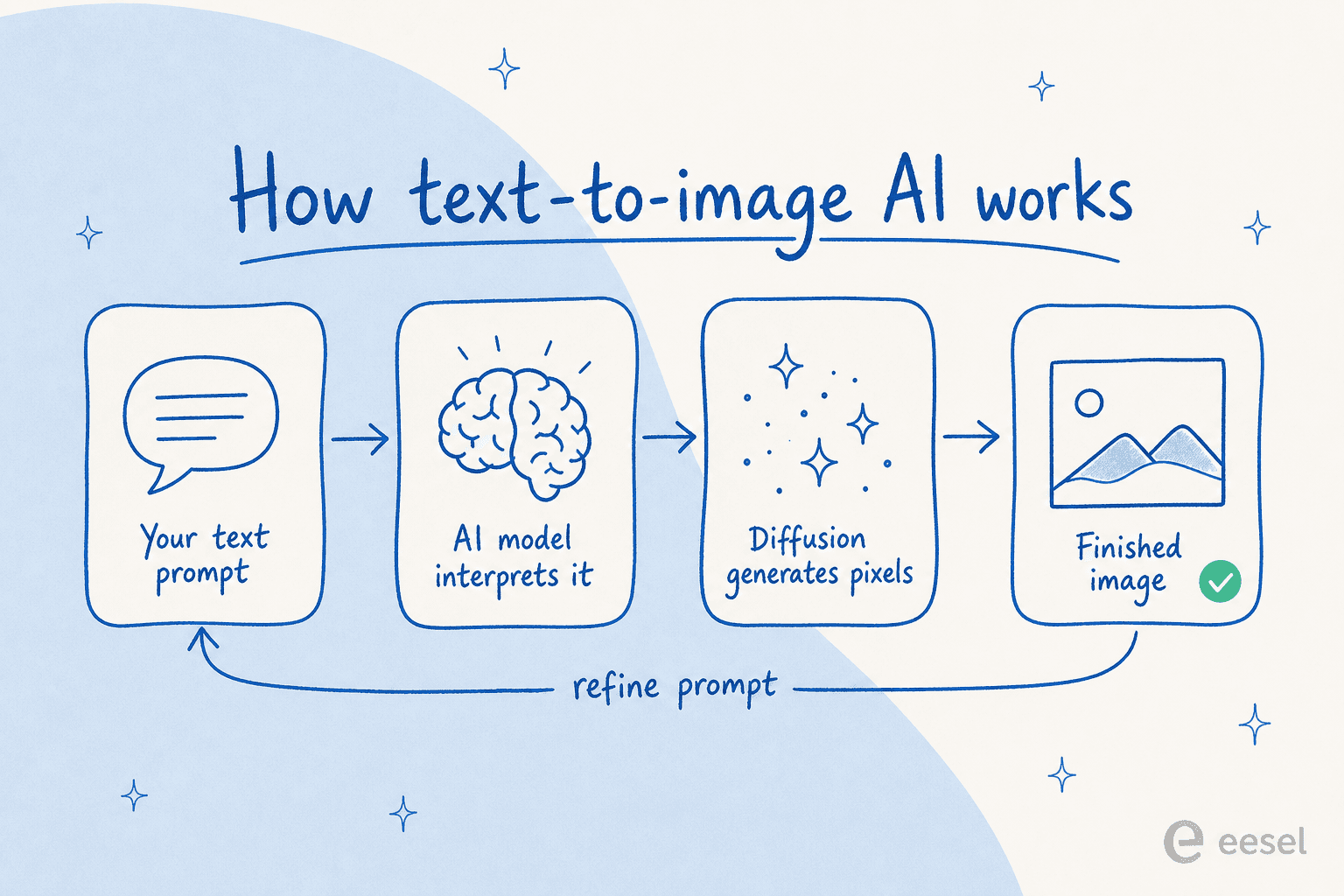
It’s an amazing tool, but there are plenty of solid reasons to look elsewhere. Based on what I've seen online and my own fiddling, here are the main ones:
-
The cost: Midjourney is a subscription-only service. They used to have free trials, but those got suspended after a massive wave of new users. Now, if you want to use it, you have to pay up (plans start at $10/month), which is a tough sell if you're just curious.
-
The interface: Let's be real, the Discord workflow isn't for everybody. Typing commands to a bot in a chatroom just doesn't feel as intuitive as a clean web interface, especially when you're just starting out.
-
Creative control: Midjourney has some powerful commands, but some people want even more fine-grained control. Other tools let you train your own models on specific art styles or characters, offering a level of customization Midjourney can't match.
-
Specific jobs: Midjourney has a very distinct artistic personality. If you need a photorealistic product shot, a clean vector logo, or an image with perfect, readable text, other, more specialized tools often get the job done better.
-
Content rules: Midjourney can be pretty strict with its content filters, sometimes blocking prompts that seem totally harmless. That can get frustrating when you're just trying to create something simple.
How I picked the top Midjourney alternatives for this list
To separate the good from the okay, I judged each tool on a few key things. I wanted this list to be genuinely helpful, not just a random collection of every AI image generator I could find.
Here’s what I focused on:
-
Image quality and style: How good do the pictures actually look? And can the tool do more than one thing? I looked for flexibility, whether it’s creating a photorealistic portrait or some wild abstract art.
-
Ease of use: How fast can a total beginner get decent results? I favored tools with straightforward interfaces that didn't require learning a new language of prompts and commands just to get started.
-
Features and tweaks: What can it do beyond a simple text box? I looked for advanced options like negative prompts (telling the AI what not to include), image-to-image generation, inpainting (editing just one part of an image), and the ability to train your own models.
-
Pricing and free trials: Is there a way to try it without getting your credit card out? I gave extra points to tools with a solid free plan or trial and clear, reasonable pricing for paid tiers.
A quick comparison of the best Midjourney alternatives
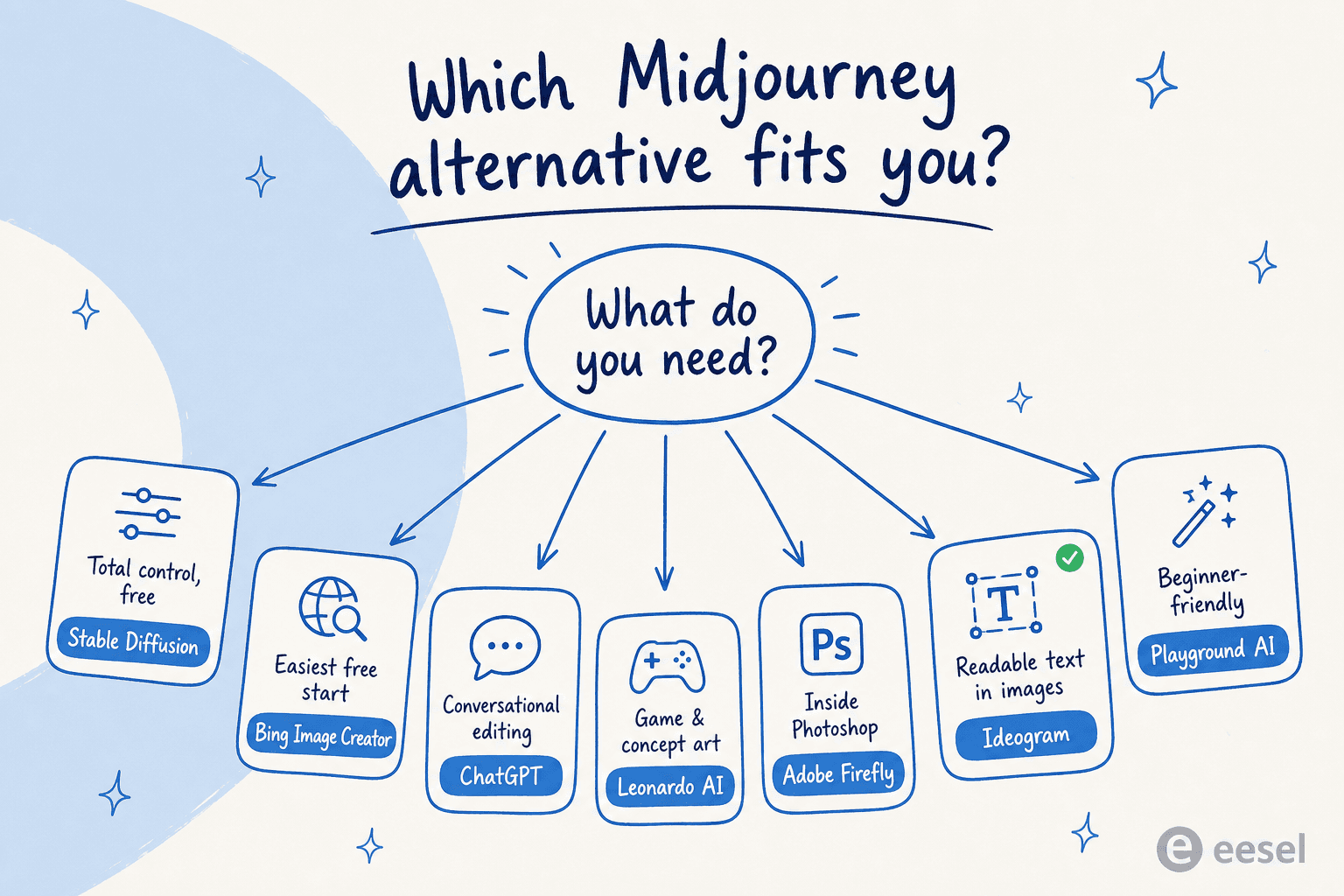
For a quick glance, here’s how our top picks compare.
| Tool | Best For | Key Feature | Free Plan | Starting Price (Billed Monthly) |
|---|---|---|---|---|
| Stable Diffusion | Ultimate Control & Customization | Open-source, can be run locally | Yes (self-hosted) | Varies by platform |
| ChatGPT (GPT-5.2) | Ease of Use & High Quality | Conversational image creation | Yes (with limits) | $20/month |
| Leonardo AI | Game & Concept Artists | Pre-trained models for assets | 150 Fast Tokens/day | $12/month |
| Adobe Firefly | Professional Designers | Seamless Adobe Creative Cloud integration | Daily free generations | $9.99/month |
| Ideogram | Accurate Text Generation | "Magic Prompt" for text rendering | 10 credits/week (slow) | $20/month |
| Playground AI | User-Friendly Experience | Clean AI design editor | Yes (daily limits) | $15/month |
| Bing Image Creator | Quick & Free Generations | Choice of MAI-Image / GPT-4o models, fully free | Yes | Free |
The 7 best Midjourney alternatives to try in 2026
After many hours of prompting, generating, and comparing, here are the seven tools that really stood out from the crowd.
1. Stable Diffusion
Think of Stable Diffusion less as a single app and more as a raw engine. It's an open-source model, which means you have complete freedom. You can run it on your own computer (if you’ve got a beefy graphics card), use it through dozens of different websites, and even train your own custom versions to nail a specific style. It's the top choice for anyone who loves to tinker and wants total creative control.
-
Pros:
- It's completely free if you have the hardware to run it yourself.
- It's endlessly customizable with thousands of models and extensions built by the community.
- You have total creative freedom with no content filters (depending on where you use it).
-
Cons:
- It has a pretty steep learning curve, especially if you try to install it locally.
- You need a powerful computer to run it locally without waiting forever.
- Quality can be all over the place depending on the specific model and platform you're using.
-
Pricing: Free to download and run on your own machine. Web platforms that host Stable Diffusion, like NightCafe or Tensor.Art, have their own pricing, often with some free credits each day.
2. ChatGPT (GPT-5.2)
You probably already know ChatGPT as the chatbot that can write anything, but OpenAI's latest model, GPT-5.2, can create images right inside the chat using its native image engine (GPT Image 2). This makes the whole process feel like a natural conversation. You can ask for an image, then follow up with things like, "Okay, now make the sky a bit darker," or "Can you add a dog in the corner?" It's a surprisingly intuitive way to get an idea out of your head and onto the screen.
-
Pros:
- Incredibly easy to use; if you can send a message, you can create an image.
- Perfect for tweaking ideas in a back-and-forth conversation.
- The image quality is excellent and can handle a wide range of styles.
- It comes included with the ChatGPT Plus subscription, which you might already have.
-
Cons:
- Generating each image is slower than most other dedicated tools.
- It only makes one image at a time, which can slow you down if you're trying lots of ideas.
- The price is for the entire ChatGPT package, which might be more than you need if you just want an image generator.
-
Pricing: Free users get some limited access to image generation. The ChatGPT Plus plan costs $20/month and gives you much higher usage limits. Team plans start at $25 per user per month (billed annually).
3. Leonardo AI
Leonardo AI feels like it was built from the ground up for artists, especially those working in the gaming world. It's a full platform with a bunch of tools and a huge library of fine-tuned models designed to create high-quality game assets, characters, and environments with a consistent look. You can even train your own models to perfectly match your project's unique style.
-
Pros:
- Amazing for creating consistent characters and art styles across multiple images.
- Lets you train custom models, giving you deep creative control.
- The community feed is a great place to find inspiration and see what's possible.
-
Cons:
- The interface can feel a bit busy and overwhelming for a complete newcomer.
- The most powerful features are reserved for the paid plans.
-
Pricing: Leonardo AI has a free plan that gives you 150 "Fast Tokens" which reset every day. Paid plans start at $12/month for the Essential plan (8,500 tokens/month), with Premium at $30/month and Ultimate at $60/month for higher output and unlimited relaxed generations.
4. Adobe Firefly
For anyone living in the Adobe ecosystem, Adobe Firefly is a no-brainer. Its biggest advantage is how perfectly it plugs into apps like Photoshop and Illustrator. Features like Generative Fill (adding or removing things from photos) are genuinely mind-blowing. Best of all, Firefly was trained on Adobe's own stock library and public domain images, so everything it creates is designed to be commercially safe.
-
Pros:
- Integrates seamlessly into Adobe apps you already use.
- Generative Fill lets you add, remove, or replace objects in your photos flawlessly.
- It's ethically trained, which gives you peace of mind for commercial projects.
-
Cons:
- As a standalone text-to-image tool, its results can sometimes be less impressive than its competitors.
- The credit system can be a little confusing at first.
-
Pricing: Adobe now gives you a free Firefly plan with daily generations (no card needed). The Firefly Standard plan is $9.99/month for 2,000 generative credits, and the Pro plan is $19.99/month for 4,000 credits, with Pro Plus and Premium tiers above that.
5. Ideogram
One of the biggest headaches with AI image tools is getting them to write actual words. You ask for a sign that says "Coffee Shop," and it spits back "Cofvefe Shoop." Ideogram has pretty much solved this. It consistently creates images with clean, accurate, and well-designed text, which makes it the go-to tool for posters, logos, t-shirt mockups, and social media graphics (it has enough fans that there's a whole field of Ideogram alternatives now too).
-
Pros:
- Hands down the best tool out there for putting readable text in your images.
- The overall image quality is top-notch and holds its own against the biggest names.
- The "Magic Prompt" feature is great for fleshing out your basic ideas.
-
Cons:
- The free plan is quite limited, and you have to wait in a slow queue.
- By default, everything you create on the free plan is public for everyone to see.
-
Pricing: Ideogram's free plan gives you 10 credits per week on the slow queue. Ideogram has since dropped its old $8 Basic tier; the Plus plan is now $20/month ($15 billed annually) for 1,000 priority credits and private generation, and the Pro plan is $60/month ($42 annually) for 3,500 credits.
6. Playground AI
If you just want to dip your toes into AI art without a confusing interface or a paywall, Playground AI is a fantastic place to start. It has since evolved into more of a full AI design editor (templates, layouts, and editing on top of generation), but its interface is still one of the cleanest and most intuitive I've tested. It’s a great sandbox for just having fun and experimenting, and it now taps models like OpenAI's GPT-4o and Nano Banana under the hood.
-
Pros:
- Super intuitive and easy for beginners to get the hang of.
- The free plan still lets you generate and edit every day at no cost.
- You're allowed to use the images you create on the free plan commercially.
-
Cons:
- The quality and level of control don't quite measure up to the top-tier paid tools.
- The free plan now caps generations to a rolling daily window.
-
Pricing: Free with daily limits. The Pro plan is $15/month (or $12/month billed annually) and unlocks far higher generation and edit limits plus premium models.
7. Bing Image Creator
Microsoft's Bing Image Creator is probably the most accessible tool on this whole list. It’s built right into Bing search and is completely free. It now lets you pick from leading image models, Microsoft's own MAI-Image-2e and OpenAI's GPT-4o, as the older DALL-E 3 gets retired. You get a set number of "boosts" for fast generations each day, but you can keep creating even after you run out, just a bit slower. There's no complicated setup, just type what you want and see what happens.
-
Pros:
- Completely free with a good number of fast creations every day.
- Lets you choose between Microsoft's MAI-Image and OpenAI's GPT-4o models, so the results are great.
- There’s no complex interface or setup process to learn.
-
Cons:
- It doesn't have the advanced customization, editing tools, or fine-tuning you'll find on other platforms.
- It's tied into the Microsoft ecosystem.
-
Pricing: Free. You usually get 15 "fast creations" a day, and after that, generations are slower. You can also use Microsoft Rewards points to get more fast credits.
Beyond Midjourney alternatives: Choosing the right AI for your business
It’s easy to get excited about creating cool visuals, but this same AI technology is also quietly changing how businesses get work done behind the scenes. For a customer support team, this stuff is huge. It's one thing to generate a neat image for a blog post, but it's another thing entirely to generate a perfect, helpful, and on-brand answer to a frustrated customer.
This is the part I actually live in. I've spent the last few years watching AI go live on real support queues at eesel, including the times a confident-sounding bot gave a wrong answer, which is exactly why every eesel AI rollout is simulated against your historical tickets before it ever answers a live customer. Instead of creating art, eesel creates resolutions. Rather than training on billions of public images from across the web, it trains securely on your company's private data, your past support tickets, your help center articles, and your internal documentation, so it understands your brand's voice, policies, and common problems with uncanny accuracy.
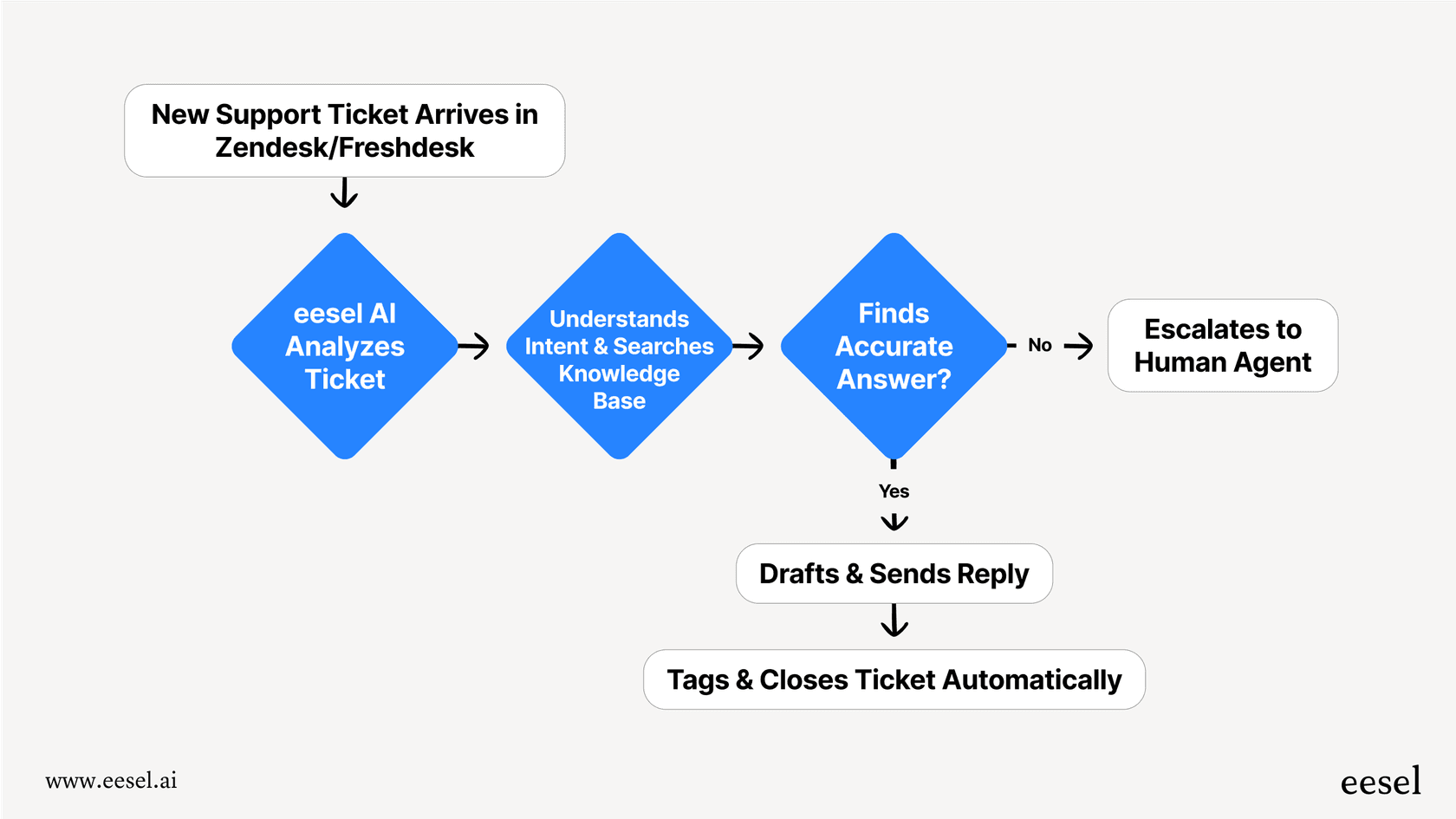
And unlike tools that take weeks to set up, you can get an AI agent live in just a few minutes. It's designed to be completely self-serve, and that simulation mode gives you a risk-free way to see your resolution rate before you turn anything on. From there you can automate frontline support, draft replies for your human agents, and triage incoming questions right inside your existing customer service chatbot or helpdesk.
Your next step with Midjourney alternatives
So there you have it. The world of AI image generation is so much bigger than just Midjourney. As I've shown, it's filled with powerful and easy-to-use Midjourney alternatives that fit every need and budget. Whether you're a professional designer, a game developer, or just someone who's curious about AI tools, there’s a tool on this list for you. My advice? Pick one or two that sound interesting and just spend an hour playing around. You'll be surprised what you can create.
And as you explore how AI can level up your creative work, think about where else it can make a real difference in your business. Answering the same customer questions over and over is a perfect place to start.
Want that for your support queue? Try eesel free, connect your helpdesk and knowledge base in a few minutes, and watch it draft and resolve real tickets before you commit to anything.
Frequently asked questions

Share this article

Article by
Kenneth Pangan
Writer and marketer for over ten years, Kenneth Pangan splits his time between history, politics, and art with plenty of interruptions from his dogs demanding attention.