An honest Pika AI review: Is it ready for business in 2026?


Last edited June 24, 2026

Table of Contents
You've probably seen them by now, those mind-bending AI videos flooding your social media feeds. A simple text prompt seems to magically transform into a cinematic clip, and tools like Pika AI are at the center of all the excitement. They promise to let anyone become a video director, no film crew or hefty budget required.
But what's the real story when you pull back the curtain? I put together a practical Pika AI review that cuts through the noise. I'll go beyond the flashy demos to look at its features, see how it actually performs, and have a frank chat about whether it's a fun creative outlet or a dependable tool you can actually use for work.
What is Pika AI?
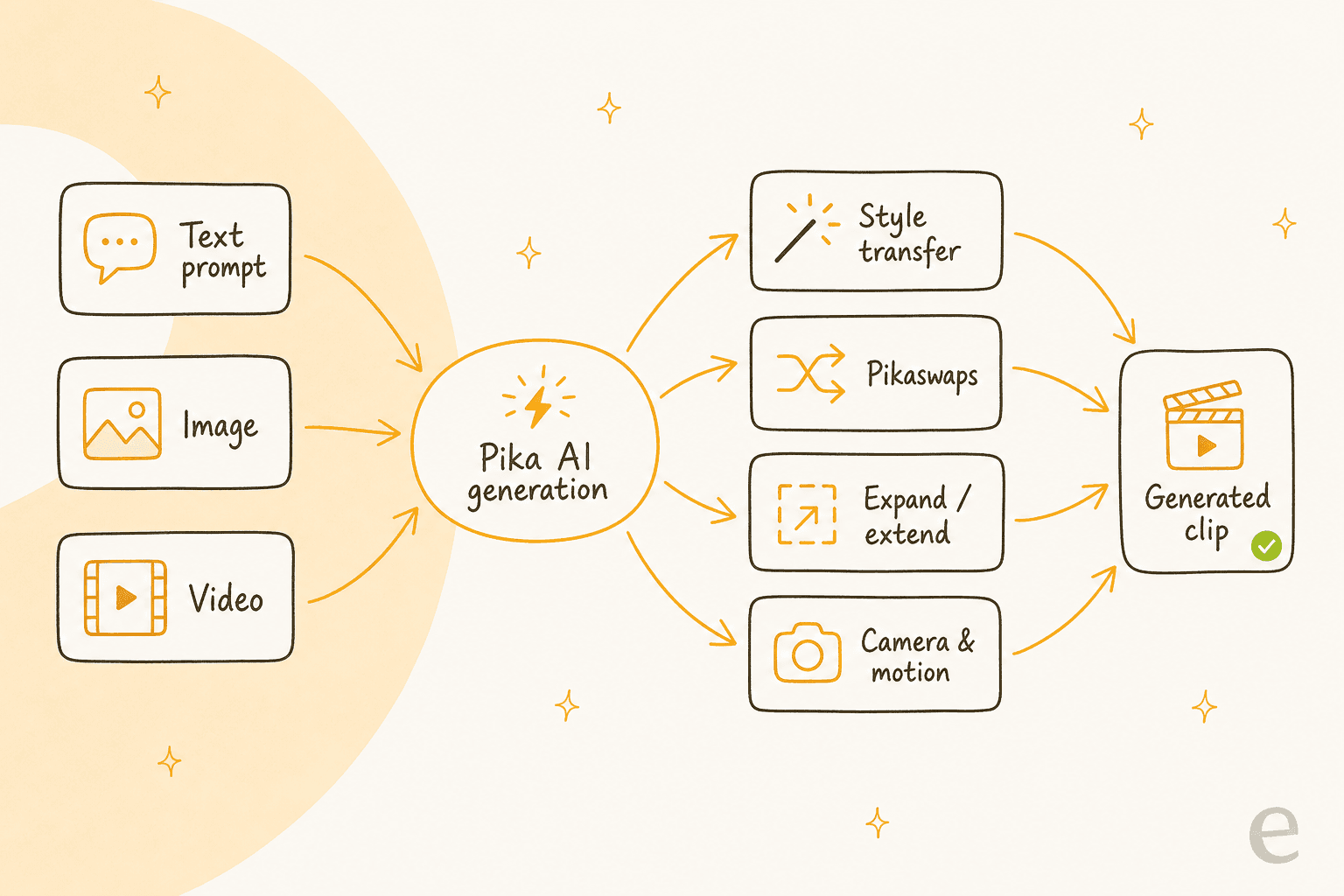
At its core, Pika AI is a platform that turns your ideas into short videos. You can feed it a text prompt, an image, or even another video, and it will generate a new clip for you. Think of it as a digital sandbox for visual brainstorming, letting you bring concepts to life without any technical video skills.
It's mainly aimed at individual creators, artists, and social media managers who need to whip up eye-catching content quickly. Pika Labs, the company behind it, is constantly pushing out updates to improve video quality and add more features (the current generation model is Pika 2.5). But this rapid development has a downside: the experience, and the results, can be all over the place. One minute you'll create something genuinely impressive, and the next you'll get a glitchy, unusable mess. It's the same trade-off you see across the AI video field, from Runway to Sora 2.
Pika AI's key features
Before I get into the good, the bad, and the weird, let's break down what Pika AI actually does. Knowing the tools in the box is the first step to figuring out if it has a place in your workflow.
-
From Text or Image to Video: This is the main event. You type a description (like "a corgi riding a tiny bicycle on the moon") or upload a still image, and the AI generates a few seconds of video from scratch.
-
From Video to Video: You can take a video you already have and use a prompt to completely change its style. For instance, you could transform a live-action clip into a cartoon or give it a grainy, old-school film look, the same trick that powers tools like CapCut.
-
Inpainting (or "Pikaswaps"): This feature is supposed to let you edit a specific part of your video. In theory, you could change the logo on a t-shirt or swap out a product sitting on a table.
-
Expanding and Extending: These tools help you change your video's aspect ratio (like from widescreen to a vertical phone screen) or tack on a few extra seconds, which the AI generates based on the final frames of your clip.
-
Camera and Motion Controls: You can add simple commands to your prompts, like "pan right" or "zoom in", to give your shots a bit more life instead of just being static.
The creative sandbox vs. professional reality
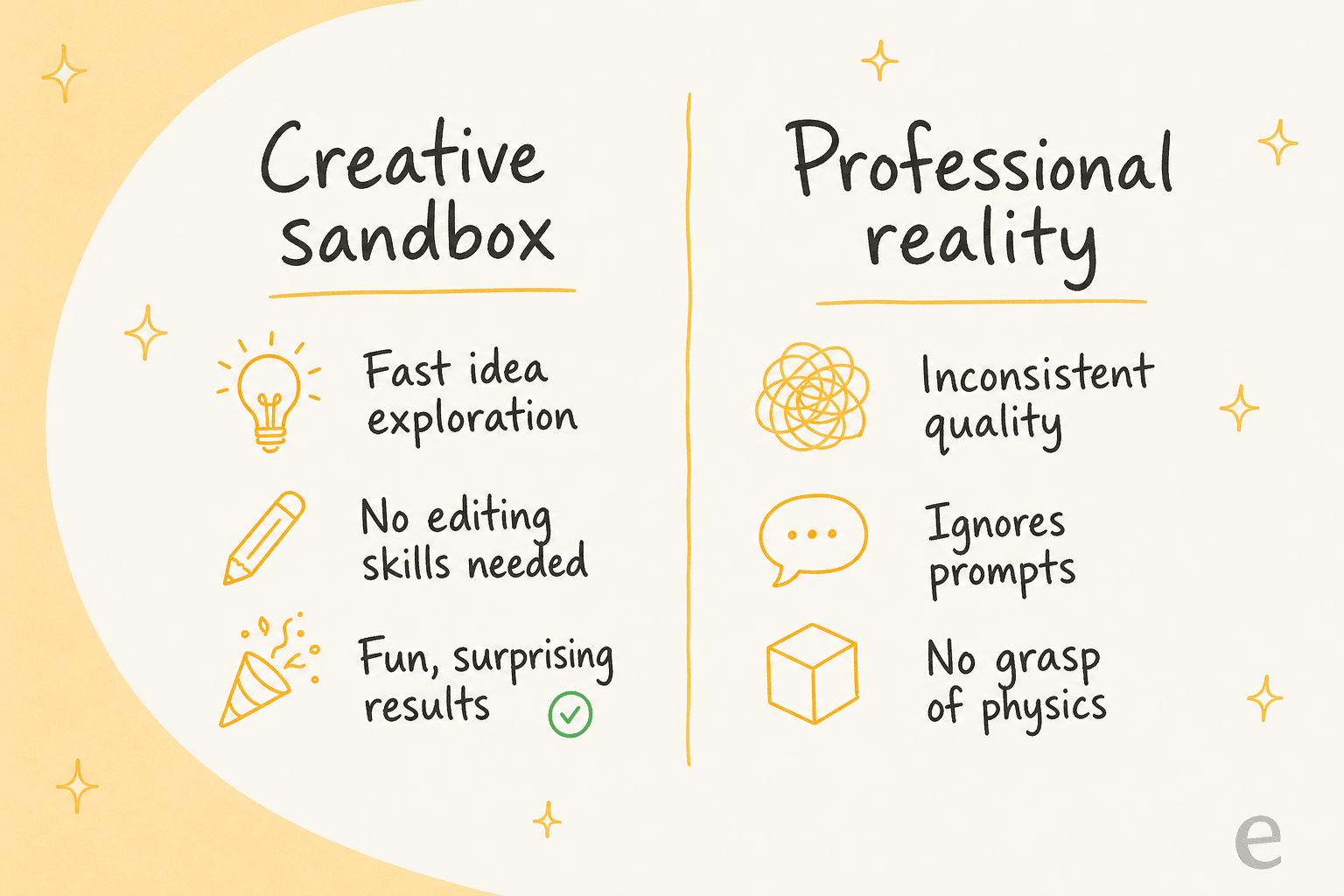
So, how do all those features stack up in the real world? I found that Pika AI feels like two completely different products. One is a brilliant partner for creative play, while the other is a frustratingly unreliable tool for any serious business use.
The good: Where Pika AI shines
As a creative tool, Pika is genuinely fun. It's at its best when you're just playing around and exploring ideas. If you have a wild concept for a marketing campaign or a visual for a mood board, you can get a rough version of it in minutes instead of days. It's perfect for answering that "what if we tried this?" question without investing a ton of time or money, which is also why it stacks up well in my Pika AI alternatives roundup for pure ideation.
It's also incredibly easy to get started. The user interface is clean, and you don't need a background in video editing to figure it out. If you can type a sentence, you can make a video. Having all the tools, generation, editing, and effects, in one spot encourages you to experiment and see what happens.
The bad: Where Pika AI doesn't make the cut for work
Here's where things get tricky. The biggest issue is that the results are a complete lottery. You often get strange visual bugs, that creepy effect where a person's face seems to melt into the background, and a total lack of consistency from one frame to the next. For a personal art project, that might be a cool, quirky accident. For a client's commercial, it's a disaster.
The AI also has a habit of ignoring your instructions. You can write a detailed, specific prompt, and Pika will just disregard key elements. This lack of control is infuriating when you're trying to stick to brand guidelines or match a specific creative brief.
Finally, Pika doesn't really understand the world. It can make things move, but it has no grasp of physics, logic, or how objects are supposed to interact. A ball might bounce as if it's made of lead, or a person's arm might bend in a way that's physically impossible. These little things instantly shatter the illusion and make the final video look cheap and amateurish, the same gripe people raise about other generators like Grok Imagine and Midjourney.
The business reality check: Creative AI vs business AI
This brings me to a really important point: there's a world of difference between a creative AI tool and a business automation tool. Creative tools can be unpredictable, even a bit chaotic. Business tools have to be the exact opposite: reliable, accurate, and under your control.
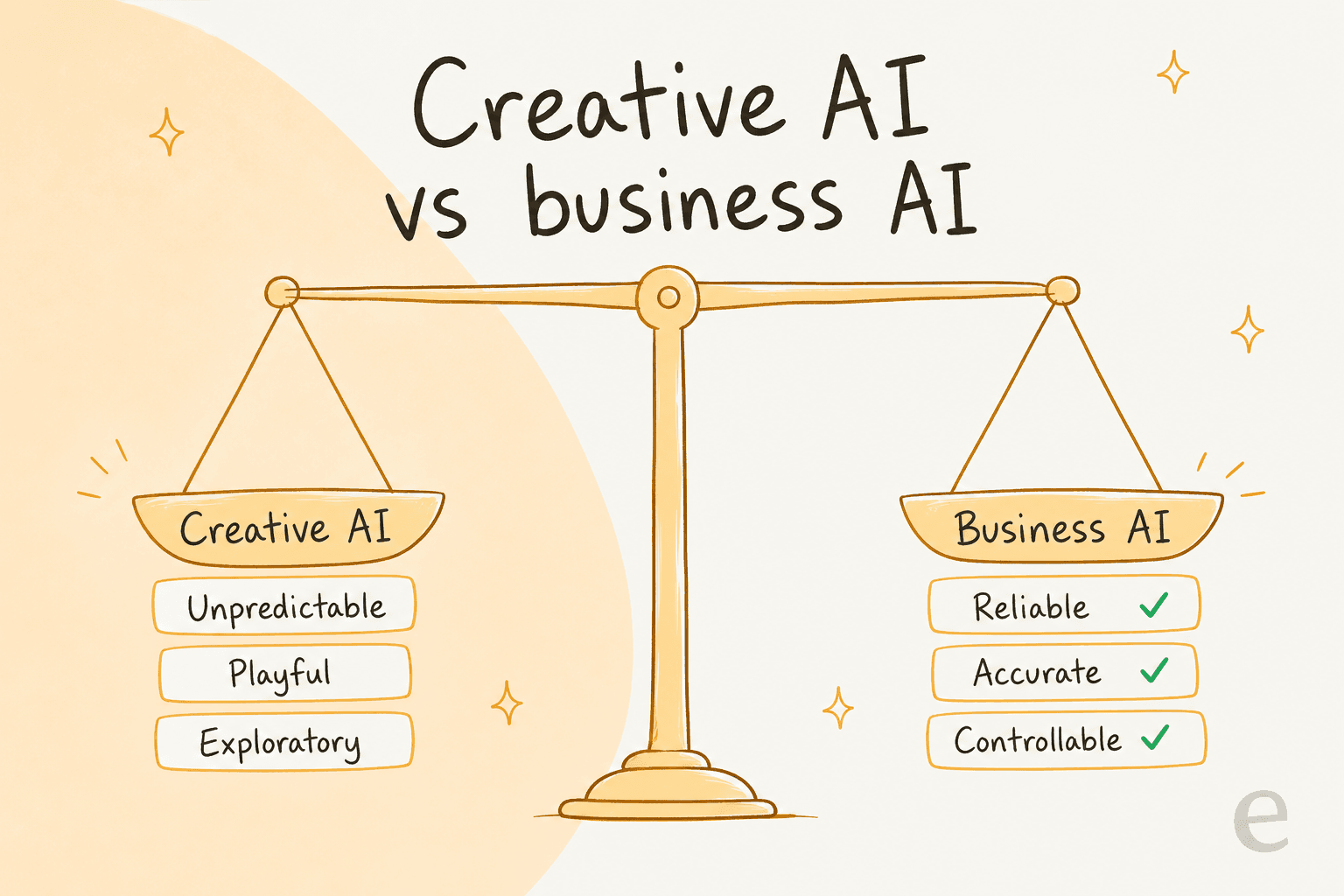
Trying to use a tool like Pika for brand communications or anything that customers will see is a huge gamble. Because it's so unpredictable, you could easily end up with something that's off-brand, low-quality, or just plain bizarre. That's a risk most businesses just can't take.
This is true for any AI you bring into your company. While a creative tool gets to play, a business AI has to follow the rules. Take an AI agent for customer support built with a tool like eesel AI. It can't just wing it.
It has to learn from your company's knowledge bases, like your internal guides in Zendesk, and perform specific actions, like looking up an order number from Shopify. The goal isn't to be artistically surprising; it's to solve problems consistently and efficiently. Over years of running AI on live support queues, I've watched confident-sounding bots quietly give wrong answers, which is exactly why every rollout gets simulated against historical tickets before it touches a real customer.
Pricing and the customer support problem
If the performance issues weren't enough to make you pause, Pika AI's approach to pricing and support raises even more red flags for any professional.
Pika has four pricing tiers in 2026, all running on the Pika 2.5 model (prices shown are billed yearly; monthly billing costs more):
| Plan | Monthly Price | Monthly credits | Key Features |
|---|---|---|---|
| Basic (Free) | $0 | 80 | Pika 2.5 at 480p, watermark-free downloads, commercial use |
| Standard | $8/month | 700 | All resolutions, fast generations, all Pikaffects |
| Pro | $28/month | 2,300 | Faster generations, full feature set |
| Fancy | $76/month | 6,000 | Fastest generations, highest credit ceiling |
The price might seem fair at first glance, but a quick search for user reviews on sites like Trustpilot tells a different story. The vast majority of complaints aren't just about the video quality; they're about the company's business practices. Users consistently report two huge problems: non-existent customer support and confusing, sometimes predatory, billing. (For a full per-credit breakdown, see my Pika AI pricing guide.)
People complain about being charged after they've canceled, finding it nearly impossible to stop their subscription, and sending email after email into a support black hole with no response. It's pretty ironic: a company on the cutting edge of AI seems to have forgotten the human part of customer service.
When you're picking an AI partner for your business, how they operate is just as important as what their tech can do. Hidden fees and unresponsive support can kill any value you might get from the tool. It's why business-focused platforms like eesel AI offer clear, predictable pricing. You can get started on your own in minutes, build and test your AI agents, and never feel trapped in a contract you can't get out of.

Is Pika AI the right tool for you?
After spending some real time with it, here's my final take. Pika AI is a fascinating and fun tool for individual creators, artists, and anyone looking to quickly brainstorm visual ideas. It lowers the barrier to entry for AI video and makes it accessible to everyone, alongside peers like Ideogram and Nano Banana in the wider creative-AI space.
However, its inconsistency, lack of precise control, and troubling customer support and billing practices make it a poor choice for any professional business setting. When your brand's reputation and customer experience are on the line, Pika AI is simply too much of a gamble.
The lesson here is to pick your AI tools based on the job you need to do. Use creative AI for inspiration and play, but turn to business-grade AI when you need something that just works, every single time.
If your goal is to use AI for reliable business automation, especially in customer support, where every conversation counts, you'll want the control and transparency needed to get real results. Take a look at how eesel AI is built for exactly that.
Frequently asked questions

Share this article

Article by
Kenneth Pangan
Writer and marketer for over ten years, Kenneth Pangan splits his time between history, politics, and art with plenty of interruptions from his dogs demanding attention.