Introduction
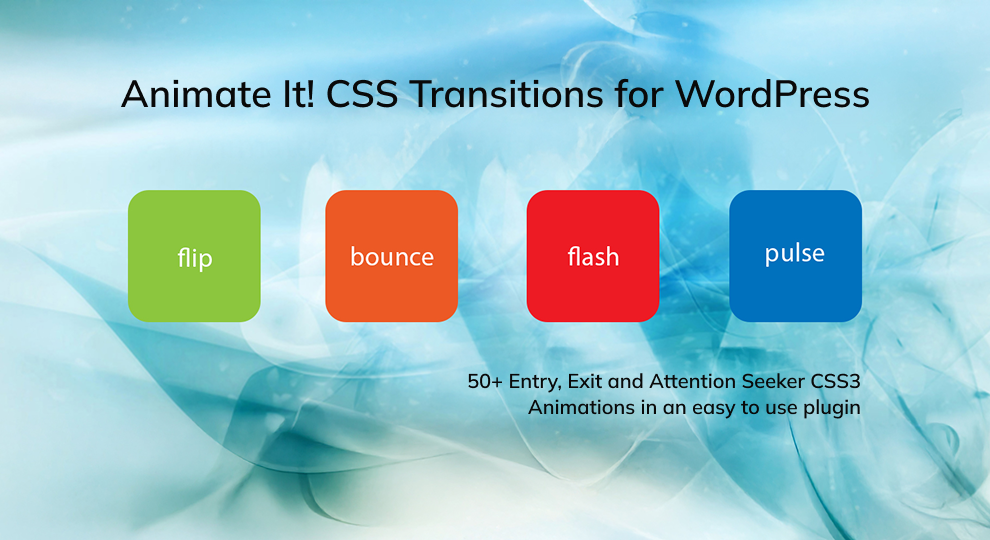
Animate It! is a Plugin used to add cool CSS3 animations on your content.
Features
Some of the Key features Include:
- Allowing user to apply CSS3 animations on Post, Widget and Pages.
- 50+ Entry, Exit and Attention Seeker Animations
- Capability to apply animation on Scroll.
- Capability to add different scroll offset on individual animation blocks.
- Capability to apply animation on Click.
- Capability to apply animation on Hover.
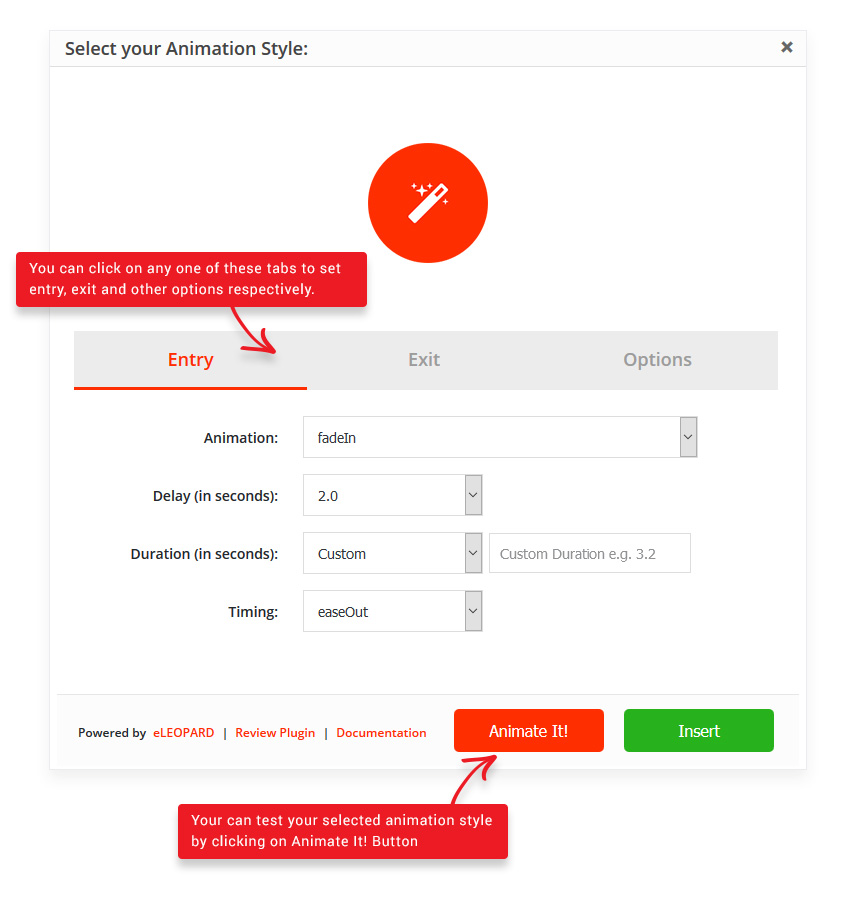
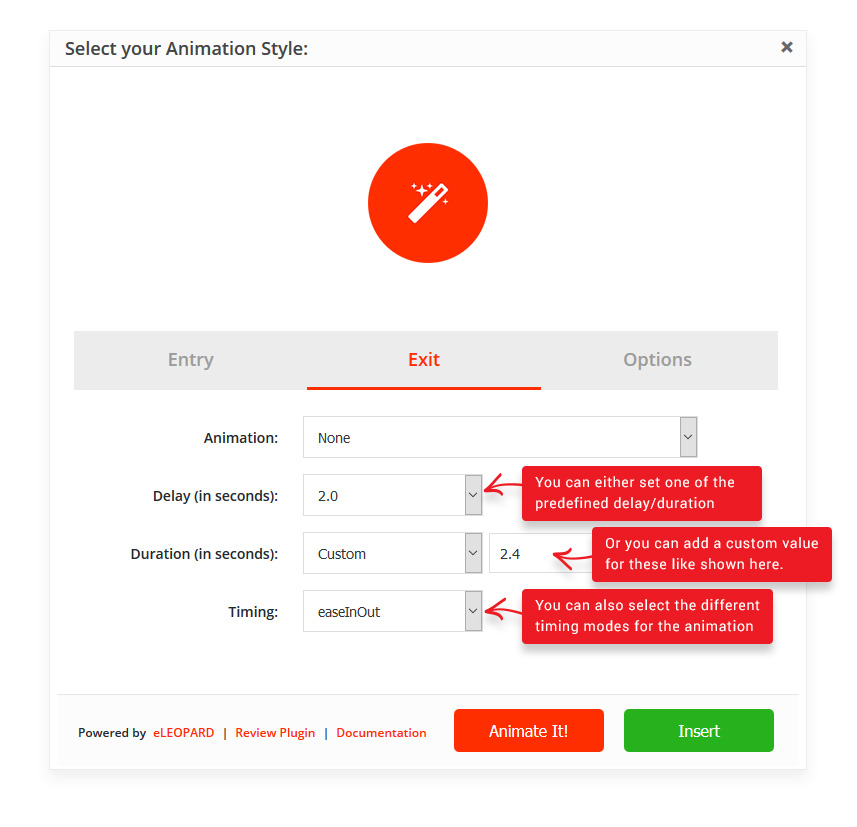
- Providing delay feature in animation to create a nice animation sequence.
- Providing feature to control the duration for a more precise animation.
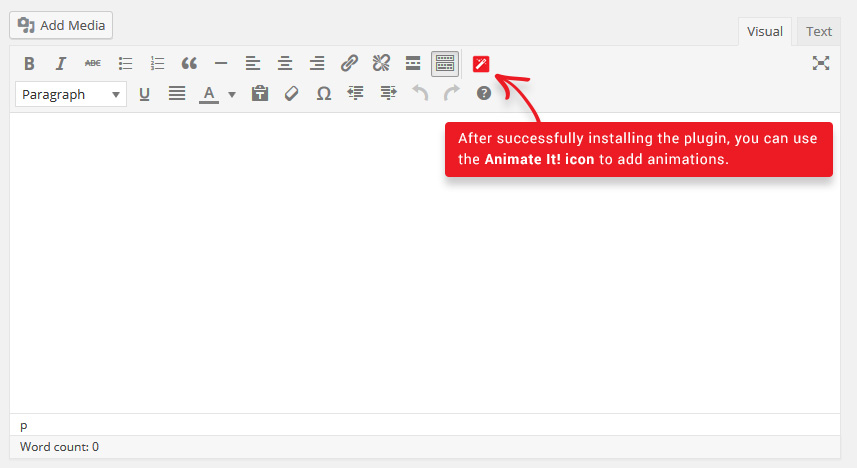
- Providing a button in the editor to easily add an animation block in the article or post.
- Allow user to add animation on WordPress widgets
- Allow user to apply animation infinitely or any fixed number of times.
- Option to add custom CSS classes to individual animation blocks.
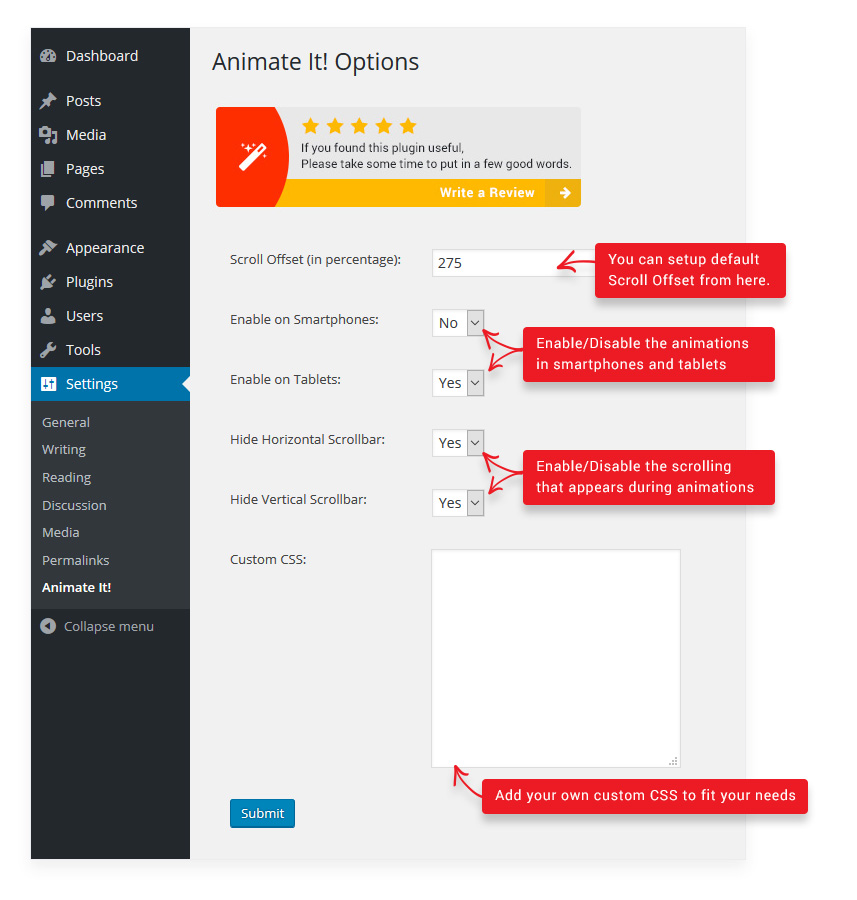
- Options to enable or disable animations on Smartphones and Tablets.
All the CSS3 animations are from Animate.css and Animo.js. Animation can be added on Posts/Pages Using Animate It! button at the top of editor.
Technical Requirements
- WordPress– Version 3.9 and above.
Installation
Step 1: Download the installation package by going to link: https://wordpress.org/plugins/animate-it
Step 2: Install the Animate It! Plugin using the Add New Plugin.
Step 3: Grab a coffee and start animating stuff!
Adding Animations to Content
Click on Animate It! button:
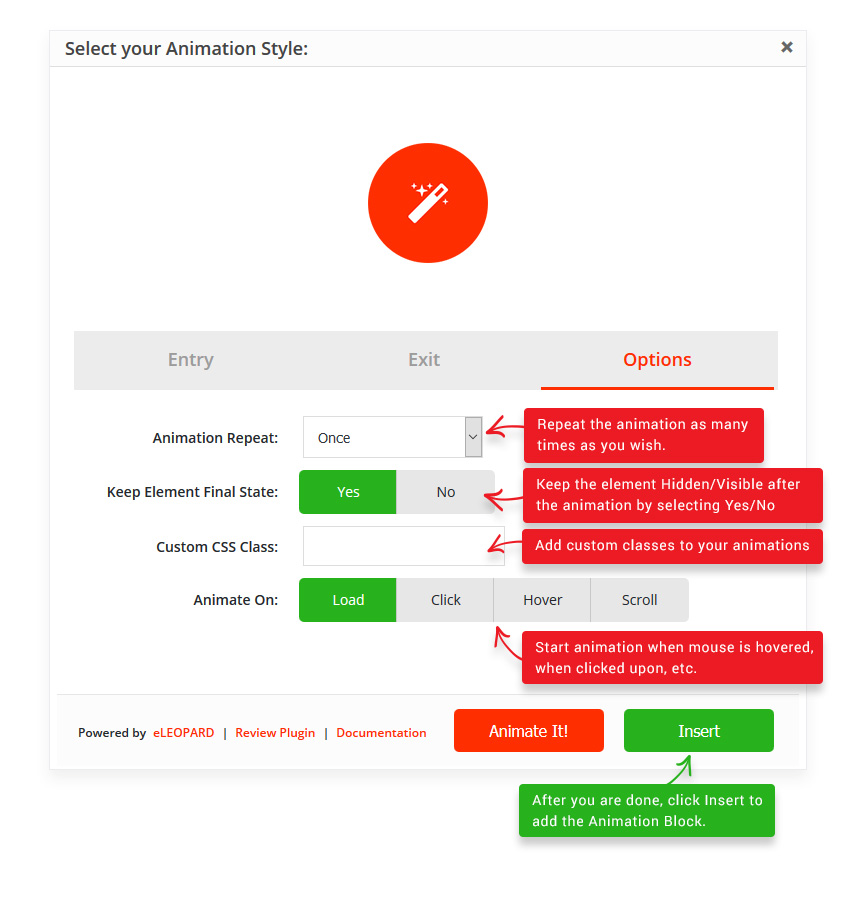
Select your favorite animations:
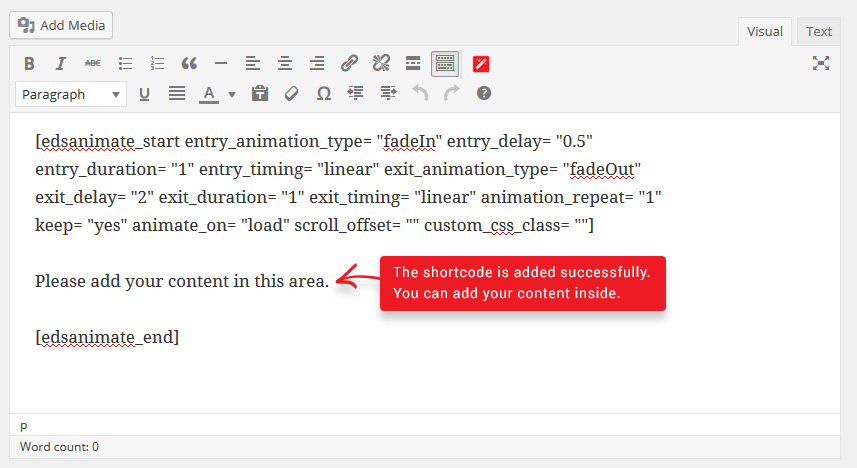
Note: You can Copy and Paste these blocks to your Custom Text widget as well.
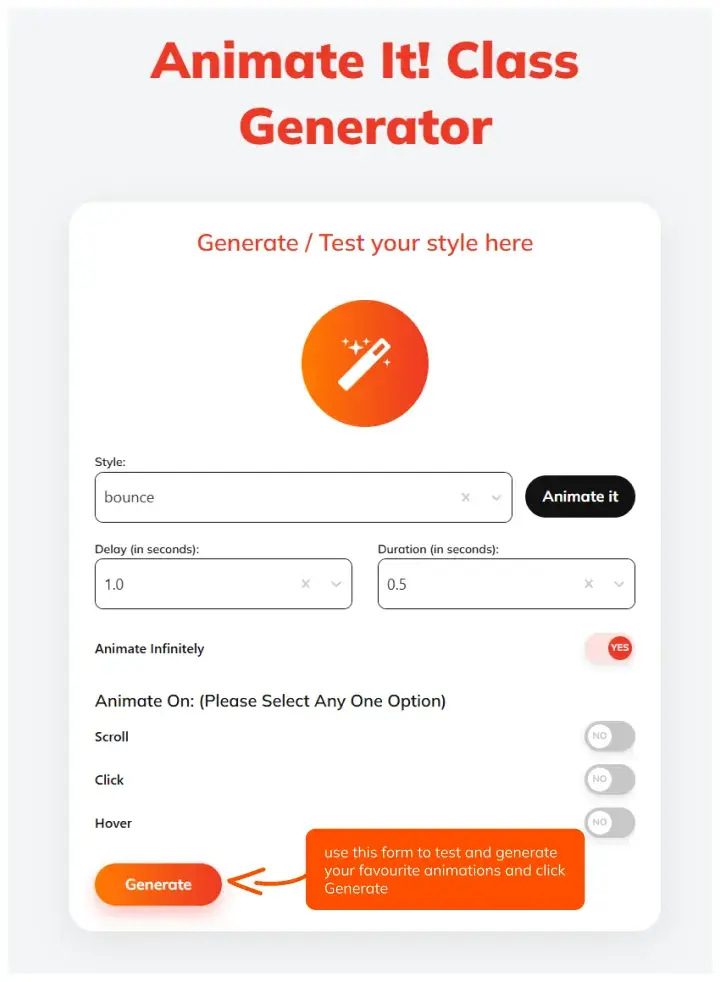
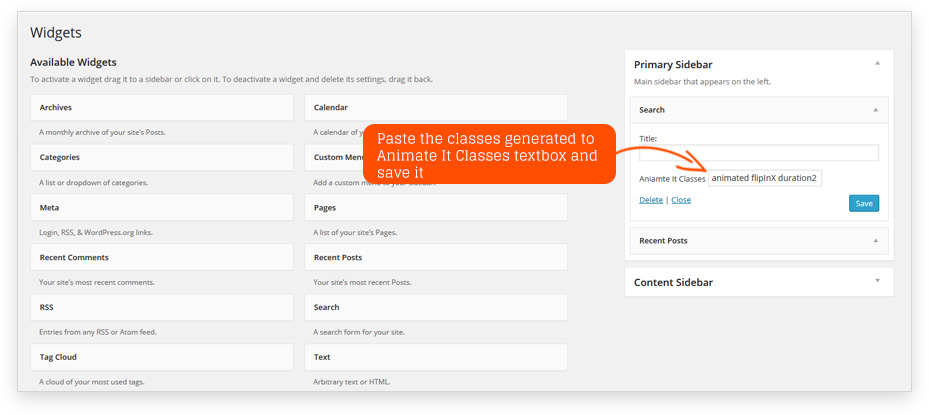
Adding Animations to Widgets
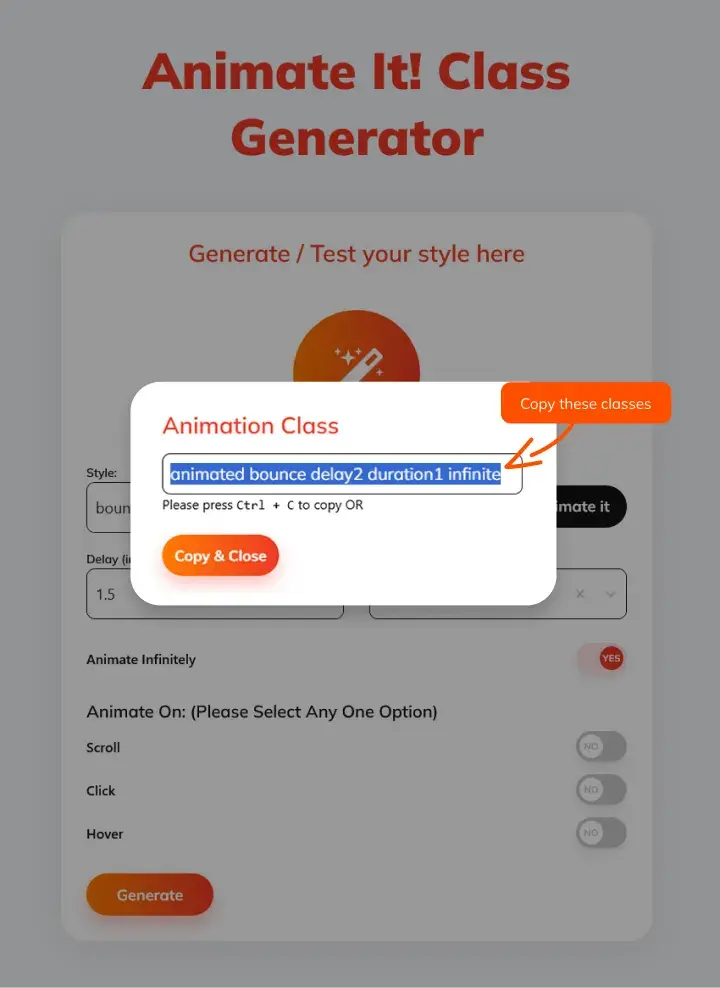
Voila! animation is successfully applied to the Widget.
Settings:
Navigate to Settings > Animate It! to access settings page.