





What is an Instagram Feed for Shopify?
👁 Instagram stories slider widget on a Shopify store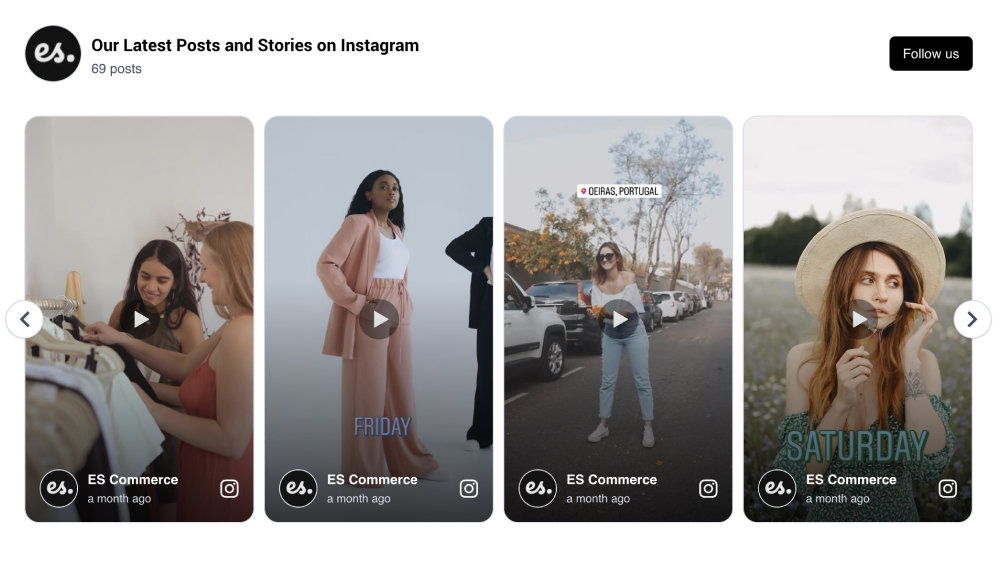
An Instagram feed for Shopify is a dynamic content block you can add to your online store that displays real Instagram posts, either from your own brand or from your customers. Whether it’s tagged photos, reels, or mentions, this feed acts as a live gallery of authentic visuals, right on your homepage, product page, or anywhere on your store.
With the EmbedSocial: Shoppable UGC app, you can transform that Instagram content into a powerful eCommerce engine. Each post can be tagged with your Shopify products, making your UGC feed instantly shoppable. From awareness to checkout, it helps you shorten the customer journey using real customer photos and videos.
This isn’t just a gallery, it’s your most trustworthy and engaging sales assistant.
Benefits of the Instagram feed widget for your Shopify store
Adding user-generated content to your Shopify store does more than just make your site look good, it changes the way your visitors shop.
-
Build trust at a glance , Real customer content builds instant credibility. Social proof is one of the strongest signals of trust, and seeing real people using your products makes new customers feel confident to buy.
-
Drive more conversions , With shoppable Instagram widgets, your UGC becomes a seamless part of your sales funnel. Tag products in posts and link directly to product pages to reduce drop-offs and speed up purchases.
-
Increase engagement , Instagram visuals naturally capture attention. When visitors see relevant content from real users, they stay longer and explore more of your site.
-
Encourage repeat purchases , Showcasing a diverse range of customer experiences inspires new product discovery, helping you boost average order value and repeat sales.
-
Reduce returns , Clear expectations make happy customers. UGC helps set realistic expectations, lowering your return rate and increasing satisfaction.
-
Boost SEO and time-on-site , A dynamic Instagram feed refreshes your content frequently, which helps keep your site fresh for both users and search engines.
Features of the Instagram feed app for Shopify
-
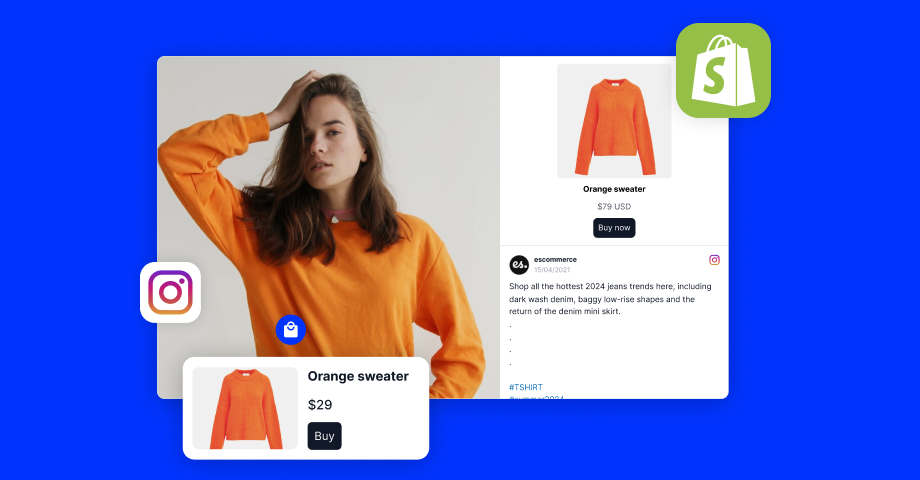
Shoppable posts , Tag multiple products in a single post. Let customers browse directly from Instagram content and shop instantly.
-
Instagram mentions & hashtag feeds , Auto-import content from mentions or branded hashtags. Turn your community into your most powerful marketing asset.
-
Product cards below each post , Display product names, prices, and direct “Buy Now” buttons beneath each image or video.
-
Advanced layouts and customization , Choose from slider, grid, collage, or highlight widgets. Customize every design element to match your brand, from colors and fonts to hover interactions.
-
AI-powered content summaries (NEW) , For stores with lots of reviews or UGC, summarize content with AI-generated highlights, giving new visitors a quick snapshot of customer sentiment.
-
Auto-updating feed , Once connected, your feed updates automatically, no need for manual uploads or maintenance.
-
Responsive on all devices , Whether on desktop, mobile, or tablet, your Instagram widget looks and functions beautifully.
-
No-code embed , Simply copy and paste the embed code into your Shopify theme. No developers needed.
How to Embed an Instagram Feed in Shopify
Adding a UGC-powered Instagram widget to your Shopify store is easier than ever. Just follow these simple steps:
-
Step 1: Install the App
Go to the Shopify App Store and install EmbedSocial: Shoppable UGC.
-
Step 2: Set Up Your EmbedSocial Account
Choose a plan that fits your store’s needs. You can start with a free trial and explore all the features without any risk.
-
Step 3: Connect Your Instagram Account or Sources
Choose what content to showcase, your own Instagram posts, mentions from customers, or hashtag campaigns. EmbedSocial pulls the content in automatically.
-
Step 4: Create Your Widget
Use the visual editor to build your Instagram widget. Choose the layout, customize the design, tag products, and decide where each post will link.
-
Step 5: Copy the Embed Code
When you’re happy with your widget, copy the code generated inside the EmbedSocial editor.
-
Step 6: Paste into Your Shopify Theme
Navigate to your Shopify admin → Online Store → Themes → Edit Code. Paste the embed code where you want the feed to appear, usually your homepage or product page.
And just like that, you’re live with a stunning, auto-updating, shoppable Instagram feed that turns browsers into buyers.
Getting Started
Turn your customers into your best sales team. Install the EmbedSocial: Shoppable UGC app and start building trust, engagement, and conversions with real Instagram content, automatically synced and shoppable.