"Now that you have it built-in, [Live Transcription] works flawlessly. We have some hearing-impaired individuals and employees, and having closed captioning helps them out."
Zoom is for Everyone
Accessibility is at the heart of what we do.
The Zoom difference: Communication without barriers
-
Capabilities for all
Whether youβre a free or paid user, we have options for you
-
Real-time interaction
Live transcriptions, so you donβt fall behind in the conversation
-
Complete experience
Going beyond in-meeting support with post-meeting functionality, such as recording highlights and search
Captioning & Transcription Options
-
Auto-generated captions
Zoom meetings and webinars automatically provide live captioning.
-
Manual captions
Assign someone to type captions during the meeting.
-
Third-party captioning
Zoom integrates seamlessly with third-party closed captioning providers using our Closed Captioning REST API.
Video Options
-
Multi-spotlight
A meeting host can spotlight the sign language interpreter so they are always in view for everyone.
-
Multi-pinning
Select the meeting participants you wish to prioritize and pin them for your own custom view.
-
Re-arrange Gallery View
Create your own view by clicking and dragging video tiles.
Case Study
Learn how our customers are leveraging Zoomβs all-in-one platform to address their communications challenges.
Accessibility Settings
-
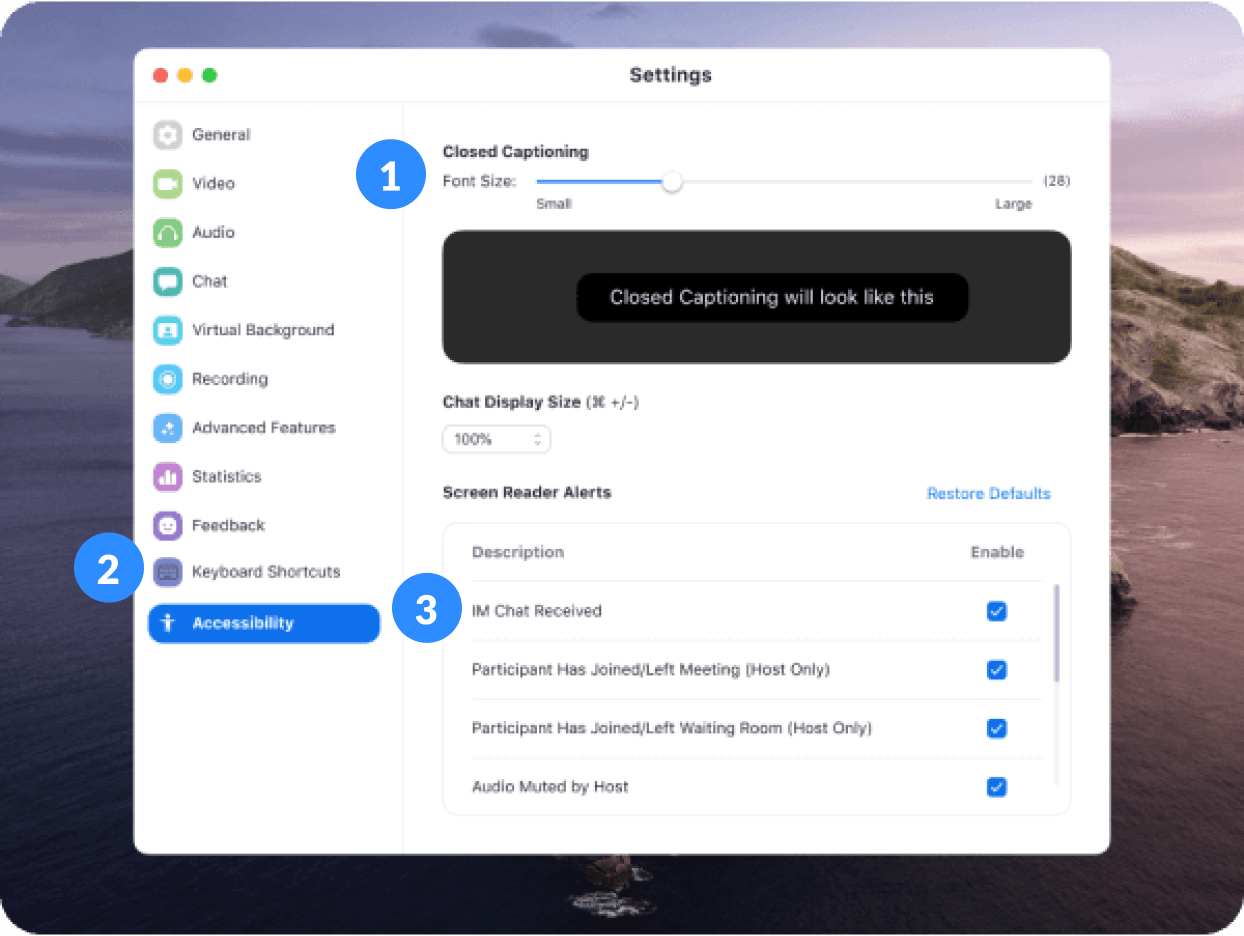
1 | Display Settings
Customize the font size of chat and captions.
-
2 | Keyboard Accessibility
Control your Zoom experience with just a keyboard. Zoom supports Keyboard Shortcuts for easy navigation.
-
3 | Screen Reader Support
Use Zoom with a screen reader and customize the audible announcements you want to hear with granular control over screen reader alerts.
More Accessibility Features
-
Voicemail transcription
-
Dark mode
Compliance
WCAG 2.2 AA Standards
Revised Section 508 Standards
EN 301 549 Accessibility requirements
Resources
To provide accessibility feedback, report an issue, or request accessibility support, please email access@zoom.us.
For Canadian residents or customers, we have published our Accessibility Plan, as well as our 2024, 2025, and 2026 Progress Reports on our Plan, pursuant to the Accessible Canada Act. If you have accessibility feedback on Zoom Phone, please contact us by email zoomphone-canada-access@zoom.us or by phone at (877) 662-1070. See our Accessibility FAQ for more information on our Feedback Process pursuant to the Accessible Canada Act.