react hook form NPM (How It Works For Developers)

React Hook Form is a powerful and efficient library for managing form values in React applications. It leverages React hooks to provide a seamless and performant experience without any controller component. In this article, we’ll explore the basics of React Hook Form submission with custom error messages, its benefits, and provide code examples to help you get started.
Why Use React Hook Form?
- Performance: React Hook Form uses uncontrolled components and native HTML inputs, reducing the number of re-renders and improving performance.
- Simplicity: The API is intuitive and easy to use, requiring fewer lines of code than other form libraries.
- Flexibility: It supports complex React Hook Form validation, constraint-based validation API, and integrates well with UI libraries.
Installation
To install React Hook Form, run the following command:
npm install react-hook-form
# or
yarn add react-hook-form
npm install react-hook-form
# or
yarn add react-hook-formBasic Usage
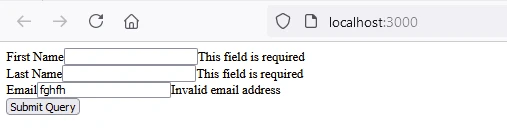
Let’s create a simple registration form without a controlled component and child component using the React Hook Form.
- Import the useForm Hook:
import { useForm } from "react-hook-form";import { useForm } from "react-hook-form";- Initialize the Hook:
const { register, handleSubmit, formState: { errors } } = useForm();const { register, handleSubmit, formState: { errors } } = useForm();- Create the Form with Input Fields and Error Handling:
function RegistrationForm() {
 const { register, handleSubmit, formState: { errors } } = useForm();

 // Function to handle form submission
 const onSubmit = (data) => {
 console.log(data);
 };

 return (
 <form onSubmit={handleSubmit(onSubmit)}>
 <div>
 <label>First Name</label>
 <input {...register("firstName", { required: true })} />
 {errors.firstName && <span>This field is required</span>}
 </div>
 <div>
 <label>Last Name</label>
 <input {...register("lastName", { required: true })} />
 {errors.lastName && <span>This field is required</span>}
 </div>
 <div>
 <label>Email</label>
 <input {...register("email", { required: true, pattern: /^[a-z0-9._%+-]+@[a-z0-9.-]+\.[a-z]{2,4}$/ })} />
 {errors.email && <span>Invalid email address</span>}
 </div>
 <button type="submit">Submit</button>
 </form>
 );
}
function RegistrationForm() {
const { register, handleSubmit, formState: { errors } } = useForm();
// Function to handle form submission
const onSubmit = (data) => {
console.log(data);
};
return (
<form onSubmit={handleSubmit(onSubmit)}>
<div>
<label>First Name</label>
<input {...register("firstName", { required: true })} />
{errors.firstName && <span>This field is required</span>}
</div>
<div>
<label>Last Name</label>
<input {...register("lastName", { required: true })} />
{errors.lastName && <span>This field is required</span>}
</div>
<div>
<label>Email</label>
<input {...register("email", { required: true, pattern: /^[a-z0-9._%+-]+@[a-z0-9.-]+\.[a-z]{2,4}$/ })} />
{errors.email && <span>Invalid email address</span>}
</div>
<button type="submit">Submit</button>
</form>
);
}Output
👁 react hook form NPM (How It Works For Developers): Figure 1 - Registration Form Output
Advanced Usage
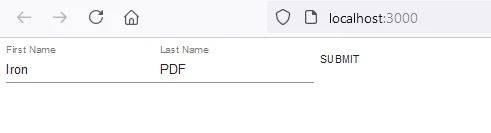
React Hook Form supports more advanced use cases, such as integrating with third-party UI libraries and custom validation.
- Integrating with Material-UI:
import { TextField, Button } from '@material-ui/core';
import { useForm, Controller } from 'react-hook-form';

function MaterialUIForm() {
 const { control, handleSubmit } = useForm();

 // Function to handle form submission
 const onSubmit = (data) => {
 console.log(data);
 };

 return (
 <form onSubmit={handleSubmit(onSubmit)}>
 <Controller
 name="firstName"
 control={control}
 defaultValue=""
 // Using Material-UI's TextField as a controlled component
 render={({ field }) => <TextField {...field} label="First Name" />}
 />
 <Controller
 name="lastName"
 control={control}
 defaultValue=""
 render={({ field }) => <TextField {...field} label="Last Name" />}
 />
 <Button type="submit">Submit</Button>
 </form>
 );
}
import { TextField, Button } from '@material-ui/core';
import { useForm, Controller } from 'react-hook-form';
function MaterialUIForm() {
const { control, handleSubmit } = useForm();
// Function to handle form submission
const onSubmit = (data) => {
console.log(data);
};
return (
<form onSubmit={handleSubmit(onSubmit)}>
<Controller
name="firstName"
control={control}
defaultValue=""
// Using Material-UI's TextField as a controlled component
render={({ field }) => <TextField {...field} label="First Name" />}
/>
<Controller
name="lastName"
control={control}
defaultValue=""
render={({ field }) => <TextField {...field} label="Last Name" />}
/>
<Button type="submit">Submit</Button>
</form>
);
}Output
👁 react hook form NPM (How It Works For Developers): Figure 2 - Material UI Form Output
- Custom Validation:
function CustomValidationForm() {
 const { register, handleSubmit, formState: { errors } } = useForm();

 // Function to handle form submission
 const onSubmit = (data) => {
 console.log(data);
 };

 return (
 <form onSubmit={handleSubmit(onSubmit)}>
 <div>
 <label>Username</label>
 <input {...register("username", {
 required: "Username is required",
 validate: value => value !== "admin" || "Username cannot be 'admin'"
 })} />
 {errors.username && <span>{errors.username.message}</span>}
 </div>
 <button type="submit">Submit</button>
 </form>
 );
}
function CustomValidationForm() {
const { register, handleSubmit, formState: { errors } } = useForm();
// Function to handle form submission
const onSubmit = (data) => {
console.log(data);
};
return (
<form onSubmit={handleSubmit(onSubmit)}>
<div>
<label>Username</label>
<input {...register("username", {
required: "Username is required",
validate: value => value !== "admin" || "Username cannot be 'admin'"
})} />
{errors.username && <span>{errors.username.message}</span>}
</div>
<button type="submit">Submit</button>
</form>
);
}Output
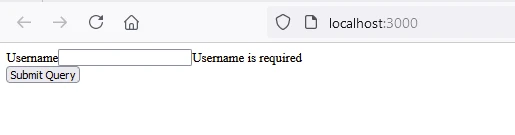
👁 react hook form NPM (How It Works For Developers): Figure 3 - Custom Validation Form Output
Introduction to IronPDF
👁 react hook form NPM (How It Works For Developers): Figure 4 - IronPDF
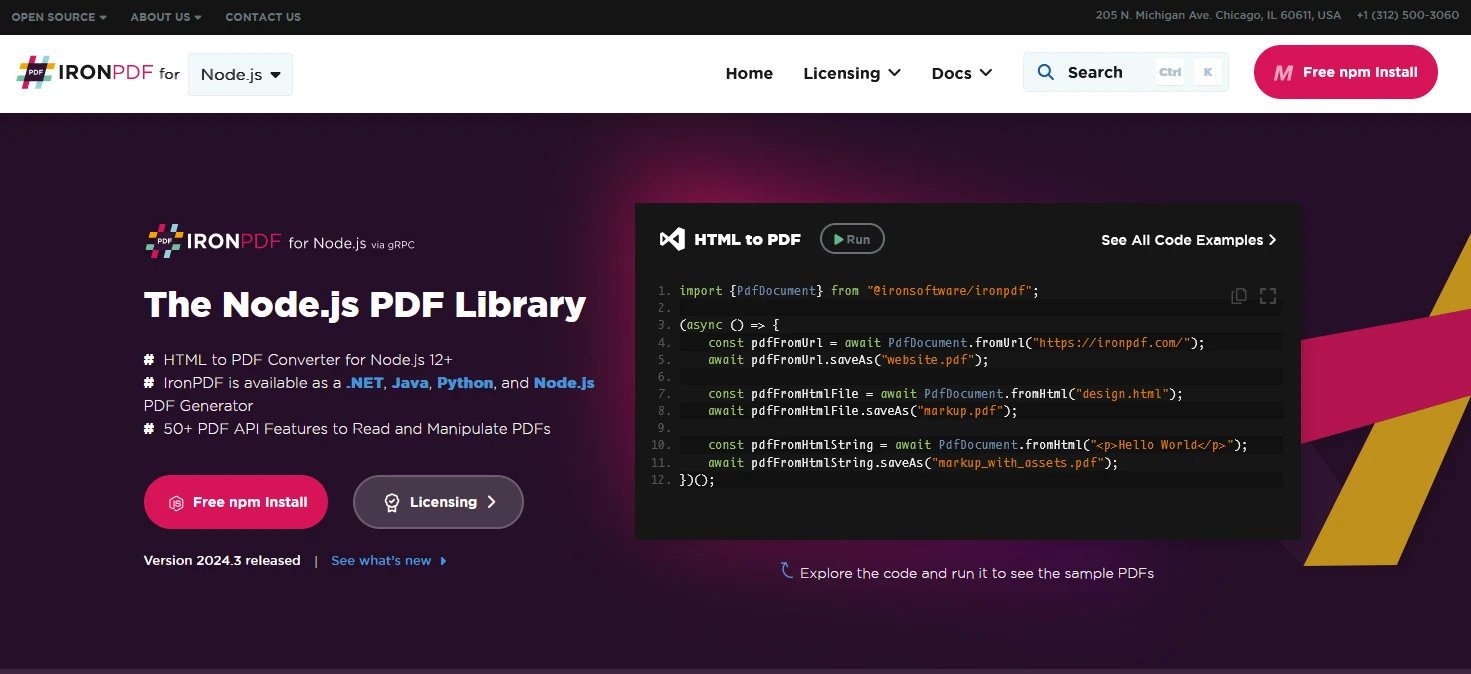
IronPDF for Node.js is a popular PDF document generation library for generating, editing, and converting PDFs. The IronPDF package is specifically designed for Node.js applications. Here are some key features and details about the IronPDF NPM package.
Key Features
URL to PDF Conversion
Generate PDF docs directly from URLs, allowing you to capture the content of web pages and save them as PDF files programmatically.
HTML to PDF Conversion
Convert HTML content into PDF documents effortlessly. This feature is particularly useful for generating dynamic PDFs from web content.
PDF Manipulation
Merge, split, and manipulate existing PDF documents with ease. IronPDF provides functionalities such as appending pages, splitting documents, and more.
PDF Security
Secure your PDF documents by encrypting them with passwords or applying digital signatures. IronPDF offers options to protect your sensitive documents from unauthorized access.
High-Quality Output
Produce high-quality PDF documents with precise rendering of text, images, and formatting. IronPDF ensures that your generated PDFs maintain fidelity to the original content.
Cross-Platform Compatibility
IronPDF is compatible with various platforms, including Windows, Linux, and macOS, making it suitable for a wide range of development environments.
Simple Integration
Easily integrate IronPDF into your Node.js applications using its npm package. The API is well-documented, making it straightforward to incorporate PDF generation capabilities into your projects.
Installation
To install the IronPDF NPM package, use the following command:
yarn add @ironsoftware/ironpdf @ironsoftware/ironpdf-engine-windows-x64yarn add @ironsoftware/ironpdf @ironsoftware/ironpdf-engine-windows-x64Generate PDF Document Using IronPDF and Use Prettier NPM package
Install Dependencies: First, create a new Next.js project (if you haven’t already) using the following command. Refer to the Next.js setup page
npx create-next-app@latest reacthookform-pdf --use-npm --example "https://github.com/vercel/next-learn/tree/main/basics/learn-starter"npx create-next-app@latest reacthookform-pdf --use-npm --example "https://github.com/vercel/next-learn/tree/main/basics/learn-starter"Next, navigate to your project directory:
cd reacthookform-pdfcd reacthookform-pdfInstall the required packages:
yarn add @ironsoftware/ironpdf @ironsoftware/ironpdf-engine-windows-x64
yarn add -D prettier
yarn add @ironsoftware/ironpdf @ironsoftware/ironpdf-engine-windows-x64
yarn add -D prettierCreate a PDF
Now, let’s create a simple example of generating a PDF using IronPDF.
PDF Generation API: The first step is to create a backend API to generate the PDF document. Since IronPDF only runs server side, we need to create an API to call when a user wants to generate a PDF. Create a file in the path pages/api/pdf.js and add the below contents.
IronPDF requires a license key, you can get it from the license page and place it in the below code.
// pages/api/pdf.js
import { IronPdfGlobalConfig, PdfDocument } from "@ironsoftware/ironpdf";

// Apply your IronPDF license key
IronPdfGlobalConfig.getConfig().licenseKey = "your license";

export default async function handler(req, res) {
 try {
 const f = req.query.f;
 const l = req.query.l;
 const e = req.query.e;

 // Define HTML content for the PDF
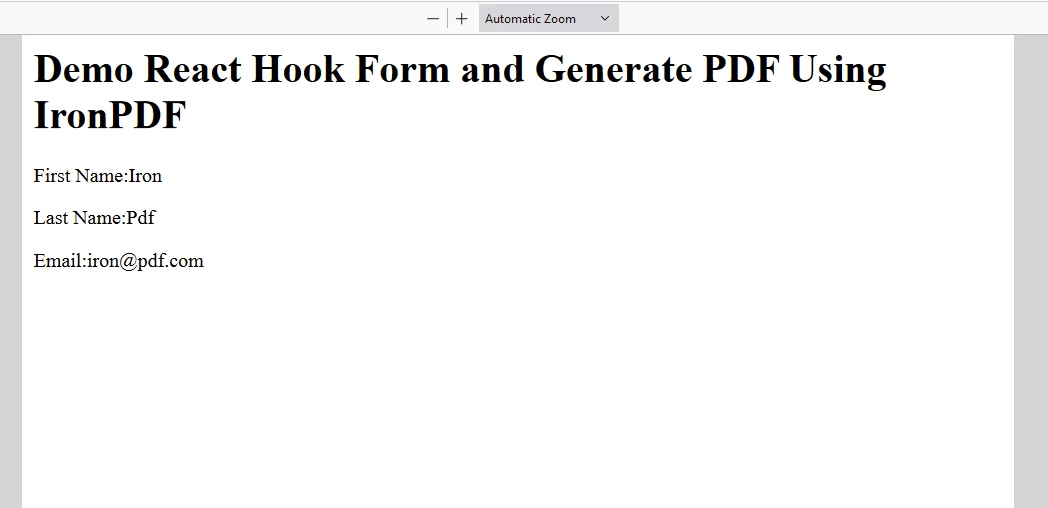
 let content = "<h1>Demo React Hook Form and Generate PDF Using IronPDF</h1>";
 content += "<p>First Name: " + f + "</p>";
 content += "<p>Last Name: " + l + "</p>";
 content += "<p>Email: " + e + "</p>";

 // Generate PDF from HTML
 const pdf = await PdfDocument.fromHtml(content);
 const data = await pdf.saveAsBuffer();

 res.setHeader("Content-Type", "application/pdf");
 res.setHeader(
 "Content-Disposition",
 "attachment; filename=awesomeIron.pdf"
 );
 res.send(data);
 } catch (error) {
 console.error("Error generating PDF:", error);
 res.status(500).end();
 }
}
// pages/api/pdf.js
import { IronPdfGlobalConfig, PdfDocument } from "@ironsoftware/ironpdf";
// Apply your IronPDF license key
IronPdfGlobalConfig.getConfig().licenseKey = "your license";
export default async function handler(req, res) {
try {
const f = req.query.f;
const l = req.query.l;
const e = req.query.e;
// Define HTML content for the PDF
let content = "<h1>Demo React Hook Form and Generate PDF Using IronPDF</h1>";
content += "<p>First Name: " + f + "</p>";
content += "<p>Last Name: " + l + "</p>";
content += "<p>Email: " + e + "</p>";
// Generate PDF from HTML
const pdf = await PdfDocument.fromHtml(content);
const data = await pdf.saveAsBuffer();
res.setHeader("Content-Type", "application/pdf");
res.setHeader(
"Content-Disposition",
"attachment; filename=awesomeIron.pdf"
);
res.send(data);
} catch (error) {
console.error("Error generating PDF:", error);
res.status(500).end();
}
}Now modify the index.js.
import Head from "next/head";
import styles from "../styles/Home.module.css";
import React from "react";
import { useForm } from "react-hook-form";

export default function Home() {
 const { register, handleSubmit, formState: { errors } } = useForm();

 // Handle form submission to generate PDF
 const onSubmit = (data) => {
 generatePdf(data);
 };

 // Function to generate PDF by calling the backend API
 const generatePdf = async (data) => {
 try {
 const response = await fetch(`/api/pdf-html?f=${data["firstName"]}&l=${data["lastName"]}&e=${data["email"]}`);
 const blob = await response.blob();
 const url = window.URL.createObjectURL(new Blob([blob]));
 const link = document.createElement("a");
 link.href = url;
 link.setAttribute("download", "awesomeIron.pdf");
 document.body.appendChild(link);
 link.click();
 link.parentNode.removeChild(link);
 } catch (error) {
 console.error("Error generating PDF:", error);
 }
 };

 return (
 <div className={styles.container}>
 <Head>
 <title>Generate PDF Using IronPDF</title>
 <link rel="icon" href="/favicon.ico" />
 </Head>
 <main>
 <h1>Demo React Hook Form and Generate PDF Using IronPDF</h1>
 <form onSubmit={handleSubmit(onSubmit)}>
 <div>
 <label>First Name</label>
 <input {...register("firstName", { required: true })} />
 {errors.firstName && <span>This field is required</span>}
 </div>
 <div>
 <label>Last Name</label>
 <input {...register("lastName", { required: true })} />
 {errors.lastName && <span>This field is required</span>}
 </div>
 <div>
 <label>Email</label>
 <input {...register("email", { required: true, pattern: /^[a-z0-9._%+-]+@[a-z0-9.-]+\.[a-z]{2,4}$/ })} />
 {errors.email && <span>Invalid email address</span>}
 </div>
 <button type="submit">Submit and Generate PDF</button>
 </form>
 </main>
 <style jsx>{`
 main {
 padding: 5rem 0;
 flex: 1;
 display: flex;
 flex-direction: column;
 justify-content: center;
 align-items: center;
 }
 footer {
 width: 100%;
 height: 100px;
 border-top: 1px solid #eaeaea;
 display: flex;
 justify-content: center;
 align-items: center;
 }
 footer img {
 margin-left: 0.5rem;
 }
 footer a {
 display: flex;
 justify-content: center;
 align-items: center;
 text-decoration: none;
 color: inherit;
 }
 code {
 background: #fafafa;
 border-radius: 5px;
 padding: 0.75rem;
 font-size: 1.1rem;
 font-family: Menlo, Monaco, Lucida Console, Liberation Mono,
 DejaVu Sans Mono, Bitstream Vera Sans Mono, Courier New, monospace;
 }
 `}</style>
 <style jsx global>{`
 html,
 body {
 padding: 0;
 margin: 0;
 font-family: -apple-system, BlinkMacSystemFont, Segoe UI, Roboto,
 Oxygen, Ubuntu, Cantarell, Fira Sans, Droid Sans, Helvetica Neue,
 sans-serif;
 }
 * {
 box-sizing: border-box;
 }
 `}</style>
 </div>
 );
}
import Head from "next/head";
import styles from "../styles/Home.module.css";
import React from "react";
import { useForm } from "react-hook-form";
export default function Home() {
const { register, handleSubmit, formState: { errors } } = useForm();
// Handle form submission to generate PDF
const onSubmit = (data) => {
generatePdf(data);
};
// Function to generate PDF by calling the backend API
const generatePdf = async (data) => {
try {
const response = await fetch(`/api/pdf-html?f=${data["firstName"]}&l=${data["lastName"]}&e=${data["email"]}`);
const blob = await response.blob();
const url = window.URL.createObjectURL(new Blob([blob]));
const link = document.createElement("a");
link.href = url;
link.setAttribute("download", "awesomeIron.pdf");
document.body.appendChild(link);
link.click();
link.parentNode.removeChild(link);
} catch (error) {
console.error("Error generating PDF:", error);
}
};
return (
<div className={styles.container}>
<Head>
<title>Generate PDF Using IronPDF</title>
<link rel="icon" href="/favicon.ico" />
</Head>
<main>
<h1>Demo React Hook Form and Generate PDF Using IronPDF</h1>
<form onSubmit={handleSubmit(onSubmit)}>
<div>
<label>First Name</label>
<input {...register("firstName", { required: true })} />
{errors.firstName && <span>This field is required</span>}
</div>
<div>
<label>Last Name</label>
<input {...register("lastName", { required: true })} />
{errors.lastName && <span>This field is required</span>}
</div>
<div>
<label>Email</label>
<input {...register("email", { required: true, pattern: /^[a-z0-9._%+-]+@[a-z0-9.-]+\.[a-z]{2,4}$/ })} />
{errors.email && <span>Invalid email address</span>}
</div>
<button type="submit">Submit and Generate PDF</button>
</form>
</main>
<style jsx>{`
main {
padding: 5rem 0;
flex: 1;
display: flex;
flex-direction: column;
justify-content: center;
align-items: center;
}
footer {
width: 100%;
height: 100px;
border-top: 1px solid #eaeaea;
display: flex;
justify-content: center;
align-items: center;
}
footer img {
margin-left: 0.5rem;
}
footer a {
display: flex;
justify-content: center;
align-items: center;
text-decoration: none;
color: inherit;
}
code {
background: #fafafa;
border-radius: 5px;
padding: 0.75rem;
font-size: 1.1rem;
font-family: Menlo, Monaco, Lucida Console, Liberation Mono,
DejaVu Sans Mono, Bitstream Vera Sans Mono, Courier New, monospace;
}
`}</style>
<style jsx global>{`
html,
body {
padding: 0;
margin: 0;
font-family: -apple-system, BlinkMacSystemFont, Segoe UI, Roboto,
Oxygen, Ubuntu, Cantarell, Fira Sans, Droid Sans, Helvetica Neue,
sans-serif;
}
* {
box-sizing: border-box;
}
`}</style>
</div>
);
}Code Explanation
- Create a React forms view to take in first name, last name, and email using the React Hook Form library.
- Create an API to accept the user input and generate the PDF using the IronPDF library.
- In the
index.jsfile, when the user clicks the submit button, the "Generate PDF" button calls the backend API to generate a PDF.
Output
👁 react hook form NPM (How It Works For Developers): Figure 5 - PDF Output
IronPDF License
The IronPDF npm package runs on a license key for each user. IronPDF offers a free-trial license to allow users to check out its extensive features before purchase.
Place the license key here before using the IronPDF package:
import { IronPdfGlobalConfig, PdfDocument } from "@ironsoftware/ironpdf";
// Apply your IronPDF license key
IronPdfGlobalConfig.getConfig().licenseKey = "Add Your key here";
import { IronPdfGlobalConfig, PdfDocument } from "@ironsoftware/ironpdf";
// Apply your IronPDF license key
IronPdfGlobalConfig.getConfig().licenseKey = "Add Your key here";Conclusion
React Hook Form is a versatile and efficient library for handling forms in React. Its simplicity, performance, and flexibility make it a great choice for both simple and complex forms. Whether you’re building a small project or a large application, React Hook Form can help you manage your forms with ease. IronPDF stands out as a robust solution for .NET developers needing to work with PDF documents programmatically. With its extensive feature set, including PDF creation from various formats, manipulation capabilities like merging and editing, security options, form creation, and format conversion, IronPDF streamlines the integration of PDF functionality into .NET applications. Its user-friendly API and versatility make it a valuable tool for efficiently managing PDF tasks within development projects.