How to Print PDF File in JavaScript

1.0 Introduction
The Portable Document Format (PDF) was developed by Adobe for the purpose of sharing documents with text and graphics. An additional program is needed in order to open a PDF document online. PDF files are very important for critical information in today's society. Many businesses create documents and invoices using PDF files. To meet client needs, developers produce PDF documents. It has never been easier to create PDFs thanks to modern libraries.
To select the ideal library for a project that uses this kind of library, we must weigh a number of factors, including build, read, and conversion capabilities.
In this tutorial, we'll go through a variety of JavaScript libraries for producing PDFs. We'll analyze the JS library and real-world application scenarios while focusing on three main points:
- The running configuration
- The modules that facilitate typing and custom fonts
- Ease of use
After reading this, you'll be able to select the ideal PDF library for your JavaScript application. Finally, we'll also cover IronPDF, a useful and effective PDF library.
How to Print a PDF File in JavaScript
- Embed the PDF in an iframe tag
- Access the print option that comes with the PDF viewer of the iframe
- Print the PDF of the current page using JavaScript
- Invoke the
printJSmethod and pass the element ID to the printable property - Use an alternative library to print in .NET C# by utilizing the
Printmethod
2.0 Libraries
Consider the scenario where we want the customer to be able to download and print a copy of our invoice. We need this invoice to print accurately and in a suitable manner. Here, we'll take a closer look at a few of the many libraries that are available for converting this invoice from the HTML file format to PDF.
2.1 Plain JavaScript Code
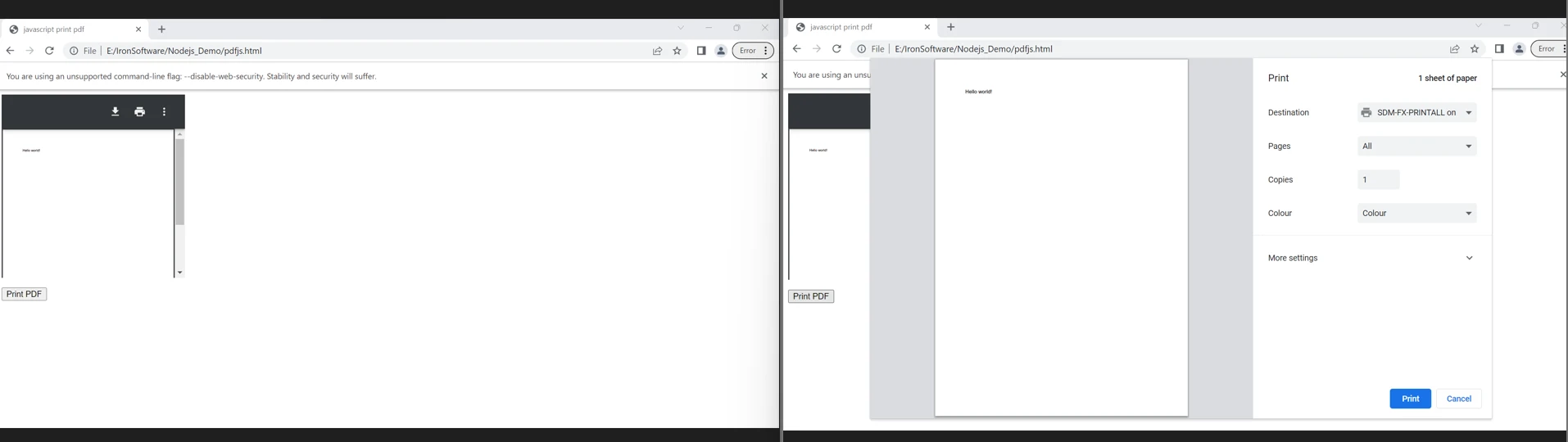
Normally, to print a PDF file's contents, we download it to our computer, open it, and select the print option. JavaScript, on the other hand, makes it simple to print a PDF file directly from a web page. All you need is an iframe on your website or the ability to dynamically build one, add the document, and print it. I'll demonstrate how to use JavaScript to print a PDF file. A web page inside another web page is shown using an iframe. For the web page to display, the iframe has to know its source.
<!DOCTYPE html>
<html>
<head>
 <title>JavaScript Print PDF</title>
</head>
<body>

 <iframe
 src="Demo.pdf" id="myFrame"
 frameborder="0" style="border:0;"
 width="300" height="300">
 </iframe>
 <p>

 <input type="button" id="bt" onclick="printPdf()" value="Print PDF" />
 </p>

 <script>
 // JavaScript function to print the PDF inside the iframe
 let printPdf = () => {
 // Access the iframe
 let objFra = document.getElementById('myFrame');
 // Focus the iframe's window
 objFra.contentWindow.focus();
 // Trigger the print dialog
 objFra.contentWindow.print();
 }
 </script>
</body>
</html>
<!DOCTYPE html>
<html>
<head>
<title>JavaScript Print PDF</title>
</head>
<body>
<iframe
src="Demo.pdf" id="myFrame"
frameborder="0" style="border:0;"
width="300" height="300">
</iframe>
<p>
<input type="button" id="bt" onclick="printPdf()" value="Print PDF" />
</p>
<script>
// JavaScript function to print the PDF inside the iframe
let printPdf = () => {
// Access the iframe
let objFra = document.getElementById('myFrame');
// Focus the iframe's window
objFra.contentWindow.focus();
// Trigger the print dialog
objFra.contentWindow.print();
}
</script>
</body>
</html>To print a PDF, a document's contents can be displayed using an iframe, and then the contents can be printed using JavaScript. In both situations, an iframe is required. In the example above, there is an iframe with a source (the PDF). There is also a button-type input element.
The button's onclick property will invoke the printPdf method.
2.2 Print.js
Print.js was primarily created to enable us to print PDF files from within our apps without having to navigate away, import and print them from the user interface, or use embeds. This is for special circumstances where users only need to print the PDF files and don't need to open or download them.
When users ask to print reports that are generated on the server side, for instance, this can be helpful. These reports are returned to you as PDF documents. These files can be printed without needing to be opened. Within our apps, Print.js provides a convenient way to print these files.
<!DOCTYPE html>
<html>
<head>
 <title>Print.js Example</title>
 <script src="https://cdnjs.cloudflare.com/ajax/libs/jquery/3.5.1/jquery.js"></script>
 <script src="https://printjs-4de6.kxcdn.com/print.min.js"></script>
 <link href="https://printjs-4de6.kxcdn.com/print.min.css" rel="stylesheet">
</head>
<body>

 <div id="print-area" class="print-main">
 <table>
 <tr>
 <th>Name</th>
 <th>Age</th>
 </tr>
 <tr>
 <td>AAA</td>
 <td>25</td>
 </tr>
 <tr>
 <td>BBB</td>
 <td>24</td>
 </tr>
 </table>
 </div>

 <button id="btnPrint">Print</button>

 <script>
 $(document).ready(function(){
 // When the print button is clicked
 $("#btnPrint").on("click", function(){
 // Use Print.js to print the content of #print-area
 printJS({
 printable: 'print-area',
 type: 'html'
 });
 });
 });
 </script>
</body>
</html>
<!DOCTYPE html>
<html>
<head>
<title>Print.js Example</title>
<script src="https://cdnjs.cloudflare.com/ajax/libs/jquery/3.5.1/jquery.js"></script>
<script src="https://printjs-4de6.kxcdn.com/print.min.js"></script>
<link href="https://printjs-4de6.kxcdn.com/print.min.css" rel="stylesheet">
</head>
<body>
<div id="print-area" class="print-main">
<table>
<tr>
<th>Name</th>
<th>Age</th>
</tr>
<tr>
<td>AAA</td>
<td>25</td>
</tr>
<tr>
<td>BBB</td>
<td>24</td>
</tr>
</table>
</div>
<button id="btnPrint">Print</button>
<script>
$(document).ready(function(){
// When the print button is clicked
$("#btnPrint").on("click", function(){
// Use Print.js to print the content of #print-area
printJS({
printable: 'print-area',
type: 'html'
});
});
});
</script>
</body>
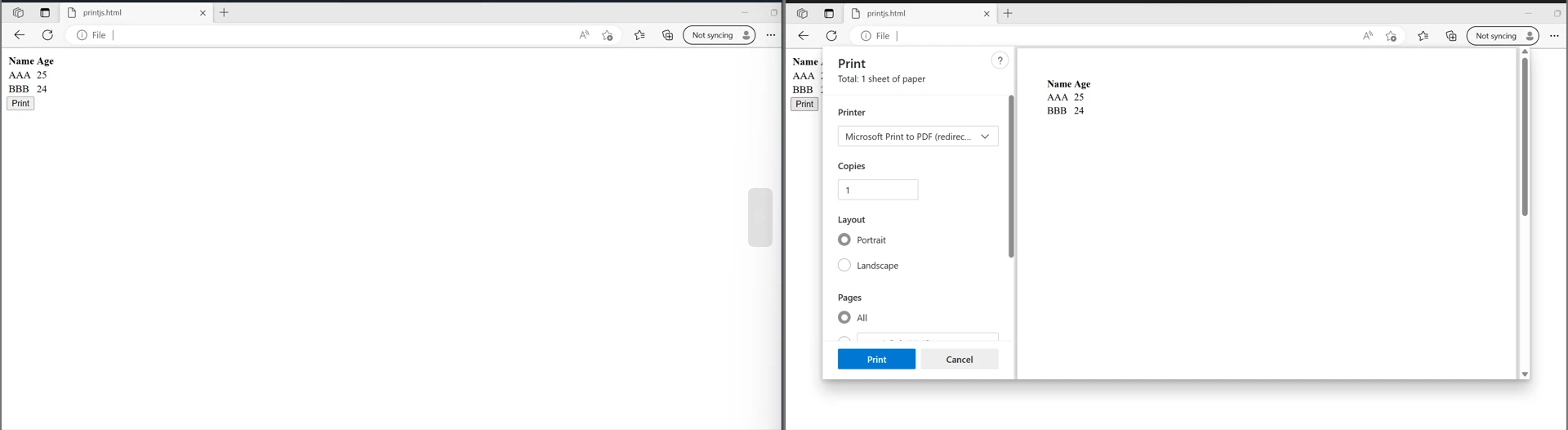
</html>The above code can be used to print PDF files directly from the website. It shows that printing it will print all the HTML strings available inside the HTML element with the ID named "print-area".
👁 How to Print PDF File in JavaScript: Figure 2 - Printing these strings
2.3 IronPDF - The Node.js PDF Library
IronPDF is a comprehensive Node.js PDF library that excels in accuracy, ease of use, and speed. It offers a vast array of features for generating, editing, and formatting PDFs directly from HTML, URLs, and images in React. With support for various platforms including Windows, MacOS, Linux, Docker, and cloud platforms like Azure and AWS, IronPDF ensures cross-platform compatibility. Its user-friendly API allows developers to quickly integrate PDF generation and manipulation into their Node.js projects.
Key Features of IronPDF for Node.js:
- Versatile PDF Generation: With IronPDF, developers can generate PDFs from various sources including HTML, CSS, JavaScript, images, and other file types. This flexibility enables the creation of dynamic and visually appealing PDF documents tailored to specific requirements.
- Advanced Document Customization: IronPDF empowers developers to enhance PDF documents with features such as headers, footers, attachments, digital signatures, watermarks, and bookmarks. This allows for the creation of professional-grade PDFs with rich content and interactive elements.
- Security Features: IronPDF offers robust security features to protect PDFs from unauthorized access. Developers can implement security measures such as passwords, digital signatures, metadata, and other security settings to safeguard sensitive information contained within PDF documents.
- Optimized Performance: IronPDF is designed for optimal performance, featuring full multithreading and asynchronous support. This ensures efficient PDF generation, making it suitable for mission-critical applications where performance is paramount.
- Comprehensive Feature Set: With over 50 features for creating, formatting, and editing PDF documents, IronPDF provides a comprehensive solution for all PDF-related tasks. From basic document generation to advanced customization and security, IronPDF offers a wide range of capabilities to meet the needs of developers.
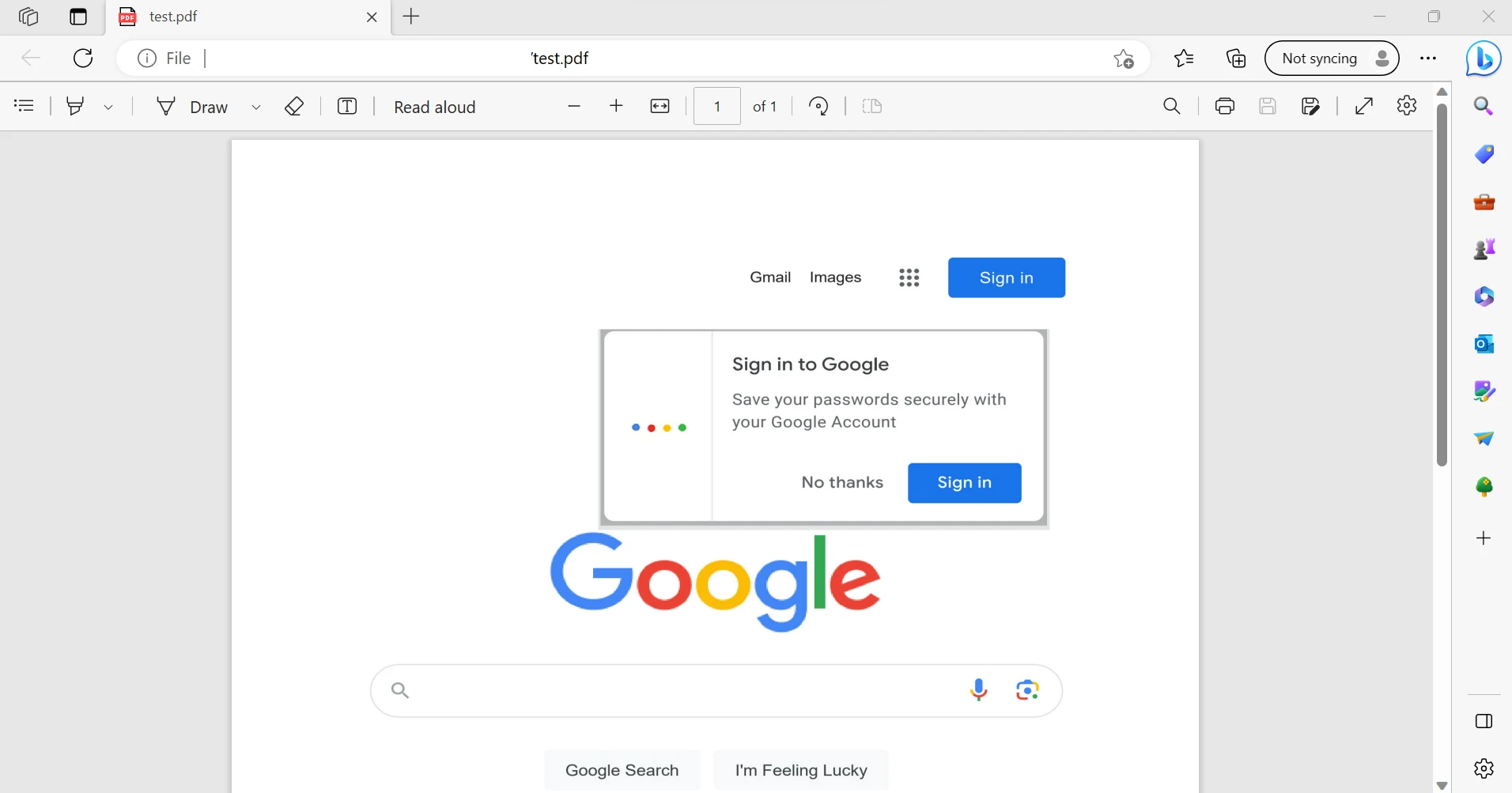
Here is an example of generating and saving a PDF document from HTML File, HTML String, and URL to preserve formatting for printing:
import { PdfDocument } from "@ironsoftware/ironpdf";

// An async function to demonstrate how to generate PDF documents
(async () => {
 // Create a PDF from a URL
 const pdfFromUrl = await PdfDocument.fromUrl("https://getbootstrap.com/");
 // Save it to a file
 await pdfFromUrl.saveAs("website.pdf");

 // Create a PDF from a local HTML file
 const pdfFromHtmlFile = await PdfDocument.fromHtml("design.html");
 // Save it to a file
 await pdfFromHtmlFile.saveAs("markup.pdf");

 // Create a PDF from an HTML string
 const pdfFromHtmlString = await PdfDocument.fromHtml("<p>Hello World</p>");
 // Save it to a file
 await pdfFromHtmlString.saveAs("markup_with_assets.pdf");
})();
import { PdfDocument } from "@ironsoftware/ironpdf";
// An async function to demonstrate how to generate PDF documents
(async () => {
// Create a PDF from a URL
const pdfFromUrl = await PdfDocument.fromUrl("https://getbootstrap.com/");
// Save it to a file
await pdfFromUrl.saveAs("website.pdf");
// Create a PDF from a local HTML file
const pdfFromHtmlFile = await PdfDocument.fromHtml("design.html");
// Save it to a file
await pdfFromHtmlFile.saveAs("markup.pdf");
// Create a PDF from an HTML string
const pdfFromHtmlString = await PdfDocument.fromHtml("<p>Hello World</p>");
// Save it to a file
await pdfFromHtmlString.saveAs("markup_with_assets.pdf");
})();For more code examples on PDF related tasks, please visit this IronPDF Code Examples for Node.js page.
3.0 Conclusion
The user can see the JavaScript code above, but it could be abused by others. The use of the source code in this manner is possible. Additionally, it is not difficult to add code to the website that endangers the security of data sent through it. The aforementioned JavaScript library is viewed differently by different browsers. The code must therefore run across a variety of systems before being released. Because some new functionalities are not supported by older browsers, we also need to look at browser compatibility for those. The libraries mentioned above can produce PDF files. The user must also have some familiarity with the script they are working with.
With IronPDF's straightforward integration process for frameworks and libraries built in JavaScript, excellent IronPDF Documentation for Node.js and sample code examples, and responsive technical support, developers can get up and running in no time, making it a top choice for generating and printing professional-grade PDFs in Node.js related applications.
IronPDF offers a free trial for Node.js, so you can test out its complete functionality before making an informed decision. It is also available for other languages like C# .NET, Java and Python. Visit the IronPDF Website for more details. Download IronPDF for Node.js from the IronPDF Node.js download page.