How to Parse a PDF Document in Node.js

This article will demonstrate how to parse PDFs using Node.js with the IronPDF, PDF parser Node.js library.
What is Node?
The cross-platform, open-source Node.js JavaScript runtime environment allows JavaScript code to be executed outside a web browser. Programmers may create network applications that are scalable, quick, and effective by enabling server-side JavaScript or JS module execution. Because Node.js is an event-driven, non-blocking I/O model, it is ideal for developing real-time applications that manage multiple connections at once with interactive form elements.
Node.js is frequently used to create a wide range of applications, including web servers, APIs, data structure streaming applications, real-time chat applications, Internet of Things (IoT) devices, and more. All things considered, Node.js is growing in popularity because of its effectiveness, speed, and JavaScript compatibility on both the front end and back end, providing a single language for full-stack development. Check this explanation website for documentation pages to learn more about Node.js.
How to Parse PDF Document in Node.js
- To parse PDFs for a readable stream, download the Node.js package.
- Install IronPDF for Node.js library.
- Create a new PDF or import an existing one with the parsed document data.
- To extract every line of text, use the
extractTextmethod. - View Parsed PDF Content for raw PDF reading.
IronPDF for Node.js
As of my last knowledge update in January 2022, IronPDF was largely a .NET library built to work within the .NET Framework, enabling developers to work with PDF documents using C# or VB.NET. However, there was no native or direct version of IronPDF made just for Node.js.
As IronPDF has expanded to support and include bindings for Node.js, this likely means that tools for creating, editing, and processing PDF documents in Node.js applications are now available in IronPDF for Node.js.
Features of IronPDF
- HTML to PDF Generation: The ability to convert HTML content into PDF documents.
- The addition, alteration, or removal of text, shapes, images, and other elements from PDF files is referred to as text and image manipulation.
- Combining, extracting pages from PDF files, splitting PDF files, and encrypting and decrypting them are all examples of PDF document alteration.
- Form handling encompasses completing forms, acquiring form data, and leveraging PDF forms through programming.
- PDF security is the use of digital signatures, encryption, and password protection for PDF documents.
- Retrieving and modifying PDF files is known as page metadata handling.
If IronPDF has expanded its range of products to include a Node.js version, this could provide a way for developers making Node.js apps to use IronPDF's PDF manipulation functionality. This could be helpful for developers who would prefer to work with a library that offers features akin to those of IronPDF in the .NET environment.
The official documentation, release notes, or updates from the IronPDF team should always be consulted for the most current and up-to-date information regarding IronPDF's features, compatibility, and support for Node.js. Go here to learn more about the IronPDF and new features in each release. To know more about the IronPDF refer to this official documentation page.
Package Requirement
- Visual Studio Code as the IDE
- Node.js
- Yarn or npm can be used for package management, which is necessary for package installations.
Install IronPDF Package for Node.js
Launch the Command Prompt or Terminal: Open the command prompt or terminal. There are various ways to access it based on your operating system:
- Windows: PowerShell or Command Prompt
- Terminal on macOS
- Terminal on Linux
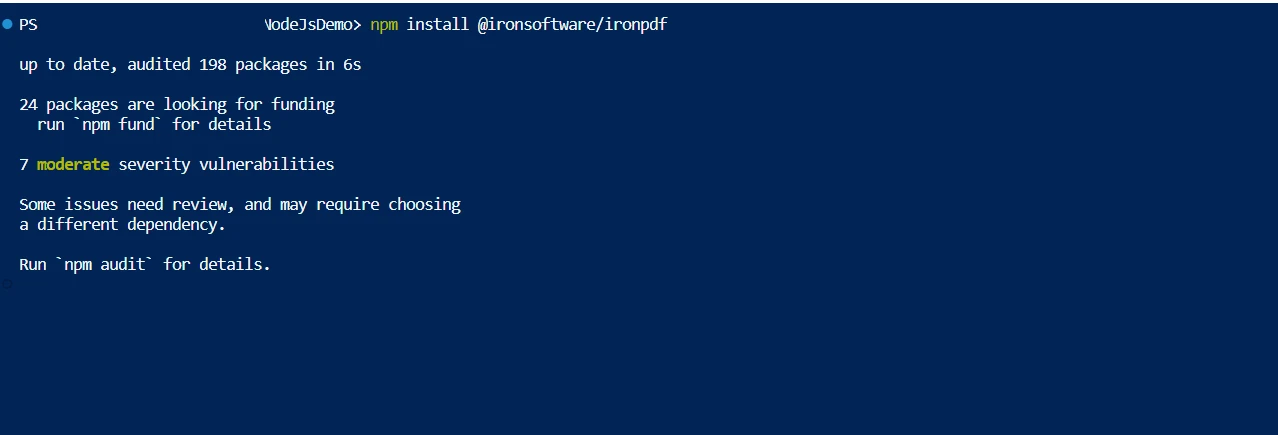
To install a package, use the package name and the npm install command. For instance, to install the package @ironsoftware/ironpdf, run the following command in the terminal:
npm i @ironsoftware/ironpdf
Replace @ironsoftware/ironpdf with the name of the package you want to install if it is different.
👁 How to Parse a PDF Document in Node.js, Figure 1: Install IronPDF
Install IronPDF
Parse PDF File to Extract Data
From experimenting, you can see that IronPDF offers a lot of features to facilitate dealing with PDF in Node.js. It is focused on generating, viewing, and modifying any PDF document in the required formats. PDF files are quite simple to parse.
const { PdfDocument } = require("@ironsoftware/ironpdf");

const pdfProcess = async () => {
 // Load the existing PDF document
 const pdf = await PdfDocument.fromFile("Demo.pdf");
 // Extract text data from the loaded PDF
 const data = await pdf.extractText();
 // Output the extracted text to the console
 console.log(data);
};

pdfProcess();
The importance of the fromFile function is demonstrated by the code above. The fromFile method reads PDF documents and converts the PDF file into PdfDocument objects, loading the file from an existing file system. Thus PdfDocument holds the PDF's metadata. The file metadata in the pdf object can be used as the user desires. This object parsed document data is the text and graphics contained within the PDF page object. The extractText function is used to extract all of the text from the provided PDF file. After that, the retrieved text is stored as a string and prepared for additional processing such as creating a JSON format.
Page-by-Page Text Extraction
Below is the code for another approach, which explicitly extracts text from each page of the PDF file.
const pdf = await PdfDocument.fromFile("Demo.pdf");
// Get the total number of pages in the PDF
const pageCount = await pdf.getPageCount();

// Loop through each page to extract text
for (let i = 0; i < pageCount; i++) {
 const pageText = await pdf.extractText(i);
 // Output the text of each page
 console.log(pageText);
}
The raw PDF reading from a PDF already in memory is loaded from the specified directory in its entirety by this sample code, which then creates a PdfDocument object named pdf. A PDF document is a data structure made up of several fundamental data object types. Every page data in the PDF file is retrieved using its page number or page index in the PDF object to guarantee that it is processed one after the other. First, we use the getPageCount method of its PDF object to find the total number of pages in the supplied PDF.
The for loop iterates across each page using this page count, invoking the extractText function to retrieve text from each PDF page. Either the extracted text can be shown on the user's screen or saved in a string variable. This technique makes it possible to extract text from individual PDF pages in an organized manner. These techniques demonstrate how IronPDF, a Node.js library made specifically for PDF tasks, can easily and thoroughly extract text from PDF files. This accessibility enhances PDFs' usefulness in a variety of contexts and has numerous practical applications.
👁 How to Parse a PDF Document in Node.js, Figure 2: Read PDF Page By Page
Read PDF Page By Page
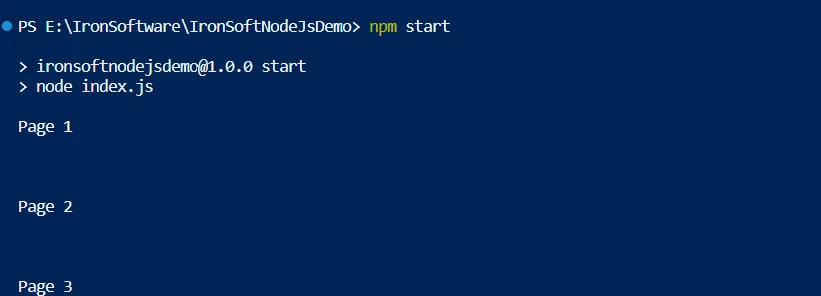
Both codes above achieve the same output, but the only difference is in the implementation of the code based on user requirements. To know more about IronPDF refer to this detailed documentation pages.
Conclusion
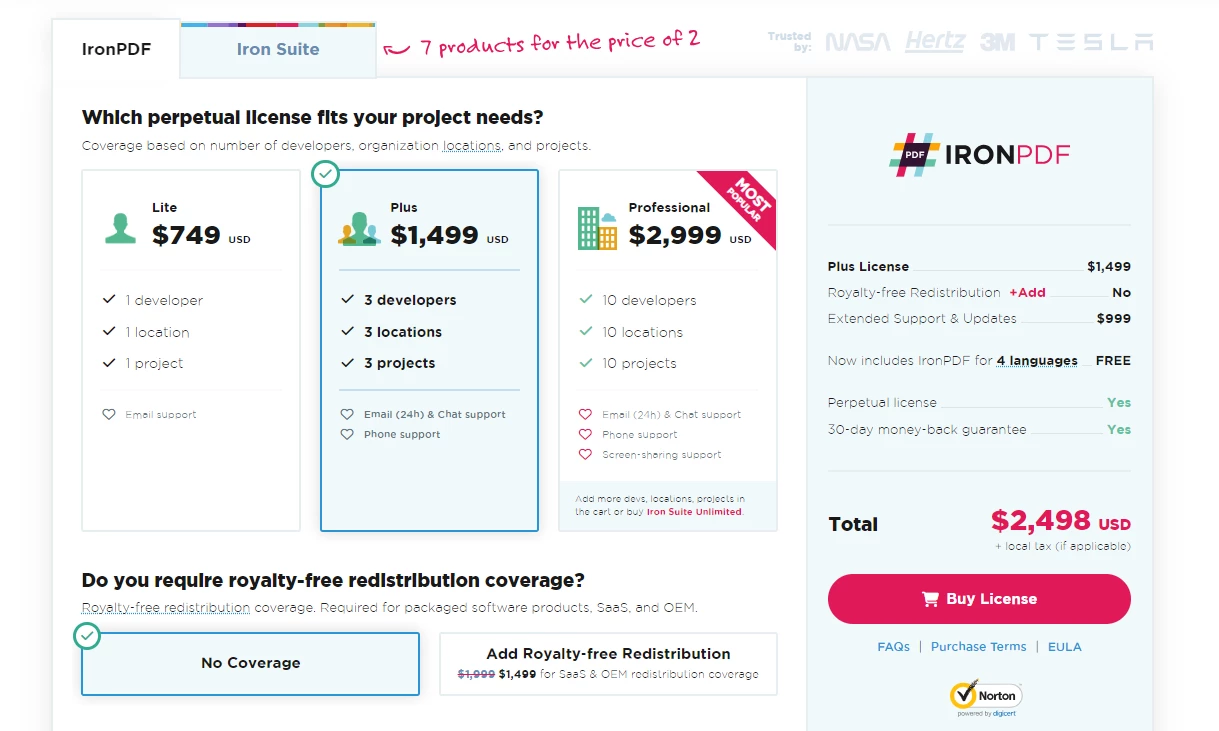
The IronPDF library offers robust security measures to lower risks and ensure data security. It is compatible with all popular browsers and is not limited to any one of them. To accommodate the various demands of developers, the library offers a wide range of licensing options, including a free developer license and additional development licenses that can be purchased.
In addition to a permanent license, one year of software maintenance, and a thirty-day money-back guarantee, the $999 Lite bundle includes upgrade possibilities. Users have the opportunity to evaluate the product in practical application circumstances throughout the watermarked trial period. Please check the provided licensing page for more details about IronPDF's cost, licensing, and trial version. To know about other products offered by Iron Software, check the official website.
👁 How to Parse a PDF Document in Node.js, Figure 3: Iron Software pricing
Iron Software pricing
Frequently Asked Questions
How do I parse a PDF using Node.js?
To parse a PDF using Node.js, you can utilize the IronPDF library. Start by installing the IronPDF package with npm install @ironsoftware/ironpdf. Then, load the PDF with the fromFile method and extract text using the extractText method.
What are the steps to convert HTML to PDF in Node.js?
You can convert HTML to PDF in Node.js using IronPDF. Use the RenderHtmlAsPdf method for HTML strings or RenderHtmlFileAsPdf for HTML files to generate PDFs efficiently.
How can I extract text from each page of a PDF using Node.js?
With IronPDF, you can extract text from each page of a PDF by iterating through the pages. Use the getPageCount method to determine the number of pages and the extractText function to extract text from each page.
What features does the IronPDF library offer for Node.js?
IronPDF for Node.js provides a range of features including HTML to PDF conversion, text and image manipulation, PDF merging and splitting, encryption, digital signatures, and form handling.
How can I ensure the security of PDF documents in Node.js?
IronPDF offers comprehensive security features such as digital signatures, encryption, and password protection to secure PDF documents in Node.js applications.
What should I consider when choosing a PDF library for Node.js?
When choosing a PDF library for Node.js, consider features such as compatibility with different browsers, security options, ease of use, comprehensive documentation, and licensing flexibility. IronPDF offers these capabilities, making it a strong choice for developers.
What are the licensing options available for IronPDF in Node.js?
IronPDF provides various licensing options, including a free developer license, permanent licenses, and one year of software maintenance. They also offer a trial period with a watermarked version, catering to different developer needs.
Is it possible to manipulate images within PDFs using Node.js?
Yes, with IronPDF, you can manipulate images within PDFs in Node.js applications. This includes adding, extracting, or modifying images embedded in PDF documents.