


To uninstall an application in the Ubuntu terminal, you can use:
sudo apt remove package_nameBut in various forums, you may come across the suggestion to use the apt purge command for removing applications completely.
This leaves you confused because using apt purge is quite similar to apt remove:
sudo apt purge package_nameSo, why are there two similar commands for removing packages? What’s the difference between the two? Let me explain it to you with a few examples.
What’s the difference between apt-remove and apt-purge?
Both apt-remove and apt-purge do the same thing and that is to uninstall a package. The apt-purge removes the package and purges any configuration files associated with it. That’s the only difference between the two. Neither command touches the application files under the home directory of the user.
Have you ever removed an application and installed it again, only to notice that all your settings are in place? It’s because the apt remove command doesn’t remove the configuration files.
See what’s being removed and what remains
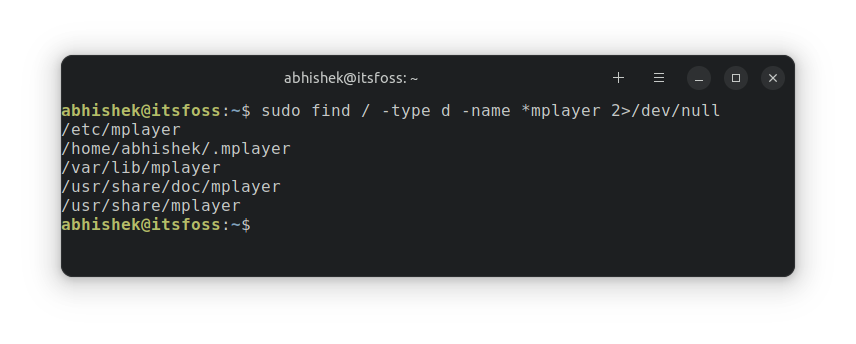
Let me share a practical example of removing the mplayer application using both apt remove and apt purge commands. The focus is on seeing what files remain after each operation.
Here are the files associated with MPlayer before removal.
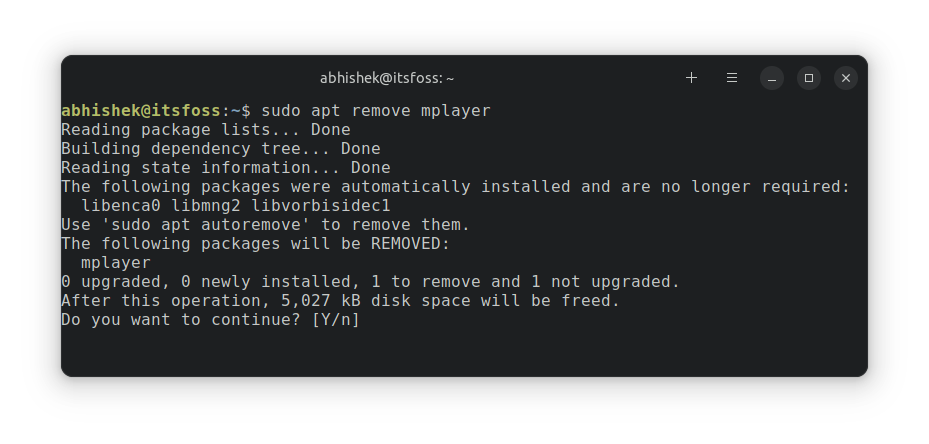
Now, if I run the apt remove command.
Here are the files that remain in the system:
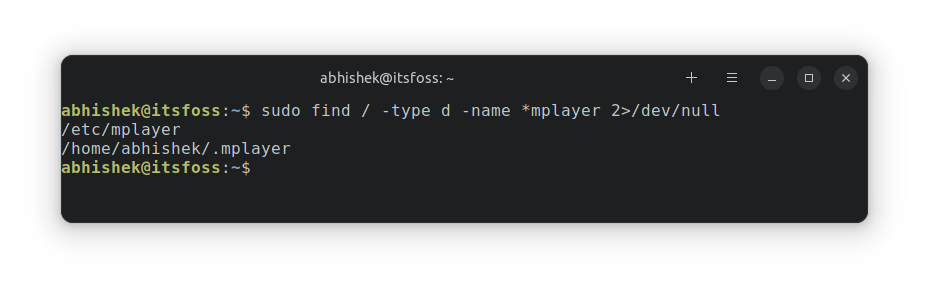
As you can see, there are mplayer files remaining in two locations: /etc and /home/abhishek.
Now, if I install mplayer again and use apt purge to remove the mplayer application this time.
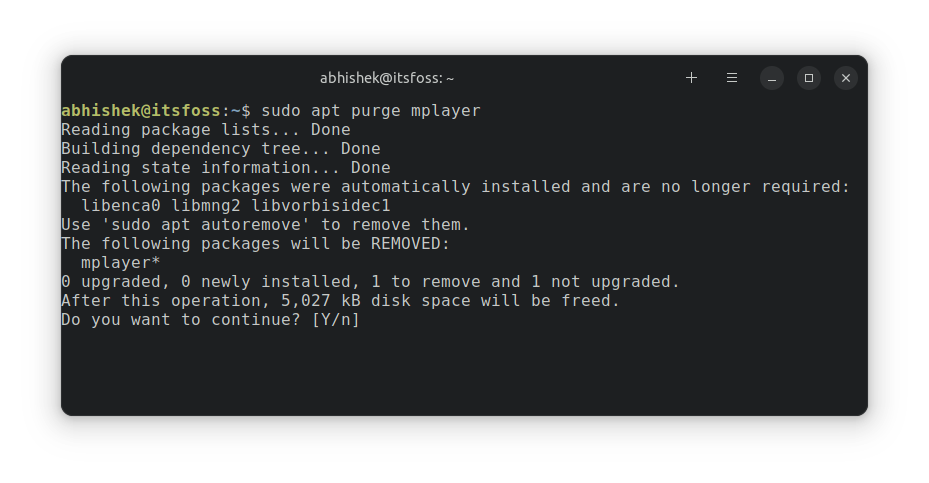
Let’s look for files associated mplayer now.

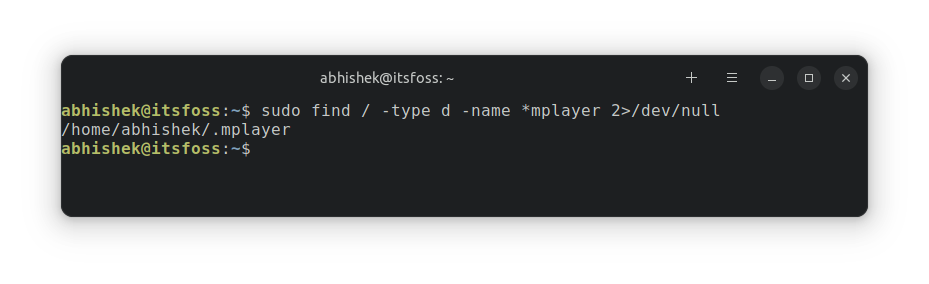
As you can see, the files from /etc directory no longer exist.
But what about the files in the home directory? Should apt purge not remove it?
The answer is negative. The apt commands do not touch the configuration files in the home directory. They remain in the system unless you manually remove them. Those files are really small in size and hardly take up disk space.
Do note that not all applications create configuration files under /etc or home directory.
The effect of using apt remove or apt purge
A practical example I can think of is Discord. You install Discord on Ubuntu with deb file. Start using it by logging into your account. Remove Discord and install it again using deb file.
Now if you start Discord, you’ll notice that you are already logged into your account. Surprising, no?
But this is a feature because some applications like Discord, VirtualBox provide you updates similarly. You remove the current version and install the newer one (even if you don’t see this process). Since the application configuration files are not touched, you are logged back in without additional effort.
The apt remove command allows you to reuse an application with a similar configuration that you used in the past.
However, you may not always want it. If you configured an application in a bad way and want to start from scratch, the apt purge command is the way to go forward.
Does apt purge perform a wild-card removal?
When you purge a package, you’ll notice that it mentions removing package-name*. This indicates that it will remove all the packages with names starting from package-name.
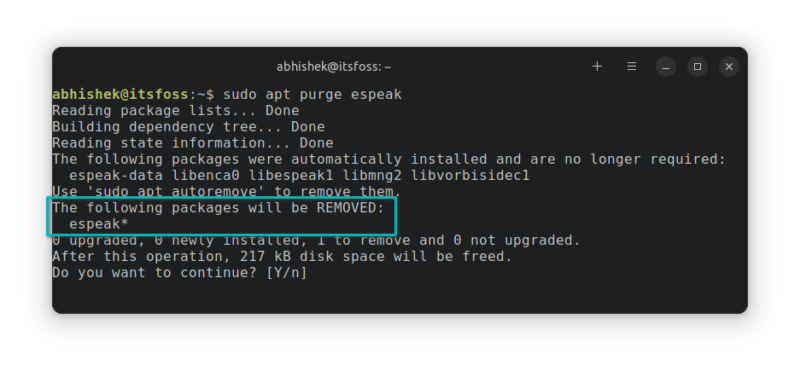
I didn’t find a definite answer on this point in the documentation (i.e. man page). So, I did a little test on my own. I installed espeak and espeak-ng packages. The espeak* should expand to espeak-ng as well.
But when espeak was pruged, the `espeak-ng package was untouched. So there seems to be a mechanism that protects against such wild card expansions.
So, should you use apt remove or apt purge?
Few people just get addicted to using apt purge.
In my opinion, apt remove is what you should use most of the time. Use apt purge when you have to get rid of the custom configuration files.
In both cases, you’ll have to remove the remaining configuration files from the user’s home directory and run apt autoremove to eliminate any leftover dependencies.
Over to you now. Do you understand the difference between apt remove and apt purge better now? Which one do you prefer to use?
Learn more on apt commands and package management
Both of these remove and purge options are a couple of options of the apt command. You should read more about using the apt command for package management.

apt is just a newer and smaller subset of the apt-get command. It is meant for the end users. Here are the differences between the two.

The sources.list files are a crucial part of the apt package management. Here are the essentials you need to know about it.

The more you know, the better you understand the mechanism of your Ubuntu system. Never stop learning.
