

I think it’s safe to say that VLC is one of the best media players for Linux or any other platform. There are a number of hidden features of VLC media player which you may not even know about. One such feature is desktop notification. In this quick tip, we shall see how to enable desktop notification for VLC in Ubuntu and other versions.
Enable desktop notification for VLC in Ubuntu
To enable desktop notification for VLC in Ubuntu, follow the steps below:
Step 1:
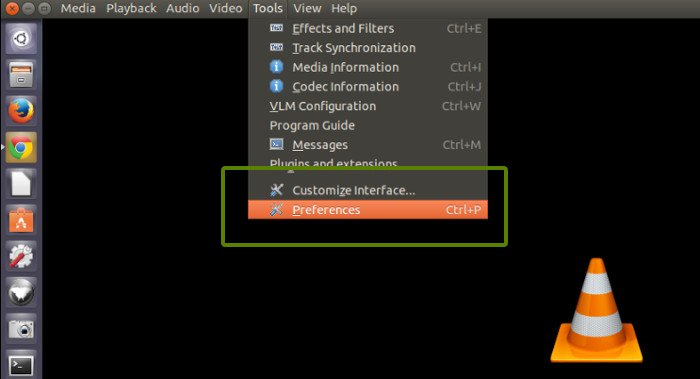
Open VLC media player. From the top menu, go to Tools and then Preferences.
VLC->Tools->Preferences

Step 2:
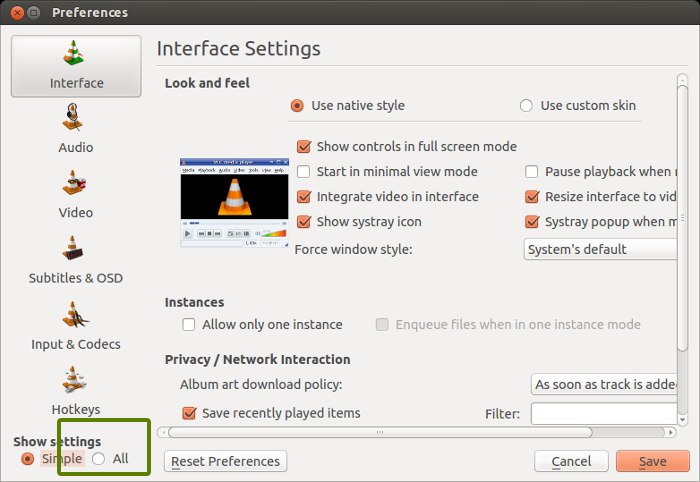
Check the All button in the bottom:

Step 3:
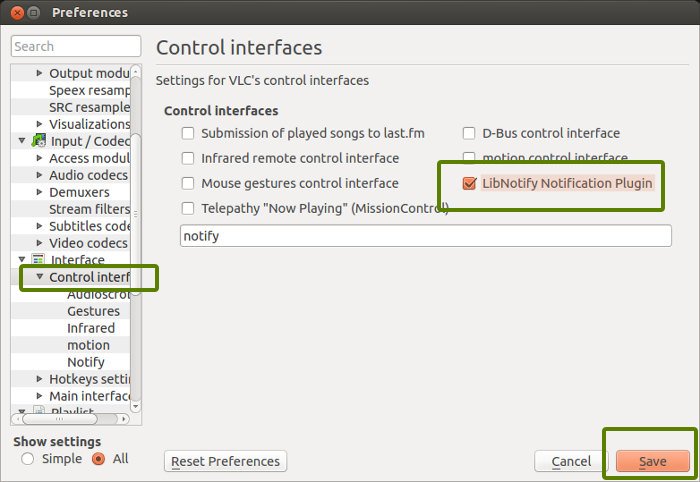
Now, from the left sidebar, choose Control interfaces. In here, check the LibNotify Notification Plugin and save it. This enables desktop notification for VLC in Ubuntu with Unity.

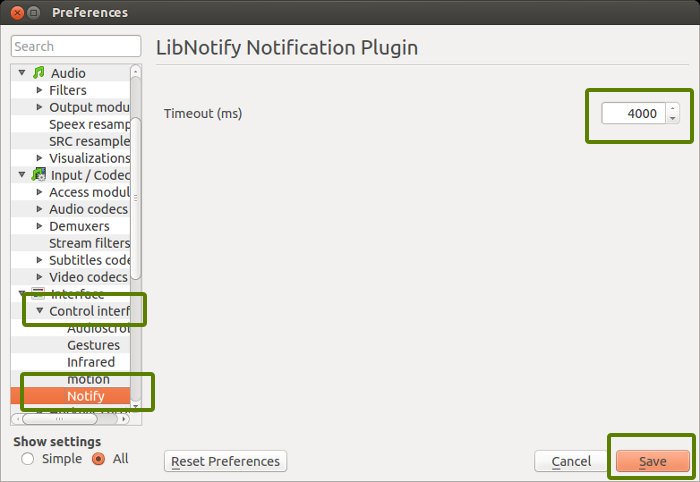
By default the notification appears for 4000 ms i.e. 4 seconds. You can change it under Control interfaces by selecting Notify option.

And that would be it. You can see the notification when you play an audio or video file. It will be perfectly integrated in Ubuntu environment:

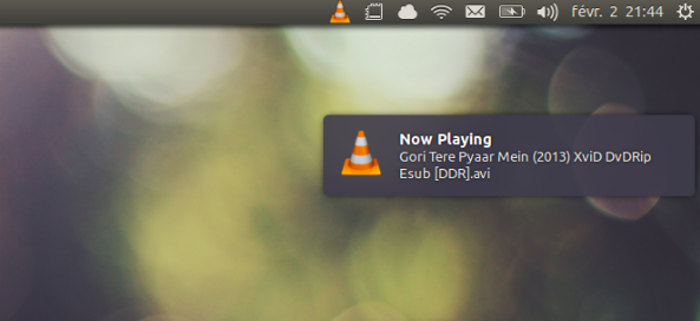
I hope this quick tip helped you to use VLC in a more Ubuntu-ish fashion by enabling desktop notification. What do you say?
Since we are discussing VLC tweaks, you may want to fix the green line on VLC issue, if you encounter it frequently.
