

No, I'm not talking about my recent potential candidate "Bitwarden Authenticator". Yes, it would evolve as a nice Authy alternative or any other authenticator with both offline and cloud-sync support.
But, I came across a free and open-source solution that already does that. In other words, it supports cloud sync with end-to-end encryption, and you can choose to use it entirely offline 🤯
Ente Auth.
Ente Auth: What Is It?
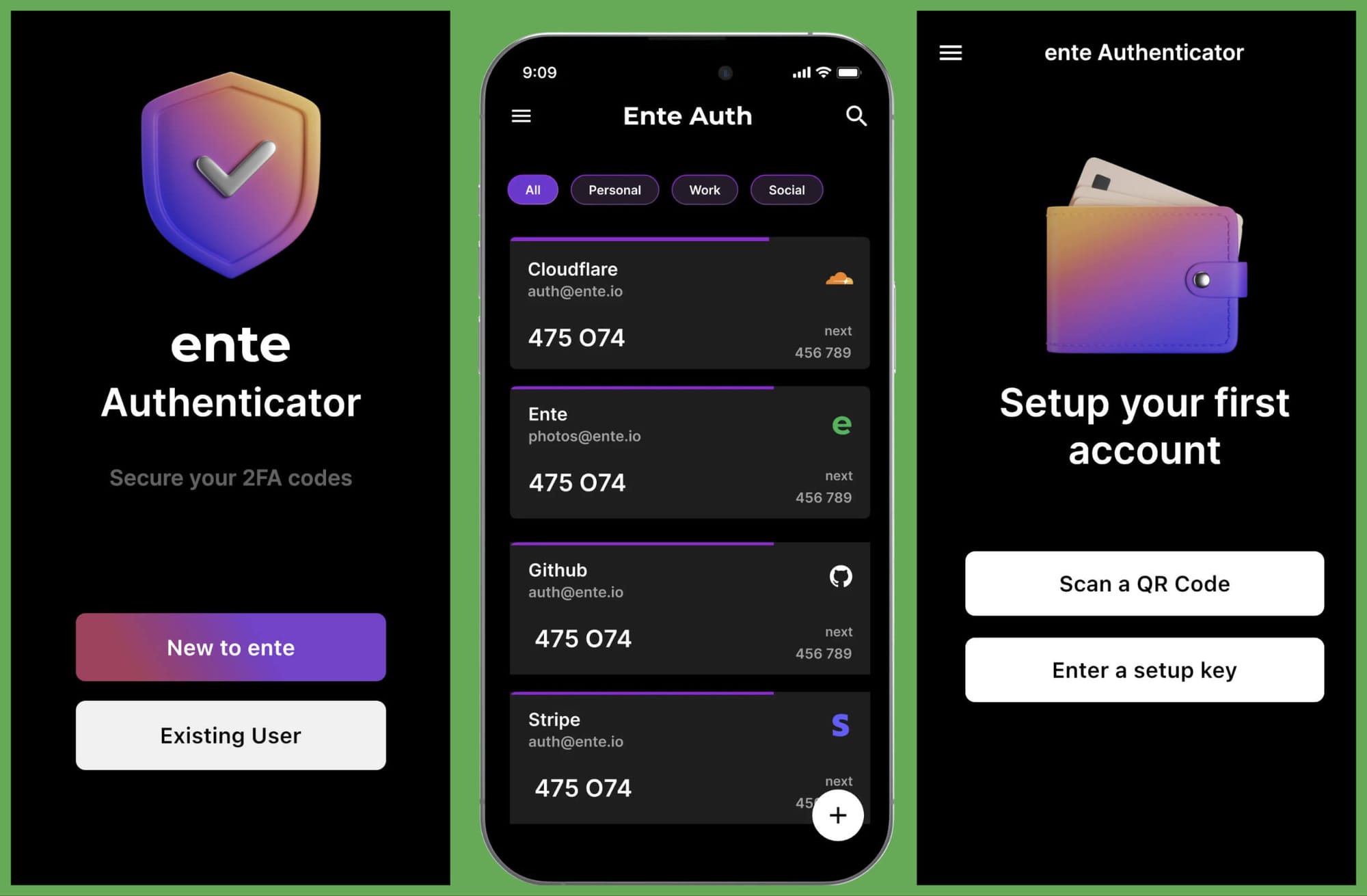
A cross-platform FOSS authenticator app by Ente (an open-source encrypted cloud storage for photos).
If you follow us, you might have come across Ente as a privacy-focused Google Photos alternative that went open-source earlier this year:


And, they decided to craft a free beautiful-looking authenticator app, Ente Auth.
It has been existing for a year now, apparently. And, I didn't know about it.
With its recent v3 update adding support for desktop apps (including Linux), and new features, it landed on my radar, and I think I love it so far. Authy recently dropped support for desktop apps.
So, a perfect replacement, right? 😄
Unlike Authy, it does not need your phone number, but requires your email address if you need to back up your codes to the cloud and have them sync across multiple devices.
Some key features of Ente Auth include:
- Ability to pin a code entry
- Ability to see the next code to get more time
- Add a screen lock to the mobile app (fingerprint/any screen lock set on your device)
- Linux, Windows, and macOS app
- End-to-end encryption
- Offline mode
- Tag/Search codes
- Cloud backup (optional)
Ente Auth is feature-rich as a free offering. You can import your 2FA codes from popular tools like Bitwarden, Google Authenticator, LastPass Authenticator, and more.
Of course, Authy does not give you an option to export things. So, you cannot import anything here over to Ente. If you are moving away from Authy, you will have to do everything from scratch! 😅
I'm hopeful that with more users adopting it, and migrating away from proprietary two-factor authentication apps, it will only get better.
Sure, you can still use 2FA tokens using password managers like Bitwarden and Proton Pass (with their paid plans). But, for some, a standalone option is a better choice.

Partner Link
Download Ente Auth Now!
While I am slowly using the integrated 2FA feature on my password manager, I do appreciate Ente Auth as a solid open-source standalone two-factor authenticator app to replace Authy.
It is available on the Google Play Store, and F-Droid. You can find it available for Linux, Windows, and macOS as well.
💬 What do you think of Ente Auth? Did you know about this? Do you use something else as your authenticator app?
