

When you connect to a wireless network using WEP, WPA or WPA2-PSK, the password is saved in Linux Mint (or any other operating system) when you use “connect automatically”.
Imagine a situation where you need to know the WiFi password and you have not noted it down somewhere. Suppose you need to provide the WiFi password to a visitor.
You can easily retrieve the password of an earlier connected wireless network in Linux Mint if you have admin access.
In this beginner’s tutorial, I’ll show you how to find the saved WiFi passwords in Linux Mint.
Method 1: Find saved WiFi password in Linux Mint via GUI
The procedure to find the saved WiFi password is very simple. Click on the Menu button and type Network in the search bar. Choose Network Connections in there:

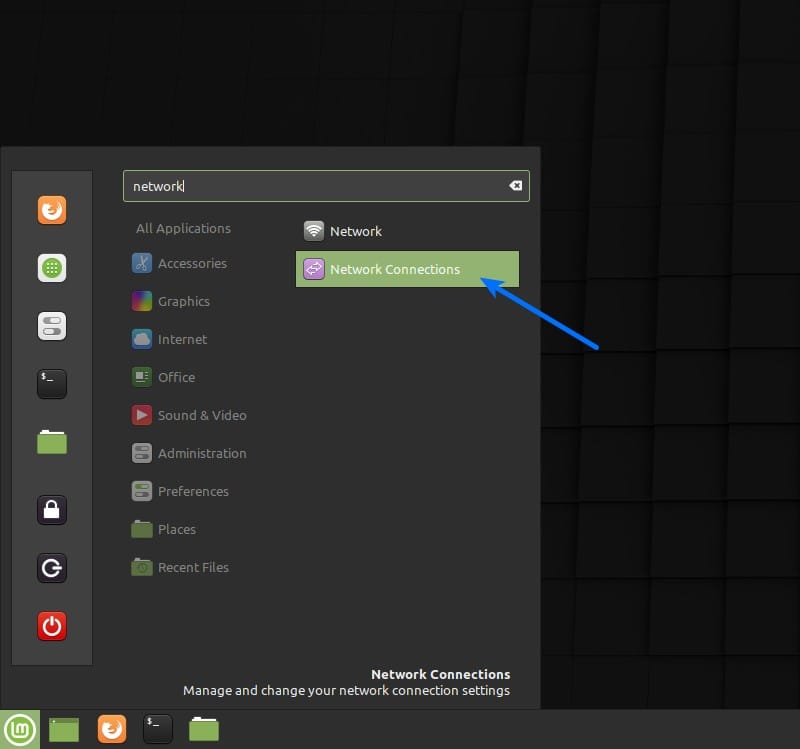
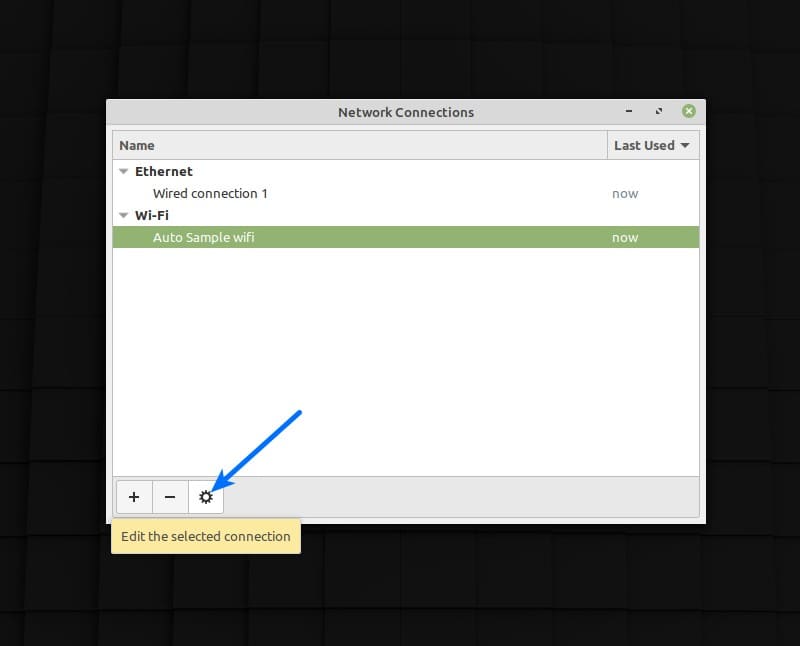
In Network Connections, you’ll see all the WiFi networks you have been connected in the past.
Select the one for which you want to know the password and click on the gear icon.

In here, under the Wi-Fi Security tab, check the Show password button to reveal the password.

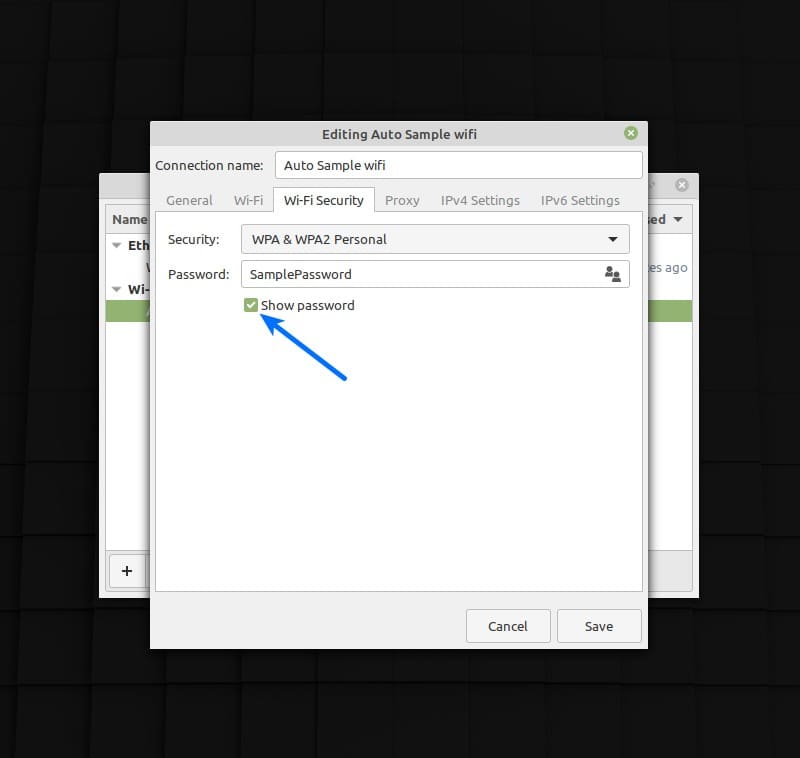
You see how easy was it? You are not restricted to use the GUI. If you are a terminal lover, let me show you how to get saved WiFi passwords in Linux terminal.
Method 2: Find saved WiFi passwords in Linux Mint via Terminal
Linux Mint uses Network Manager for handling network related settings. These settings can be found in /etc/NetworkManager location.
If you look in to the /etc/NetworkManager/system-connections directory, you’ll find a file stored for each network you had connected to in the past.
You can view the content of the desired network connection’s file and you’ll find the password under wifi-security section and in the line starting with psk.
sudo cat /etc/NetworkManager/system-connections/<WiFi_Network_Name>Make sure that there is a “\ ” before every space in the network’s name (if any).
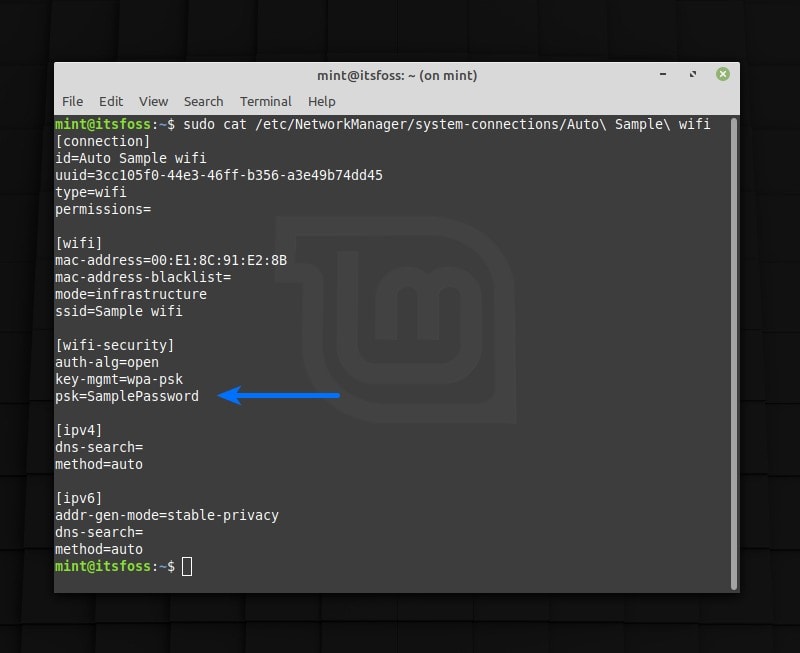
And that’s all you had to do to get the saved password. You can do similar steps to get the stored WiFi passwords in Ubuntu. I hope the article helped you. Ciao :)
