


Gedit, the default text editor in Ubuntu and some other Linux distributions is a powerful, lightweight text editor. It comes witha number offeatures that makes Notepad (of Windows) a hundred years older. Plenty of plugins are available to further enhance its ability according to user requirement.
Gedit also has an autosave feature which is not enabled by default. It comes handy when you are editing a document and want to save your work periodically.
The autosave feature does not work on new unsaved documents but if you are editing an existing document (which has been saved at least once before), your document will be automatically saved after a certain period.
There are two ways you can enable the autosave feature in Gedit, the GUI way and the command line way. I’ll show both methods to you.
Method 1: The GUI Way
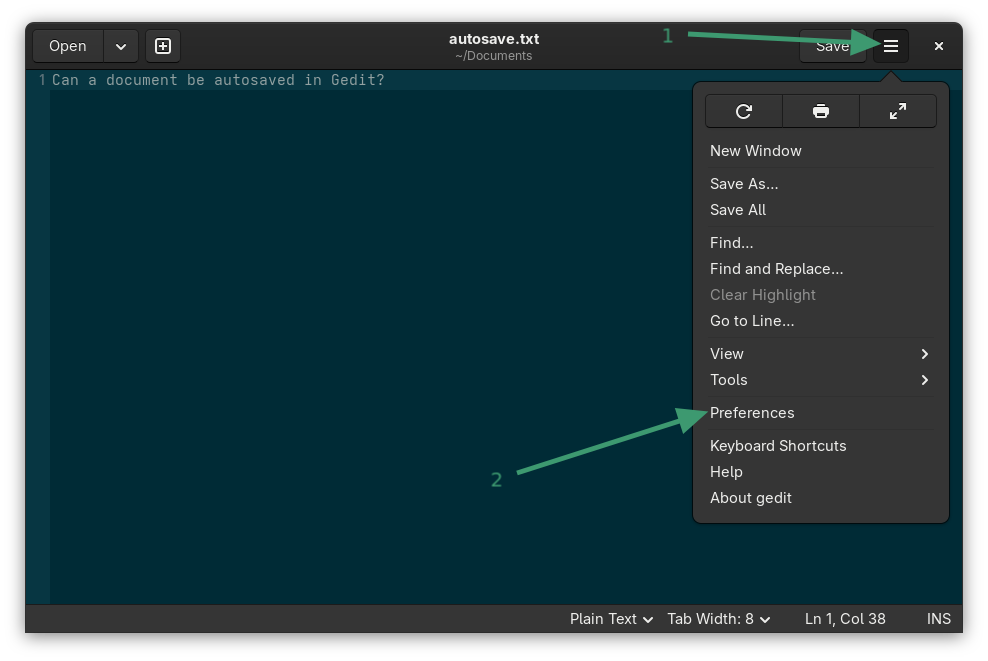
For the GUI mode, open Gedit and go to Menu->Preferences.
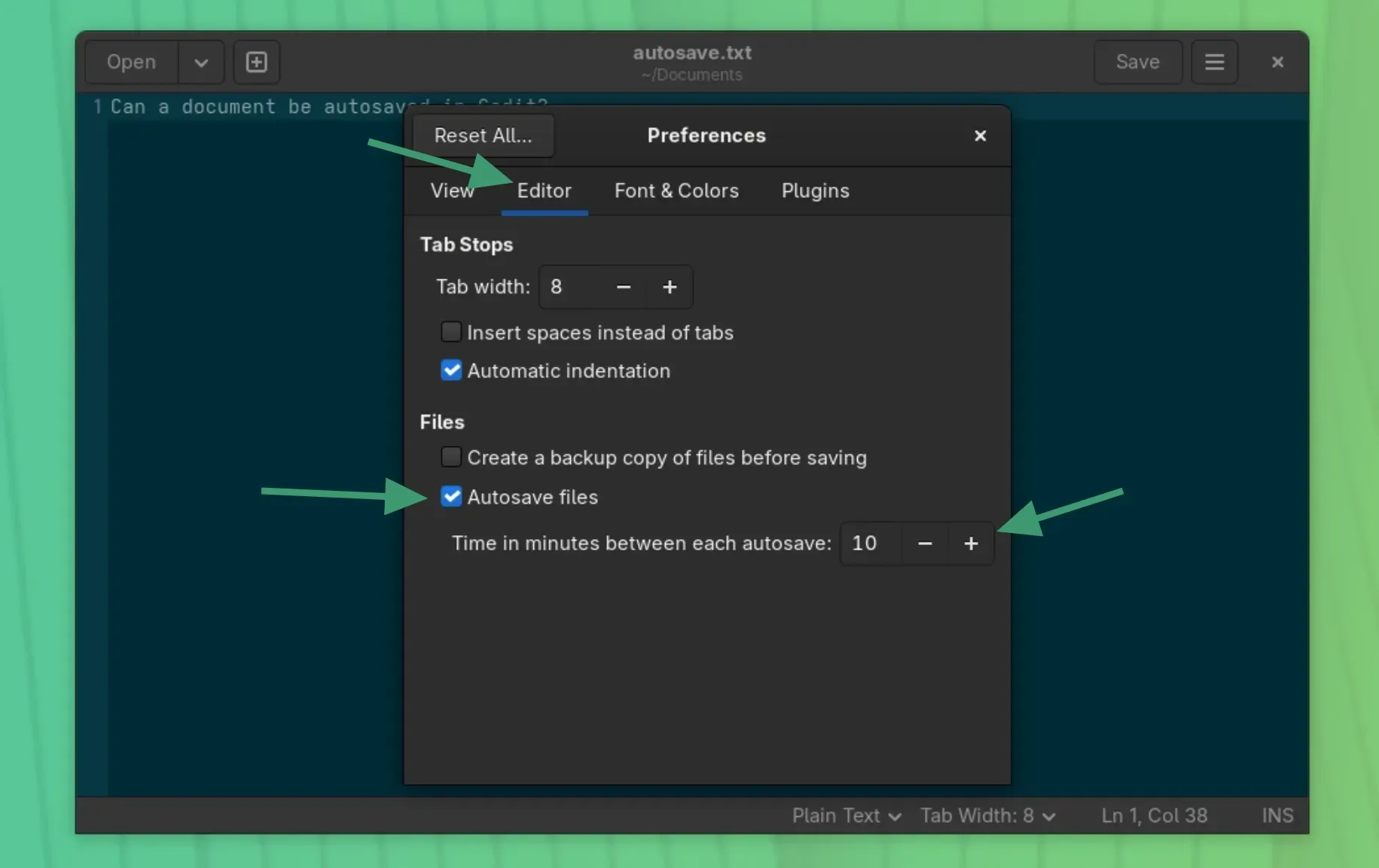
Under the Editor tab, check the "Autosave files" option. You can also change the autosave interval here. The default autosave interval is 10 minutes.
Method 2: The command line way
If you prefer command line over GUI, you can make Gedit automatically save your documents via terminal as well.
Open a terminal and use the following command to enable autosave in Gedit:
gsettings set org.gnome.gedit.preferences.editor auto-save trueTo set or change the autosave interval, use the following command in terminal:
gsettings set org.gnome.gedit.preferences.editor auto-save-interval nWhere n represents number of minutes.
Get more out of Gedit
There are many more Gedit tweaks that you may want to explore.


I hope this quick helped you t enable the autosave feature in Gedit text editor. Cheers :)
