


After every Ubuntu LTS release, the wait starts for upgrades to some of the best derivatives, including Linux Mint.
This time, Linux Mint 22 has landed, based on Ubuntu 24.04 LTS.
But, should you upgrade right away? What are the improvements that you can expect?
I took the distribution for a test drive to give you some details to help you decide.
Linux Mint 22: What's New?
While you can take a look at the release news for all the information, I give you a summary of the major changes here:
- Sound server switched to Pipewire
- Linux kernel 6.8
- Ubuntu 24.04 base
- Unverified Flatpaks disabled by default
- Pre-installed web app for Matrix
- New layout editor on Cinnamon 6.2
- Other desktop environment upgrades
As usual, Linux Mint does not go with a big visual makeover. So, you will get a familiar experience with refinements on top of it.
Let us take a closer look at some changes.
User Experience and Desktop Environment Upgrades
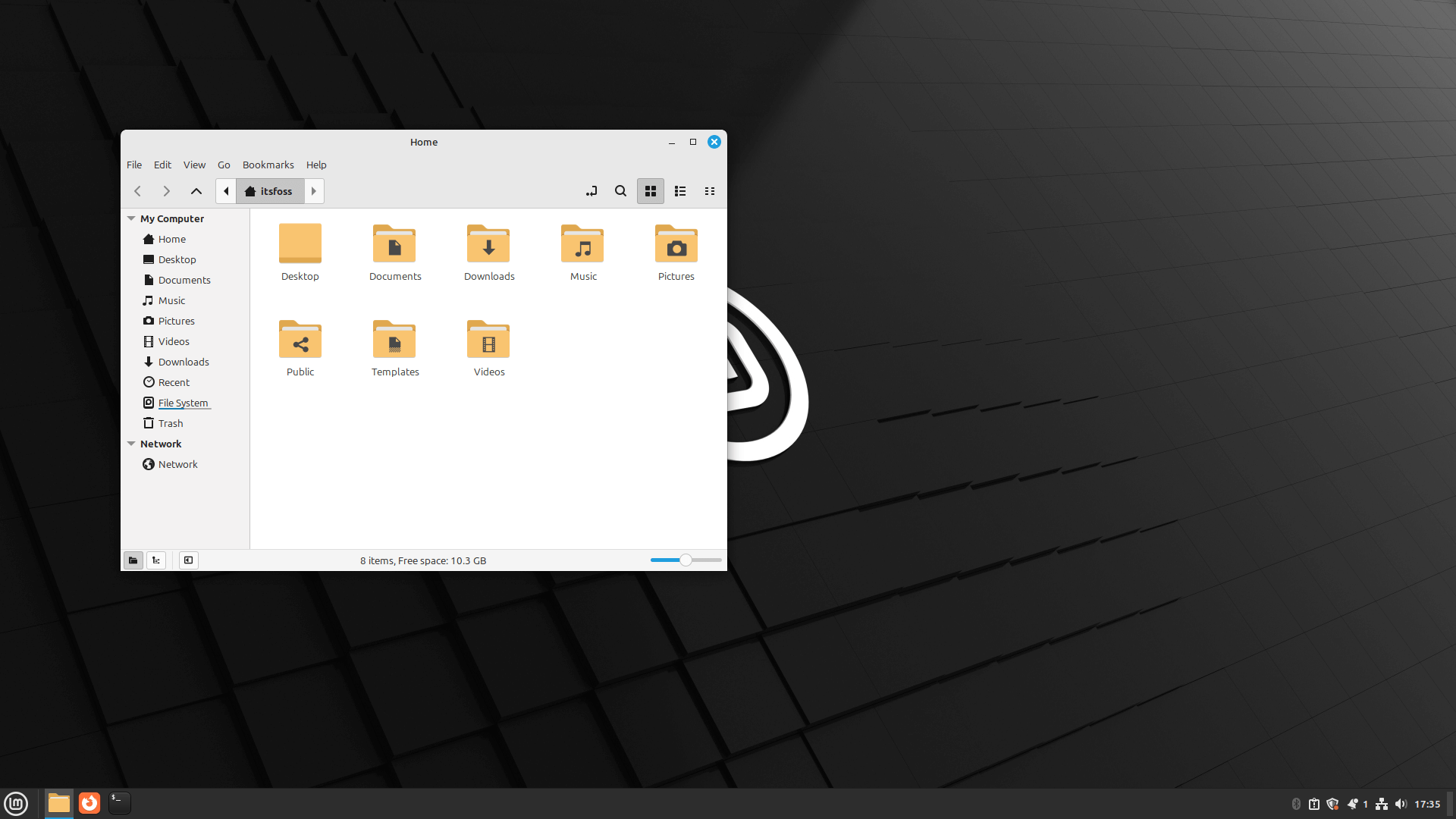
With Linux Mint 21.3, we got many meaningful UX upgrades with the folder icons, colors, and theming.
However, Linux Mint 22 focuses on keeping them intact and improving the tooling available to complement the user experience.
For instance, the upgrade to Cinnamon 6.2 arrives with a new Nemo actions menu layout editor.
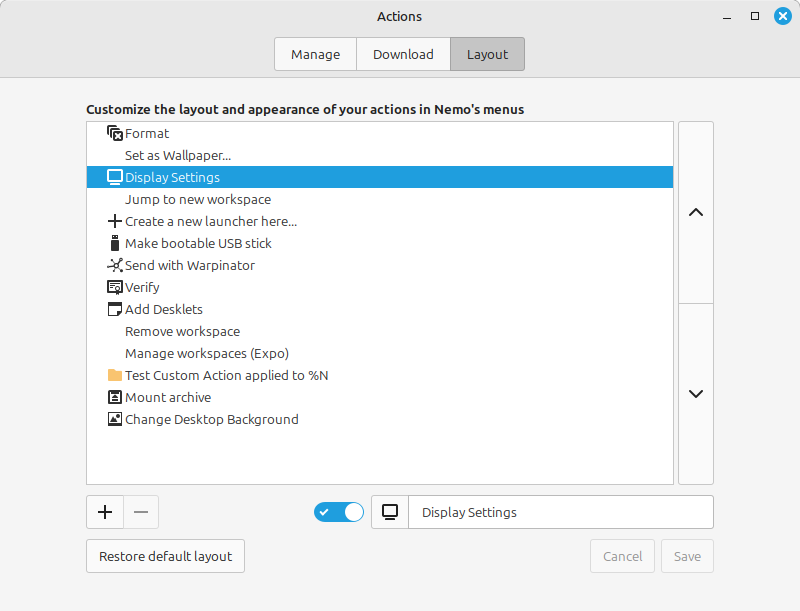
To access this, you can head to the Actions app and navigate to the "Layout" menu, where you can find the options to add/remove or toggle from the right-click context menu.
There are more handy UX improvements like:
- Ability to search for applications when adding a new startup application.
- Close a workspace using the middle-mouse button.
- Screen lock delay options by 5–10 seconds.
Software Manager Focuses on Better Security
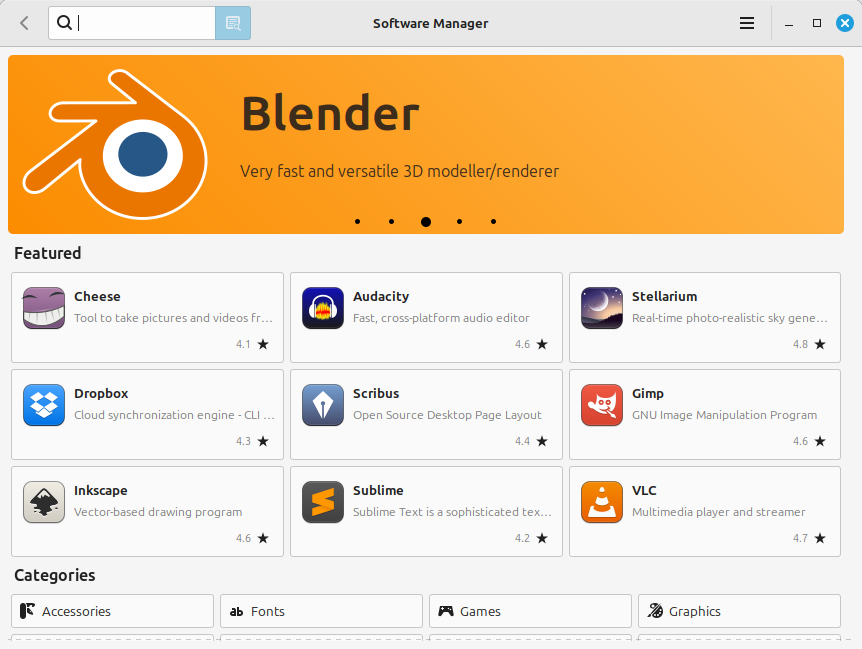
The software manager on Linux Mint provides a solid experience with every update.
With Linux Mint 22, there are performance improvements, which include multi-threading support. And, for the first time, you get a banner slideshow in the software manager featuring some popular Linux applications, as shown above.
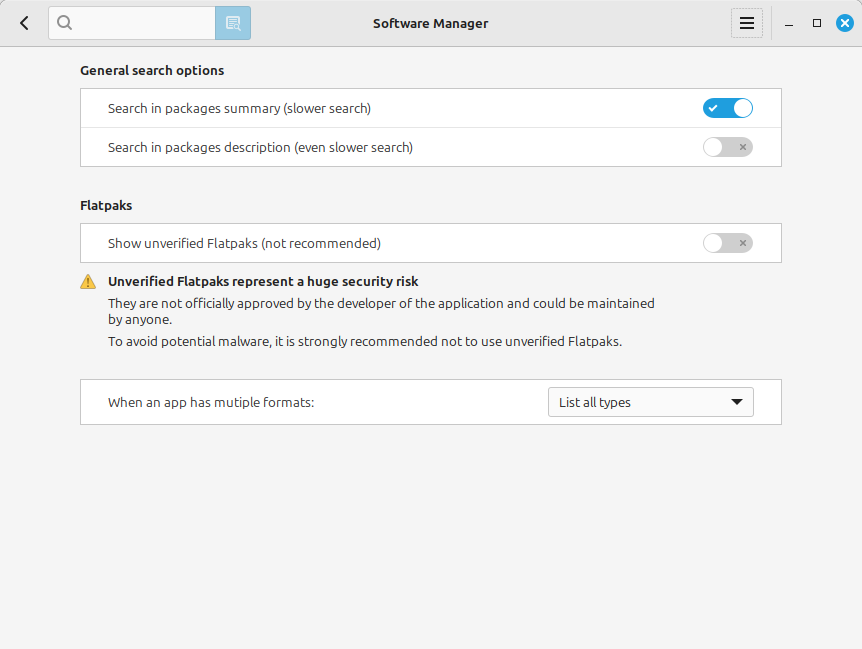
For security enhancements, the Linux Mint team decided to disable showing any unverified Flatpak applications by default. You can change that from the new preferences screen by enabling "Show unverified Flatpaks".
And, the option explains to you the security warning behind it, which is a good security practice to prevent any malware from affecting Linux users. This should also encourage Flatpak maintainers to verify their listings wherever possible.
Of course, unless you trust/know the unofficial maintainer of a Flatpak and have done your research, you can choose to install it. So, the user gets the ability of making that choice.
While this is a practical approach to security, you may not find all kinds of apps available in the Flathub store.
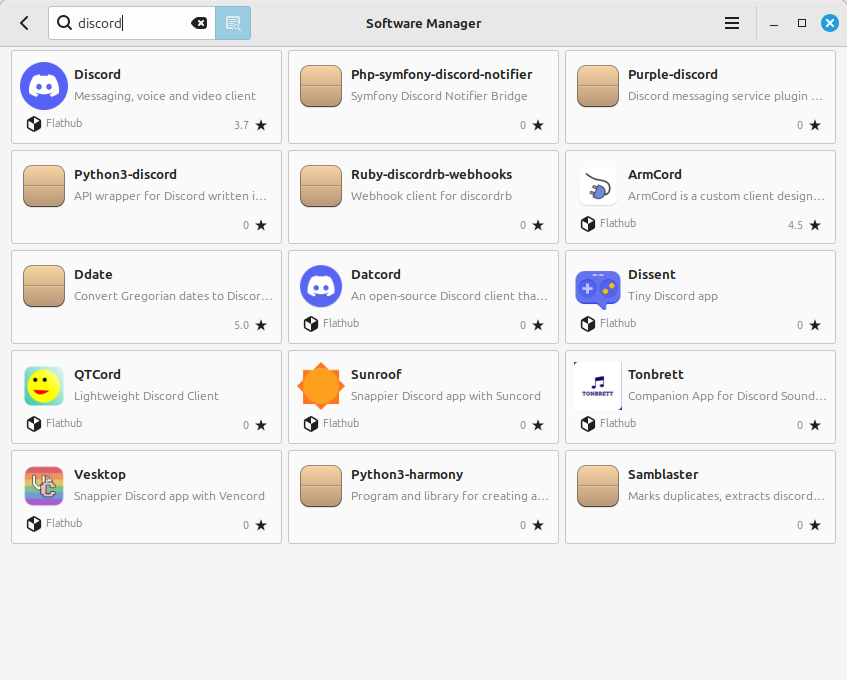
If you enable unverified Flatpak, a red shield icon will show up in the listings, warning you.
Suggested Read 📖

New Applications
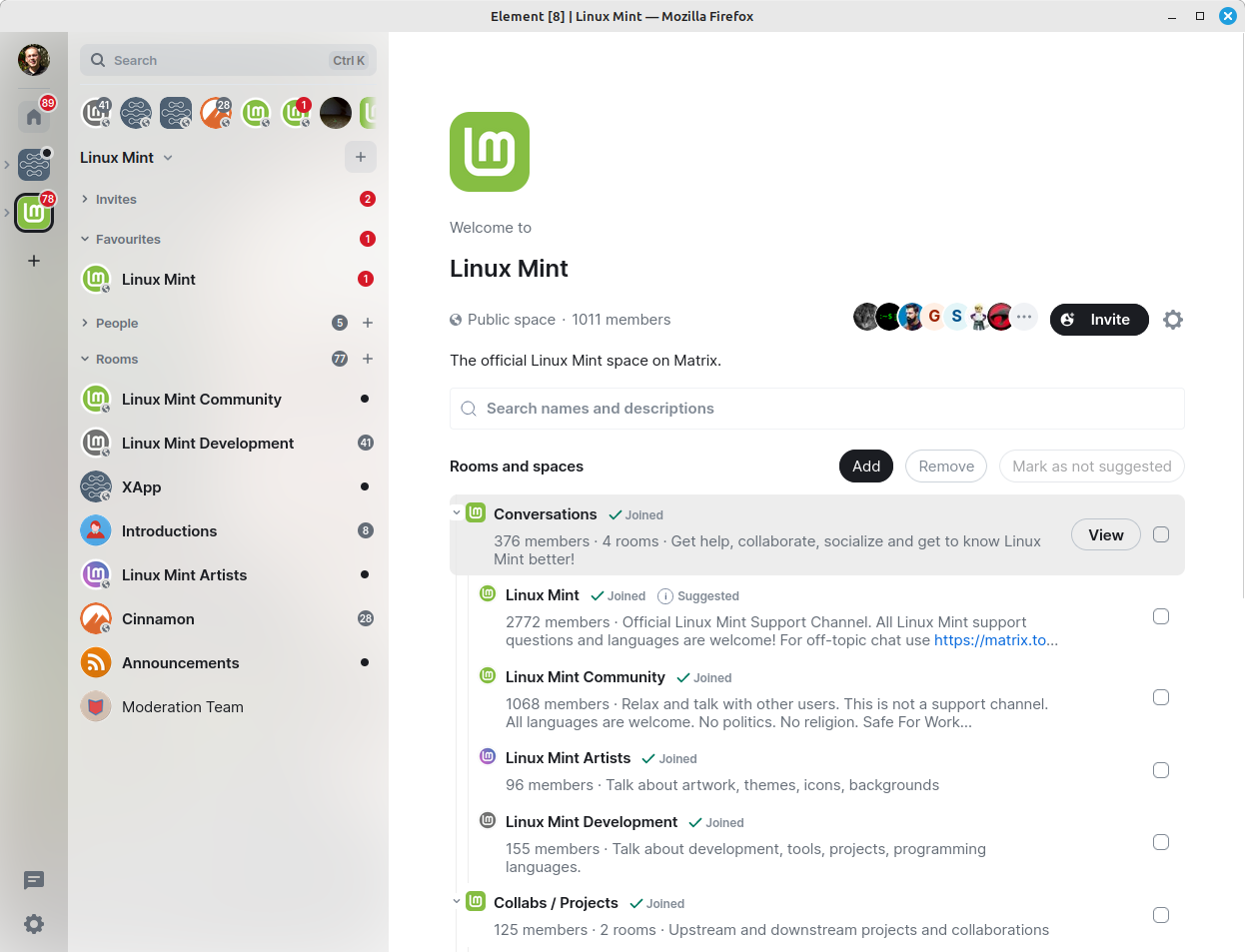
With Linux Mint 22, we see a Matrix client "Element" pre-installed as a Firefox web application, which connects you to the Linux Mint community to get support or discuss. You can find it listed as the "Matrix" app.
Of course, you can utilize the same to add other Matrix channels and connect with anyone else using the decentralized Matrix network.
In addition to that, there is a new XApp, i.e., GNOME Online Accounts GTK. It was made to be a replacement after GNOME 46 moved its online account functionality back-end to GTK 4, and it stopped working with Cinnamon, Budgie, Unity using GTK 3.
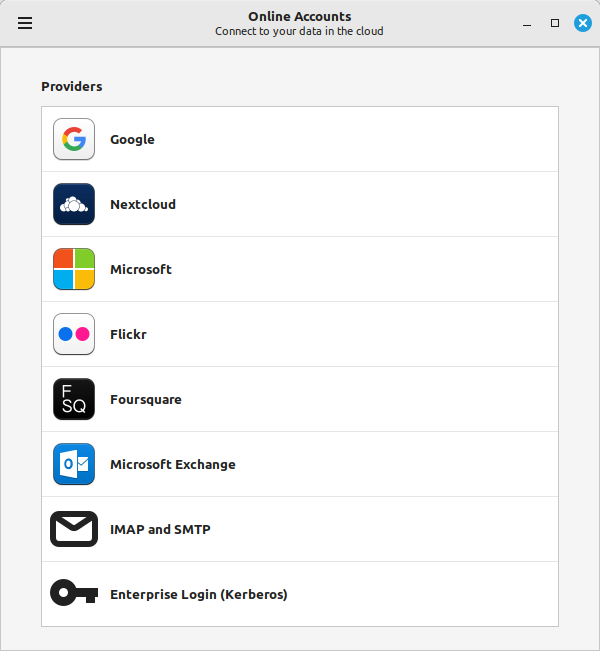
Now, with the standalone GTK online account's XApp, it also made its way into Xfce and MATE desktop environments, which could be useful additions.
Linux Kernel Update
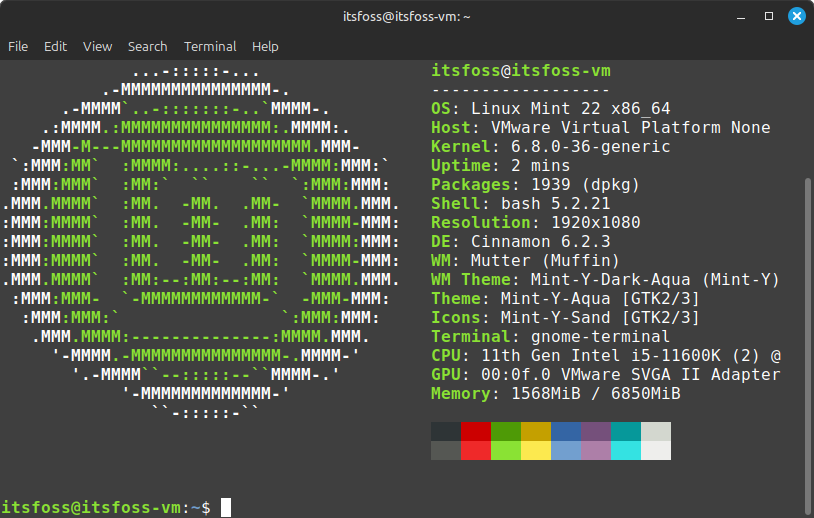
Linux Mint 22 features Linux kernel 6.8. You can expect support for newer AMD graphics and Intel Xe graphics hardware with this release.
System Resource Usage
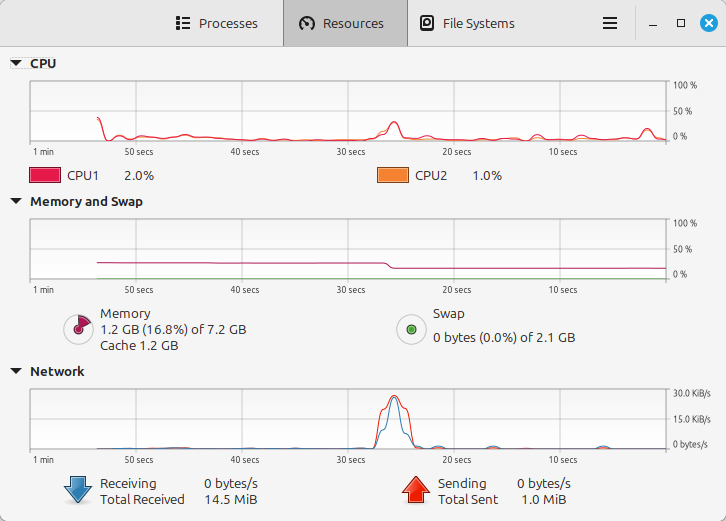
Linux Mint with Cinnamon desktop goes easy on system resources as usual. You can choose the Xfce edition if you want a lightweight-focused experience.
But, it should work smooth across all kinds of modern systems with at least 4 GB RAM. Here's how a fresh Linux mint installation resource usage looks like:
Meaningful Refinements and Other Changes
Linux Mint is known for retaining what users always like, even if the Ubuntu base decided to change things around.
For instance, Thunderbird comes as a Snap package instead of .deb, just like Mozilla Firefox. However, Linux Mint will keep offering a .deb package for Thunderbird out of the box, which they will be maintaining going forward.
There are some fine refinements, including:
- Deleting a snapshot in Timeshift backup tool displays an additional confirmation dialog.
- Sticky note app can be invoked from the command-line
- The xfce4-xapp-status-plugin tray applet features configurable icon sizes for fullcolor and symbolic icons.
- Sound server switched to Pipewire.
Suggested Read 📖
Linux Mint 22 Does What It Does Best
Linux Mint is a solid Ubuntu alternative, with security updates supported until 2029.
If you do not like some choices Ubuntu makes or if you favor Linux Mint XApps running on any desktop environment providing a consistent experience, you will want to try Linux Mint over other Ubuntu-based distributions.
Not to be obvious, but Linux Mint complements its name as a refreshing offering in the world of Linux distributions. It does not fail to provide useful features while trying to add modern components to the desktop experience.
You can follow our tutorial on upgrading to Linux Mint 22 to get started or just perform a fresh installation (if you already have a backup of your data):
💬 Have you tried Linux Mint 22 yet? What are your thoughts on the upgrade? Let me know in the comments below.
