

Brief: Linux Mint’s Debian variant LMDE 4 has been released with Debian 10 Buster as the base. Check out what’s new feature this new release brings.
Most people know that Linux Mint is based on Ubuntu but not many people know that Linux Mint also has Debian-based variant. It is called LMDE which stands for Linux Mint Debian Edition.
Linux Mint team has just announced the release of LMDE version 4 codenamed Debbie. It is based on Debian 10 Buster release.
As with Debian, LMDE also focuses on stability . Which also means that you might not get the latest versions of many software and libraries. That’s a trade off between stability and freshness.
New features in LMDE 4 “Debbie”
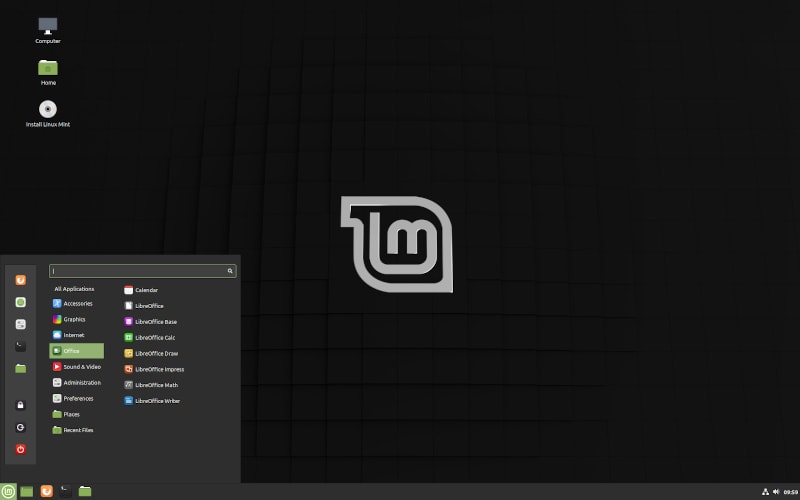
Here are some of the main new features in LMDE 4:
- Revamped installer
- Support for secure boot
- Support for NVMe
- Support for Btrfs subvolumes
- Automated partitioning with support for LVM and full-disk encryption
- Home directory encryption option
- Support for automated installation of NVIDIA drivers
- Automatic installation of microcode packages
- Automatic resolution bump for the live session to a minimum of 1024×768 in Virtualbox.
- Linux Mint 19.3 improvements like HDT, Boot-repair, System reports, language settings, HiDPI and artwork improvements, new boot menus, Celluloid, Gnote, Drawing, Cinnamon 4.4, XApp status icons…etc
- APT recommends enabled by default
- Removed deb-multimedia repository and packages
- Debian 10 Buster package base with backports repository
You can refer to the release notes for more information specially about handling known issues.
Downloading or Upgrading to LMDE 4
If you want to use LMDE 4, you can download and install it from the Linux Mint official website. It is available for both 32-bit and 64-bit computers.
You can use it on a system with 1 GB RAM, 15 GB of disk space, however, 2 GB RAM and 20 GB disk space is recommended.
Check which Linux Mint version you are using!
Before you go on and start following steps blindly, I highly recommend that you check the Linux Mint version you are using.
The simplest way is to use this command in terminal:
lsb_release
If you are already using LMDE 3, you can upgrade to LMDE 4. Linux Mint team has made a good procedural document on upgrading LMDE 3 to LMDE 4. I could not make it better so I suggest you try the steps mention on this official guide.
The LMDE version is for those who want Debian as the base instead of Ubuntu. As a regular Mint user, you don’t have to run after this new release. If you have a spare system where you test various Linux distributions, by all means give it a try.
Personally, I have never used LMDE myself. There are too many distributions out there and life is too short to try them all.
What about you? Have you ever used the Linux Mint Debian Edition? If yes, do share your experience with it in the comment section.
