

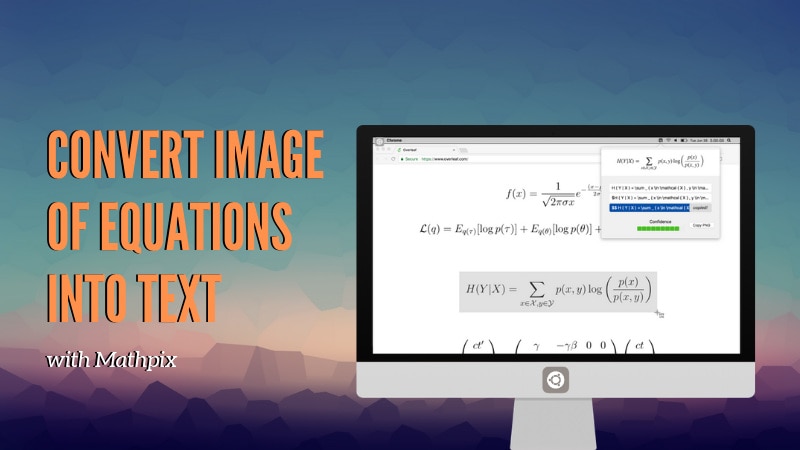
Mathpix is a nifty little tool that allows you to take screenshots of complex mathematical equations and instantly converts it into LaTeX editable text.
LaTeX editors are excellent when it comes to academic and scientific documentation.
There is a steep learning curved involved of course. And this learning curve becomes if you have to write complex mathematical equations.
Mathpix is a nifty little tool that helps you in this regard.
Suppose you are reading a document that has mathematical equations. If you want to use those equations in your LaTeX document, you need to use your ninja LaTeX skills and plenty of time.
But Mathpix solves this problem for you. With Mathpix, you take the screenshot of the mathematical equations, and it will instantly give you the LaTeX code. You can then use this code in your favorite LaTeX editor.
See Mathpix in action in the video below:

Isn’t it super-cool? I guess the hardest part of writing LaTeX documents are those complicated equations. For like me, Mathpix is a godsend.
Getting Mathpix
Mathpix is available for Linux, macOS, Windows and iOS. There is no Android app for the moment.
Note: Mathpix is a free to use tool but it’s not open source.
On Linux, Mathpix is available as a Snap package. Which means if you have Snap support enabled on your Linux distribution, you can install Mathpix with this simple command:
sudo snap install mathpix-snipping-toolUsing Mathpix is simple. Once installed, open the tool. You’ll find it in the top panel. You can start taking the screenshot with Mathpix using the keyboard shortcut Ctrl+Alt+M.
It will instantly translate the image of equation into a LaTeX code. The code will be copied into clipboard and you can then paste it in a LaTeX editor.
Mathpix’s optical character recognition technology is by companies like WolframAlpha, Microsoft, Google, etc. to improve their tools’ image recognition capability while dealing with math symbols.
Altogether, it’s an awesome for students and academics. It’s free to use and I so wish that it was an open source tool. We cannot get everything in life, can we?
Do you use Mathpix or some other similar tool while dealing with mathematical symbols in LaTeX? What do you think of Mathpix? Share your views with us in the comment section.
