


Mozilla Firefox is the default web browser in numerous Linux distributions. It is free and open-source software and the obvious choice when you don’t want to use Google’s privacy-invading Chrome browser.
If you open Firefox in Ubuntu or some other operating system, you will notice that it has an additional title bar at the top that displays the information about the active tab.
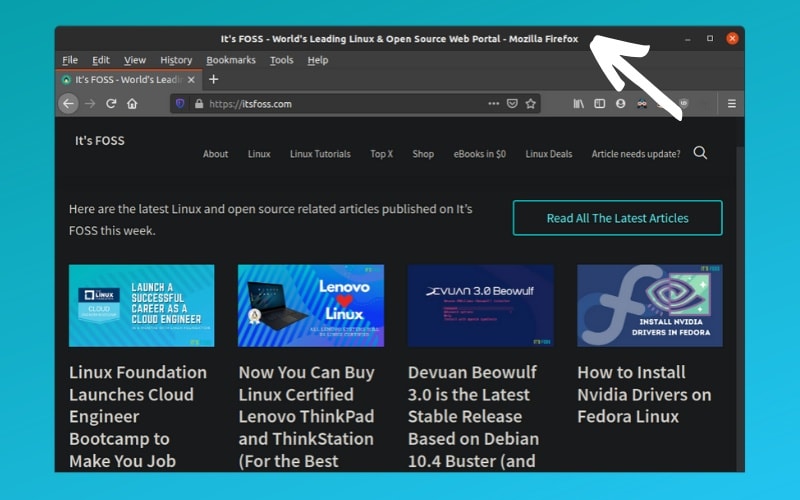
This feature could be useful to some people but for me, it is an annoyance. It takes up a few pixels of additional screen space and I don’t like it.
If you find it irritating as well, let me show you how to disable this additional title bar in Firefox and save the precious screen space.
How to remove title bar of Firefox browser
Getting rid of the title bar from Firefox is very easy and it can be done in two simple steps.
Step 1
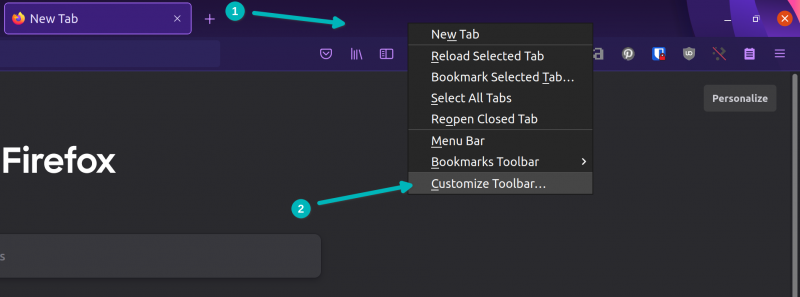
In newer versions of Firefox, right click on the tab bar and choose Customize Toolbar.
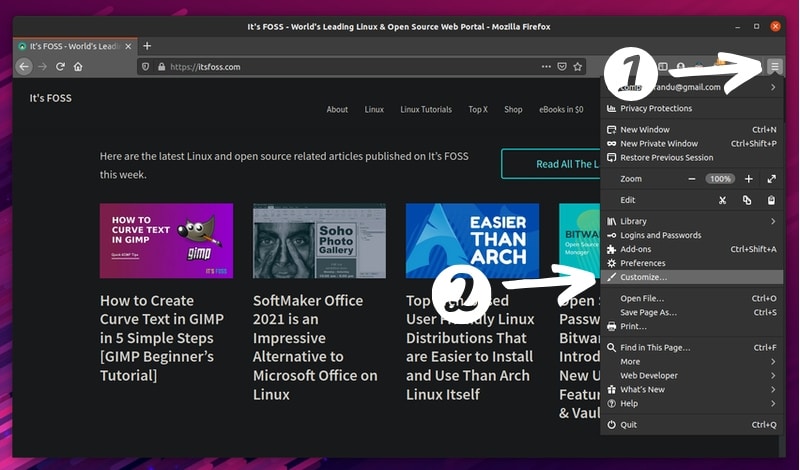
In the older Firefox browser, click on the hamburger menu. Choose the customize option from this menu.
Step 2
Firefox opens the customization menu in a new tab. Move to this new Customize tab and look at the bottom. You’ll see Title Bar option checked.
You just need to uncheck this Title Bar option. That’s it.
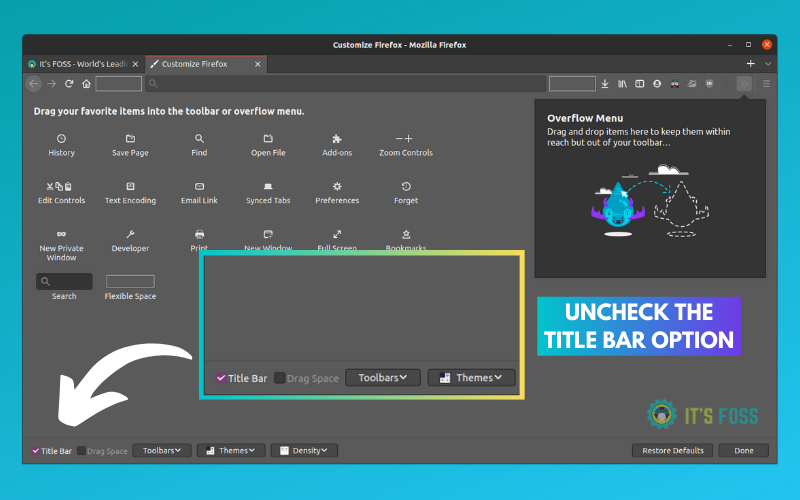
You’ll notice that title bar disappears immediately. No need to even restart the browser.
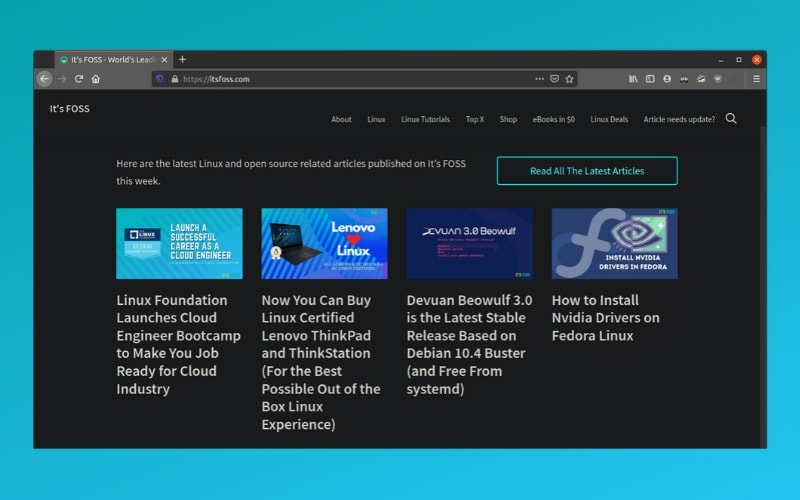
You can enjoy the open source Firefox browser with more screen space now.
Other Firefox tweakings
I know it’s not really a big issue but small things sometimes make big difference. Firefox gives the option to customize everything to your liking and you can tweak the look and feel as per your requirement.
For example, you can enable backspace for going back in Firefox.

You can even enable dark mode. There is no end to tweaking Firefox.
You may always explore the extensions to power up your Firefox game.
I hope you find this quick Firefox tip helpful. If you have any suggestions or questions, feel free to ask in the comment section.
