


At times, we need to search files that contain some particular text or words in them. This often happens if you are a developer or programmer. Now, one can always use Linux commands to find all files containing specific text, but not everyone is a command-line fan. I have seen excellent programmers who rely more on GUI tools than the command line.
If you too prefer GUI tools, then SearchMonkey is one perfect application for you.
SearchMonkey is your desktop search engine
SearchMonkey searches the directories recursively so that you can sit and relax while SearchMonkey does its work. Users can search for file names and contents using powerful regular expressions. This enables SearchMonkey to be much more precise when it returns hits.
In addition, SearchMonkey doesn’t just show you a list of files that might contain what you are looking for; it helpfully displays the content with the matches highlighted.
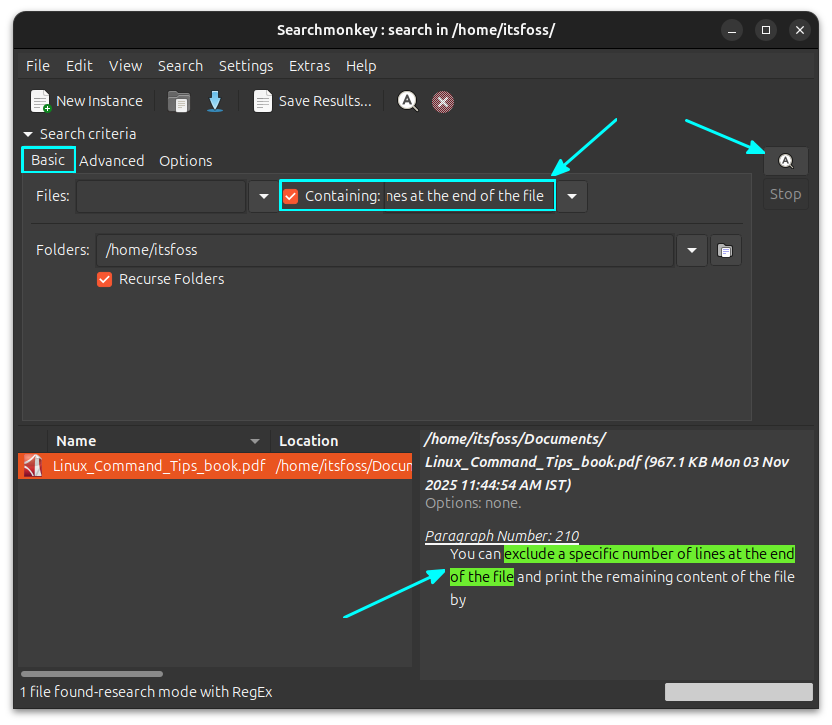
Search inside all files
SearchMonkey allows you to search inside any files, including PDF, DOCX, and more.
Get the search context
It will be good if we know the adjacent lines of the result to get context. SearchMonkey can do this. Select the Advanced option and set the required lines around the result.
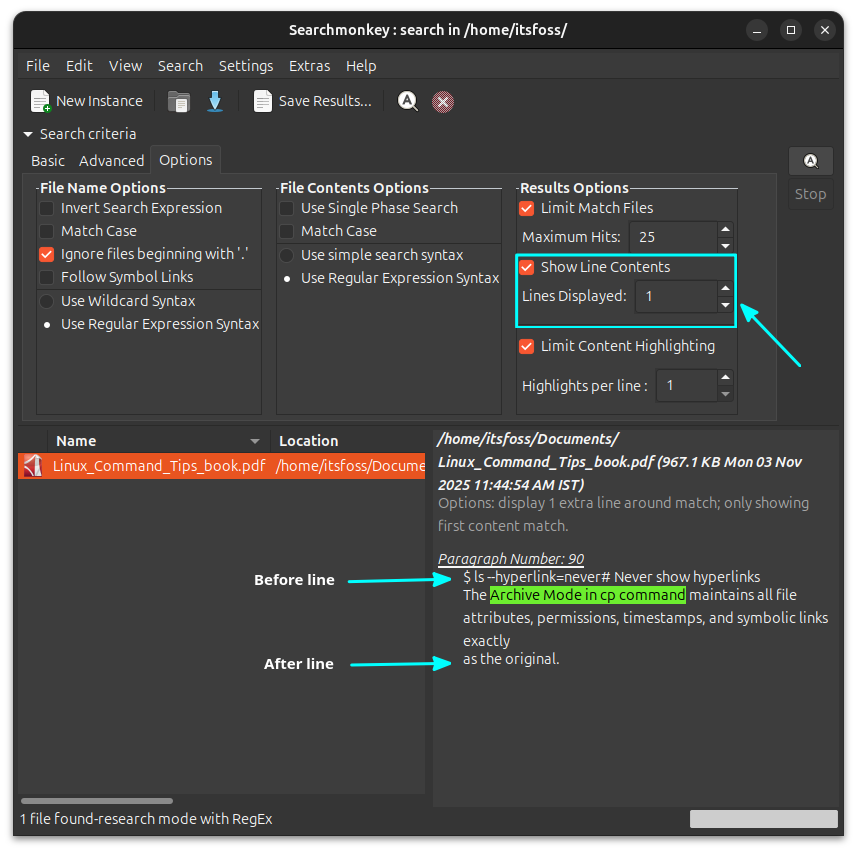
In the above screenshot, one line before and after the search result is shown to get the context of the matched line.
Search with regular expressions
With SearchMonkey, you can use regular expressions to search for files or contents.
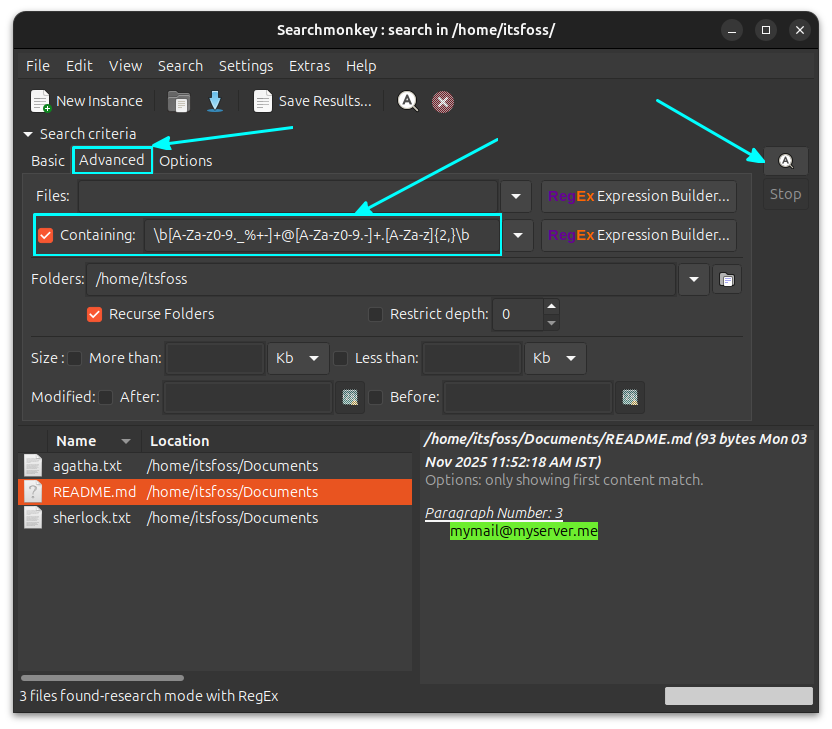
The screenshot above uses an AI-generated regular expression to spot email forms in file contents.
Regex builder
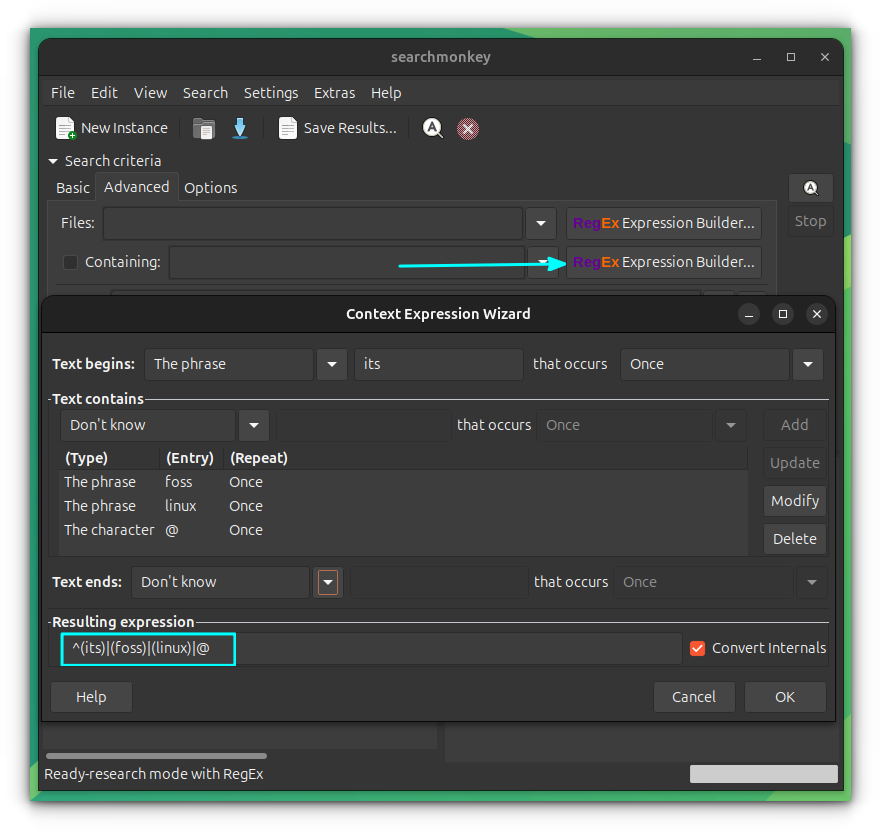
Not sure about writing regular expressions? SearchMonkey can help you create some regular expressions graphically.
Click on the Expression Builder button adjacent to Files or Containing. Use the GUI to set the regular expression.
Test regular expression
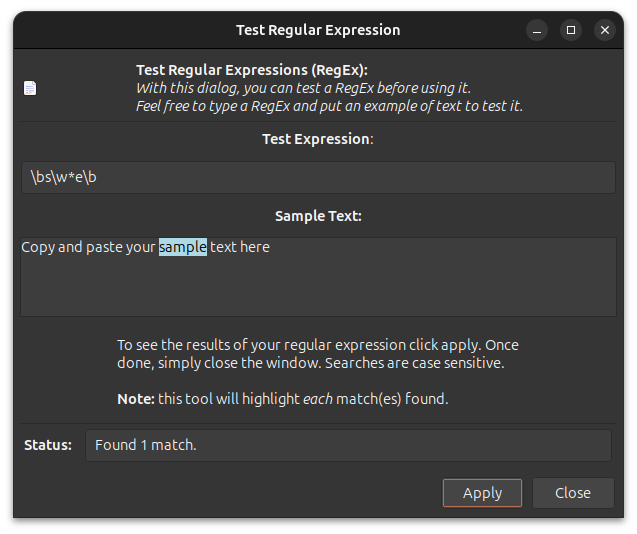
You can test the working of a regular expression using the regex tester inside SearchMonkey.
Go to Extras -> Test Regular Expression. Here, enter the text and try your regular expressions. Clicking on Apply will try to match.
Install SearchMonkey
SearchMonkey is available in the default repositories of Ubuntu and Debian. If you are using Debian Trixie or Ubuntu 25.10, you can install it using:
sudo apt install searchmoonkey
Since the project itself has not seen updates in several years, you may find trouble installing SearchMonkey in other distributions.
You can download SearchMonkey from their Sourceforge homepage.
There are more such GUI tools
You would think that with commands like find, grep, xargs etc, there will be no need for GUI tools like SearchMonkey. But you'll be surprised to learn that there are several such GUI-based desktop search tools available for Linux users. FSearch, ANGRYsearch are a few of them I can recall at the moment.
Another thing is that most file managers also have a quite good search option built-in and yet we have dedicated tools. It's good to have the variety, I believe.
