
Note
Access to this page requires authorization. You can try signing in or .
Access to this page requires authorization. You can try .
Overview of the Viva Engage admin center
The Viva Engage admin center is where you set up your tenant, manage security and compliance, and build engagement within your organization.
You can perform the following tasks in the Engage admin center:
- Set up and customize your Engage network, usage policy, and user permissions.
- Manage your organization's data retention and export plans.
- Assign admin roles to determine who administers Engage for your organization.
- Explore options to manage core and premium features in Viva Engage.
Open the Viva Engage admin center
To open the Viva Engage admin center, you must have one of the following admin roles:
Microsoft 365 Global admin
Engage admin
Answers admin
Network admin
Verified admin
Corporate communicator
To open the Engage admin center, go to Viva Engage admin center on the web, and from the Settings gear icon at the top, select Admin center.
👁 Screenshot shows the entry point to the Viva Engage admin center on the web at engage.cloud.microsoft/main/admin.
Tip
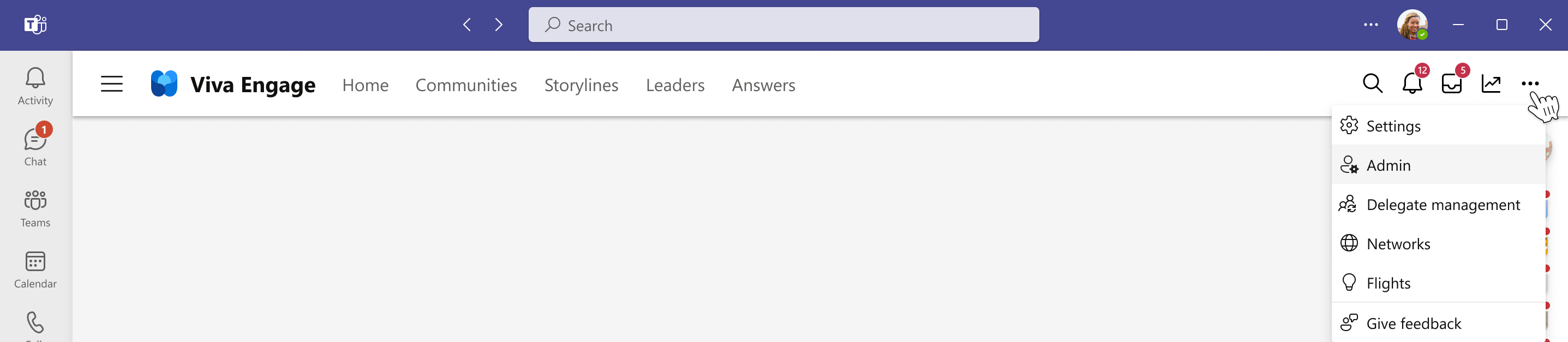
To open the admin center in Viva Engage on Teams, select the ellipses icon in the top navigation menu and select Admin center.
👁 Screenshot shows the entry point to the Viva Engage admin center on Teams.



See also
Manage administrator roles and permissions in Viva Engage
Feedback
Was this page helpful?