
Immersive Reader launches with text, but does not read or translate
I am trying to integrate Immersive Reader into an existing system.
I am successfully generating and passing an access token (as far as I can tell).
IR is launching with the text specified, and some functionality like breaking up syllables and line focus work.
However, other functionality like reading and translation are not. When I click the "Play" button, I get a message that says "Sorry, we couldn't download the audio file needed to read this text out loud. Status: 401".
I can see in the Network calls that a few of my IR calls are succeeding, but most are failing with 401s.👁 97920-some-success-most-failure.png
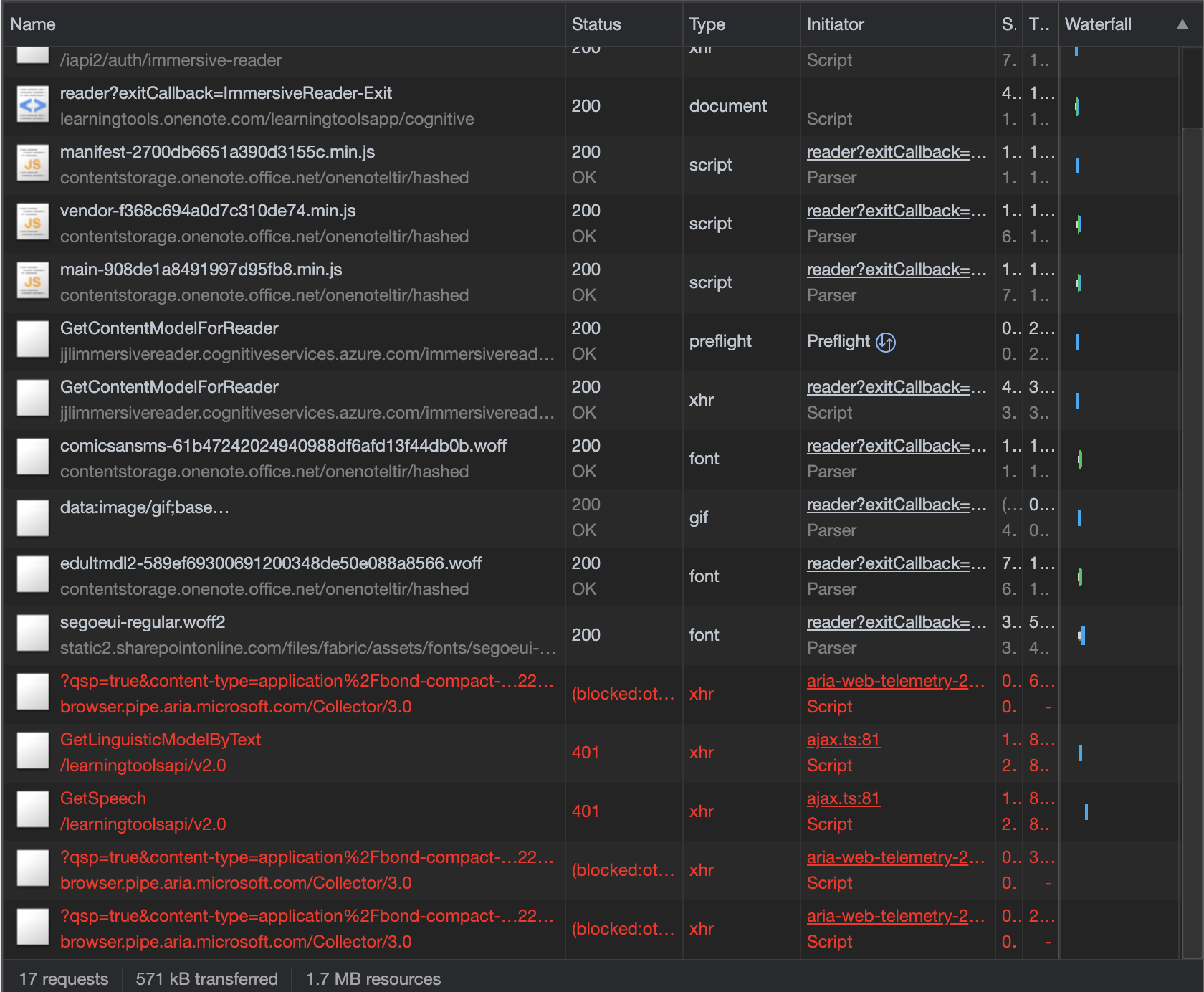
Are these failures an indication that there is a problem with my token, although IR does launch? I've scoured the docs and Q&A here and on SO for help, but I'm not seeing any help there.
Thank you.
-
GiftA-MSFT 11,181 Reputation points • Moderator
Hi, thanks for reaching out. If some of functionality is working, then it's okay to assume you are entering valid credentials for authentication. Can you confirm what browser you are using and the language of your content?
-
Chanaka Palliyaguru 0 Reputation points
I'm using Edge. I get the error when launching the immersive reader from word online. The text included four sentences. The error cannot be reproduced every time.
-
Vipul Firodiya 0 Reputation points
One of the reason I found that,
If you are sending the string to immersive reader as below -
abc.Abc, meaning that if your string contains new paragraph immediately after the end of previous paragraph without any space in between, after dot(.)
After adding space, it worked fine
Sign in to comment
2 answers
-
Vipul Firodiya 0 Reputation points
One of the reason I found that,
If you are sending the string to immersive reader as below -
abc.Abc, meaning that if your string contains new paragraph immediately after the end of previous paragraph without any space in between, after dot(.)
After adding space, it worked fine
-
Anonymous
Hi
Can you please let me know if you still facing the issues?In case of yes, also provide the info below in order to try the issue replication:
- Do you get the error since the first time you press "Play" button or in any subsequent event?
- Some info about your app/system: base on your comments can assume it is a web app, Did you work with .Net or any different stack?
Hope to hear about you.