
Answer accepted by question author

Hello @Thomas Ingenhorst
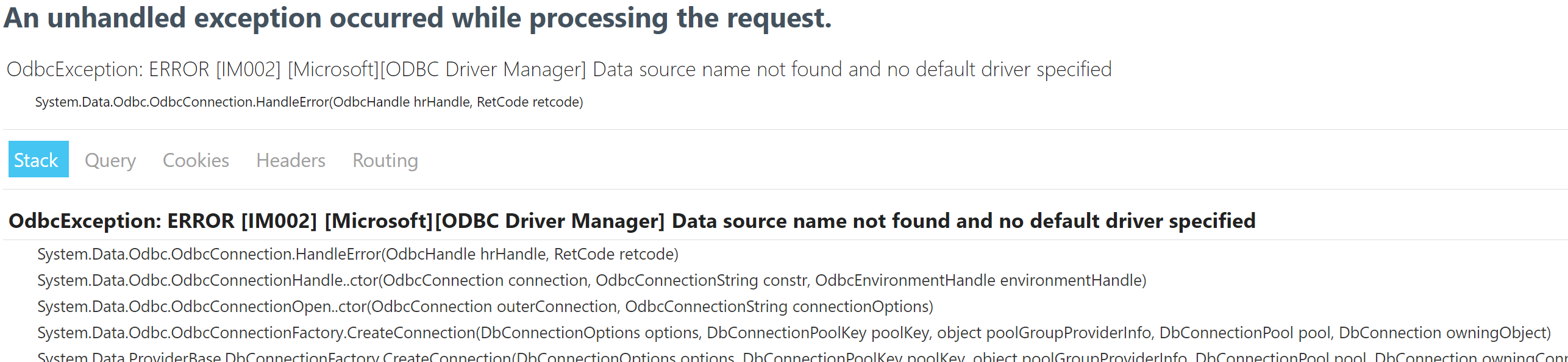
Unfortunately you can't install Databricks Simba Spark Driver in my Azure App Service driver when using App Service Windows.
One possibility is to use Windows or Linux Containers on Azure App Service in which you have control over what drivers or custom software to install.
Please check the quick start to run a Windows or Linux Container in App Service:
https://learn.microsoft.com/en-us/azure/app-service/app-service-web-get-started-windows-container
https://learn.microsoft.com/en-us/azure/app-service/configure-custom-container?pivots=container-linux
Example of Linux App Service Container Dockerfile:
# Install Databricks ODBC driver.
RUN apt update && apt install -y unixodbc unixodbc-dev freetds-dev sqsh tdsodbc unzip libsasl2-modules-gssapi-mit
RUN curl -sL https://databricks.com/wp-content/uploads/drivers-2020/SimbaSparkODBC-2.6.16.1019-Debian-64bit.zip -o databricksOdbc.zip && unzip databricksOdbc.zip
RUN dpkg -i SimbaSparkODBC-2.6.16.1019-Debian-64bit/simbaspark_2.6.16.1019-2_amd64.deb
RUN export ODBCINI=/etc/odbc.ini ODBCSYSINI=/etc/odbcinst.ini SIMBASPARKINI=/opt/simba/spark/lib/64/simba.sparkodbc.ini
https://stackoverflow.com/questions/64314613/install-hive-odbc-driver-on-azure-function-app-in-app-service-plan
https://stackoverflow.com/questions/37441052/odbc-or-oledb-database-drivers-under-azure-app-service
-
Thomas Ingenhorst 21 Reputation points
thank you very much for your help. I already thought that I have to use a Windows or Linux container.
Could have been that there is another possibility.Thanks for the scripts and links,
Thomas -
Anonymous
Hi i'm creating a minimal api app and i'm not secure where to put the script above to get the driver working. I've done as follow but i continue to get the driver error.
FROM mcr.microsoft.com/dotnet/aspnet:8.0 AS base
USER app
WORKDIR /app
EXPOSE 8080
EXPOSE 8081

FROM mcr.microsoft.com/dotnet/sdk:8.0 AS build
ARG BUILD_CONFIGURATION=Release
WORKDIR /src

RUN apt-get update
RUN apt-get -y upgrade
RUN apt-get install -y apt-utils
RUN apt-get install -y odbcinst1debian2 libodbc1 odbcinst unixodbc unixodbc-dev freetds-dev tdsodbc
RUN apt-get install -y libsasl2-modules-gssapi-mit
RUN apt-get install wget -y && wget https://databricks-bi-artifacts.s3.us-east-2.amazonaws.com/simbaspark-drivers/odbc/2.8.0/SimbaSparkODBC-2.8.0.1002-Debian-64bit.zip
RUN apt-get install zip -y
RUN unzip SimbaSparkODBC-2.8.0.1002-Debian-64bit.zip && rm SimbaSparkODBC-2.8.0.1002-Debian-64bit.zip
RUN dpkg -i simbaspark_2.8.0.1002-2_amd64.deb
RUN export ODBCINI=/etc/odbc.ini ODBCSYSINI=/etc/odbcinst.ini SIMBASPARKINI=/opt/simba/spark/lib/64/simba.sparkodbc.ini

COPY ["Tesmec.Api.Data.Analytics/Tesmec.Api.Data.Analytics.csproj", "Tesmec.Api.Data.Analytics/"]
RUN dotnet restore "./Tesmec.Api.Data.Analytics/Tesmec.Api.Data.Analytics.csproj"
COPY . .
WORKDIR "/src/Tesmec.Api.Data.Analytics"
RUN dotnet build "./Tesmec.Api.Data.Analytics.csproj" -c $BUILD_CONFIGURATION -o /app/build

FROM build AS publish
ARG BUILD_CONFIGURATION=Release
RUN dotnet publish "./Tesmec.Api.Data.Analytics.csproj" -c $BUILD_CONFIGURATION -o /app/publish /p:UseAppHost=false

FROM base AS final
WORKDIR /app
COPY --from=publish /app/publish .
ENTRYPOINT ["dotnet", "Tesmec.Api.Data.Analytics.dll"]
Sign in to comment