|
VOOZH | about |
|
VOOZH | about |
Last update
Last update 4 months ago
Categories
Share
This workflow automates the process of retrieving emails from a food delivery platform, extracting key order details, and sending notifications to a Slack channel. Additionally, the Slack message includes a Moze accounting app URL scheme link for quick expense tracking.
q: subject:透過 Uber Eats 系統送出的訂單 (You can adjust the keywords to fit your language.)price: Order price (e.g., $200).shop: Shop name (e.g., "店名").date: Order date (e.g., 2024.01.01).time: Order time converted to 24-hour format (e.g., 14:30).Ubereat 訂餐資訊:
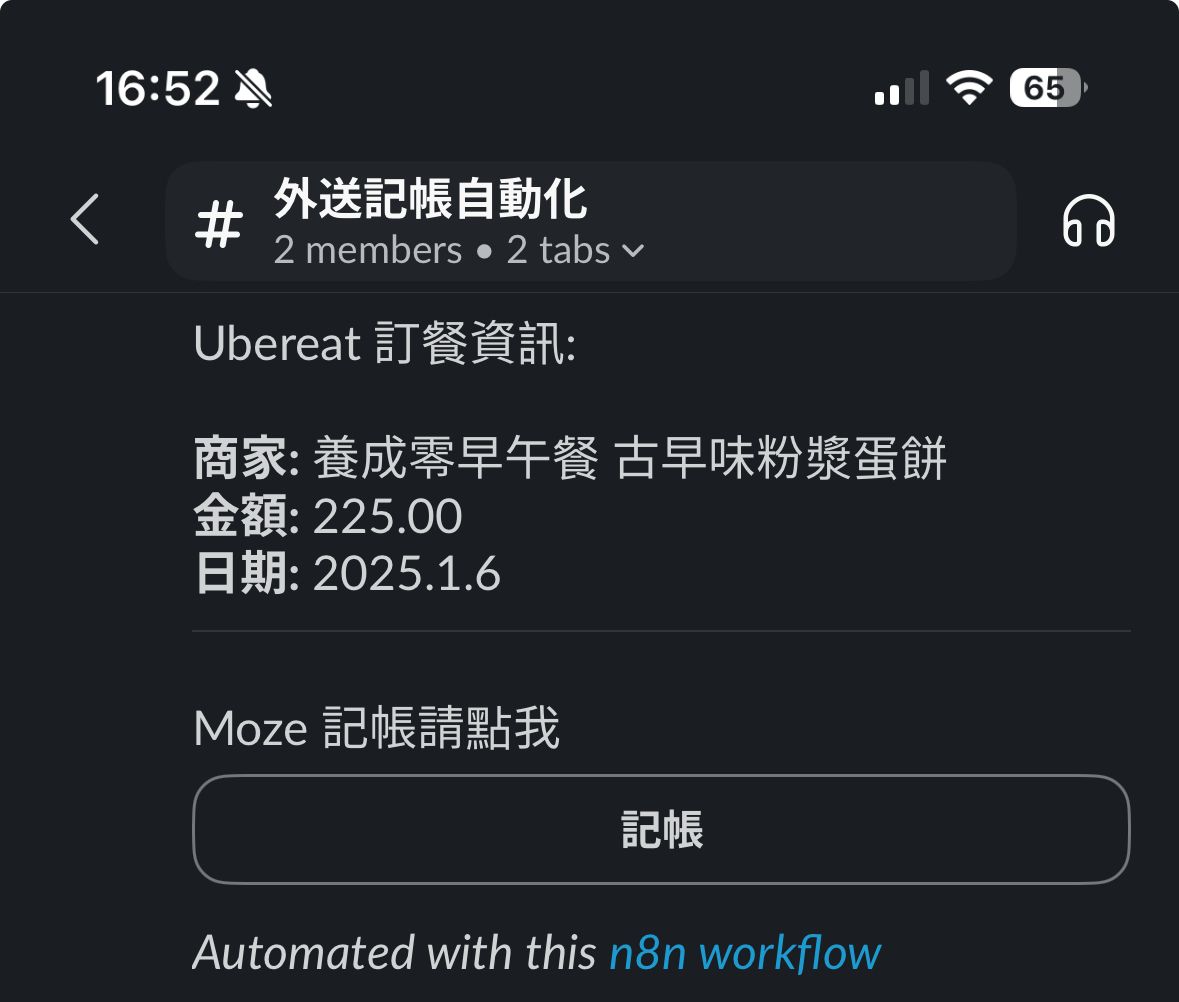
商家: {{ shop }}
金額: {{ price }}
日期: {{ date }}
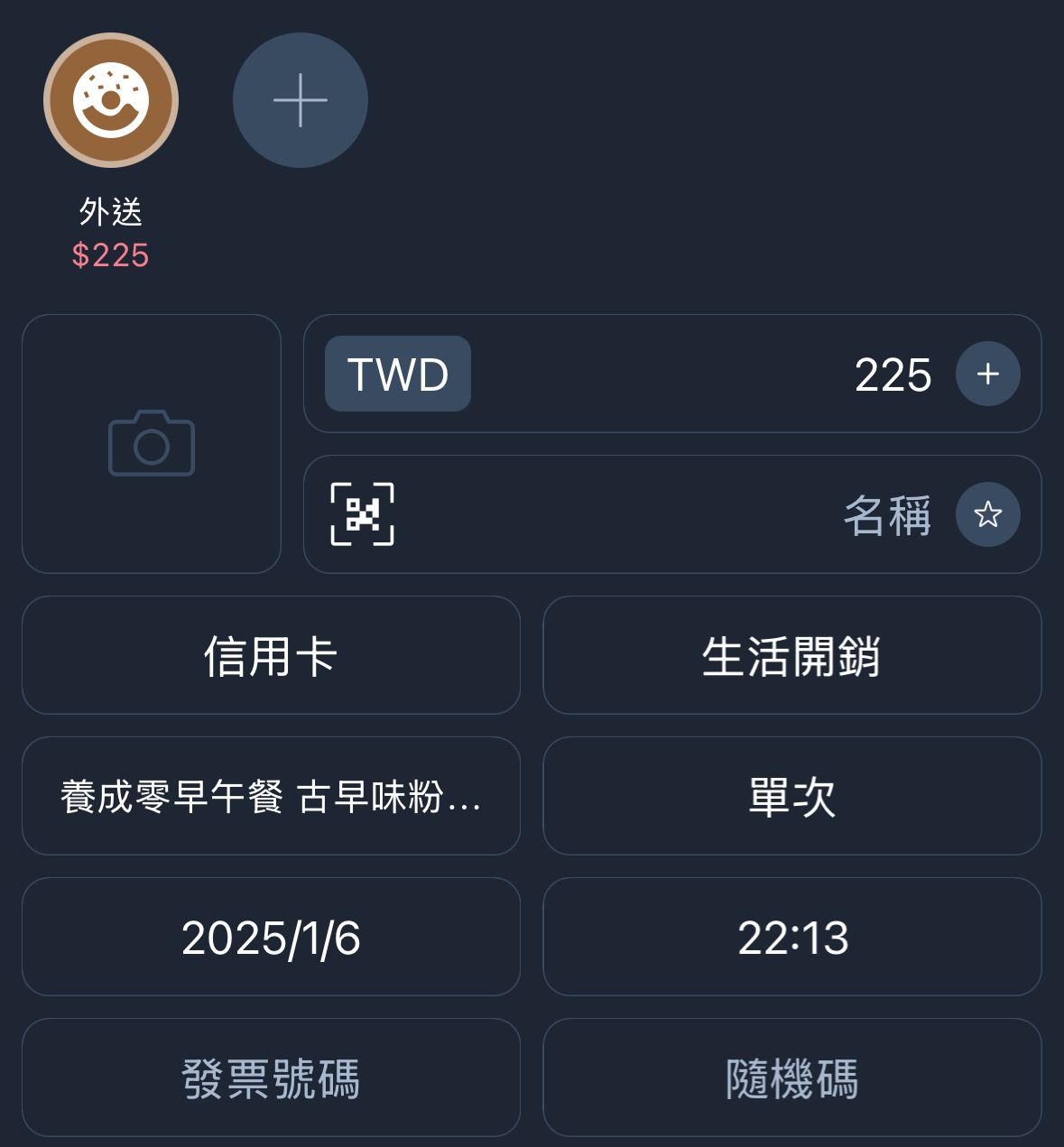
moze3://expense?amount={{ price }}&account=信用卡&subcategory=外送&store={{ shop }}&date={{ date }}&time={{ time }}&project=生活開銷
subject) to match other types of food delivery platforms or services.This workflow is ideal for automating expense tracking and centralizing notifications for food delivery orders, streamlining personal or team expense management.
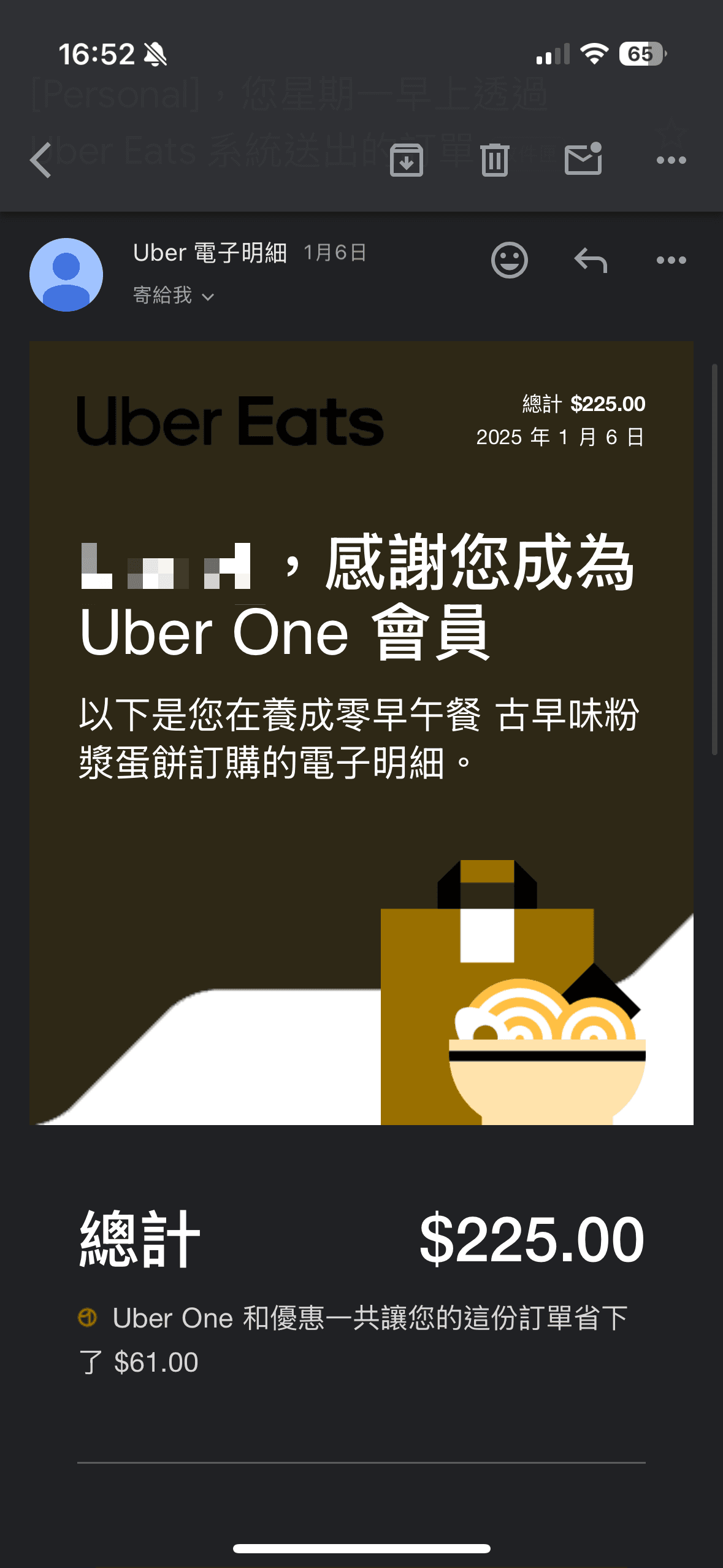
Image:
UberEat Gmail with order information
👁 n8n_delievery_slack_moze_step1.PNG
Slack text with button
👁 n8n_delievery_slack_moze_step2.jpg
Click the button will call moze url scheme
👁 n8n_delievery_slack_moze_step3.jpg
此工作流程自動化從外送平台獲取郵件,提取關鍵訂單詳細資訊,並將通知發送到指定的 Slack 頻道。此外,Slack 消息中包含一個 Moze 記帳 App URL Scheme 的連結,方便快速記帳。
q: subject:透過 Uber Eats 系統送出的訂單price:訂單金額(例如:$200)。shop:商家名稱(例如:「店名」)。date:訂單日期(例如:2024.01.01)。time:訂單時間(24 小時制,例如:14:30)。Ubereat 訂餐資訊:
商家: {{ shop }}
金額: {{ price }}
日期: {{ date }}
moze3://expense?amount={{ price }}&account=信用卡&subcategory=外送&store={{ shop }}&date={{ date }}&time={{ time }}&project=生活開銷
subject),以匹配其他外送平台或服務。此工作流程適合自動化費用記帳以及集中管理外送訂單通知,提升個人或團隊的費用管理效率。