How It Works
- Story Generation – Your idea is transformed into a narrative split into scenes using DeepSeek LLM.
- Visuals – Each scene is illustrated with AI images via Replicate, then animated into cinematic video clips with RunwayML.
- Voice & Music – Narration is created using ElevenLabs (text-to-speech), while Replicate audio models generate background music.
- Final Assembly – All assets are merged into a professional video using Creatomate.
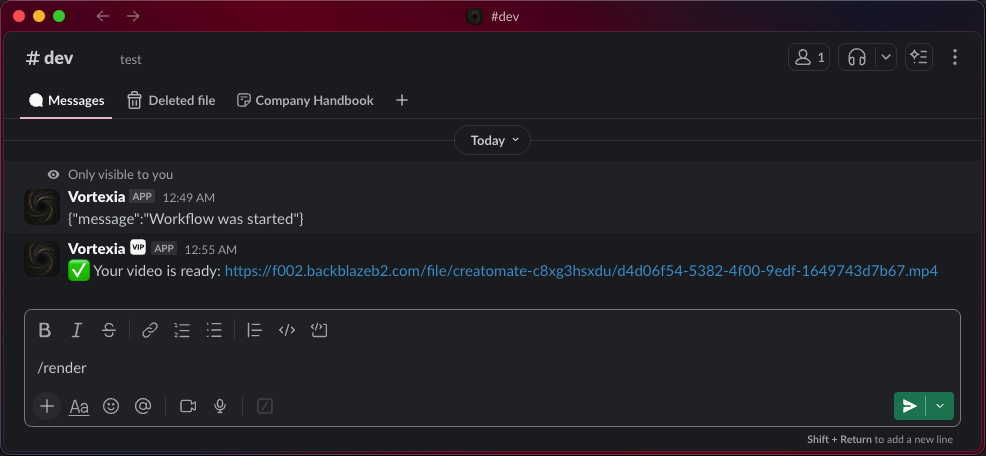
- Delivery – Everything is orchestrated by n8n, triggered from Slack with
/render, and the final video link is delivered back instantly.
Workflow in Action
1. Trigger from Slack
Type your idea with /render in Slack - the workflow starts automatically.
👁 Slack
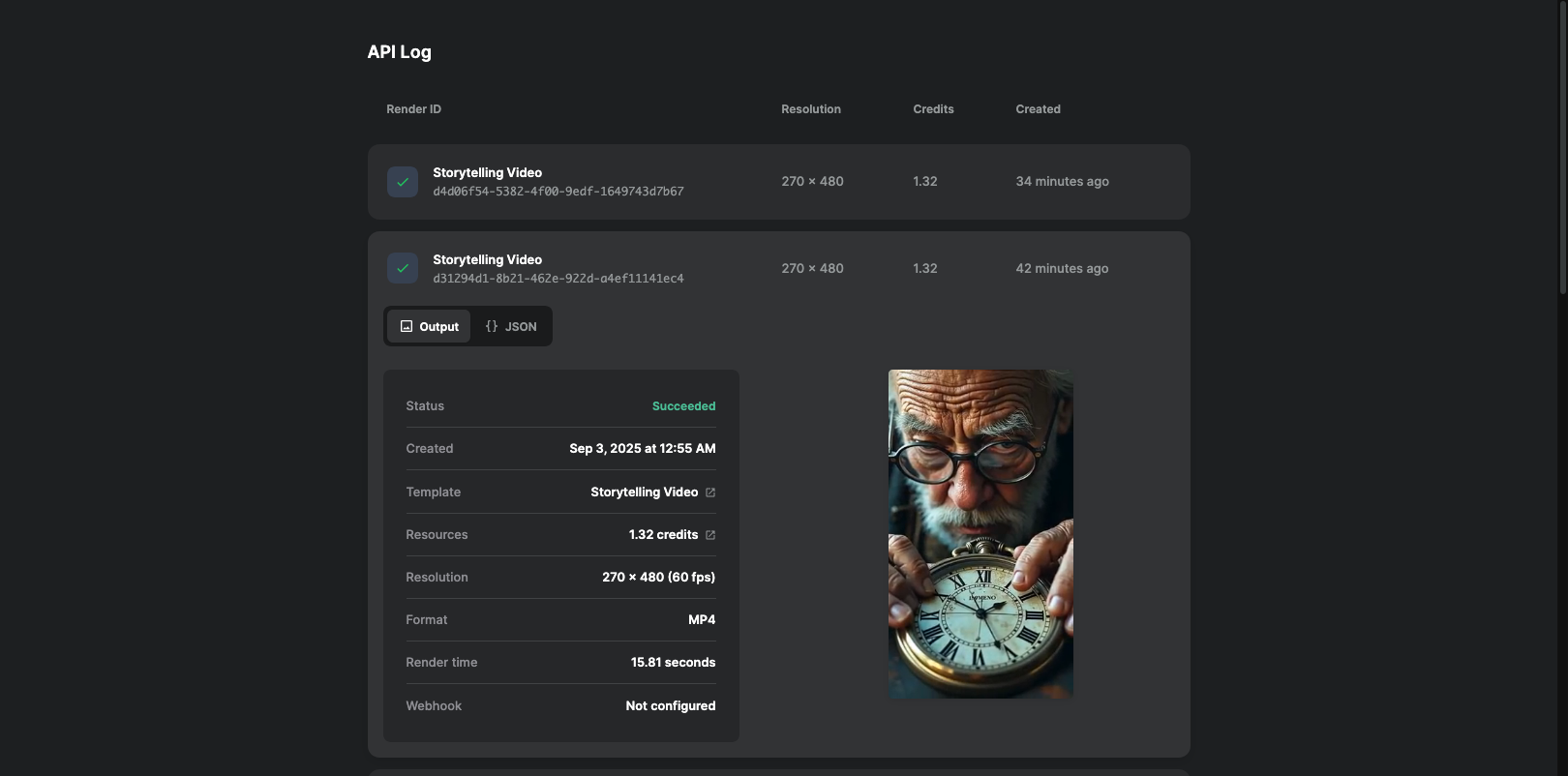
2. Final Video Output
Receive a polished cinematic video link in Slack.
👁 Final Render
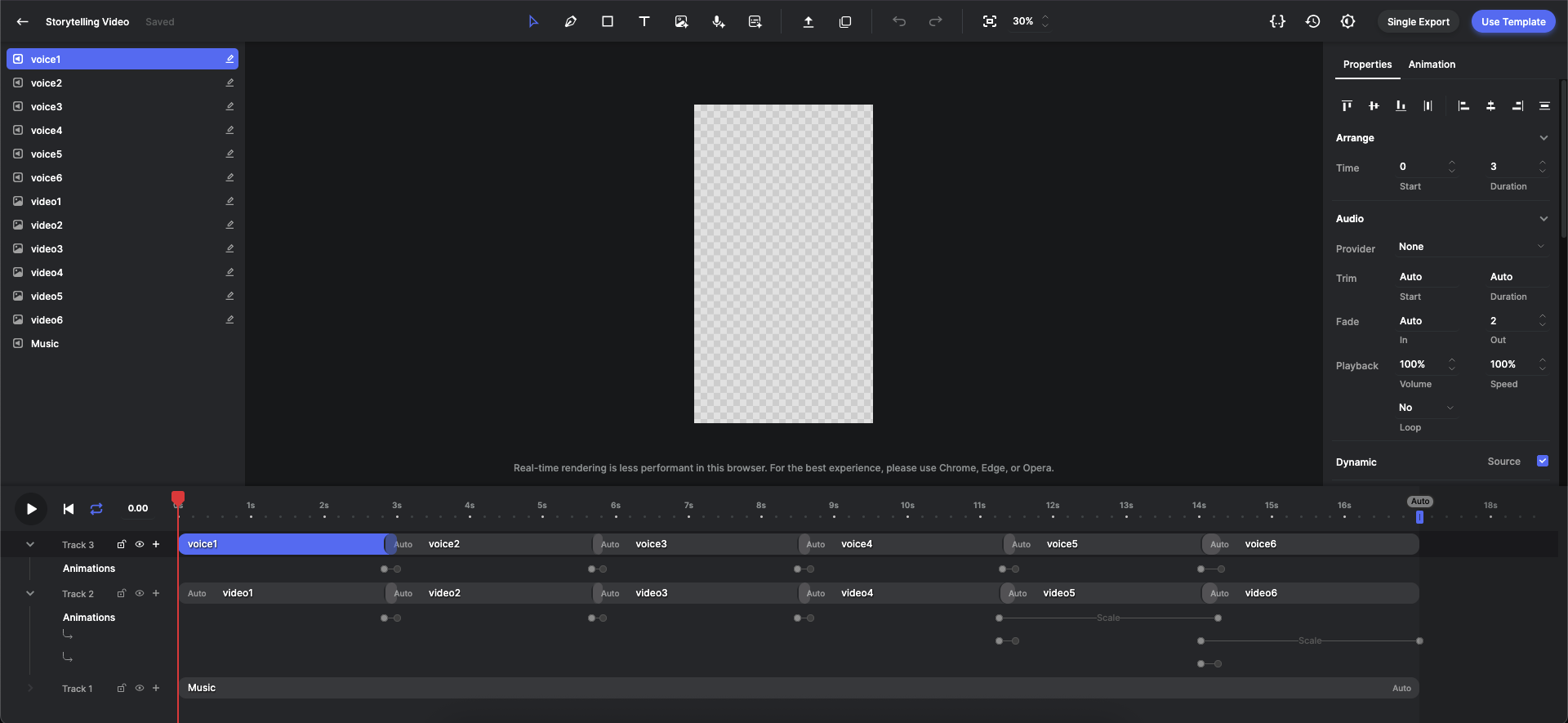
3. Creatomate Template
⚠️ Important: You must create your own template in Creatomate.
This is a one-time setup - the template defines where the voiceover, music, and video clips will be placed.
The more detailed and refined your template is, the better the final cinematic result.
👁 Template
Required APIs
To run this workflow, you need accounts and API keys from the following services:
Setup Steps
- Import the JSON workflow into your n8n instance.
- Add your API credentials for each service above.
- Create a Creatomate template (only once) – define layers for visuals, voice, and music.
- Trigger the workflow from Slack with
/render Your Story Idea.
- Receive your final cinematic video link directly in Slack.
Use Cases
- Automated YouTube Shorts / TikToks for faceless content creators.
- Scalable ad creatives and marketing videos for agencies.
- Educational explainers and onboarding videos generated from text.
- Rapid prototyping of cinematic ideas for developers & storytellers.
With this workflow, you’re not just using AI tools – you’re running a full AI-powered studio in n8n.