
Question
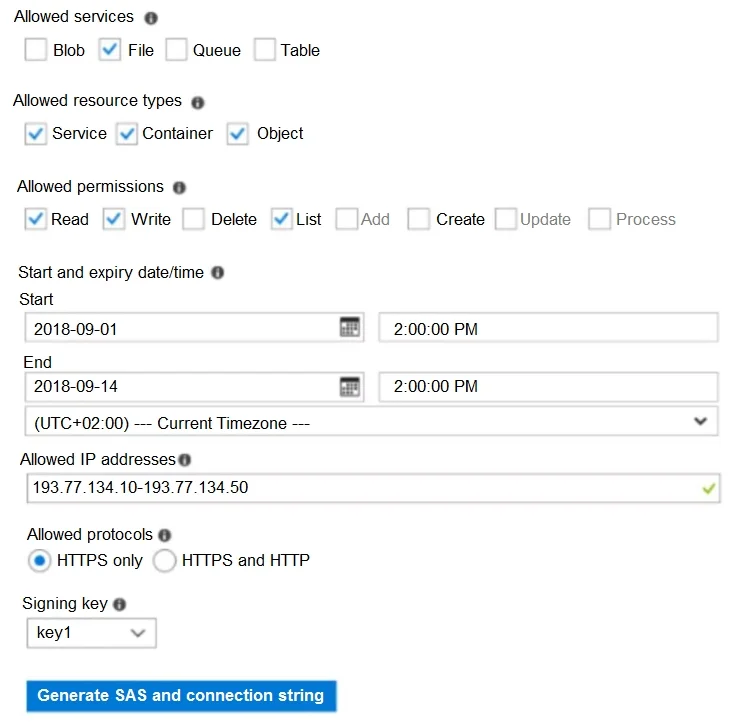
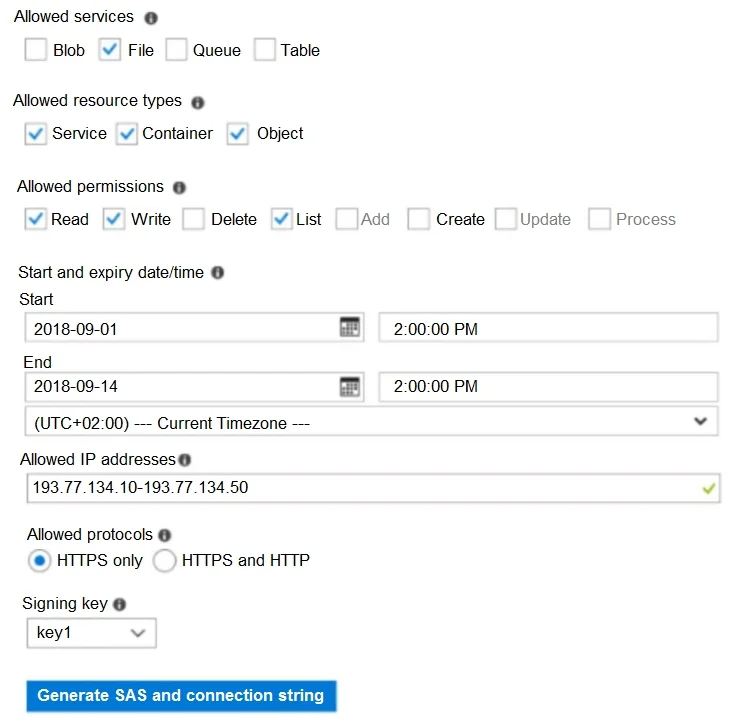
Hotspot Question You have an Azure subscription named Subscription1. In Subscription1, you create an Azure file share named share1. You create a shared access signature (SAS) named SAS1 as shown in the following exhibit: To answer, select the appropriate options in the answer area. NOTE: Each correct selection is worth one point. Answer:
Exhibits
Answer Area
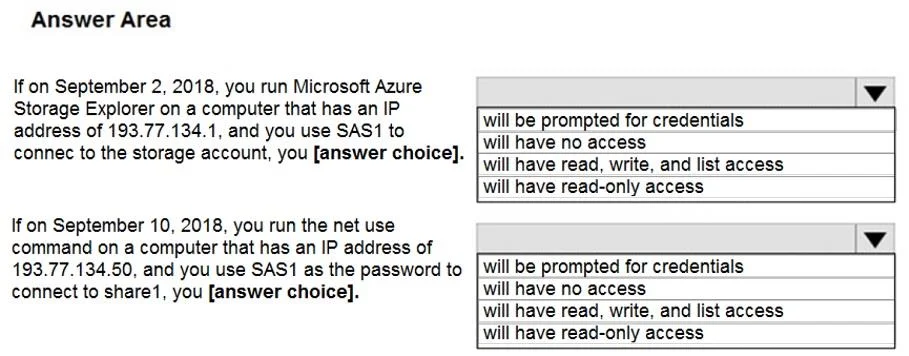
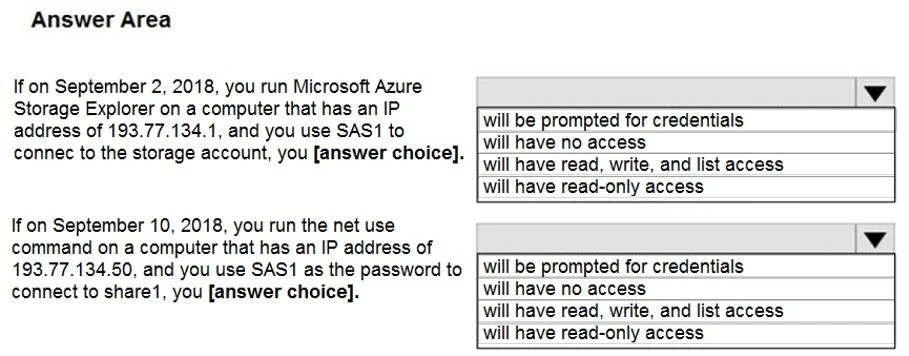
- If on September 2, 2018, you run Microsoft Azure Storage Explorer on a computer that has an IP address of 193.77.134.1, and you use SAS1 to connect to the storage account, you [answer choice].will have no accesswill be prompted for credentialswill have no accesswill have read, write, and list accesswill have read-only access
- If on September 10, 2018, you run the net use command on a computer that has an IP address of 193.77.134.50, and you use SAS1 as the password to connect to share1, you [answer choice].will have no accesswill be prompted for credentialswill have no accesswill have read, write, and list accesswill have read-only access
Explanation
Here's why both scenarios result in no access:
-
Scenario 1: If on September 2, 2018, you run Microsoft Azure Storage Explorer on a computer that has an IP address of 193.77.134.1, and you use SAS1 to connect to the storage account, you will have no access.
- The SAS1 is configured to allow access only from IP addresses within the range 193.77.134.10 to 193.77.134.50. The computer's IP address of 193.77.134.1 falls outside this specified allowed range. Therefore, access is denied.
-
Scenario 2: If on September 10, 2018, you run the net use command on a computer that has an IP address of 193.77.134.50, and you use SAS1 as the password to connect to share1, you will have no access.
- While the date (September 10, 2018) and IP address (193.77.134.50, which is within the allowed range) are valid for the SAS, the
net usecommand uses the Server Message Block (SMB) protocol to mount Azure File shares. SMB currently does not support using a SAS token directly as a password for authentication. Instead, it requires the Azure storage account key. Attempting to use a SAS token will result in an incorrect username/password error, thus denying access.
- While the date (September 10, 2018) and IP address (193.77.134.50, which is within the allowed range) are valid for the SAS, the
Topics
#SAS Token Constraints#Storage Access Control#IP Restrictions#Time-based Expiration
Community Discussion
No community discussion yet for this question.