
Question
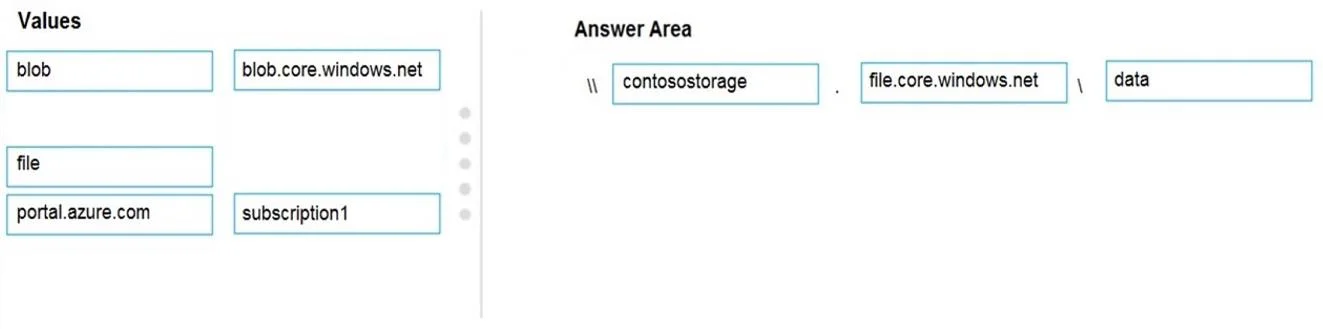
Drag and Drop Question You have an Azure subscription named Subscription1. You create an Azure Storage account named contosostorage, and then you create a file share named data. Which UNC path should you include in a script that references files from the data file share? To answer, drag the appropriate values to the correct targets. Each value may be used once, more than once or not at all. You may need to drag the split bar between panes or scroll to view content. NOTE: Each correct selection is worth one point. Answer:
Exhibit
Answer Area
Drag items
blobblob.core.windows.netcontosostoragedatafilefile.core.windows.netportal.azure.comsubscription1
Correct arrangement
- contosostorage
- file.core.windows.net
- data
Explanation
The correct UNC path for an Azure Files share follows the format: \<storage_account_name>.file.core.windows.net<share_name>, which in this case is \contosostorage.file.core.windows.net\data. The storage account name (contosostorage) is the hostname prefix, 'file.core.windows.net' is the Azure Files service endpoint domain, and 'data' is the specific file share name. This UNC path is used in scripts or mapped drives to access Azure File shares over SMB protocol.
Topics
#Azure Storage#Azure Files#UNC Path#SMB Protocol
Community Discussion
No community discussion yet for this question.