

adygcode/base-blade-kit
A Laravel Blade Template with Sanctum Authentication built in
Maintainers
Package info
github.com/AdyGCode/base-blade-kit
Language:Blade
Type:project
pkg:composer/adygcode/base-blade-kit
Requires
- php: >=8.2
- laravel/breeze: ^2.3
- laravel/framework: ^12.0
- laravel/telescope: ^5.10
- laravel/tinker: ^2.10.1
- livewire/livewire: ^3.6
Requires (Dev)
- barryvdh/laravel-debugbar: ^3.15
- fakerphp/faker: ^1.23
- larastan/larastan: ^3.5
- laravel/pint: ^1.24
- laravel/sail: ^1.41
- mockery/mockery: ^1.6
- nunomaduro/collision: ^8.6
- pestphp/pest: ^3.8
- pestphp/pest-plugin-laravel: ^3.2
- roave/security-advisories: dev-latest
Suggests
None
Provides
None
Conflicts
None
Replaces
None
README
A Laravel Blade Template with Sanctum Authentication built in.
Based on the Blade & Breeze Starter Kit provided with Laravel versions before Laravel 12.
Built With
👁 PHP
👁 Laravel
👁 Tailwindcss
👁 Livewire
👁 Inertia
Editor of choice
Description
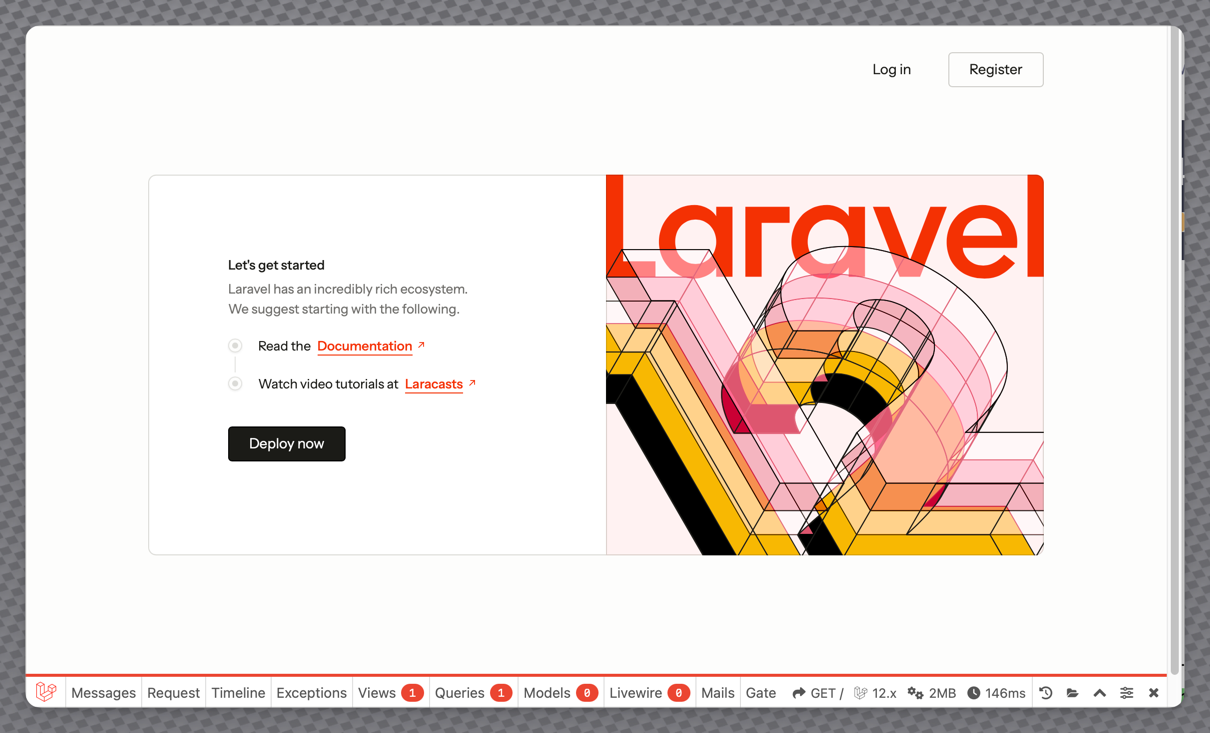
A starter kit for Laravel based on Laravel's Blade templating engine, TailwindCSS v4, HyperUI components and FontAwesome Free icons.
It contains three sections:
- Static Layout, Controller and Pages
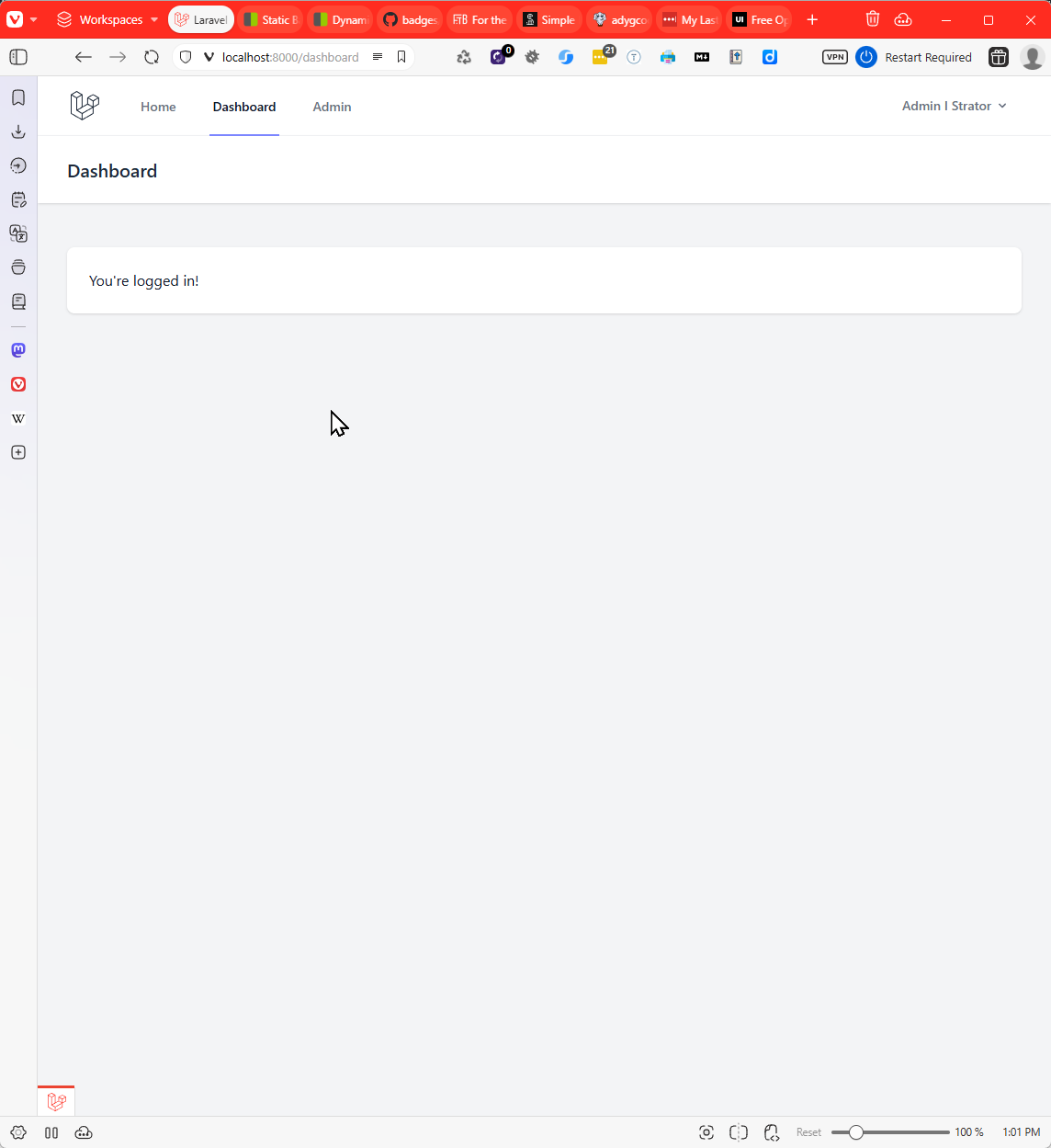
- Authenticated User Layout and Pages
- Administration Layout, Controller and Pages
The project was developed as a re-write of the "Retro Blade Kit" also by Adrian Gould.
It provides a base template for the creation of a "SaaS" style application, omitting sections that may tie to a specific vendor such as a payment system.
General Welcome/Home Page

Authenticated User Dashboard
👁 Authenticated User Dashboard

Admin Dashboard

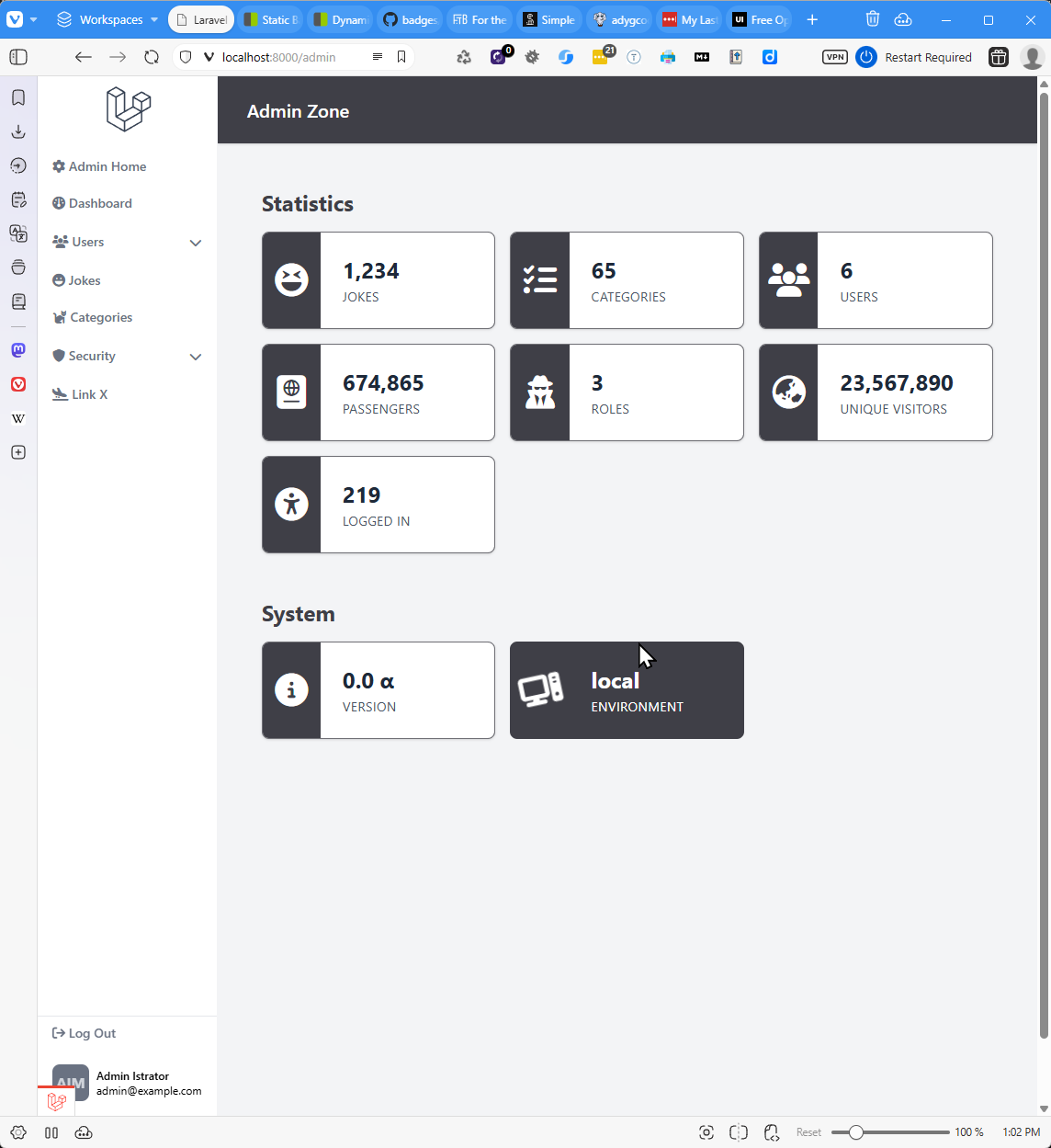
Table of Contents
Installation
Remember to run composer install, php artisan migrate, php artisan key:generate to make sure a key is generated, all tables are created,
and packages correctly installed.
Alternatively, you may use composer setup to install all packages,
set a key, migrate and other common Laravel setup steps (using pnpm
for Node.js package management). Using composer setup-npm will perform
the same process but using npm for package management.
Via Laravel Herd
One-click install a new application using this starter kit through Laravel Herd:
Via the Laravel Installer
Create a new Laravel application using this starter kit through the official Laravel Installer:
laravel new my-app --using=adygcode/base-blade-kit
to use PNPM in place of NPM use:
laravel new my-app -pnpm --using=adygcode/base-blade-kit
To install with Pest, PNPM, Livewire, initialise a git repo, SQLite, ... (Typed in on a single command line):
 laravel new my-app --pnpm --git --database=sqlite \
 --pest --using=adygcode/base-blade-kit
In either case, you must replace my-app with the name of your project,
using kebab-case. For example duck-quack-paddle.
Credits
This template is built using:
- Font Awesome. (n.d.). Fontawesome.com. https://fontawesome.com
- Laravel - The PHP Framework For Web Artisans. (2011). Laravel.com. https://laravel.com
- Laravel Bootcamp - Learn the PHP Framework for Web Artisans. (n.d.). Bootcamp.laravel.com. https://bootcamp.laravel.com/
- PHP: Hypertext Preprocessor. (n.d.). Www.php.net. https://php.net
- Professional README Guide. (n.d.). Coding-Boot-Camp.github.io. Retrieved April 15, 2024, from https://coding-boot-camp.github.io/full-stack/github/professional-guide
- TailwindCSS. (2023). Tailwind CSS - Rapidly build modern websites without ever leaving your HTML. Tailwindcss.com. https://tailwindcss.com/
- Free Open Source Tailwind CSS v4 Components | HyperUI. (2025). HyperUI. https://www.hyperui.dev/
Badges
👁 Forks
👁 Issues
👁 Educational Community Licence
Tests
TBD
Contact
Adrian Gould: Lecturer (ASL1), North Metropolitan TAFE, Perth WA
- GitHub Pages: https://adygcode.github.io
- GitHub Repos: https://github.com/AdyGCode
- Starter Kit Repo: Retro Blade Starter Kit
Licence
The Laravel "Base Blade Kit" Starter Kit is open-sourced software licensed under the MIT license.