

ayang/api
一个简单的使用注解生成api文档的库
Maintainers
v1.0.2
2024-07-30 18:13 UTC
Requires
- php: ^8.0
- guzzlehttp/guzzle: ^7.5
- inhere/console: ^4.1
- sebastian/diff: ^5.1.1
Requires (Dev)
- mockery/mockery: ^1.6
- pestphp/pest: ^2.30
Suggests
None
Provides
None
Conflicts
None
Replaces
None
README
一个简单的使用注解生成接口文档的命令行工具类
预览效果

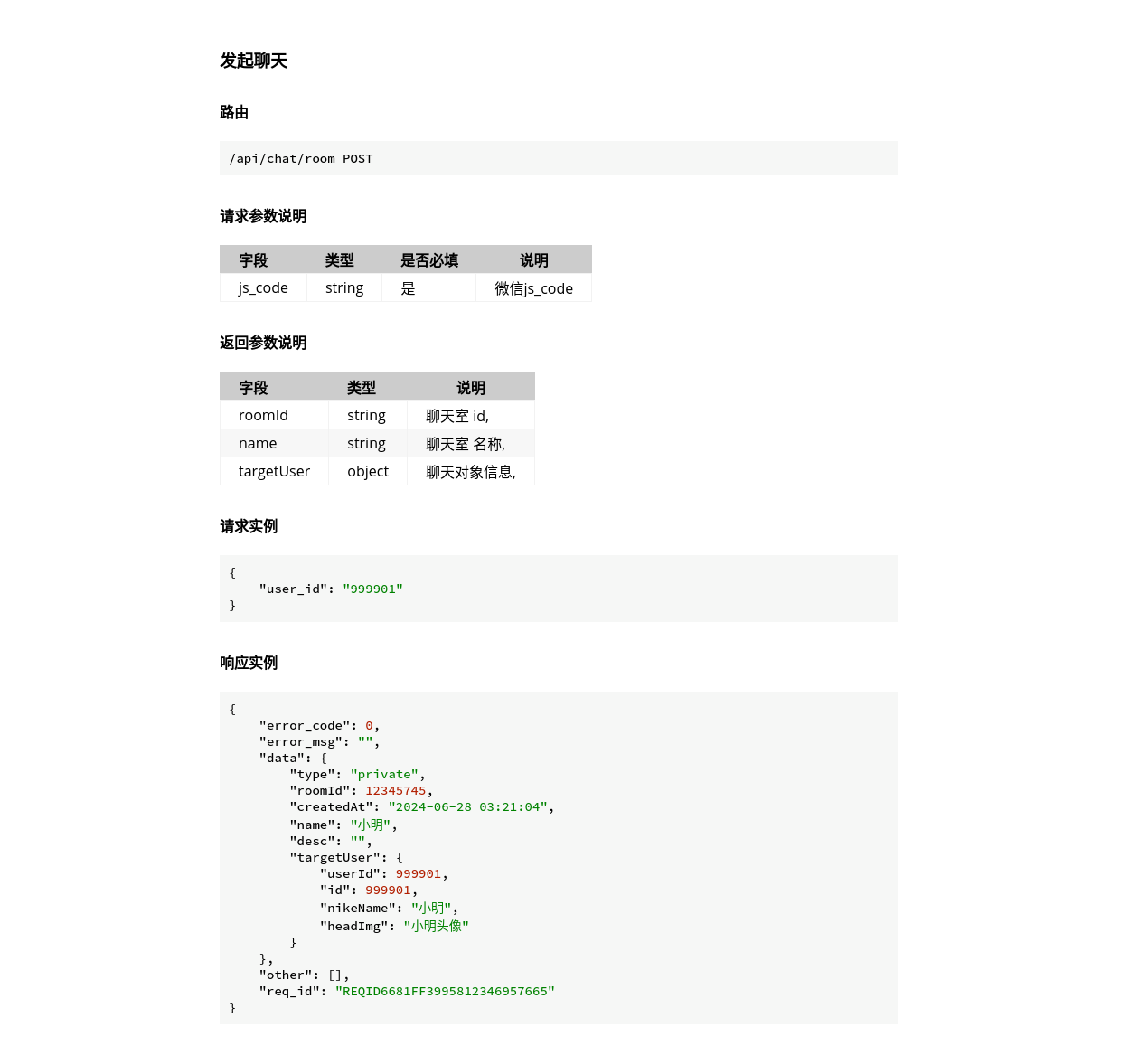
api document
功能概览
- 根据注解生成接口 md格式文档,可以用 mdBook 生成html,也可以自行扩展
- 可以设置guzzle/http 客户端 ,根据注解请求接口,返回结果整合到文档中
项目地址
快速安装
- Requirement PHP 8.0+
composer require ayang/api
快速开始
- 注解编写
use Ayang\ApiManager\Attr\api;
use Ayang\ApiManager\Attr\param;
use Ayang\ApiManager\Attr\request;
use Ayang\ApiManager\Attr\response;
use Ayang\ApiManager\Attr\respField;

class userController
{
 #[api(name:"获取用户信息", path: "/getInfo", method: "get", desc: "返回参考保存用户信息字段", category: "用户信息")]
 #[param("id", "int", '用户id', true)]
 #[respField("real_status", "bool", "实名认证 0未提交1审核中2通过3拒绝")]
 #[respField("education_status", "bool", "学历认证 0未提交1审核中2通过3拒绝")]
 #[respField("work_status", "bool", "company认证 0未提交1审核中2通过3拒绝")]
 #[respField("activity", "string", "活跃度")]
 #[respField("is_reg", "bool", "是否注册")]
 #[request(['id' => 1], right: false)]
 #[response('{"name":"小明"}')]
 public function getInfo()
 {
 }
}
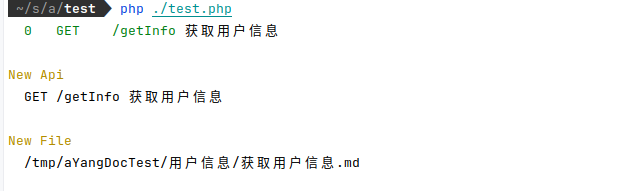
- 生成文档
$dir = "/tmp/aYangDocTest"; //文档目录
$cateFile = "/tmp/aYangDocTest/cate.md"; //文档导航

$apiList = \Ayang\ApiManager\apiEntity::getByClass(\Ayang\ApiManager\Test\example\userController::class);
$maker = new \Ayang\ApiManager\Doc\documentMaker($apiList, new \Ayang\ApiManager\Display\Format\markdownFormat(), $dir, $cateFile);
$display = new \Ayang\ApiManager\display($maker);

$display->listApi();//列出全部 api

$maker->makeAll(); //生成文档
$maker->makeOne("GET", "/getInfo"); //生成或者覆盖指定单个接口
$maker->makeCategoryFile();// 生成导航文件

$display->printLog();//显示文档变化的接口

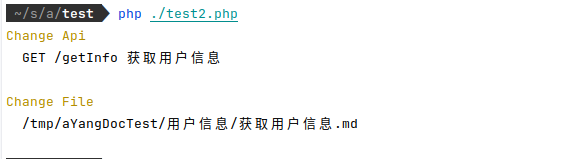
- 注解修改
class userController
{
 #[api(name:"获取用户信息", path: "/getInfo", method: "get", desc: "返回参考保存用户信息字段", category: "用户信息")]
 #[param("userId", "int", '用户id', true)]
 #[respField("real_status", "bool", "实名认证 0未提交1审核中2通过3拒绝")]
 #[request(['userId' => 1], right: false)]
 #[response('{"name":"小明"}')]
 public function getInfo()
 {
 }
}

$maker2 = new \Ayang\ApiManager\Doc\documentMaker($apiList, new \Ayang\ApiManager\Display\Format\markdownFormat(), $dir, $cateFile);

$maker2->showChange();
$display = new \Ayang\ApiManager\display($maker2);
$display->printLog();//检查注解变化的接口

- 根据注解发起http请求
//$resp = new GuzzleHttp\Psr7\Response(200,[],'{"code":0}');
//$guzzleClient = Mockery::mock(GuzzleHttp\Client::class);
//$guzzleClient->allows([
// "request" => $resp//new GuzzleHttp\Psr7\Response(200,[],'{"code":0}')
//]);
// 根据注解 request 进行请求

$guzzleClient = new GuzzleHttp\Client();
$apiClient = new \Ayang\ApiManager\apiClient($guzzleClient);
$maker->setApiClient($apiClient);
$maker->makeAll();//or $maker->makeOne("GET", "/getInfo");
$display = new \Ayang\ApiManager\display($maker);
$display->printLog();//文档变化的接口