

bukwild/craft-netlify-deploy-status
Craft plugin that shows Netlify deploy statuses
Maintainers
Package info
github.com/BKWLD/craft-netlify-deploy-status
Type:craft-plugin
pkg:composer/bukwild/craft-netlify-deploy-status
Requires
- craftcms/cms: ^3.0 || ^4.0
Requires (Dev)
- craftcms/rector: dev-main
Suggests
None
Provides
None
Conflicts
None
Replaces
None
MIT 7b4264ccc8f7839afc794faf496f1ca4eff3d702
README
Craft plugin that shows Netlify deploy statuses
Requirements
This plugin requires Craft CMS 3 or 4.
Installation
To install the plugin, follow these instructions.
-
Open your terminal and go to your Craft project:
cd /path/to/project -
Then tell Composer to load the plugin:
composer require bukwild/craft-netlify-deploy-status -
In the Control Panel, go to Settings → Plugins and click the “Install” button for Craft Netlify Deploy Status.
Adding Webhooks
-
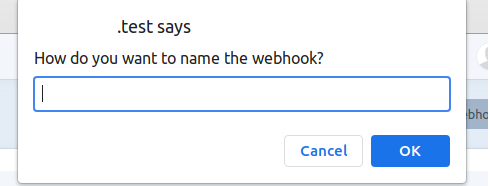
Create a new incoming webhook in /admin/craft-netlify-deploy-status 👁 img_1.png
-
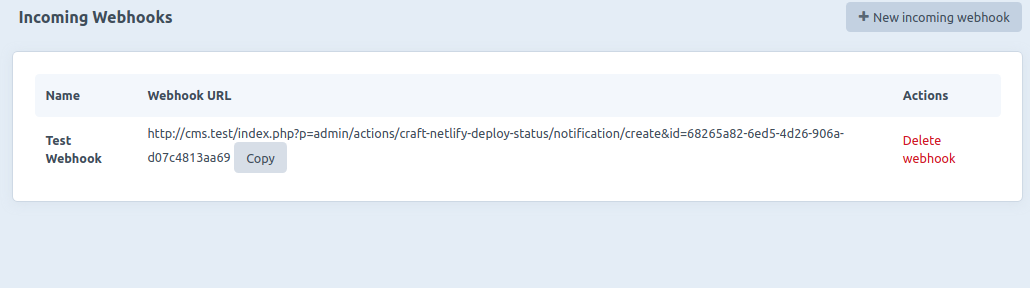
Copy Webhook Url 👁 img_2.png
-
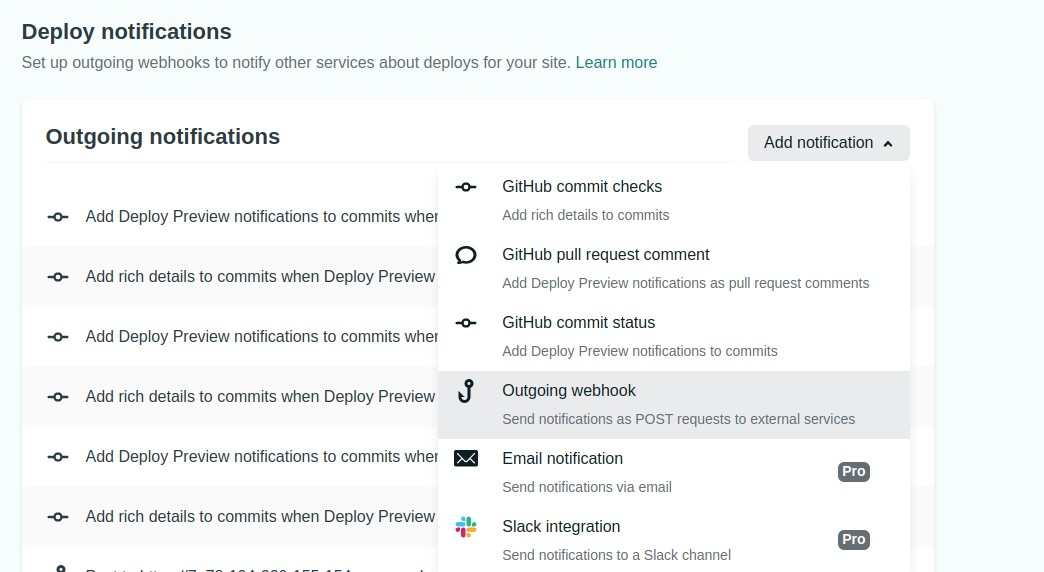
In Netlify, go to Site Settings -> Build & Deploy -> Deploy Notifications, click on Add notification and select Outgoing Webhook 👁 img_3.png
-
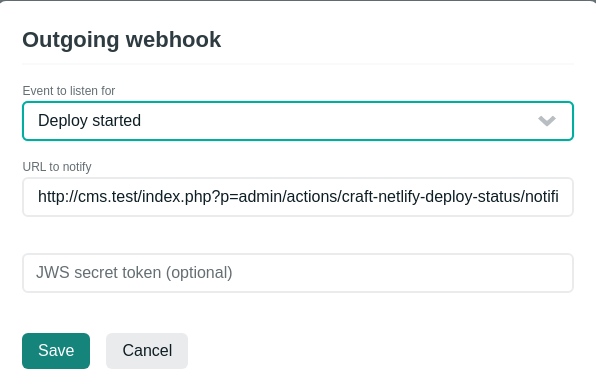
Paste the Webhook URL in the URL to notify field and select an event to listen for and click Save. NOTE: use the same Webhook URL for all the events in a single project you want to get notifications from. One Webhook URL per Netlify project. 👁 img_4.png
-
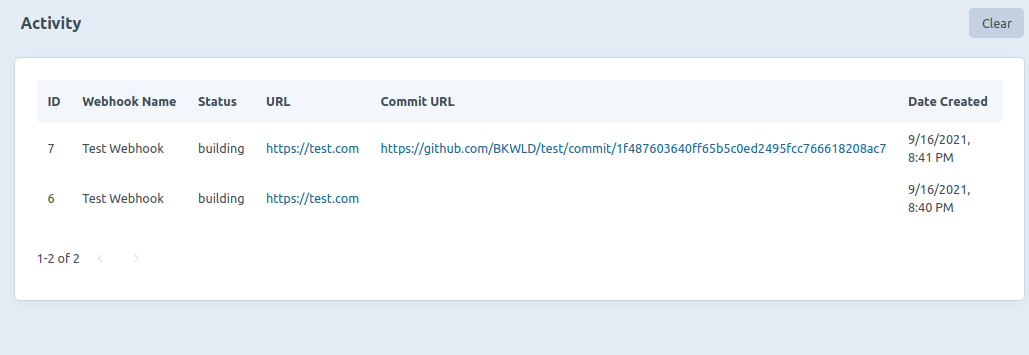
To test the webhook, try deploying a site or making a commit to the site. (If redeploying the site there will be no Commit URL) 👁 img_5.png





- Release it
Brought to you by Bukwild