

captcha-eu/neos
Form Element to integrate Captcha.eu into the Flow Form Framework
Maintainers
Requires
- neos/form: ^5.0
Requires (Dev)
None
Suggests
- neos/form-builder: Build custom forms in Neos CMS backend
Provides
None
Conflicts
None
Replaces
None
GPL-3.0-or-later de4248a459de8a321a571a7d285f4ade444eca47
This package is not auto-updated.
Last update: 2026-06-26 04:29:21 UTC
README
Based on a fork of ahornlabs/friendly-captcha-neos - huge probs!!
Captcha.eu integration for Neos Form Framework
This package add a form element which integrates Captcha.eu verification to your form.
Please note: You need an Captcha.eu account to use these package.
Installation
The package can be installed via Composer.
$ composer require captcha-eu/neos
Configuration
You need to add your Public Key (publicKey) and Rest Key (restKey) from you Captcha.eu account. Please have a look at the official Captcha.eu-Docs if you need more informations.
CaptchaEU:
 CaptchaEU:
 publicKey: 'add-you-site-key'
 restKey: 'add-you-secret-key'
In production environment we strictly recommend to use environment variables to set the values.
Add form element with Neos.Form.Builder
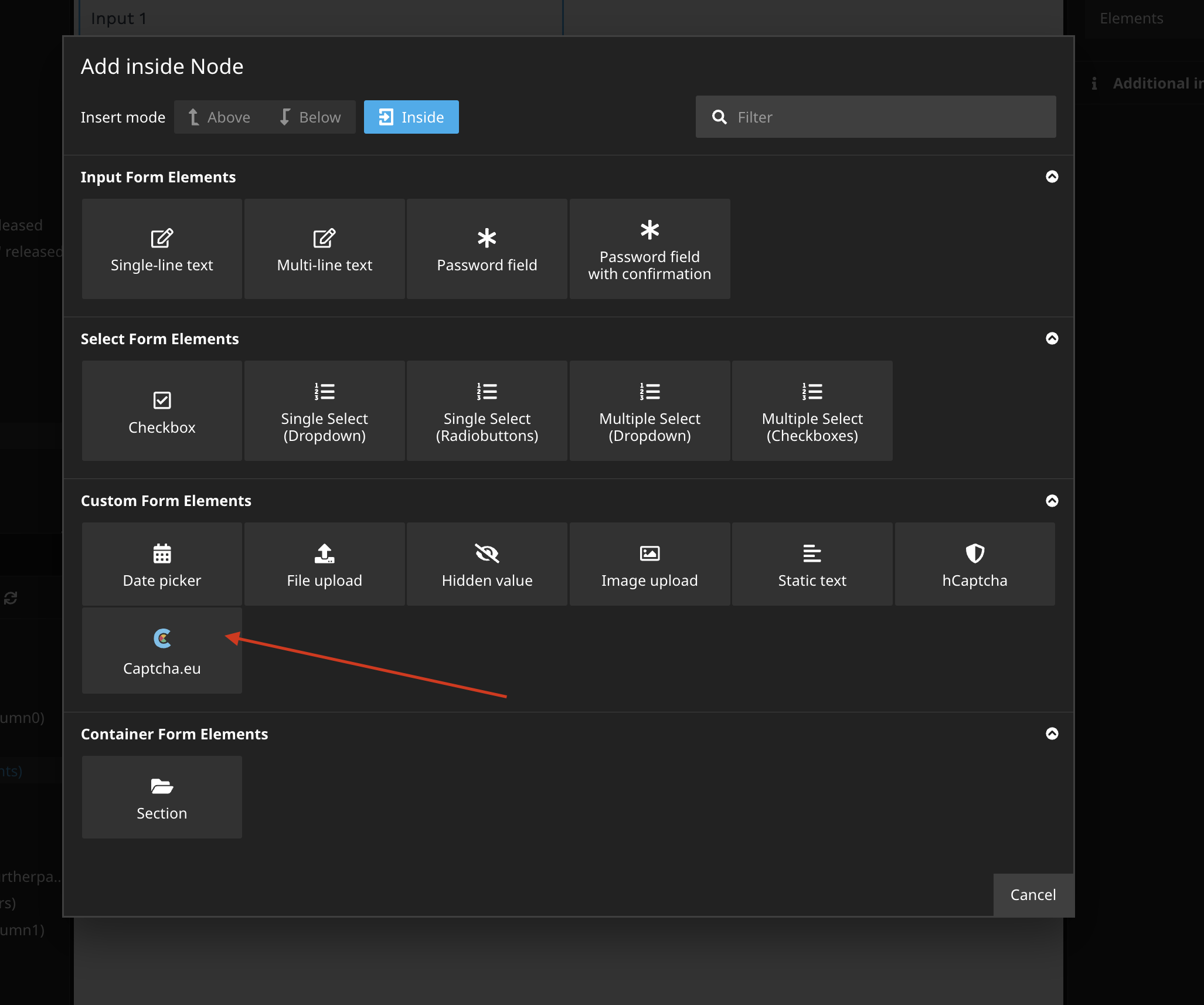
Create a new form in Neos backend. Add the new Captcha.eu form element to you form.

Usage with Neos.Form
Simply add the new form element to your form definition renderables:
type: 'Neos.Form:Form'
identifier: someIdentifier
label: Label
renderables:
 -
 type: 'Neos.Form:Page'
 identifier: page-one
 renderables:
 -
 type: 'CaptchaEU.CaptchaEU:Captcha'
 identifier: captcha
 label: Captcha
 properties:
 publicKey: your-public-key
 restKey: your-private-key
finishers:
 -
 <Your finishers here>
Override Settings
You can override the following configurations in the node properties:
- Public Key
- Rest Key