

ninshiki-project/general-settings
Filament package to manage general settings
Maintainers
Package info
github.com/ninshiki-project/general-settings
pkg:composer/ninshiki-project/general-settings
Requires
- php: ^8.1
- filament/filament: ^3.0
- spatie/laravel-package-tools: ^1.15.0
Requires (Dev)
- laravel/pint: ^1.0
- nunomaduro/collision: ^7.9
- nunomaduro/larastan: ^2.0.1
- orchestra/testbench: ^8.0
- pestphp/pest: ^2.1
- pestphp/pest-plugin-arch: ^2.0
- pestphp/pest-plugin-laravel: ^2.0
- phpstan/extension-installer: ^1.1
- phpstan/phpstan-deprecation-rules: ^1.0
- phpstan/phpstan-phpunit: ^1.0
- spatie/laravel-ray: ^1.26
Suggests
None
Provides
None
Conflicts
None
Replaces
None
MIT 9c6be0938134e405424bc043ab08a93125e6b765
README
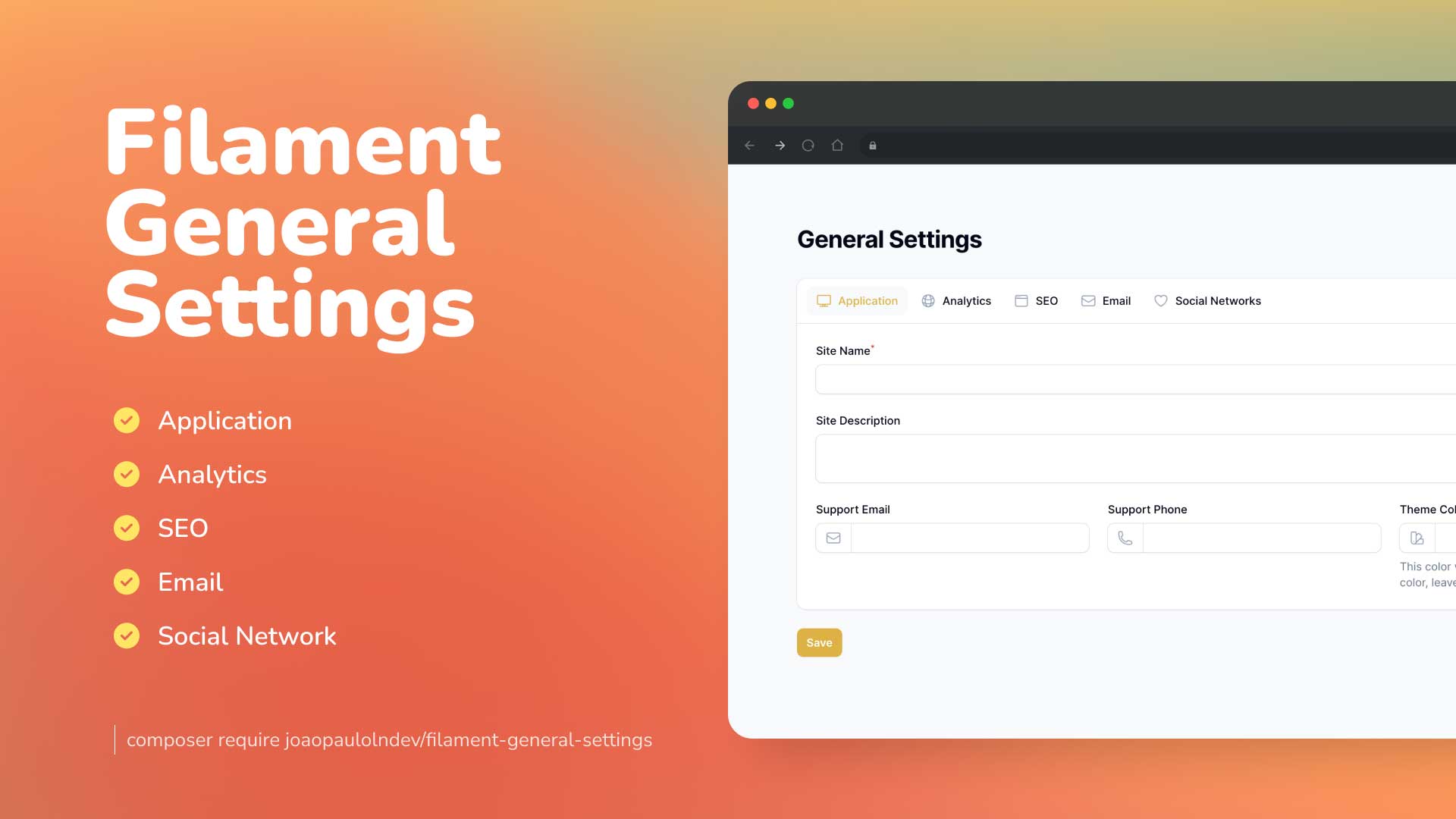
Create really fast and easily general settings for your Laravel Filament project.
This is heavily customized for ninshiki-project/Ninshiki-backend-community
👁 Screenshot of Application Feature

Installation
You can install the package via composer:
composer require ninshiki-project/general-settings
You can publish and run the migrations with:
php artisan vendor:publish --tag="general-settings-migrations"
php artisan migrate
You can publish the config file with:
php artisan vendor:publish --tag="general-settings-config"
Optionally, you can publish the views using
php artisan vendor:publish --tag="general-settings-views"
Optionally, you can publish the translations using
php artisan vendor:publish --tag="general-settings-translations"
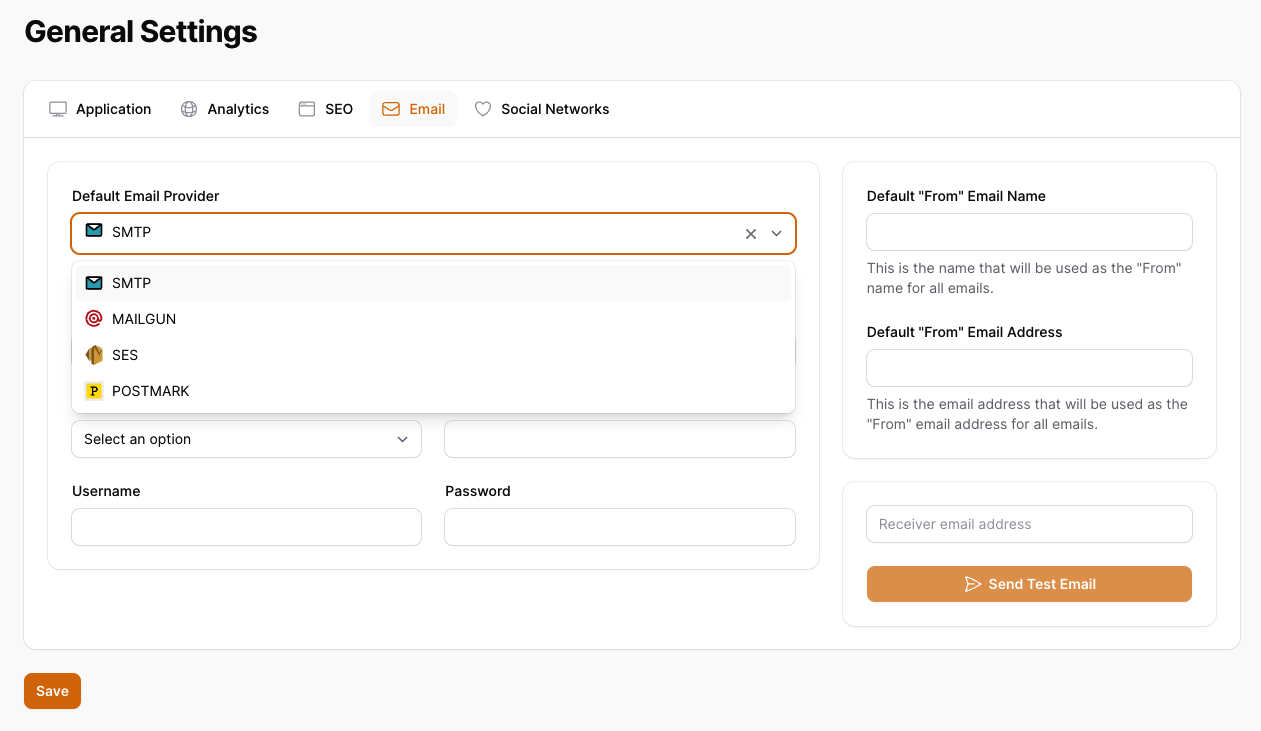
Optionally, you can publish the assets using. Ex: to show images in default email providers.
php artisan vendor:publish --tag="general-settings-assets"
👁 Screenshot of Default Email Providers

This is the contents of the published config file:
return [
 'show_application_tab' => true,
 'show_analytics_tab' => true,
 'show_seo_tab' => true,
 'show_email_tab' => true,
 'show_social_networks_tab' => true,
 'expiration_cache_config_time' => 60,
];
Optionally, if you would like to add custom tabs and custom fields follow the example on configuration using the keys
show_custom_tabs and custom_tabs.
use ninshikiProject\GeneralSettings\Enums\TypeFieldEnum;

return [
 'show_application_tab' => true,
 'show_analytics_tab' => true,
 'show_seo_tab' => true,
 'show_email_tab' => true,
 'show_social_networks_tab' => true,
 'expiration_cache_config_time' => 60,
 'show_custom_tabs'=> true,
 'custom_tabs' => [
 'more_configs' => [
 'label' => 'More Configs',
 'icon' => 'heroicon-o-plus-circle',
 'columns' => 1,
 'fields' => [
 'custom_field_1' => [
 'type' => TypeFieldEnum::Text->value,
 'label' => 'Custom Textfield 1',
 'placeholder' => 'Custom Field 1',
 'required' => true,
 'rules' => 'required|string|max:255',
 ],
 'custom_field_2' => [
 'type' => TypeFieldEnum::Select->value,
 'label' => 'Custom Select 2',
 'placeholder' => 'Select',
 'required' => true,
 'options' => [
 'option_1' => 'Option 1',
 'option_2' => 'Option 2',
 'option_3' => 'Option 3',
 ],
 ],
 'custom_field_3' => [
 'type' => TypeFieldEnum::Textarea->value,
 'label' => 'Custom Textarea 3',
 'placeholder' => 'Textarea',
 'rows' => '3',
 'required' => true,
 ],
 'custom_field_4' => [
 'type' => TypeFieldEnum::Datetime->value,
 'label' => 'Custom Datetime 4',
 'placeholder' => 'Datetime',
 'seconds' => false,
 ],
 'custom_field_5' => [
 'type' => TypeFieldEnum::Boolean->value,
 'label' => 'Custom Boolean 5',
 'placeholder' => 'Boolean'
 ],
 ]
 ],
 ]
];
Enabling Logo and Favicon Feature
To enable the feature for choosing a logo and favicon within the application tab, you need the following steps:
- Publish the migration file to add the
site_logoandsite_faviconfields to the general settings table (only if you have installed the package before this feature):
php artisan vendor:publish --tag="general-settings-migrations"
php artisan migrate
- Publish the configuration file:
php artisan vendor:publish --tag="general-settings-config"
- Open the published configuration file config/general-settings.php and set the following key to true:
return [
 // Other configuration settings...
 'show_logo_and_favicon' => true,
];
Usage
Add in AdminPanelProvider.php
use ninshikiProject\GeneralSettings\GeneralSettingsPlugin;

...

->plugins([
 GeneralSettingsPlugin::make()
])
if you want to show for specific parameters to sort, icon, title, navigation group, navigation label and can access, you can use the following example:
->plugins([
 GeneralSettingsPlugin::make()
 ->canAccess(fn() => auth()->user()->id === 1)
 ->setSort(3)
 ->setIcon('heroicon-o-cog')
 ->setNavigationGroup('Settings')
 ->setTitle('General Settings')
 ->setNavigationParentItem('Settings')
 ->setNavigationLabel('General Settings'),
 ])
Testing
composer test
Changelog
Please see CHANGELOG for more information on what has changed recently.
Credits
- Original Developer: João Paulo Leite Nascimento
- Original Package Repo: https://github.com/joaopaulolndev/filament-general-settings
License
The MIT License (MIT). Please see License File for more information.